NoomiClone Guide: Features & How to Play on PC With MEmu
 |
|
What Is NoomiClone?
NoomiClone is a physics-based gymnastics, calisthenics, and parkour simulation game developed by NoomiClone Dev. It lets you control Noomi, a ragdoll gymnast, and perform flips, twists, bar swings, and other acrobatic tricks. Instead of relying on fixed animations, the game uses physics-based movement, making timing, momentum, and body positioning important parts of every attempt.
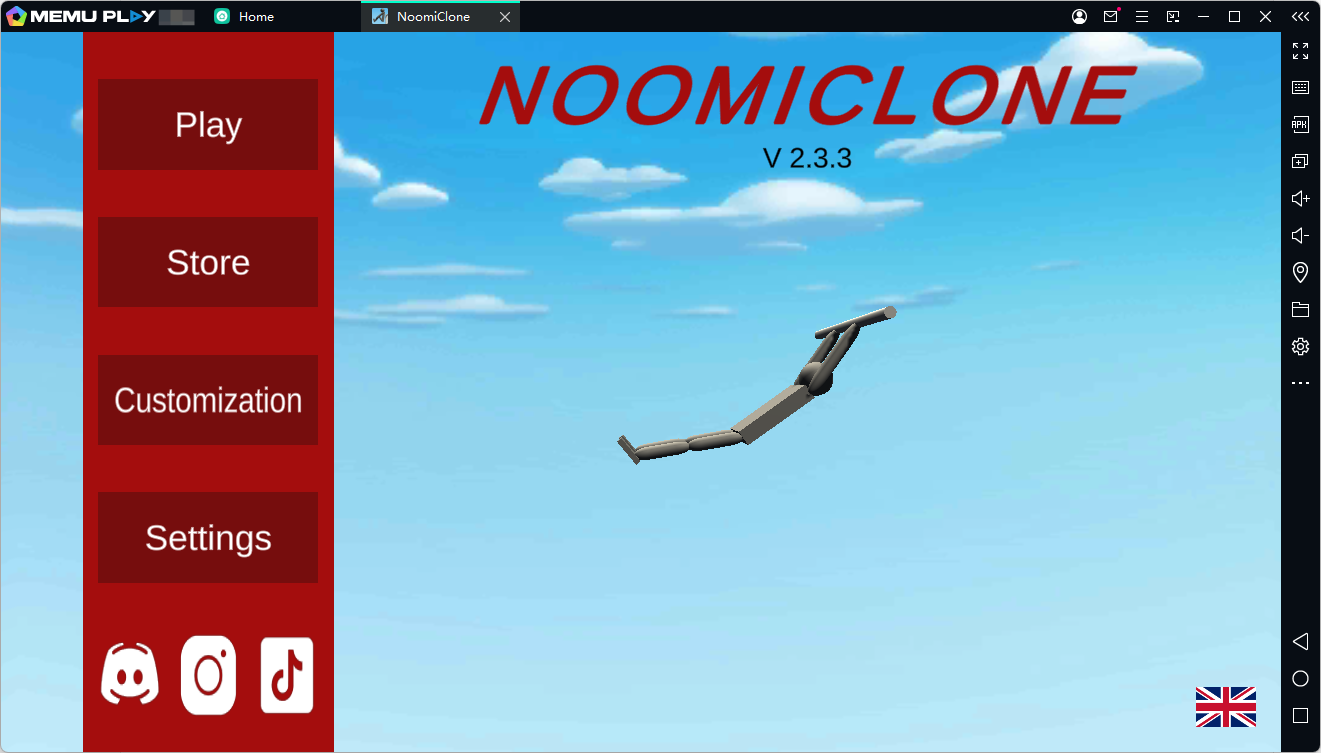

NoomiClone
Whether you want to master challenging bar tricks or create impressive backflip combinations, NoomiClone offers a flexible playground where you can experiment with different movements and develop your own style.
The game is available on Android, and you can try playing it on your PC with the MEmu Android emulator.
Contents
Key Features of NoomiClone
1. Two Exciting Game Modes
NoomiClone offers two main modes, each with its own challenges and gameplay style.
- Bar Mode: Swing between bars, release your grip at the right moment, perform tricks in midair, and grab the next bar. The mode includes 12 maps, ranging from Classic and Trampoline to City and Workout Park.
- Tumbling Mode: Focus on flips, twists, and parkour-inspired combinations across six maps featuring boxes, ramps, platforms, and moving obstacles.
Both modes encourage experimentation, allowing you to discover new combinations as you become more familiar with the physics.
2. Realistic Ragdoll Physics
The core appeal of NoomiClone lies in its physics-based mechanics. Every movement affects your character's momentum and rotation, so even a small adjustment to your timing can change the outcome of a trick.
You can experiment with moves such as tucks, pikes, arches, layouts, squats, and twists in both directions. Combine these movements to create your own routines, improve your control, and attempt more challenging tricks.
3. Slow Motion and Replay Features
Learning difficult tricks takes practice, and NoomiClone includes features to help you improve.
Slow motion lets you examine the timing of your movements more carefully, while the replay system allows you to review your best attempts and save recordings as videos. You can use these tools to identify mistakes, understand your movement, and refine your technique.
4. Customizable Controls
Everyone has a different playing style, so NoomiClone allows you to move and resize its control buttons. Adjust the layout to make important actions easier to reach and create a control setup that feels comfortable for you.
5. Unlockable Skins and Progress Backup
You can unlock character skins through gameplay by performing regrabs or obtain them using NoomiCoins. The game also supports optional account sign-in for backing up progress, including regrabs, NoomiCoins, and skins.
These features give you additional goals to work toward while practicing your favorite tricks.
Why Play NoomiClone on MEmu?
Playing NoomiClone on a PC with MEmu can offer an alternative to playing on a mobile device. Depending on your computer and emulator configuration, you may enjoy the following benefits:
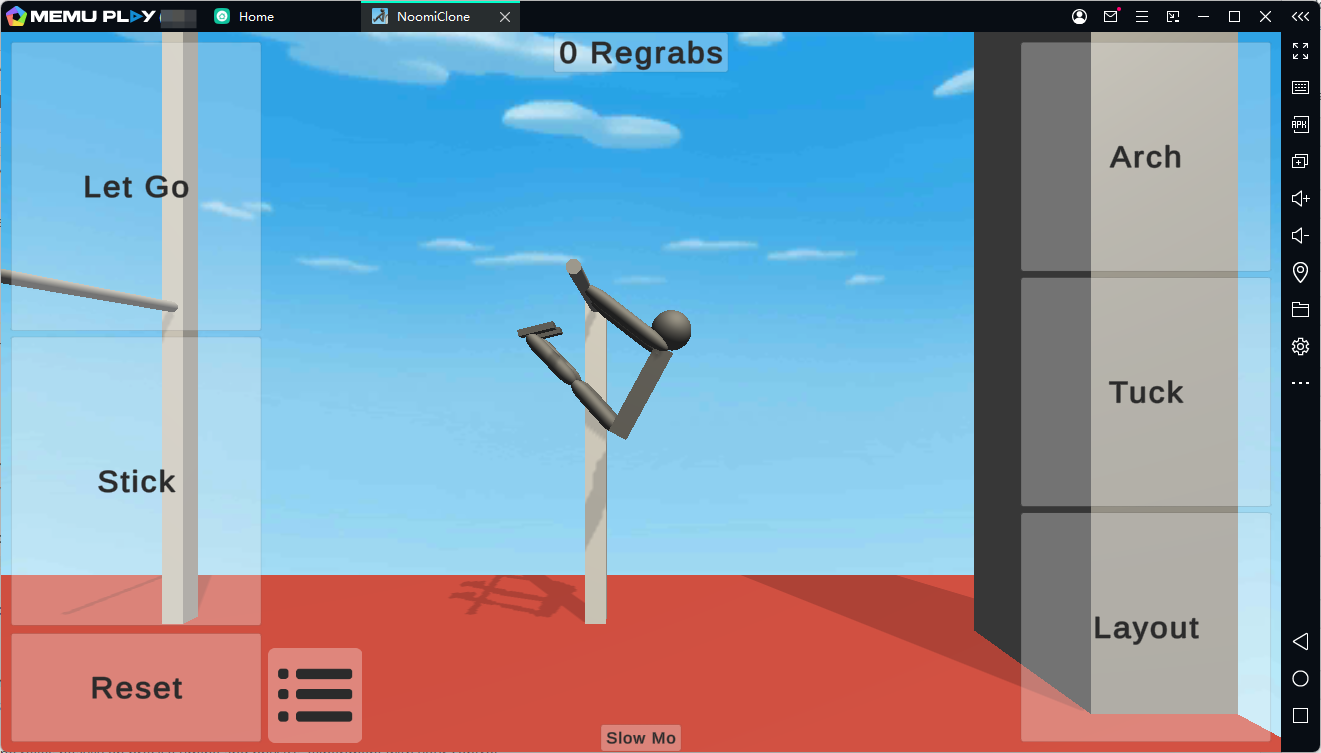
- A larger screen: Observe your character's movements and the surrounding environment on your PC monitor.
- Flexible control options: Configure keyboard mapping in MEmu, where supported, to make frequently used actions easier to access.
- PC convenience: Play without relying on your phone's battery or occupying your mobile device.
- Adjustable performance settings: Customize the emulator's resource allocation and display settings according to your computer's capabilities.
Because NoomiClone relies heavily on precise timing and physics, experiment with your control layout and emulator settings to find a setup that suits your playstyle.
How to Download and Play NoomiClone on MEmu
Follow these steps to get started.
Step 1: Download and Install MEmu
Visit the official MEmu website:
Download the installer, run it, and follow the on-screen instructions to complete the installation. Once the process finishes, launch MEmu on your computer.
Step 2: Open Google Play Store
Start the emulator and open Google Play Store from the home screen. Sign in with your Google account if prompted.
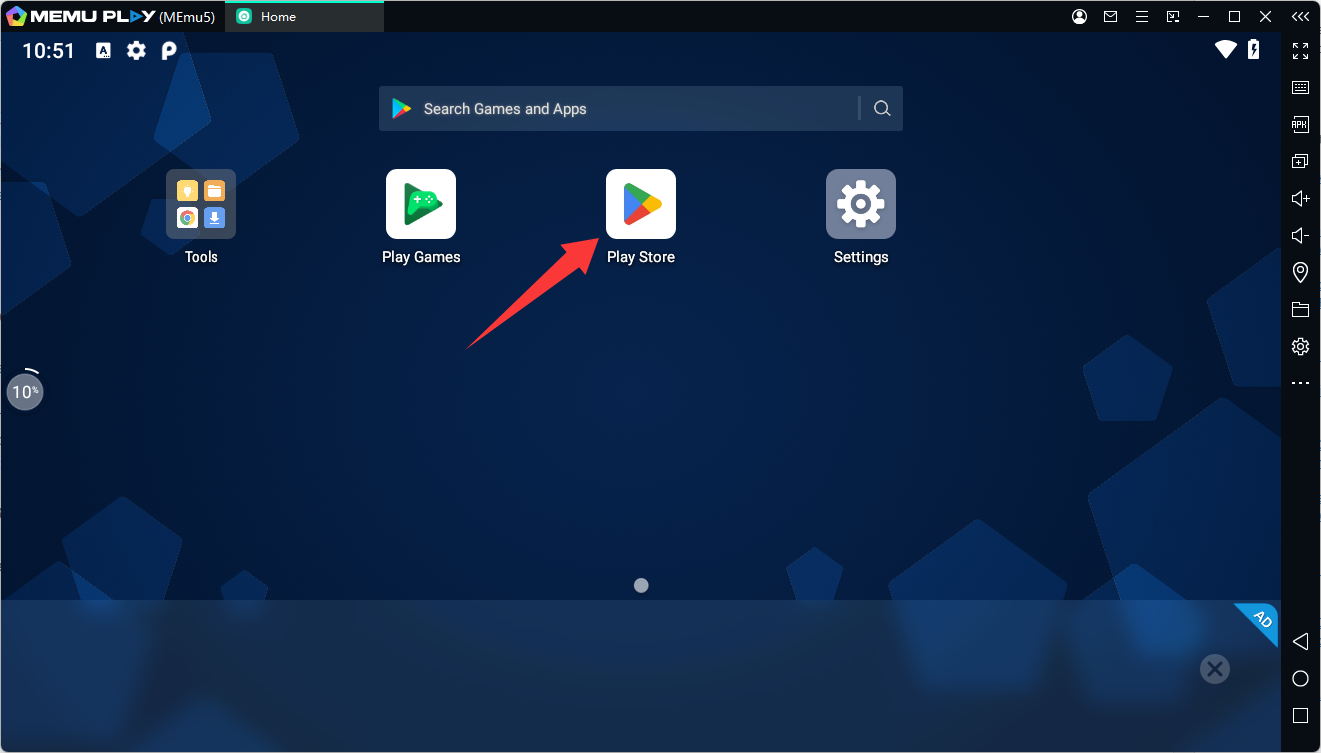
Using Google Play allows you to access the game's official listing and download the available version.
Step 3: Search for NoomiClone
Open the Google Play Store and search for NoomiClone.
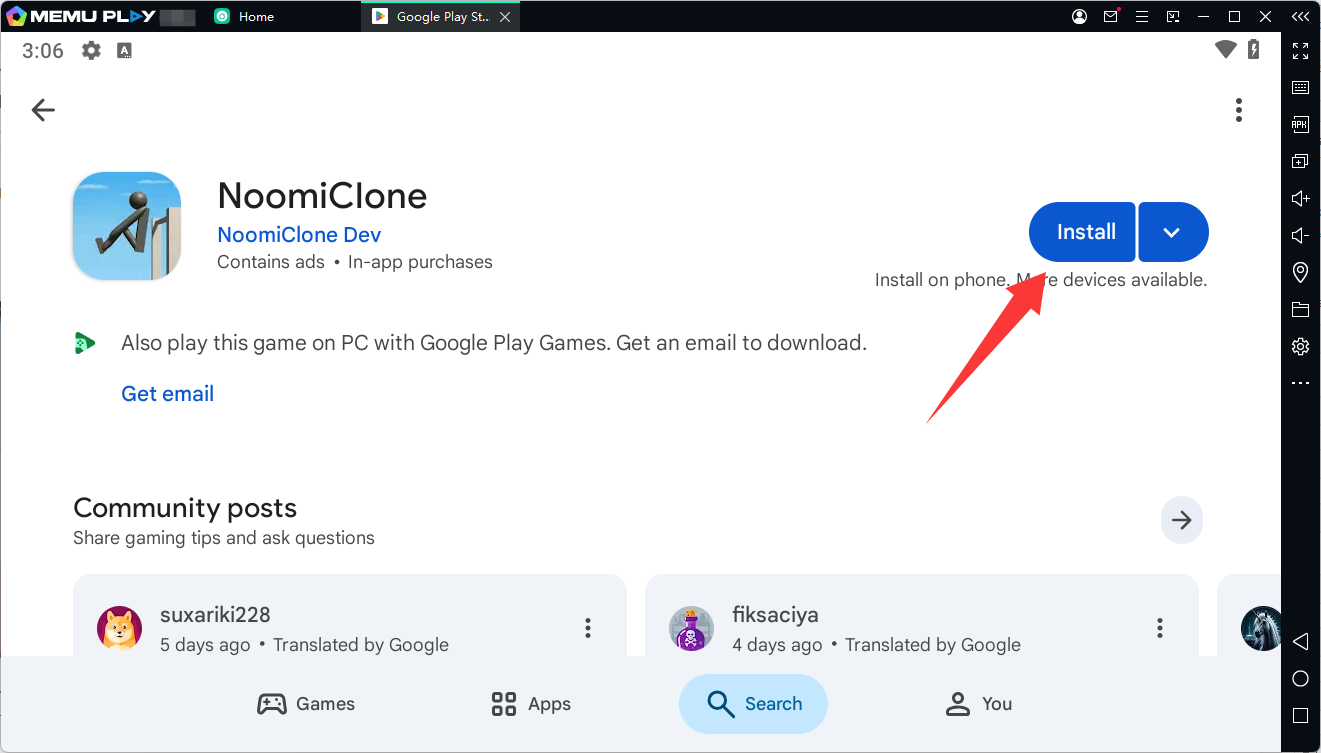
You can also visit the game's listing directly using the link below:
https://play.google.com/store/apps/details?id=com.JamesWest.NoomiClone
Check that the developer is NoomiClone Dev, then click Install to download the game if it is available for your emulator configuration.
Step 4: Launch the Game
After installation, return to the MEmu home screen and click the NoomiClone icon to launch it.
Allow the game to finish loading. If it requests additional permissions or displays setup instructions, follow the on-screen prompts.
Step 5: Adjust Your Controls and Start Playing
Once you enter the game, explore the available modes and practice the basic movements.
Start with simpler swings and flips before attempting complicated combinations. If keyboard mapping is available and works with your game version, open MEmu's keymapping tools to configure convenient controls. You may need to experiment with the settings to find a comfortable layout.
Note: Game compatibility and performance can vary depending on your PC hardware, MEmu version, and the game's current requirements. If NoomiClone does not appear in Google Play or fails to launch, check for emulator updates and review the game's compatibility options.
Tips for Beginners
If you are new to NoomiClone, these tips can help you get comfortable with its physics-based gameplay.
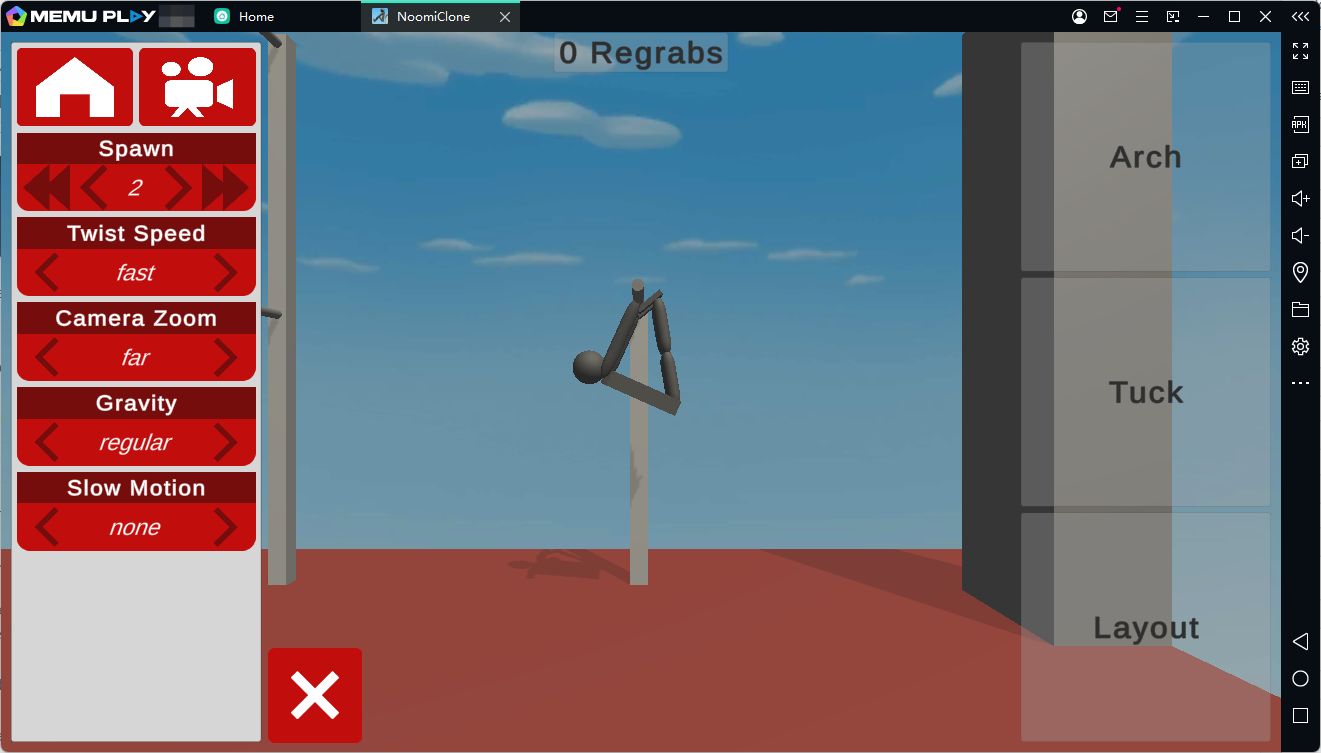
- Practice one movement at a time. Learn how tucking, arching, and releasing affect your character before combining them.
- Pay attention to timing. Releasing your grip too early or too late can change your trajectory and make the next grab more difficult.
- Build up your combinations gradually. Start with simple flips before attempting longer sequences involving multiple twists or regrabs.
- Use slow motion when needed. Study difficult moments and make small adjustments rather than changing everything at once.
- Review your replays. Look for patterns in successful attempts and use them to improve your next run.
- Experiment with controls. Find a layout that allows you to perform important actions comfortably and consistently.
The key to improving is patience. Each attempt helps you understand how momentum and body positioning influence your tricks.
Final Thoughts
NoomiClone combines ragdoll physics, gymnastics, calisthenics, and parkour-inspired movement into a game centered on creativity and skill. With Bar Mode, Tumbling Mode, customizable controls, slow motion, and replay tools, it offers plenty of opportunities to experiment with different tricks and improve over time.
If you prefer playing on a computer, MEmu provides an alternative way to try the Android version on a larger screen. Install the emulator, access Google Play, download NoomiClone, and start practicing your flips and combinations. Remember that compatibility may vary depending on your setup.
Ready to test your timing and master new tricks? Download NoomiClone from Google Play and see what combinations you can create.
NoomiClone