VAMPIR on PC: How to Download and Play with MEmu
 |
|
If you enjoy dark fantasy worlds, intense combat, and competitive MMORPG adventures, VAMPIR is a game worth exploring. Developed by Netmarble, VAMPIR is a vampire-themed MMORPG that brings players into a brutal world shaped by blood, fear, ambition, and relentless competition. Its combat-focused gameplay and player-driven economy offer plenty of opportunities to grow stronger and fight for dominance.
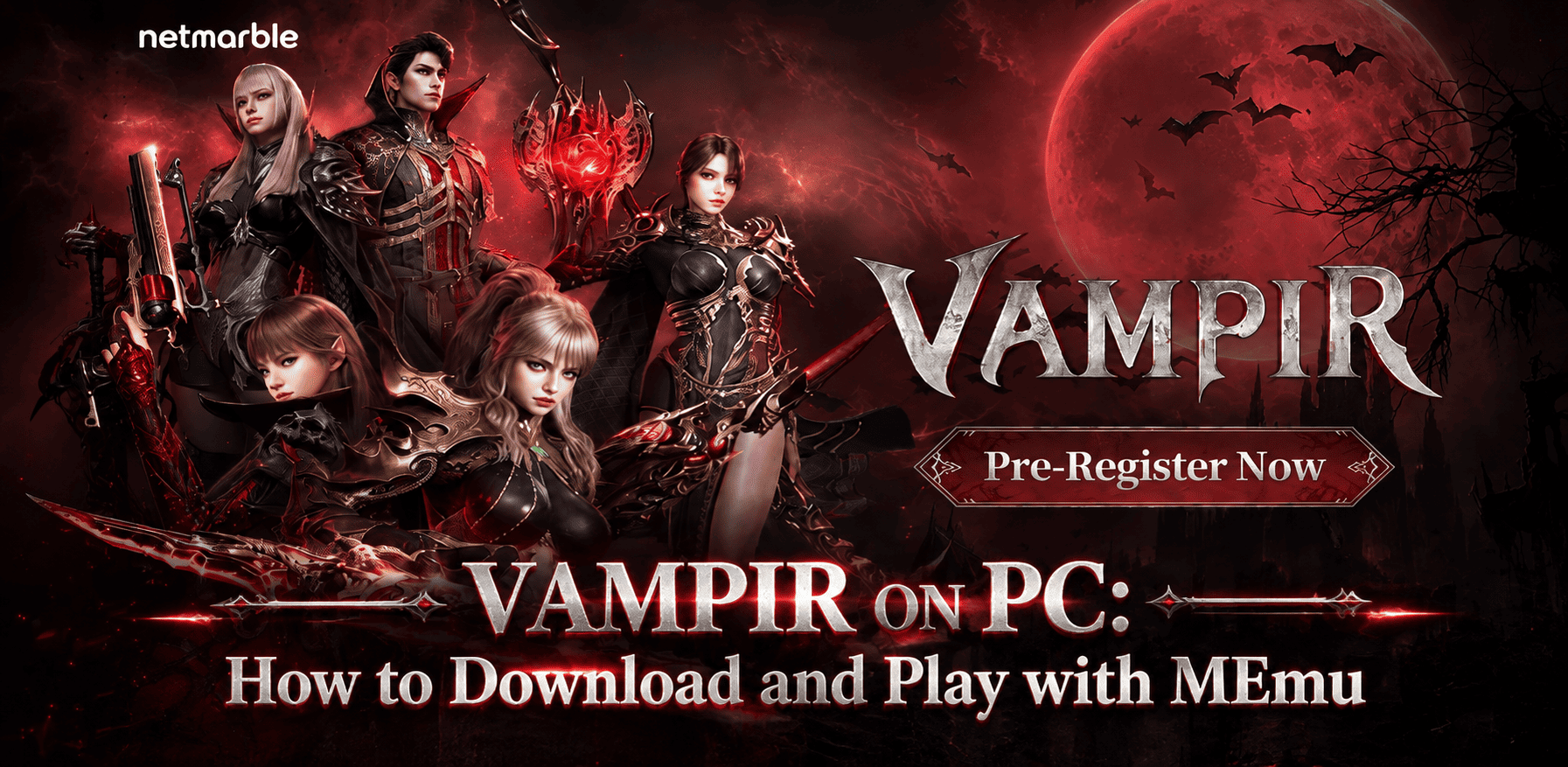

Vampir: Heir of Blood
Want to experience VAMPIR on a bigger screen? With MEmu Android Emulator, you can run Android games on your PC and enjoy mouse and keyboard controls, flexible gameplay, and the convenience of playing without relying on your phone. Read on to discover VAMPIR's key features and learn how to download and play it on PC with MEmu.
What Is VAMPIR?
VAMPIR is a dark fantasy MMORPG developed by Netmarble. Built around vampire mythology, the game immerses players in a world where supernatural powers, dangerous battles, and fierce competition shape the journey. Rather than focusing solely on exploration, VAMPIR emphasizes character progression, combat, and the struggle for power in a shared online world.
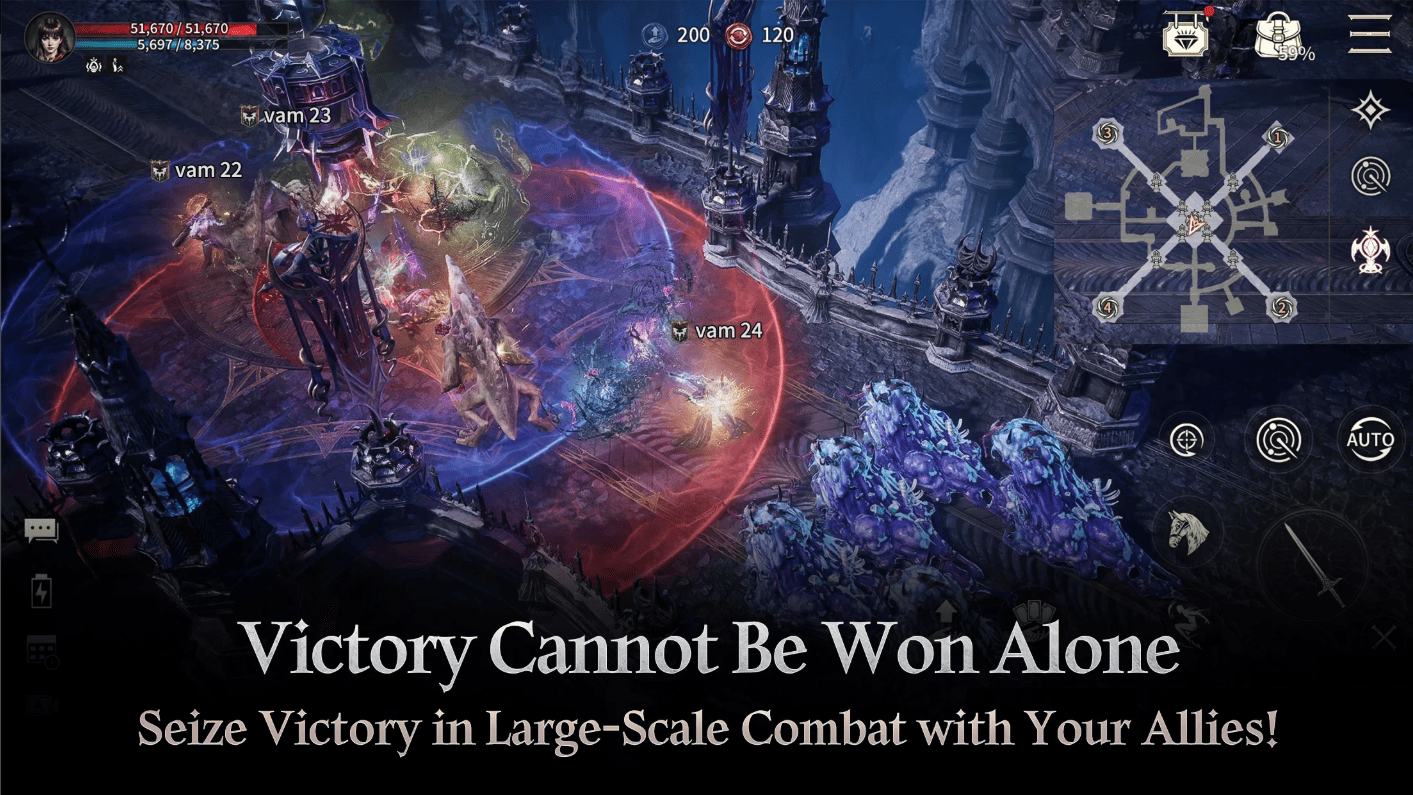
Players can develop their characters, collect resources, strengthen their equipment, and take part in competitive encounters. The game's economic system also connects field farming, crafting, and trading, giving players different ways to pursue progression.
For fans of vampire-themed fantasy and multiplayer RPGs, VAMPIR offers an opportunity to build a powerful character and compete in a world where every battle can contribute to long-term growth.
Key Features of VAMPIR
1. A Dark and Atmospheric Vampire World
Step into a fantasy setting inspired by vampires, blood, and forbidden power. VAMPIR combines an intense atmosphere with a world built around the supernatural, creating a distinctive experience for players who enjoy darker MMORPG themes.
2. Intense Combat and Powerful Abilities
Combat is at the heart of VAMPIR. Engage enemies, develop your character's combat capabilities, and experience battles designed around the ferocity of vampire power. As you progress, improving your character and equipment becomes essential to tackling tougher challenges.
3. Competitive MMORPG Gameplay
VAMPIR features a competitive environment in which players pursue different goals and compete for power. Its rotating or reshuffling competitive system aims to give participants opportunities to fight for dominance while allowing defeated players to receive meaningful rewards.
4. Character Growth, Farming, and Trading
Progression extends beyond defeating enemies. Players can gather diamonds and other resources through field activities, craft items, and participate in the game's trading economy. This creates multiple paths toward character development, whether you prefer investing time in farming or focusing on other progression activities.
5. Enjoy VAMPIR on a Bigger Screen with MEmu
Playing VAMPIR on PC with MEmu lets you experience the Android version on a larger display. You can use keyboard mapping for supported controls, adjust emulator settings to suit your computer, and play without occupying your phone throughout a gaming session.
Why Play VAMPIR on PC with MEmu Emulator?

Although VAMPIR is designed for Android devices, playing on a PC can offer several practical advantages. MEmu helps bring the mobile gaming experience to your desktop.
-
Bigger screen: See more of the battlefield, character details, and in-game interface on your monitor.
-
Keyboard and mouse controls: Configure key mapping for supported gameplay actions and enjoy more familiar PC controls.
-
Flexible performance settings: Adjust CPU, memory, resolution, and other emulator settings according to your hardware.
-
Multitask more conveniently: Switch between the game and other desktop applications when needed.
-
Free emulator download: Get MEmu from the official website and use it to run compatible Android games on your PC.
Actual performance depends on your computer's hardware, emulator configuration, game compatibility, and network connection.
How to Download and Play VAMPIR on PC with MEmu
Follow these steps to get started with VAMPIR on your computer.
Step 1: Download and Install MEmu
Visit the official MEmu website and download the emulator installer. Run the installer and follow the on-screen instructions to complete the installation.
https://www.memuplay.com/download-memu-on-pc.html?from=online2_installer
Step 2: Open Google Play
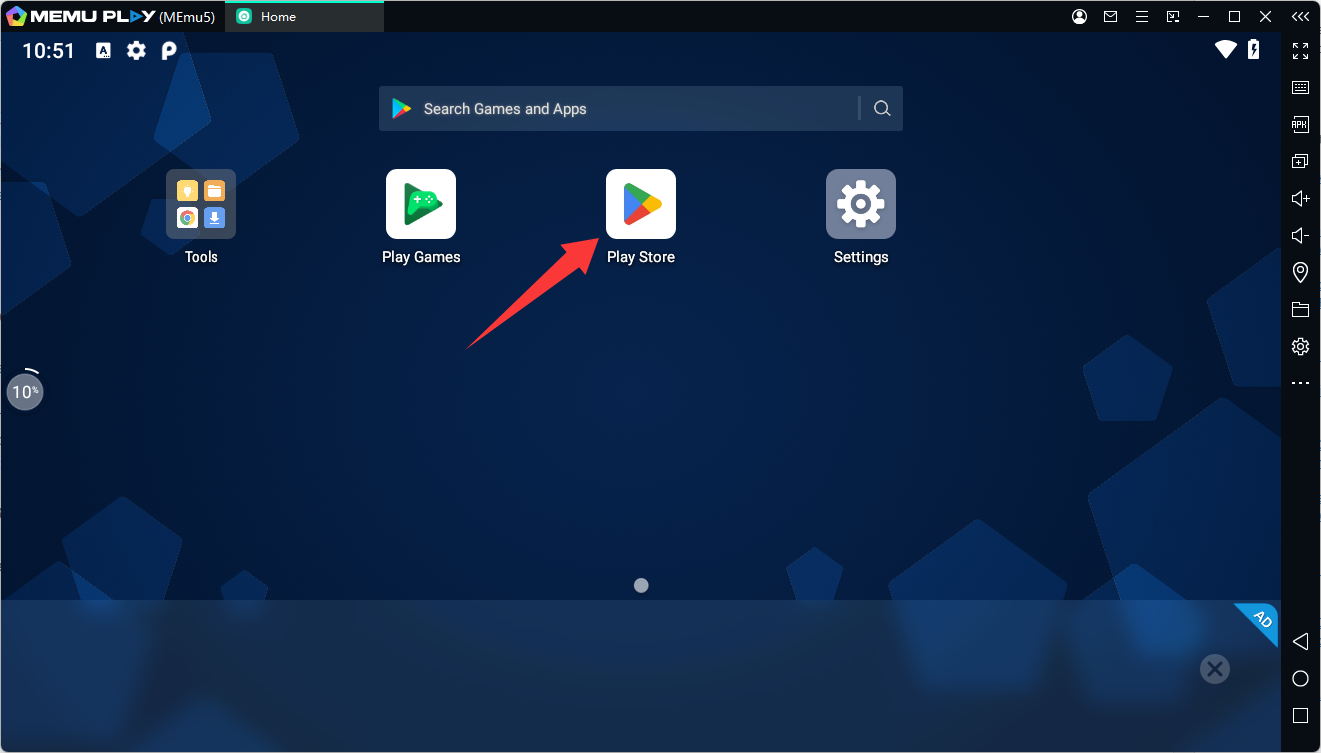
Launch MEmu Android 12 instance and open the Google Play Store. Sign in with your Google account if prompted. Make sure your emulator configuration is compatible with the game's requirements.
Step 3: Search for VAMPIR
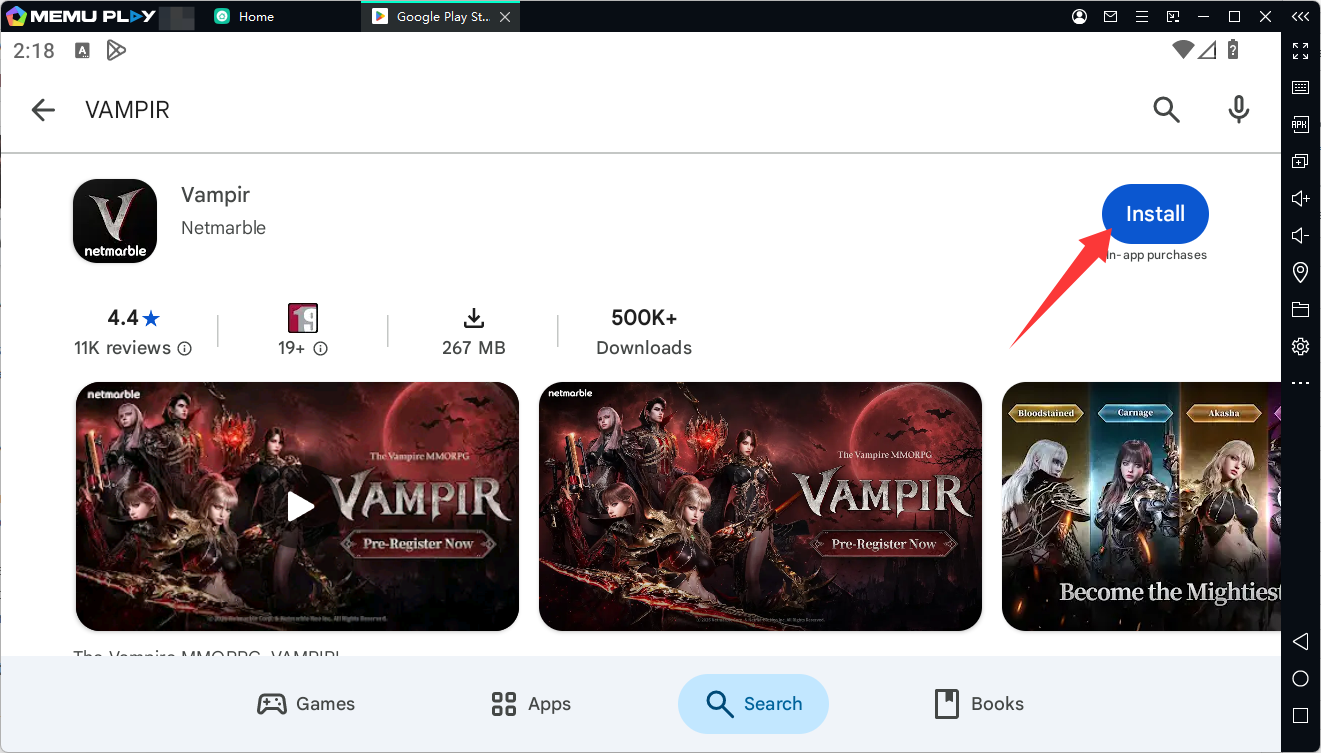
Search for VAMPIR in Google Play, or open the official Google Play listing. If the game is available for your account and emulator configuration, click Install.
Step 4: Launch VAMPIR and Start Playing
Once installation is complete, open VAMPIR from the emulator's home screen. Follow the game's login and setup instructions, then enter the world and begin your adventure.
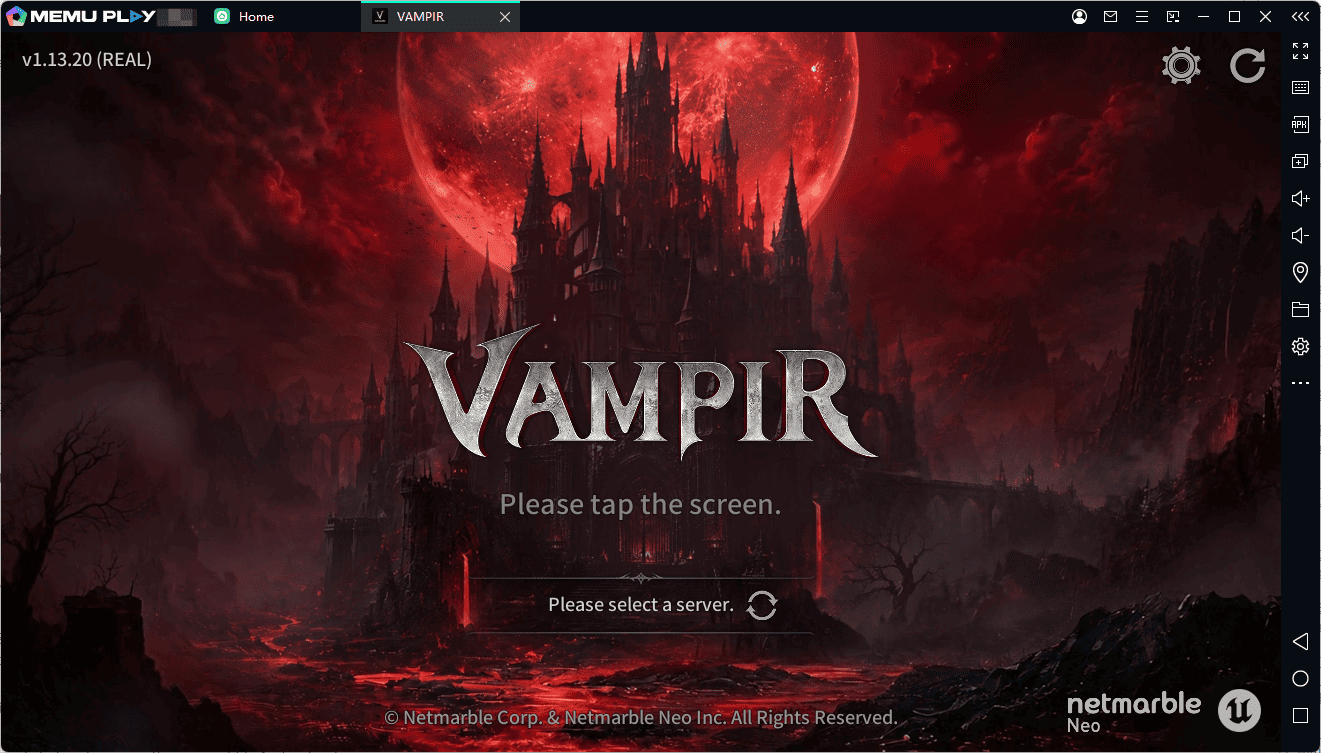
Step 5: Customize Your Controls
Open MEmu's key-mapping settings and configure the available controls to suit your playstyle. Adjust the emulator's performance settings if necessary to achieve a smoother experience.
Note: Google Play availability and compatibility may vary by region and emulator configuration. If VAMPIR does not appear in search results or cannot be installed, check the game's official listing and system requirements before trying another compatible Android instance.
Tips for a Better VAMPIR PC Gaming Experience
To get the most out of VAMPIR on MEmu, consider the following tips:
- Check compatibility first: Confirm that your Android instance meets the game's minimum requirements. The game's Korean store listing specifies Android 11 as its minimum operating system requirement, so an appropriately supported instance may be necessary.
-
Allocate resources appropriately: Close unnecessary applications and adjust CPU and memory allocation based on your PC's specifications.
-
Keep your game updated: Install available updates through an official distribution channel to access the latest fixes and content.
-
Customize key mapping: Set up convenient controls for frequently used actions, and refine them as you become more familiar with the game.
-
Use a stable network: A reliable internet connection helps reduce interruptions during online battles and other multiplayer activities.
Final Thoughts
VAMPIR combines vampire-inspired dark fantasy, intense combat, competitive MMORPG gameplay, and a progression system built around farming, crafting, and trading. If you're looking for a darker fantasy adventure from Netmarble, it is worth checking out.
With MEmu Emulator, you can bring VAMPIR to your PC and explore its world on a larger screen with customizable controls. Download MEmu, check VAMPIR's availability in Google Play, and start building your character for the battles ahead.
Ready to play VAMPIR on PC?
Download MEmu Emulator | Get VAMPIR on Google Play
Frequently Asked Questions (FAQs)
Is VAMPIR available on PC?
VAMPIR is an Android game. You can try running its Android version on PC using MEmu Emulator, provided the game is compatible with your emulator configuration. Check the official store listing for current availability.
Is MEmu free to download?
Yes. MEmu is available to download from its official website. Visit memuplay.com to get the installer.
Can I play VAMPIR with a keyboard and mouse?
You can configure MEmu's keyboard mapping for supported controls. The exact setup and compatibility may vary depending on the game's control scheme and emulator version.
What should I do if VAMPIR won't install in MEmu?
Check the game's regional availability, Android version requirements, and emulator compatibility. If necessary, try a supported Android instance and ensure both MEmu and the game are up to date.
Does playing VAMPIR on PC improve performance?
Playing on PC provides a larger display and configurable emulator resources, but it does not guarantee better performance. Results depend on your computer's hardware, settings, and game compatibility.
Vampir: Heir of Blood