Brain Puzzle 3: Crazy Mind on PC – Download and Play with MEmu
 |
|
Want to challenge your brain with tricky riddles, unexpected solutions, and creative logic puzzles? Brain Puzzle 3: Crazy Mind is a casual puzzle game from JoyGame Studio that puts your observation skills, memory, logical thinking, and creativity to the test. With MEmu, you can play this Android game on your PC and enjoy its puzzles on a larger screen.


Brain Puzzle 3: Crazy Mind
What Is Brain Puzzle 3: Crazy Mind?
Brain Puzzle 3: Crazy Mind is a collection of casual brain teasers designed to challenge conventional thinking. Instead of relying only on straightforward answers, the game encourages you to examine each situation carefully, look for hidden clues, and experiment with unexpected solutions.
Each level introduces a different challenge. Some puzzles focus on logical reasoning and pattern recognition, while others test your reaction speed, attention to detail, and ability to think outside the box. Even a seemingly simple scene may hide a surprising solution.
Whether you enjoy solving riddles during a short break or working through increasingly challenging brain teasers, Crazy Mind offers a varied puzzle experience for players who like testing their minds.
Key Features of Brain Puzzle 3: Crazy Mind
1. A Variety of Brain Teasers
Explore a wide collection of puzzles covering logic, observation, memory, and creative problem-solving. Different challenges keep the gameplay varied and unpredictable.
2. Think Outside the Box
Not every puzzle can be solved by following the most obvious approach. Examine the scene, question your assumptions, and try different interactions to discover the intended answer.
3. Quick and Engaging Challenges
The bite-sized levels make the game suitable for short gaming sessions. You can solve a few puzzles during a break or continue playing to see how far your skills can take you.
4. Simple Controls, Challenging Solutions
The straightforward interface makes it easy to get started, while the puzzles themselves encourage experimentation and careful observation.
5. Regular Updates
The developer releases updates that may include bug fixes, stability improvements, and other refinements to the gameplay experience.
Why Play Brain Puzzle 3: Crazy Mind on PC with MEmu?
Playing Brain Puzzle 3: Crazy Mind on PC with MEmu lets you enjoy the Android version in a desktop environment.
- Larger screen: Examine puzzle scenes and visual clues more comfortably.
- Mouse controls: Click, drag, and interact with puzzle elements using your mouse.
- Keyboard support: Use available keymapping options when they suit your preferred setup.
- Play without draining your phone battery: Enjoy longer puzzle sessions on your computer.
- Flexible multitasking: Switch between the game and other desktop applications when needed.
MEmu provides an Android emulation environment for Windows PCs. Game availability and performance may vary depending on your system and the game's compatibility.
How to Download and Play Brain Puzzle 3: Crazy Mind on PC
Follow these steps to get started:
Step 1: Download MEmu
Visit the official MEmu website at https://www.memuplay.com/ and download the installer for your Windows PC.
Step 2: Install MEmu
Run the installer and follow the on-screen instructions. Once installation is complete, launch MEmu.
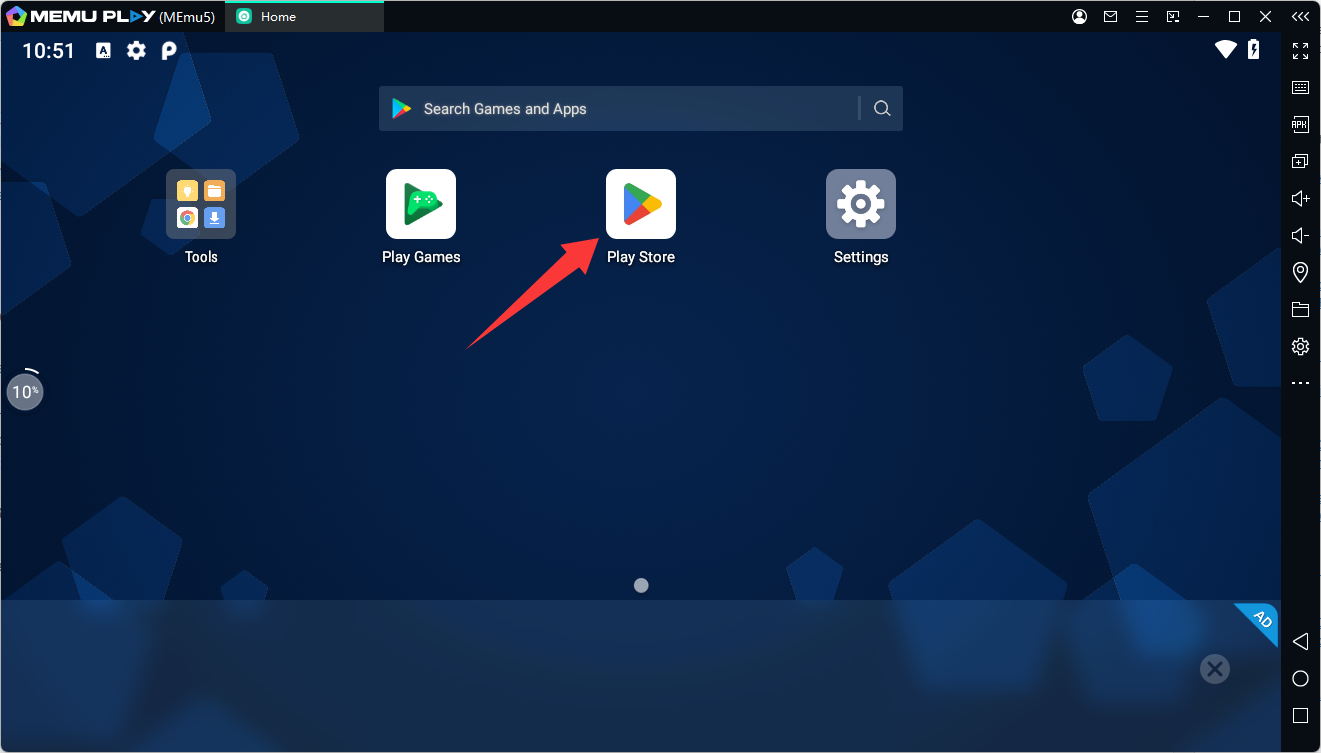
Step 3: Open Google Play
Inside the emulator, open Google Play Store and sign in with your Google account if prompted.
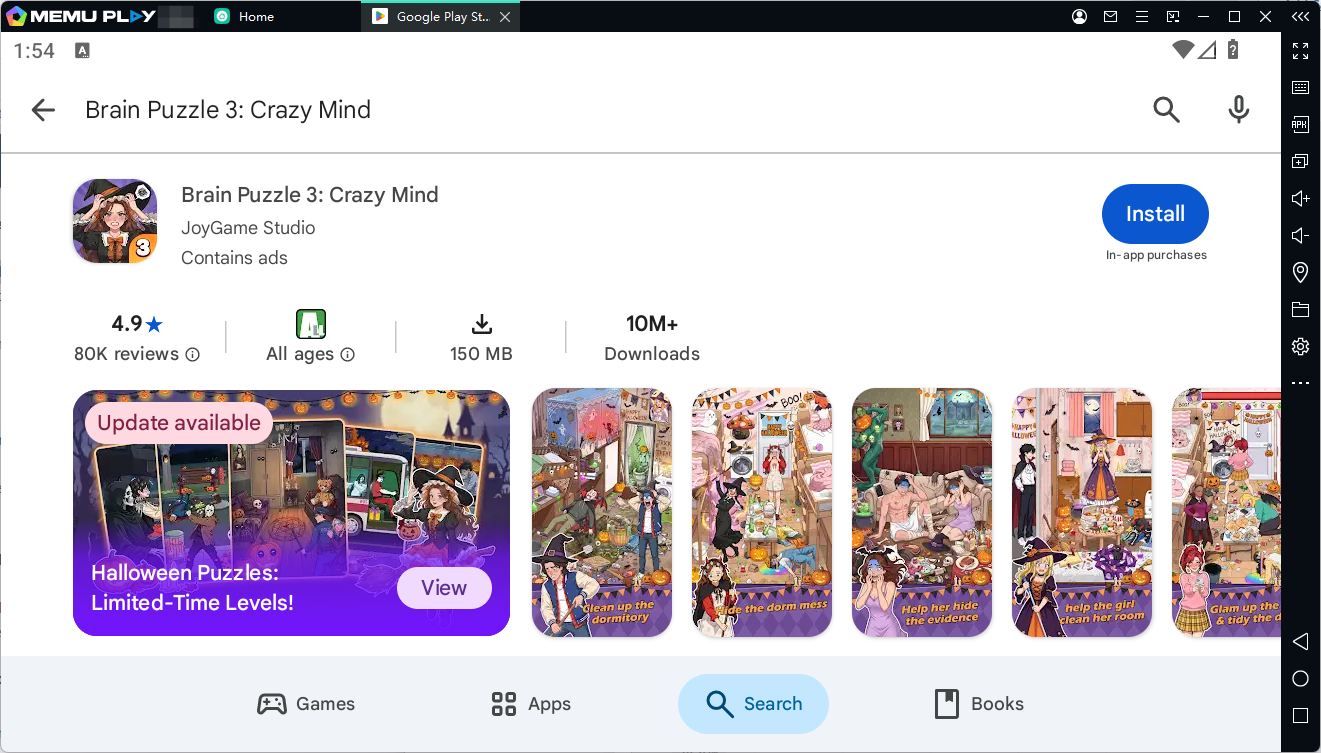
Step 4: Search for the Game
Search for Brain Puzzle 3: Crazy Mind by JoyGame Studio. You can also open the official Google Play page directly:
https://play.google.com/store/apps/details?id=com.brain.crazy.joygame
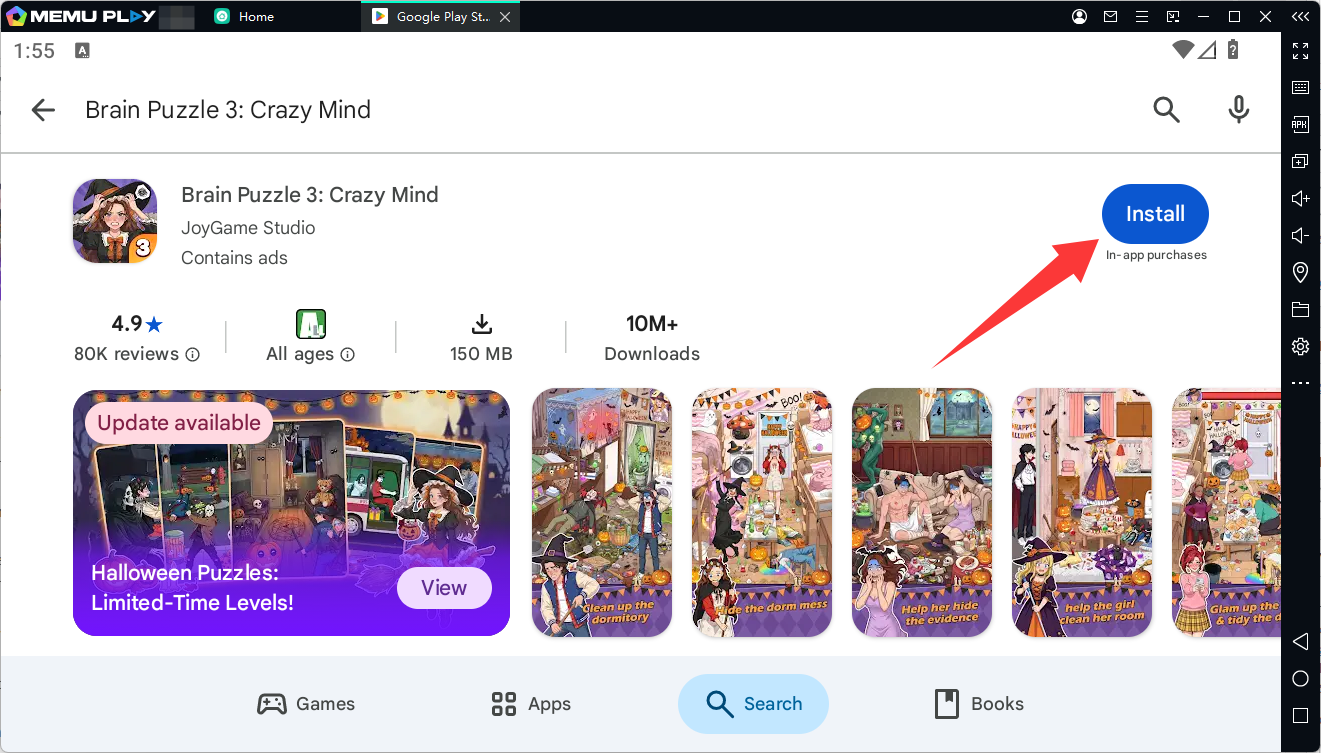
Step 5: Install the Game
If the game is available for your emulator configuration and region, click Install and wait for the download to finish.
Step 6: Launch and Play
Open the game from the MEmu home screen. Use your mouse to inspect the scenes, interact with objects, and solve each brain teaser.

Tips for Solving Puzzles
- Read each question carefully before interacting with the scene.
- Look beyond the obvious answer and inspect the smaller details.
- Experiment with tapping, dragging, or swiping when a puzzle calls for it.
- If you get stuck, reconsider the wording of the question and try a different approach.
- Use in-game hints when necessary, keeping in mind that some hint options may involve advertisements.
Conclusion
Brain Puzzle 3: Crazy Mind is a fun choice for players who enjoy logic puzzles, visual challenges, and unexpected solutions. Its variety of short brain teasers makes it easy to pick up, while its unconventional puzzles reward curiosity and creative thinking.
If you want to experience Brain Puzzle 3: Crazy Mind on a larger screen, download MEmu and try installing the game through Google Play. Start solving puzzles on your PC and see how many challenges you can crack!
Brain Puzzle 3: Crazy Mind