Warung Simulator on PC: Download and Play with MEmu
 |
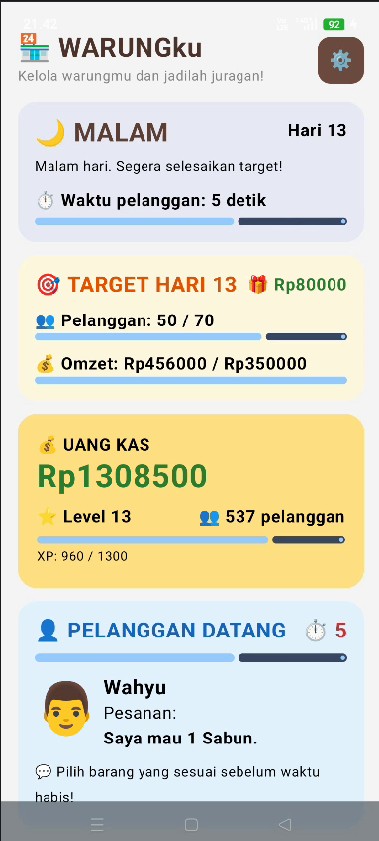
Warung Simulator is a casual business management simulation game developed by AGS Creative. In this game, you take on the role of a small Indonesian shop owner and work your way toward building a successful and bustling business. Starting with a simple warung (a traditional Indonesian neighborhood shop), you'll serve customers, manage inventory, collect revenue, hire employees, and upgrade your store.
Warung Simulator
If you enjoy shop management games that combine time-based challenges, resource management, and business progression, Warung Simulator offers an accessible and entertaining experience. You can also play it on your PC using MEmu Android Emulator for a more comfortable gameplay experience.
Contents
What Is Warung Simulator?
Warung Simulator puts you in charge of running your own traditional Indonesian shop. Your journey begins with a small store and limited resources. As customers arrive with different orders, you'll need to find the requested products and serve them before their patience runs out.
Every successful transaction generates income that you can reinvest in your business. However, running a profitable shop requires more than simply selling products. You must keep track of inventory, manage expenses, pay employee salaries, and decide when to invest in store upgrades.
As your business grows, you'll unlock new opportunities and face greater management challenges. Your ultimate goal is to transform a modest neighborhood shop into a thriving modern store.
Key Features of Warung Simulator
1. Serve Customers and Complete Orders
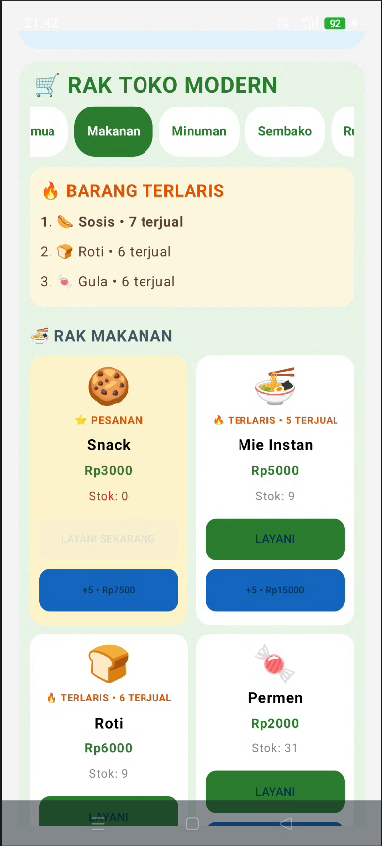
Customer service is at the heart of Warung Simulator. Different customers arrive with specific product requests and limited waiting times.
Pay attention to their orders, select the correct items, and complete transactions as quickly as possible. Serving customers accurately and efficiently helps you earn more money and grow your business.
2. Manage Inventory and 24 Types of Goods
Keeping your shelves stocked is essential to maintaining a successful shop. Warung Simulator features 24 types of goods that you can manage.
When products run low, spend your available cash to replenish inventory. You need to balance your spending carefully so that you have enough money for restocking, employee salaries, and future upgrades.
3. Earn Money and Grow Your Business
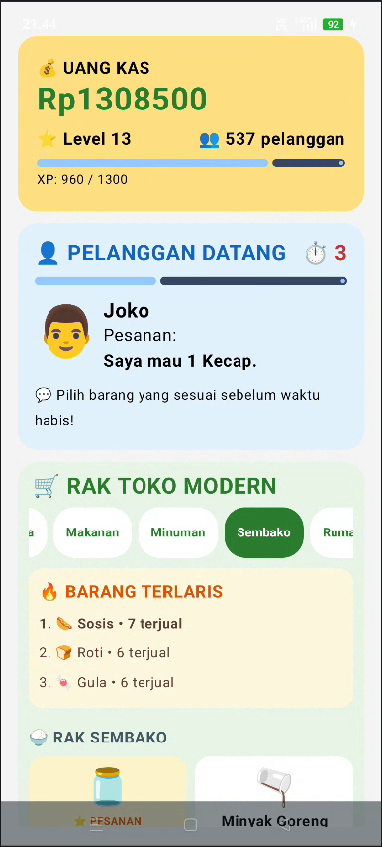
Every successfully served customer contributes to your shop's revenue. Collect your earnings and use them strategically to improve your business.
As you progress, you'll unlock higher levels and new opportunities to expand your store. Smart financial management is the key to building a profitable business.
4. Hire Employees and Earn Offline Income
Managing a growing shop alone can become difficult. Fortunately, you can recruit employees to help handle daily operations and generate additional income.
Employees can also help your business earn money while you're offline. However, remember to account for their salaries when managing your finances.
5. Upgrade Your Store
Start with a basic neighborhood stall and gradually transform it into a more modern shop.
Store upgrades allow you to increase your business level and unlock additional opportunities. Invest your earnings wisely to improve your shop and reach new milestones.
6. Complete Daily Goals and Level Up
Warung Simulator provides daily targets and progression objectives to keep your business moving forward.
Serve customers, collect revenue, complete goals, and level up to unlock more challenges. The more successful your shop becomes, the more opportunities you'll have to expand your business.
How to Download and Play Warung Simulator on PC with MEmu
Want to manage your Indonesian shop on a bigger screen? MEmu Android Emulator lets you run Warung Simulator on your Windows PC, offering mouse and keyboard controls and a more comfortable way to manage your business.
Follow these steps to get started:
Step 1: Download and Install MEmu
Visit the official MEmu website and download the latest version of MEmu Android Emulator.
Install the emulator on your PC by following the on-screen instructions, then launch it.
Step 2: Open Google Play Store
Once MEmu has started, open Google Play Store from the emulator's home screen.
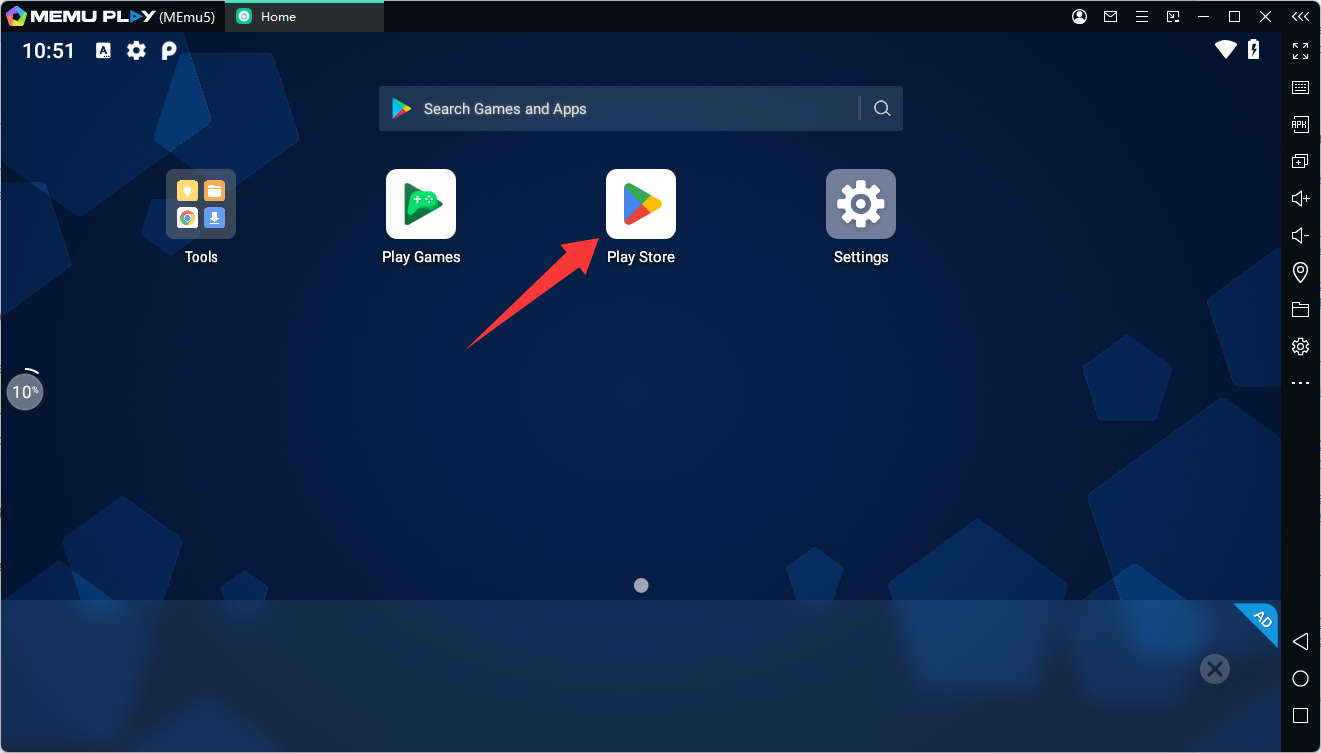
Sign in with your Google account to access Android apps and games.
Step 3: Search for Warung Simulator
Type Warung Simulator into the Google Play Store search bar.
Make sure you select the version developed by AGS Creative to avoid downloading a different game with a similar name.
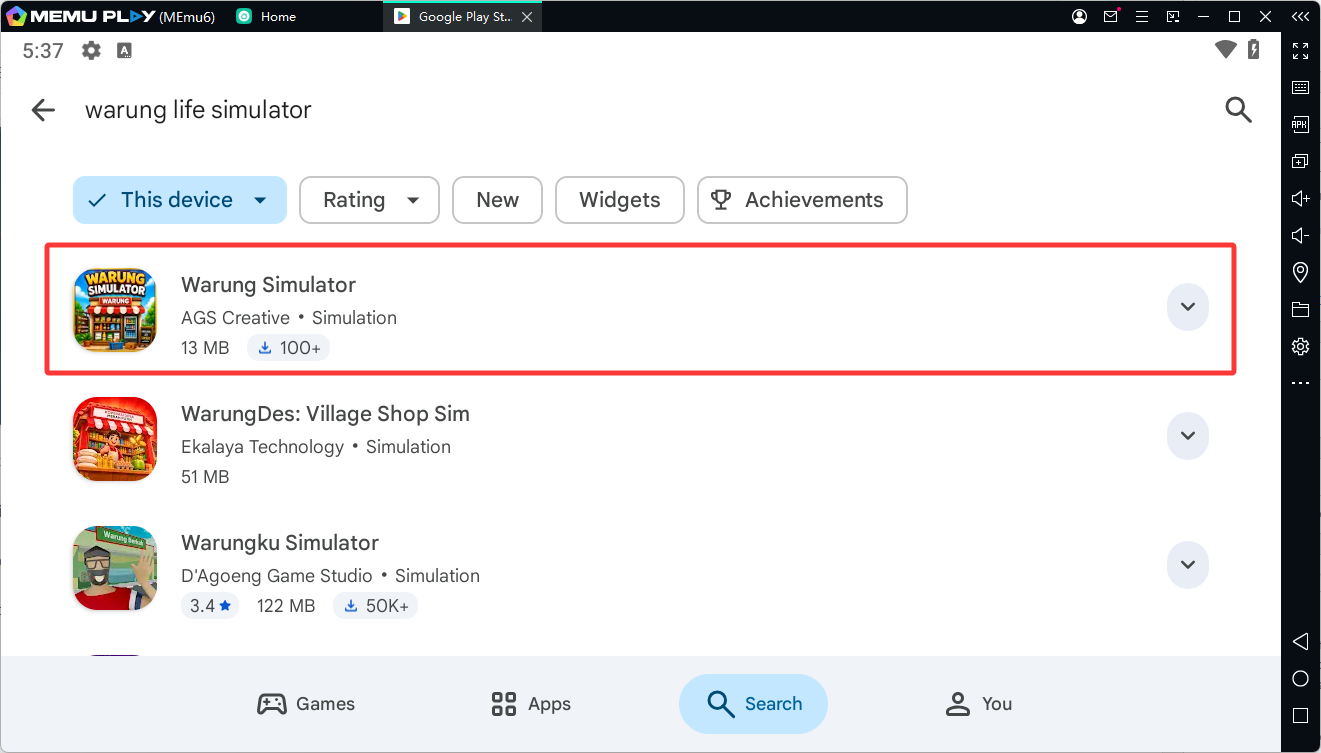
Step 4: Install the Game
Click the Install button on the game's Google Play Store page.
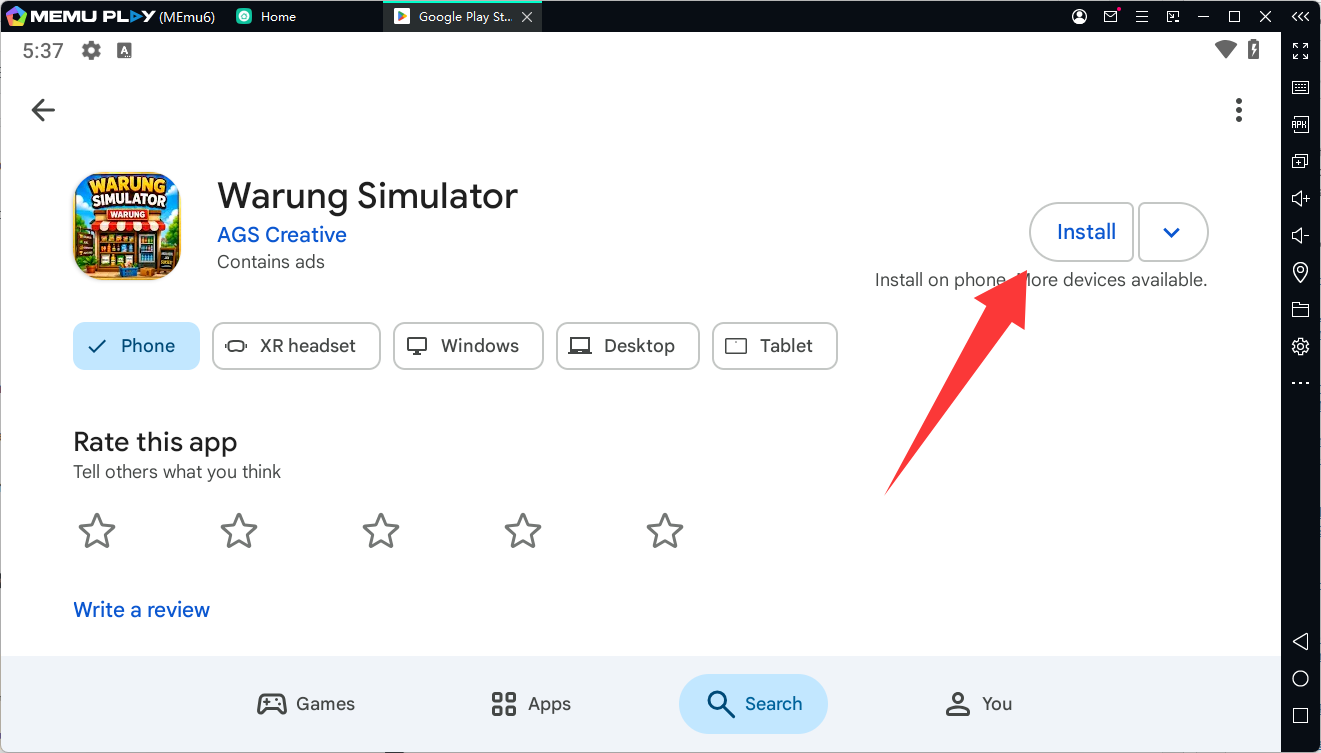
Wait for the download and installation process to finish.
Step 5: Launch and Play Warung Simulator on PC
Return to the MEmu home screen and click the Warung Simulator icon to launch the game.
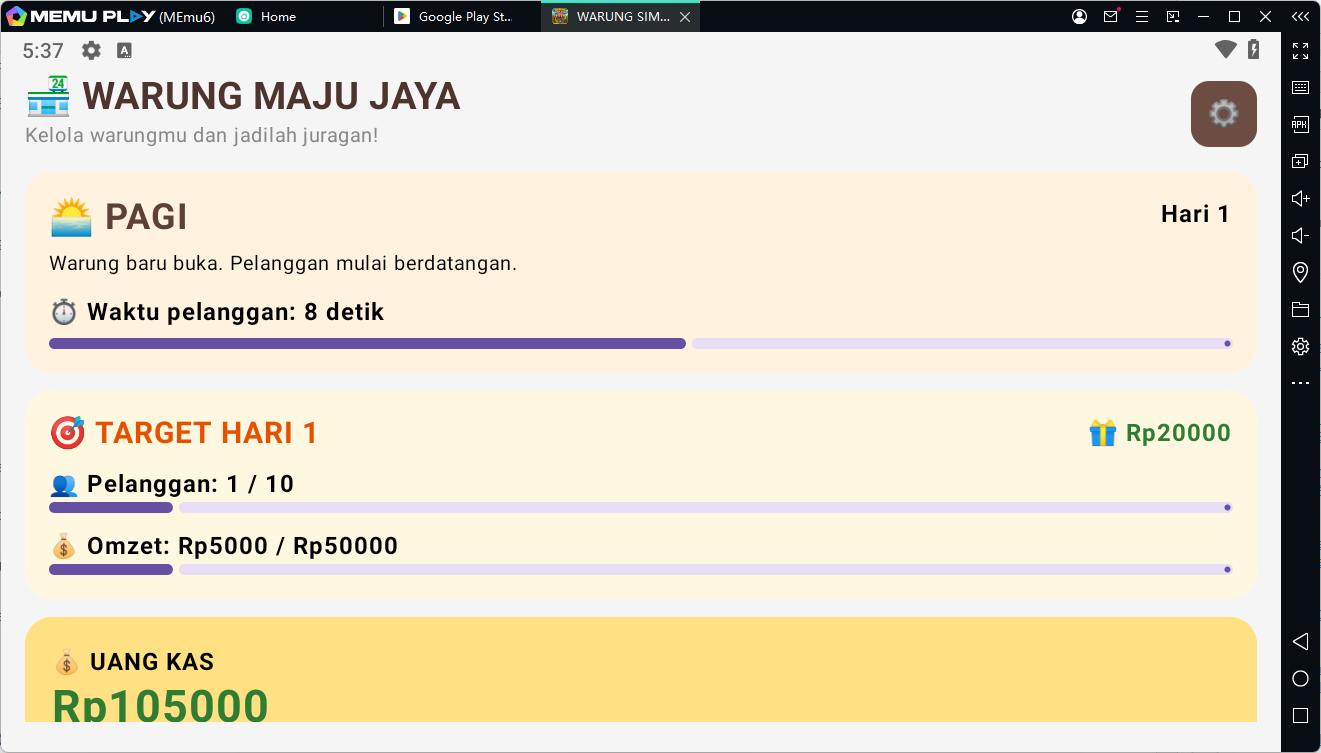
You can now start serving customers, managing inventory, earning money, and upgrading your shop on your PC!
Why Play Warung Simulator on MEmu?
Playing Warung Simulator with MEmu brings the convenience of Android gaming to your desktop. Here are some advantages:
- Bigger Screen: Enjoy a larger display when managing your shop and serving customers.
- Mouse and Keyboard Controls: Use your mouse for in-game interactions and enjoy more convenient navigation.
- Smooth Gameplay: Take advantage of your PC's hardware resources to enjoy a comfortable gaming experience, depending on your system configuration.
- Multi-Instance Support: Run multiple Android instances simultaneously when you want to use different apps or gaming accounts.
- Easy Installation: Download Warung Simulator directly through Google Play Store within MEmu.
Final Thoughts
Warung Simulator is an enjoyable business simulation game that combines customer service, inventory management, employee recruitment, and store upgrades. Starting from a small Indonesian neighborhood shop, you'll gradually build your business through smart decisions and efficient management.
Whether you're completing customer orders, restocking 24 types of goods, or hiring employees to generate offline income, there's always something to do as your shop grows.
Ready to become a successful shop owner? Download Warung Simulator and play it on your PC with MEmu Android Emulator!
Warung Simulator
Game Information
- Game Name: Warung Simulator
- Developer: AGS Creative
- Genre: Simulation
- Platform: Android
- Package Name: com.agscreative.warungsimulator
- Google Play: https://play.google.com/store/apps/details?id=com.agscreative.warungsimulator