Random Dice 2 on PC: Download and Play with MEmu Emulator
 |
Looking for a strategic tower defense game where your decisions matter more than luck? Random Dice 2 is a real-time dice defense game developed by 111%. Combining deck-building, tactical combat, dice upgrades, and cooperative gameplay, it challenges players to create powerful strategies and defend against incoming enemies.
Random Dice 2
Unlike traditional gacha-based games, Random Dice 2 emphasizes strategic choices and player progression. You can customize your dice, unlock powerful Awakening abilities, and team up with friends to take on challenging bosses.
Want to enjoy Random Dice 2 on a bigger screen? With MEmu Android Emulator, you can download and play the game on your PC using your mouse and keyboard. Here's an introduction to the game and a step-by-step guide to getting started with MEmu.
Contents
What Is Random Dice 2?
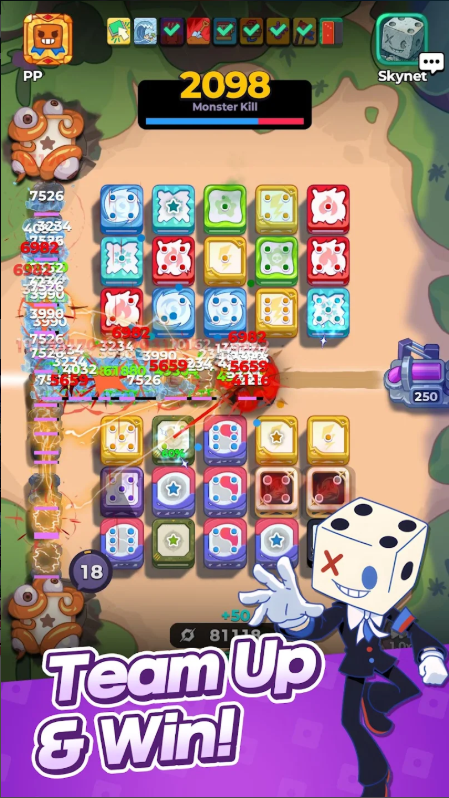
Random Dice 2 is a real-time strategy tower defense game that puts dice at the center of every battle. Instead of relying entirely on random draws or gacha mechanics, the game focuses on deck construction, tactical decisions, and customizing your dice to suit your preferred playstyle.
Every match requires you to think carefully about your lineup, manage your dice, and make the most of their abilities. As your dice reach higher dot counts, you can unlock powerful Awakening abilities that change the way you approach combat.
Whether you enjoy experimenting with different builds or coordinating with friends, Random Dice 2 offers plenty of strategic possibilities.
Key Features of Random Dice 2

1. Strategy-Based Battles Without Gacha
Random Dice 2 promotes a fairer battlefield where players start on equal footing. Victory depends on how effectively you build your deck, manage resources, and use your dice abilities.
Rather than depending on random gacha pulls, you can focus on developing your own strategy and outplaying your opponents.
2. Unlock Powerful Awakening Abilities
Reaching seven dots is only the beginning. When your dice reach this milestone, you can unlock powerful Awakening abilities that provide additional effects and combat advantages.
Learning when and how to activate these abilities is essential to building an effective defense.
3. Customize and Develop Your Dice

There is no single perfect way to build your dice. Random Dice 2 allows players to develop, evolve, and customize their dice according to their preferred strategies.
Experiment with different combinations, discover hidden potential, and create a lineup that works best for your approach to battle.
4. Team Up with Supporters and Friends
Need help defeating a powerful boss? Choose a Supporter that complements your strategy and team up with a friend.
Supporters provide useful abilities, including dice swapping and salvaging, missiles based on dot counts, and other unique combat effects. Combining the right Supporter with effective teamwork can make difficult encounters much easier.
5. New Dice and Regular Updates
Random Dice 2 continues to expand its gameplay with new content and improvements. Its October 29, 2026 update introduced Distortion Dice, the Rift Sweep event, bug fixes, and other improvements.
These additions give players more opportunities to experiment with different strategies and explore new challenges.
How to Download and Play Random Dice 2 on PC with MEmu
You can enjoy Random Dice 2 on your PC with MEmu, an Android emulator that lets you run mobile games on Windows. Follow these steps to install and start playing:
Step 1: Download and Install MEmu
Visit the official MEmu website and download the latest version of the emulator:
Download MEmu Android Emulator
Complete the installation and launch MEmu on your computer.
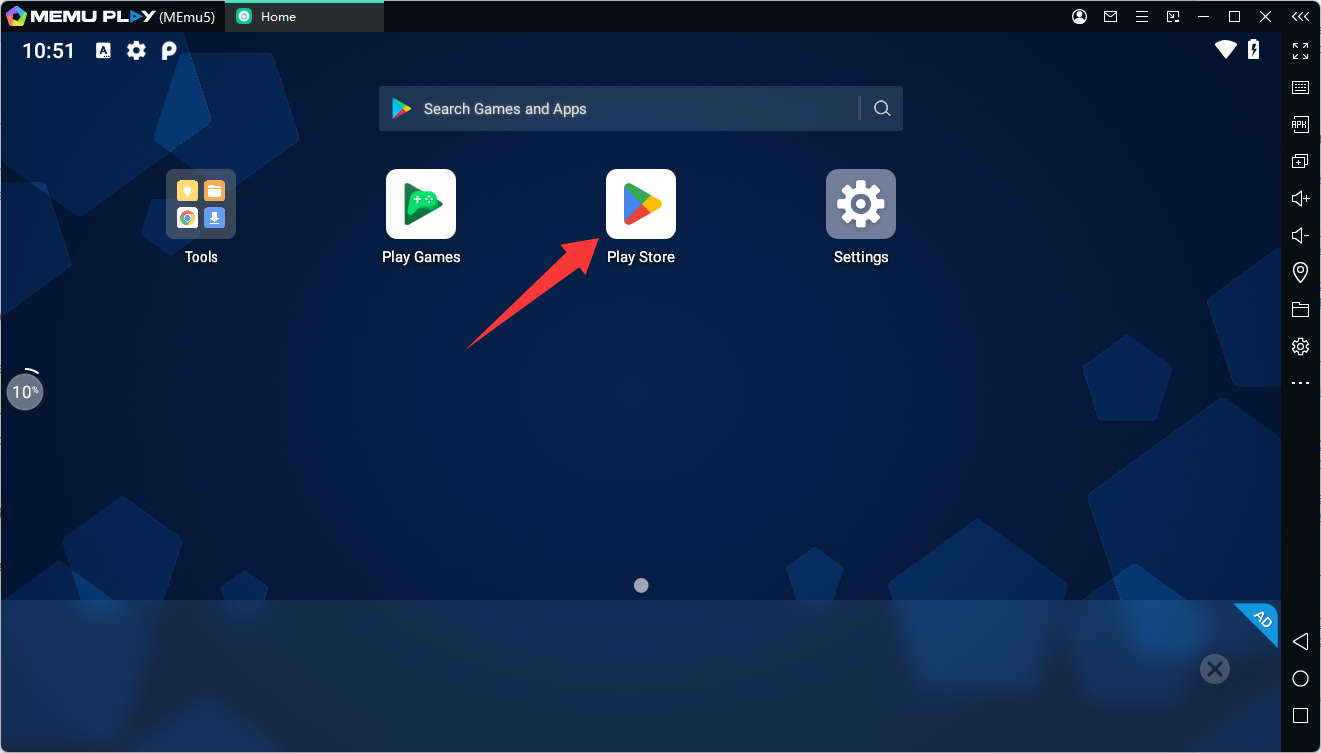
Step 2: Open Google Play Store
Once MEmu starts, open Google Play Store and sign in with your Google account.
Step 3: Search for Random Dice 2
Enter Random Dice 2 in the Google Play Store search bar. Select the official game developed by 111% and click Install.
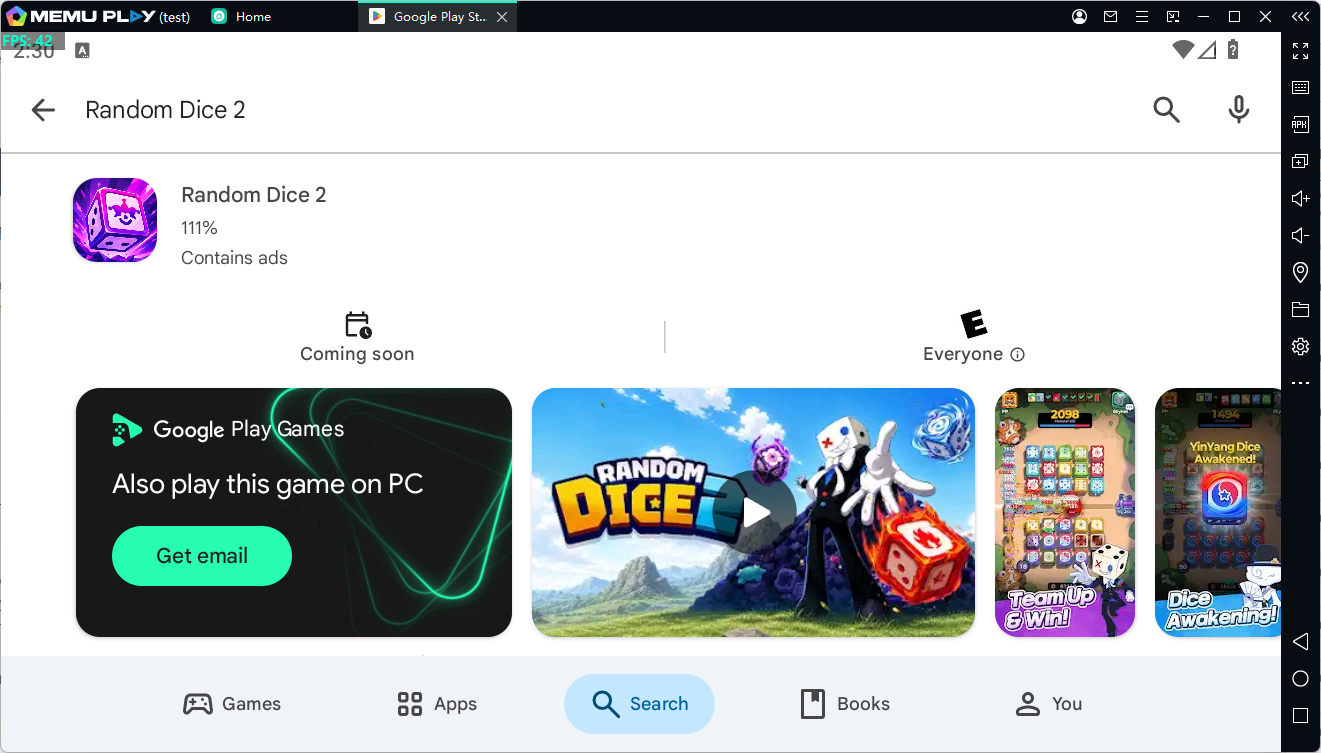
You can also visit the Random Dice 2 Google Play page directly.
Step 4: Launch and Play Random Dice 2 on PC
After installation, return to the MEmu home screen and click the Random Dice 2 icon to launch the game.
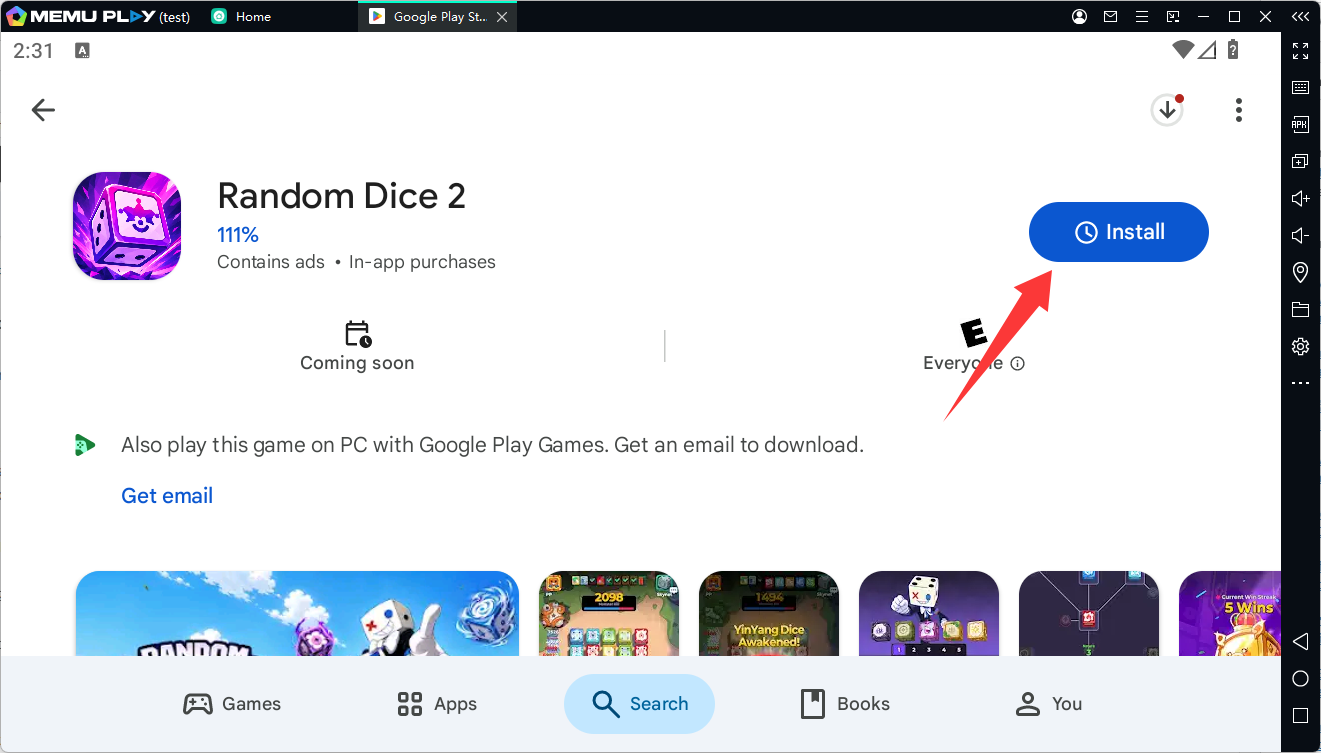
You can now enjoy its strategic dice battles on your PC with a larger display. You can also customize your keyboard and mouse controls through MEmu's keymapping settings for a more comfortable gaming experience.
Why Play Random Dice 2 on PC with MEmu?
Playing Random Dice 2 on a PC offers several advantages:
-
Bigger Screen: Enjoy clearer visuals and keep track of battlefield details more easily.
-
Mouse Controls: Navigate menus and manage your dice with convenient mouse controls.
-
Keyboard Customization: Set up personalized keymapping for frequently used actions.
-
Multi-Instance Support: Run multiple Android instances simultaneously when needed.
-
Flexible Performance Settings: Adjust CPU and RAM allocation based on your computer's hardware.
Final Thoughts
Random Dice 2 brings a fresh approach to the tower defense genre with its emphasis on strategy, dice customization, and cooperative gameplay. Its Awakening system, Supporter mechanics, and evolving content provide plenty of opportunities to experiment with different builds.
If you prefer playing mobile strategy games on a larger screen, MEmu makes it easy to enjoy Random Dice 2 on your PC. Download MEmu, install the game through Google Play, and start building your ultimate dice defense strategy!
Game information and update details: Random Dice 2 – Google Play Store. Availability and compatibility may vary by region and device.
Random Dice 2