Call of Duty: Mobile on PC with Smart Keymapping
 |
|
Download Call of Duty: Mobile on PC with MEmu
Call of Duty: Mobile on PC
MEmu Android Emulator helps you to play Call of Duty: Mobile on PC. Fight across iconic multiplayer maps and play fan-favorite modes as you strive to be the best in the world in Activision’s highly-anticipated Call of Duty®: Mobile! Here is the guide to teach you how to play Call of Duty®: Mobile on PC with MEmu App Player. 
Step by step to play Call of Duty: Mobile on PC
- We highly recommend playing Call of Duty Mobile on PC using MEmu Android emulator. If you haven’t downloaded already, please install it here.
- Download the game from Play Store or apk file from THIS LINK and install it in MEmu.
- Install Call of Duty Mobile in MEmu Android Emulator is straight-forward.
- Once installed, Call of Duty Mobile icon will show up on MEmu home screen. Simply click the icon to launch this game then it and then it begins to download game resources.
- Finally, you will able to play Call of Duty Mobile on your computer!
What is Smart Keymapping?
Smart keymapping is MEmu's exclusive Keymapping system which will show whenever you are interacting with certain subjects in-game. Take PUBG Mobile for example: Play PUBG Mobile on PC with Smart F Key
Call of Duty: Mobile on PC with Smart keymapping Features
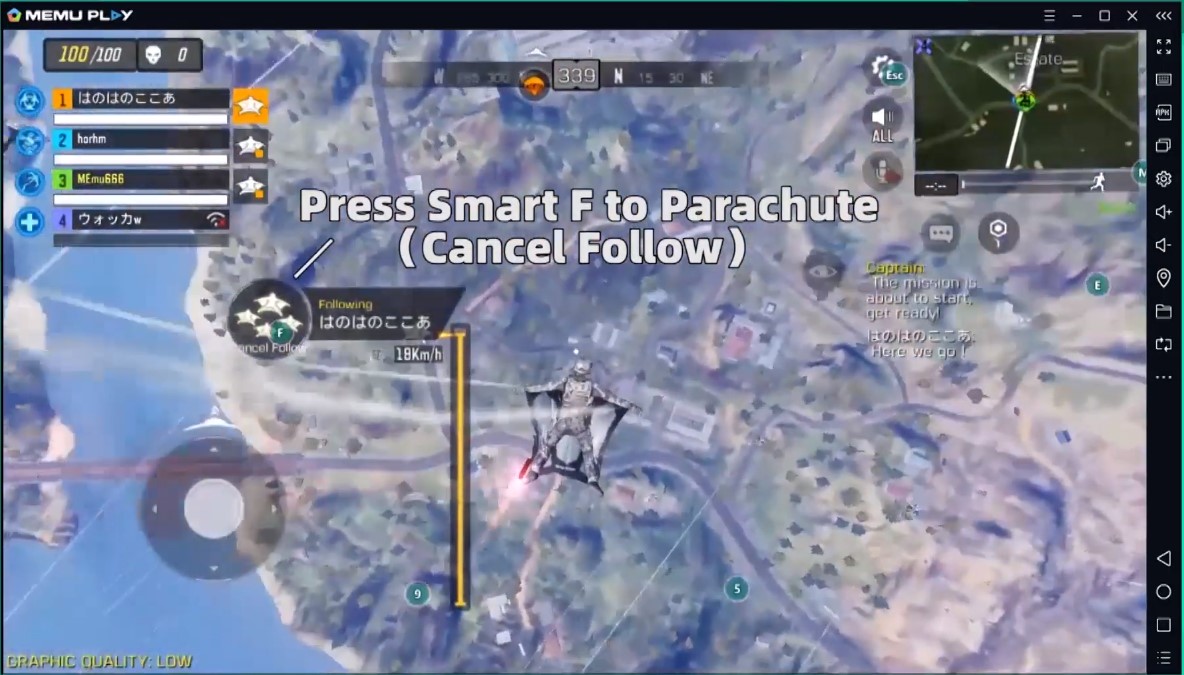
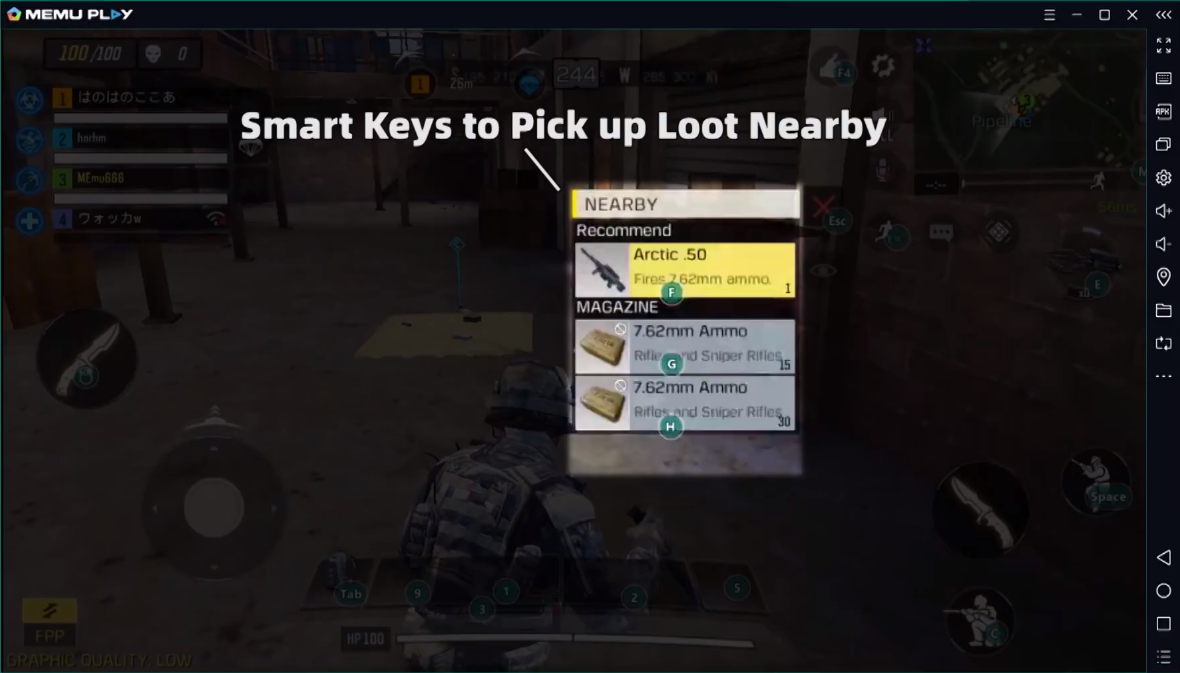
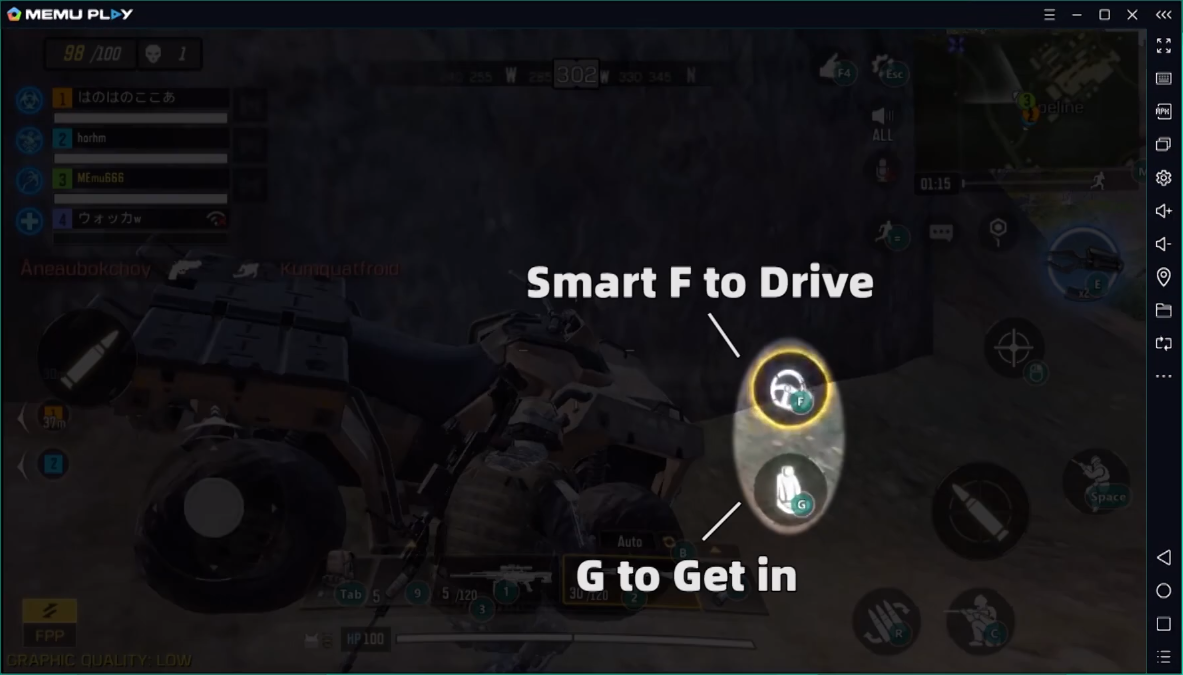
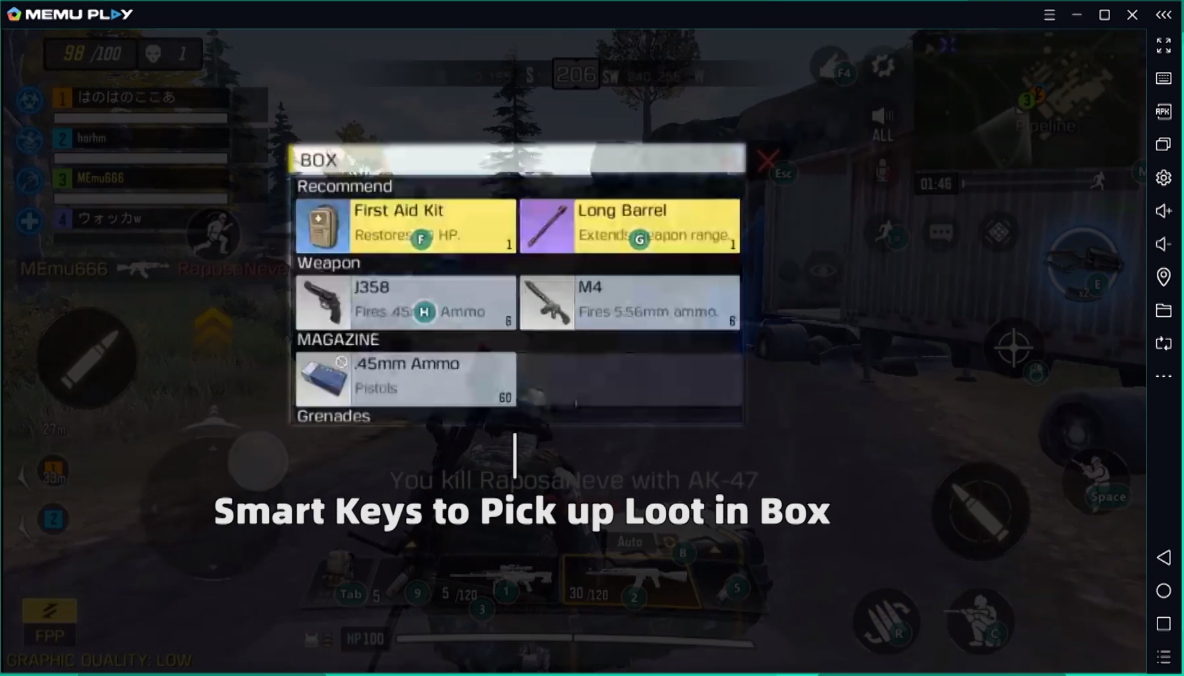
Video tutorial:
How to use Smart Keymapping for Call of Duty Mobile
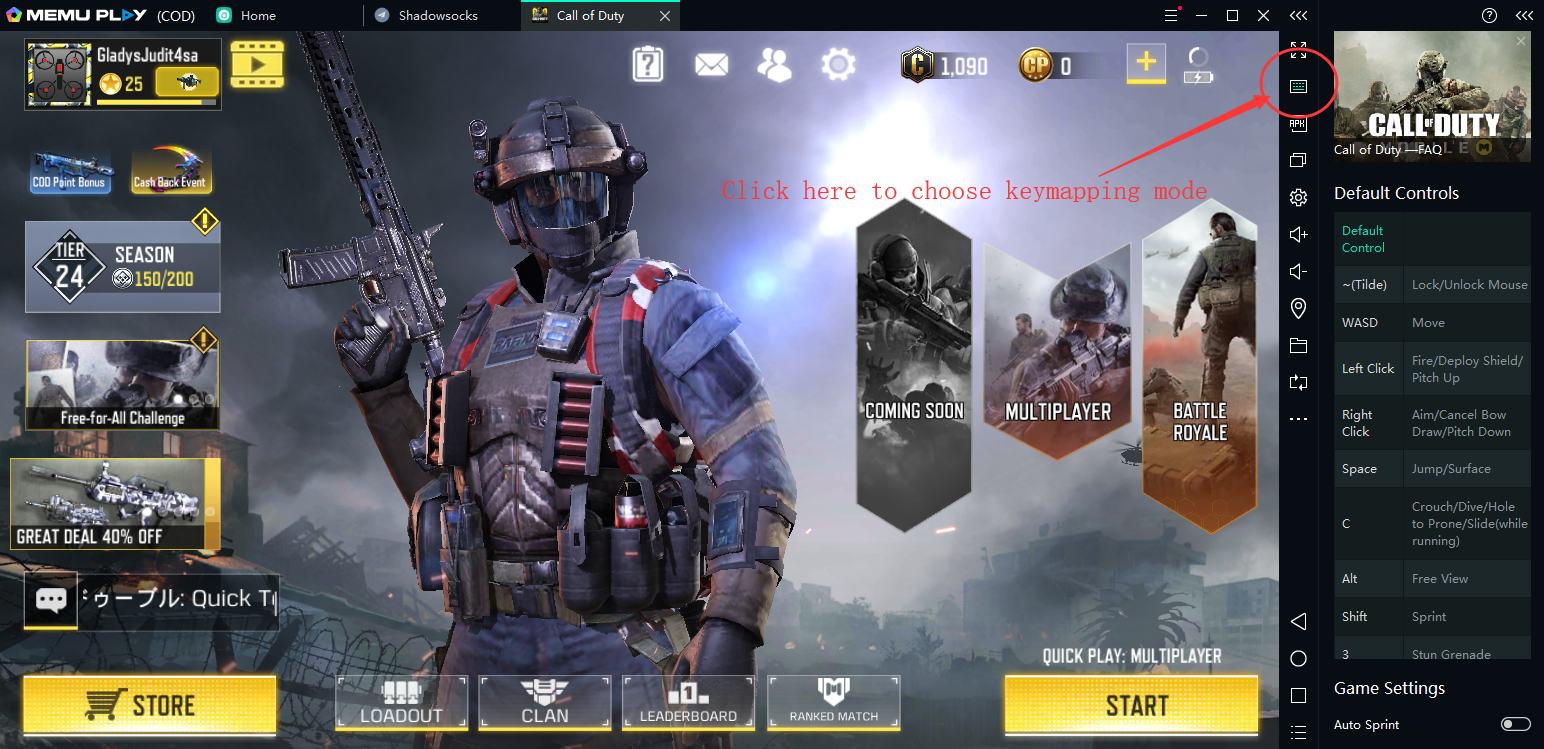
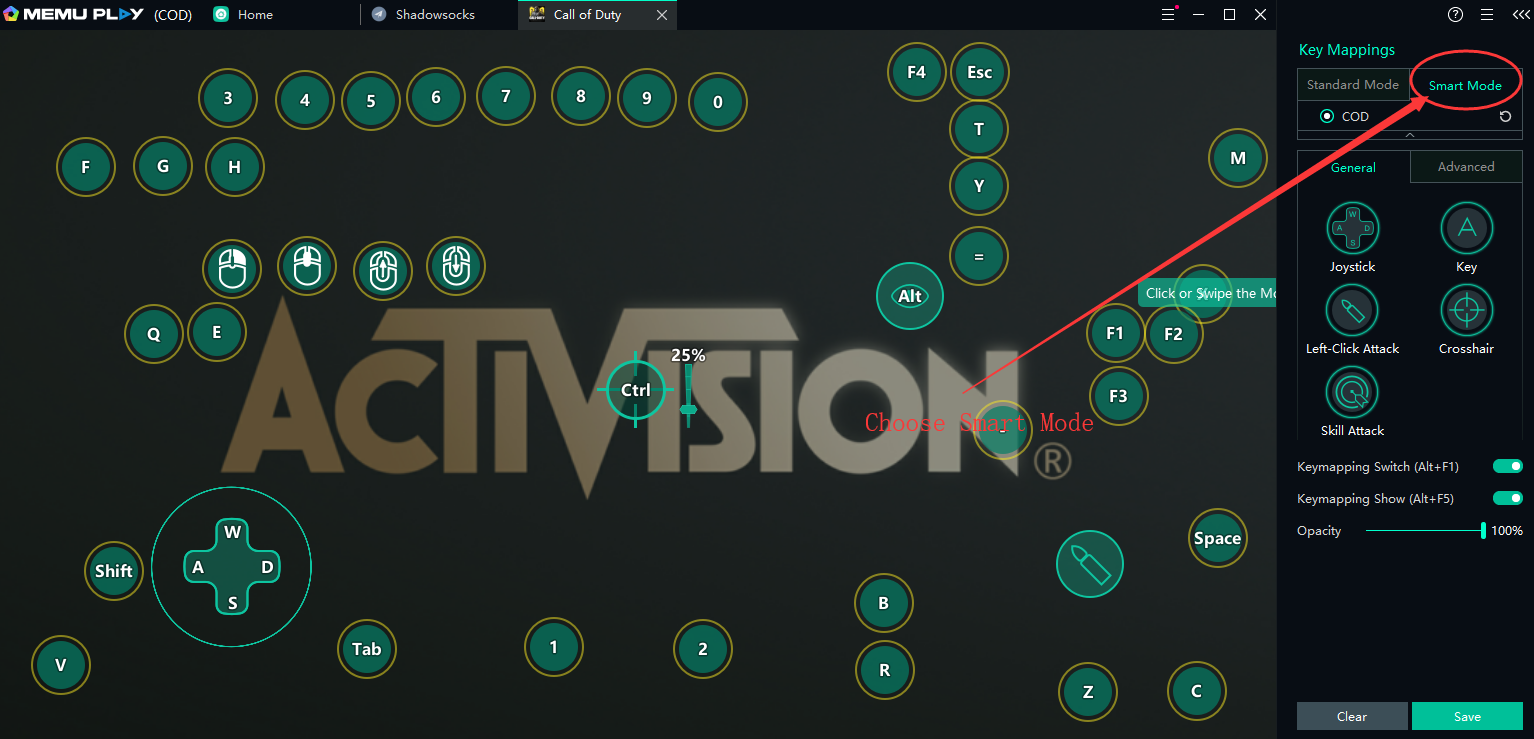
Just click the Keymapping setting button and then choose Smart mode.
Done.
Download Call of Duty: Mobile on PC with MEmu
>> Back to MEmu 101, everything you need to know about MEmu <<
Official Website:https://www.memuplay.com
Official Twitter:https://twitter.com/MicrovirtMEmu
Facebook Page:https://www.facebook.com/memuplayer
MEmu User Group:https://www.facebook.com/groups/memuplayer