How to Experience High Frame Rate + High Graphics in Honor of Kings on MEmu Play
 |
|
Want to enjoy Honor of Kings with buttery‑smooth 120 FPS and stunning high graphics on PC? With the right settings in MEmu, it’s absolutely doable. Follow this guide to unlock the best possible visual experience.
Contents
Honor of Kings
Part 1: Enabling Ultra‑High Frame Rate (120 FPS)
- Open MEmu settings – Launch MEmu and click the settings icon on the toolbar.
- Choose a compatible device model
- Go to the Advanced or Model tab and select one of the following:
- SAMSUNG Galaxy S22 (built‑in preset)
- Custom model: nubia NX709S
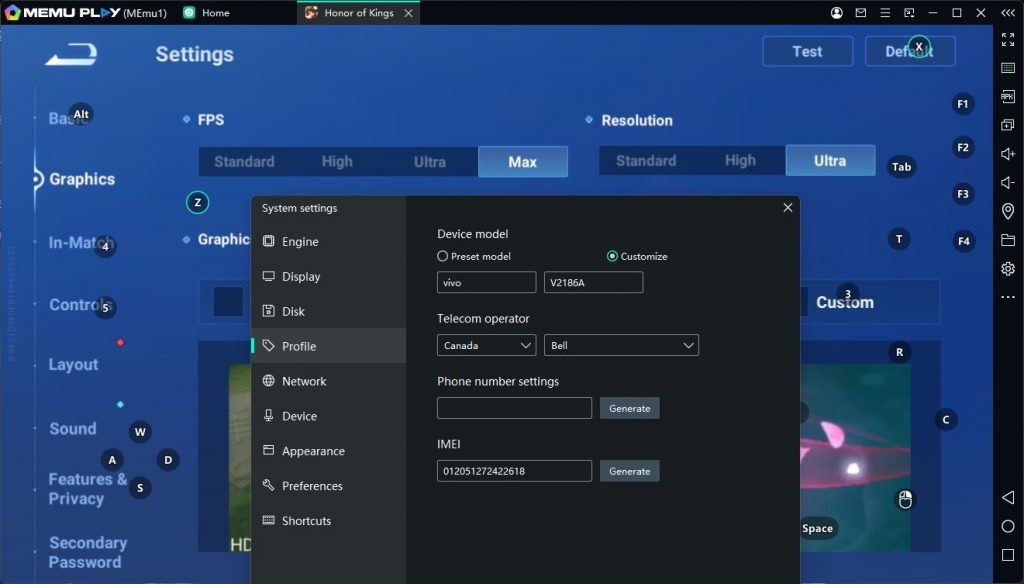
- Custom model: vivo V2186A
Both custom models work equally well – pick whichever you prefer.
- Go to the Advanced or Model tab and select one of the following:
- Set the frame rate to 120 FPS
- In the same settings window, find the Frame rate option.
- Turn on High frame rate and choose 120 FPS from the dropdown.
- Restart MEmu – The emulator needs to reboot for the changes to take effect.
- Launch Honor of Kings – Go to Graphics settings inside the game, then select Ultra as your frame rate option.
Now you should experience smooth 120 FPS gameplay!
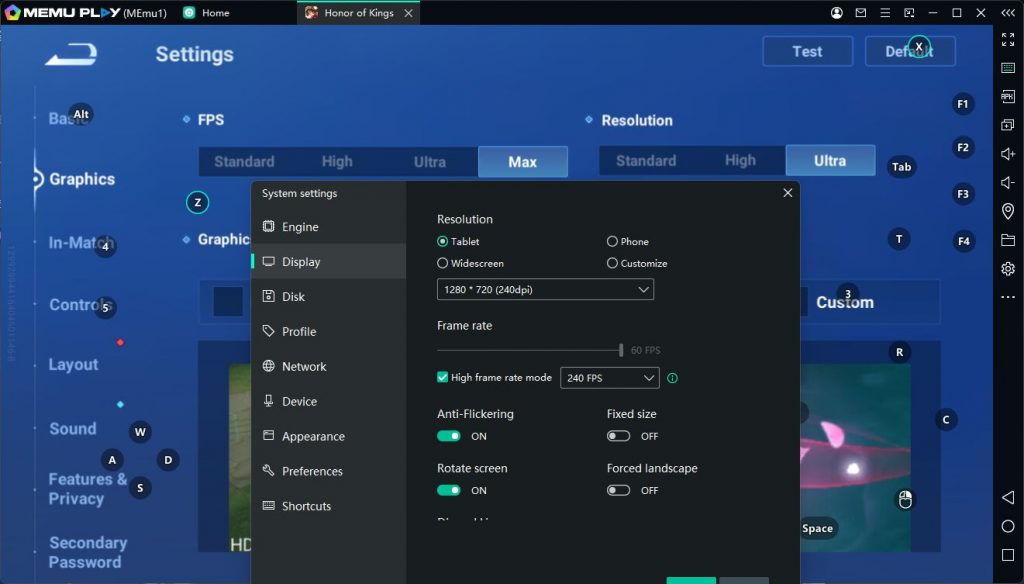
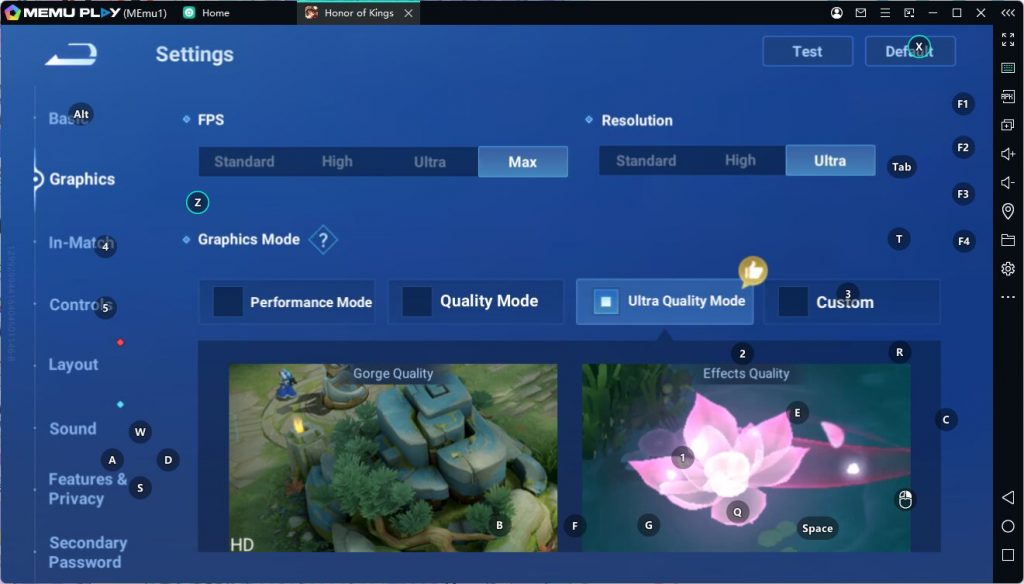
Part 2: Enabling High Graphics Quality
If you want both high graphics and ultra‑high frame rate at the same time, follow these extra steps:
- Use the vivo V2186A device model only
- Go back to MEmu settings → Model → select vivo V2186A (custom).
- High graphics + 120 FPS work best with this specific model.
- If the game says “device not compatible” for high graphics
- After setting the vivo V2186A model, open MEmu settings again.
- Navigate to the Advanced tab and check the box for “Software” (likely referring to software rendering / OpenGL compatibility mode).
- Click OK and restart MEmu.
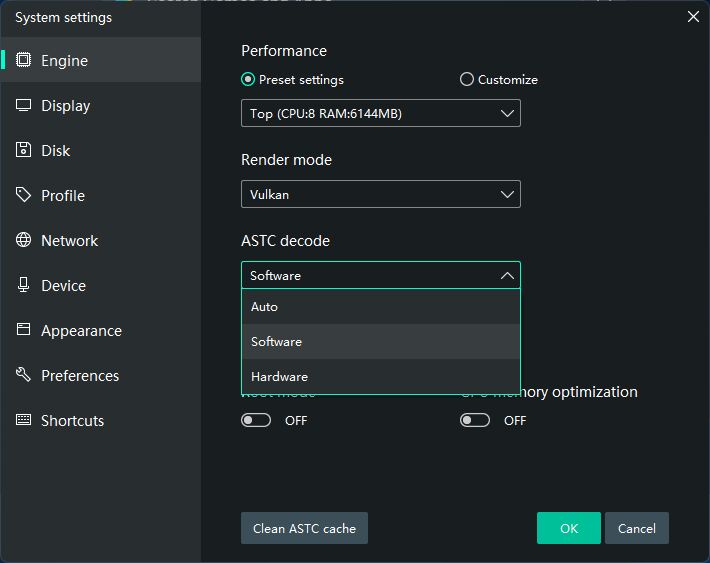
Once done, you'll be able to turn on High or Ultra graphics quality inside Honor of Kings without losing the 120 FPS option.
Final Tips
- Make sure your PC meets the recommended specs for MEmu (at least 8 GB RAM, a decent GPU, and virtualization enabled in BIOS).
- If you still encounter stuttering, try allocating more CPU cores and RAM to MEmu in the settings (under Performance).
- Keep MEmu and your graphics drivers updated for the best compatibility.
Enjoy your premium Honor of Kings experience on the big screen – smooth as silk, crisp as glass!