MEmu
English
  • 简体中文
  • 新马简中
  • 繁體中文
  • Español
  • Português
  • Italiano
  • Français
  • Deutsch
  • Pусский
  • Indonesia
  • Tiếng Việt
  • Melayu
  • ภาษาไทย
  • 日本語
  • 한국어
  • हिन्दी
  • العَرَبِيَّة
  • Türkçe
  • Polski
  • Čeština
  • Ελληνικά
  • Українська
  • বাংলা
  • اردو‎
  • Nederlands
Support Business
Blog
  • App Reviews
  • Game Reviews
  • Game Guides
  • Game News
  • MEmu Latest
  • Release Notes
Game Center
  • Strategy
  • Role Playing
  • Action
  • Adventure
  • Racing
  • Casual
  • Card
  • Arcade
  • Sports
  • Simulation
  • Puzzle
  • Music
  • Word
  • Board
  • Casino
  • Trivia
  • Educational
  • Pre-registration
  • category_
  • category_null
  • Game Center
  • Blog
  • Business
  • Support
MENU
  • Home
  • App Reviews
  • Game Reviews
  • Game Guides
  • Game News
  • MEmu Latest
  • Release Notes
Skip to content
  • Home
  • App Reviews
  • Game Reviews
  • Game Guides
  • Game News
  • MEmu Latest
  • Release Notes
Download

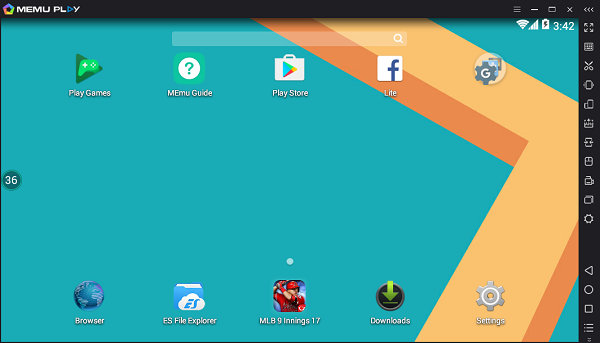
MEmu 3.0 for Preview

May 4, 2017 August 30, 2019

Please try the latest MEmu 3.0.3.0 and share your feedback!
md5: e5f9a61095e8f65600ddb08c69a3b5e1

Change Log:

  • New logo
  • New installation package with overwrite install support
  • Switch to Android 4.4 as default
  • Add widget tool, like cleanup memory, weather forecast, etc.
  • Add message box
  • Add support to keymapping pre-setting
  • Add support to customize tool bar
  • Add support to record audio
  • Improve the compatibility with Context3D games
  • Improve the compatibility with old AMD CPUs
  • Improve the graphic quality of unreal4 engine
  • Improve the input method for some languages
  • Improve keyboard mapping for MOBA game
  • Improve shortcut keys, like boss key
  • Fix some tiny bugs

Note:
– Android 5.1 will be ready in a couple of days
– Android 4.2 from 2.9.6.1 still works with 3.0.3.0
– It might take a while to install if have multiple instances to overwrite
 30-home

>> Newbie to MEmu? No worry, Getting Started


>> Back to MEmu 101, everything you need to know about MEmu <<

Official Website: https://www.memuplay.com
Online Support: https://www.facebook.com/memuplayer
User Group: https://www.facebook.com/groups/memuplayer

Tags: Android 4.4, android emulator, lang-en, memu play, new logo   

Related Posts

  • How to Play Android Games on PC

    What is MEmu Play? MEmu is an Android Emulator software to simulate Android OS on PC. It provides a native user experience of Android OS, allows you to install, use, and uninstall any Android application, just like a physical Android device does. You can control your apps or games simply with your keyboard and mouse, sometimes even with external controllers. MEmu not only delivers outstanding performance but provides stunning graphics to its users. It offers rich features including smart controls, multiple instances, macro keymapping, controller support, game automation, video record, GPS simulation, command-line scripts, etc. The most powerful Android emulator, enjoy the ultimate mobile gaming experience on PC! Outstanding Performance: Free to play any Android game on your PC, enjoy the fastest gameplay and extreme frame rates. Stunning Graphics: Enhanced OpenGL and DirectX 3D rendering effects, offering more stunning images on larger screens. Smart Controls: perfect mouse& keyboard controls with built-in keymappings, simple and convenient. Multiple Instances: Easy to run multiple accounts for the same game or play multiple games on different instances simultaneously. How to Download and Play Android Games on PC with MEmu? Install MEmu on your PC Start MEmu and open Google store Complete Google sign-in to install the game (you can also install APK from the APK site) Look for the game in the search bar Click on the search result to install the game Start playing https://youtu.be/Pj_mn3mxU54?t=101 Popular Mobile Games on PC: [Video] Play Free Fire on PC with MEmu Garena Free Fire is an action shooter and battle royale game for mobiles published by GARENA INTERNATIONAL PRIVATE LIMITED. MEmu is the best platform to play Free Fire on your PC for an immersive gaming experience. With MEmu, you can both play Garena Free Fire on your big screen monitor with better graphics, and enhance your gaming experience with the following features: 1. You can custom the emulator settings, such as FPS, render mode to enjoy better and smoother gaming graphics. 2. You can have perfect and smart game control with our preset keyboard mapping. Better sensitivity and accuracy! 3. For shooting games, you can fire in-game with the left mouse button, control the camera with your mouse, and write macro combos for pro-control. [Video] Play PUBG on PC with MEmu PUBG MOBILE is an Action game developed by Tencent and published by PROXIMA BETA. MEmu is the best platform to play this Android game on your PC for an immersive gaming experience. With MEmu, you can both play PUBG on your big screen monitor with better graphics, and enhance your gaming experience with the following features: 1. You can custom the emulator settings, such as FPS, render mode to enjoy better and smoother gaming graphics. 2. You can have perfect and smart game control with our preset keyboard mapping. Better sensitivity and accuracy! 3. For shooting games, you can fire in-game with the left mouse button, control the camera with your mouse, and write macro combos for pro-control. [Video] Play Among Us on PC with MEmu Among Us is an Action game developed by Innersloth. MEmu is the best platform to play this Android game on your PC for an immersive gaming experience. Download Among Us on PC with MEmu and get in on the hit multiplayer action game about subterfuge and trickery! [Video] Play League of Legends: Wild Rift on PC with MEmu League of Legends: Wild Rift is a popular MOBA mobile game based on the League of Legends universe. It is developed by Riot Games which also developed Legends of Runeterra and Teamfight Tactics. MEmu is the best emulator to play League of Legends: Wild Rift on PC. MEmu is perfectly compatible with mobile games such as MOBA, MMORPG, and FPS, etc. Open keyboard mapping only with one click, get the real PC-like gaming experience by setting the controls on the keyboard, mouse, or gamepad. Run multiple instances at the same time to play more games and synchronize the operation in all instances to use multiple gaming accounts. Record your complex operations and then execute the script with a single click. [Video] Play Arknights on PC with MEmu Arknights is a Strategy game developed by Yostar Limited... MEmu is the best platform (emulator) to play this Android game on your PC for an immersive gaming experience. Arknights is a captivating RPG Strategy game brought to vibrant life by a stunning mix of beautifully-animated 3D models and absolutely breath-taking hand-drawn 2D visuals. You are a member of Rhodes Island, a rescue team that knows no reset due to the chaos and calamity brought forth by the sinister Reunion. When you play Arknights on PC together with the leader of Rhodes Island, Amiya, you must find potential Operator recruits then train them in a variety of skills and abilities so that they can get right into the action saving lives and dealing with disputes. Discover More about MEmu Play Official Website MEmu Support Facebook Discord Twitter Reddit Youtube VK

  • Free Fire on PC with 90 FPS help you solve lagging issue.

    MEmu offers the best smart controls to play Free Fire in the world. Now it is delivering more! Say goodbye to the old glitchy graphics and start to play with 90 FPS extreme frame rates! Professional players, do you want to have a smoother experience and examine all the details on the battlefield? You would never want to go back once having this option enabled in MEmu Play! https://www.youtube.com/watch?v=qqEZWxxf6K0 ♦Unlocking 90 FPS on MEmu Play♦   Step 1: Enable 120 FPS Mode in MEmu settings Step 2: Customize your device model to Asus, ASUS_Z01QD in MEmu settings Step 3: Restart MEmu, and do not forget to Enable HIGH FPS in Free Fire! Play Free Fire on PC? Best Smart Controls + Extreme Frame Rates? What are you waiting for?!   Download Garena Free Fire on PC

  • Play Free Fire on PC with 90 FPS (MEmu Exclusive)

    MEmu offers the best smart controls to play Free Fire in the world. Now it is delivering more! Say goodbye to the old glitchy graphics and start to play with 90 FPS extreme frame rates! Professional players, do you want to have a smoother experience and examine all the details on the battlefield? You would never want to go back once having this option enabled in MEmu Play! Play Free Fire on PC? Best Smart Controls + Extreme Frame Rates? What are you waiting for?! Download Garena Free Fire: Rampage on PC   ♦Unlocking 90 FPS on MEmu Play♦ In order to enjoy the extreme frame rates, please read the following instructions carefully:   Step 1: Enable 120 FPS Mode in MEmu settings   Step 2: Customize your device model to Asus, ASUS_Z01QD in MEmu settings   Step 3 (Optional): Disable the Vertical Sync in your Graphics Control Center Some users may have their vertical sync enabled forcibly in their graphics settings, turning off the feature for MEmu may help the program to remove the frame rate restrictions. Settings for NVIDIA graphics card: 1. Find and Open NVIDIA Control Panel (Can Also Right-click on Desktop) 2. Turn off Vertical Sync in MEmu.exe under the tab "Program Settings" in "Manage 3D settings"   Settings for AMD graphics card: 1. Open AMD Radeon settings and select the "Gaming" tab to add a new game 2. Find the location of MEmu.exe and open it (X:\Program Files\Microvirt\MEmu) 3. Select MEmu to customize its graphics settings 4. Find the option "Wait for Vertical Refresh" under the graphics tab and turn it off You need to disable the FreeSync feature if you have a FreeSync enabled display. Go to "Gaming" Tab - "Global Display", then turn off Radeon FreeSync   Step 4: Restart MEmu, and do not forget to Enable HIGH FPS in Free Fire!   Enter a match and you will be surprised! Isn't that magic?!   Still not reaching the maximum? Check the recommended system requirements here.   Official Website: https://www.memuplay.com Official Twitter: https://twitter.com/MicrovirtMEmu Facebook Page: https://www.facebook.com/memuplayer MEmu User Group: https://www.facebook.com/groups/memuplayer Discord: https://discord.gg/gA4GWV9

  • New TDM Map has been Announced in PUBG Mobile

    PUBG mobile new map

    The tenth season of PUBG Mobile has started for a few days. Except for the new skins(of course), the game offers something special this time. Since the 0.13.0 version, the game has a TDM (Team deathmatch) mode. It is a very common mode of shooting games. Since more and more traditional shooting games are now in the race of battle royale, there's no reason for PUBG mobile to engage in this traditional game mode. The update of PUBG this time revealed a new map for TDM mode: Ruins, recognized by the name, it was picked from one of the most popular loot locations in Sanhok. Multiple fights take place here in every game and of course, that is part of the reason why Tencent made it a TDM map. At that time only a single Warehouse map was available to play. After rolling out this mode, PUBG Mobile team received such huge positive feedback from their fans, that they released a new map called “Ruins” especially for TDM Mode. Before knowing about this in detail, let’s take a look at Tweet posted in official PUBG Mobile’ Facebook handle. Although, the whole map is a bit tricky and like a maze. There are many hiding spots, so make sure to check every corner before proceeding otherwise you will definitely be dead by players hiding in those spots. Recently, the newly launched SMG weapon MP5K has been made available in Vikendi Map. Developers seem to be in full preparation to take the game to a greater level after 0.15.0 Update. You can experience the new map on PC with MEmu: Step by step to play PUBG mobile on PC We highly recommend playing PUBG Mobile on PC using MEmu Android emulator. If you haven’t downloaded already, please install it here. Then you can download and install the game from Google Play. Alternatively, you can download the apk file from sites like APKpure and install it manually. Once installed, the icon will show up on MEmu home screen. Simply click the icon to launch this game then it and then it begins to download game resources. Finally, you will able to play PUBG mobile on your PC!   > Back to MEmu 101, everything you need to know about MEmu << Official Website: https://www.memuplay.com Official Twitter: https://twitter.com/MicrovirtMEmu Facebook Page: https://www.facebook.com/memuplayer MEmu User Group: https://www.facebook.com/groups/memuplayer Discord: https://discord.gg/gA4GWV9

  • Smart Key – AI Buttons Detection

    After years of exploration of the frontier technology, MEmu Dev professionals have adopted the most advanced image detection algorithms on our emulator - Smart Key. 1. What is smart key mapping? The smart F button means that the system intelligently recognizes different scenes (on board, get off, open the door, and squat equipment), and puts the F button intelligently in the corresponding position. For example, when the backpack Tab, the map M, and the game setting Esc button are clicked, the mouse pointer is automatically released. Clicking on number keys to use your weapons or items, and adjusting your map magnification or weapon scope by scrolling the mouse wheel. 2. How beneficial is it to our players? All scenes only need to be familiar with only a few commonly used buttons and mouse on the keyboard to perfectly cover. Compared with the traditional button mapping, the control experience and the use efficiency are greatly improved. The smart key works well in FPS games especially, and there are no more button prints shown all over the screen. You can also release yourself from memorizing all of your customized keys for different locations. 3. Which games are supported to use smart key mapping? Currently our smart key function is supported on these games: Call of Duty, PUBG, PUBG Lite, Free Fire, Life After, and Brawl Stars. More games will be supported in the future. Please follow our Facebook Page for future updates. FAQ for Smart Key: (1): Can I modify some of smart keys? Smart keys can be modified freely, but if conflict between two keys (same number) the first time switch keys you'll get a hint, if continue the number of keys will reversal. If you set a blank single key then add the number which is already exist, you will get the same hint. The number will reversal after confirmed. (2): What if the in-game perspective cannot be moved or the view angle is stuck? If you are unable to move the angle of view or the angle of view is stuck after hiding the mouse, please use "~" to call out the mouse, then use "~" to hide the mouse again. (You may try different keys such as "Ctrl" or "F1" since the key is different in certain games) (3): My default button has been modified. How to restore to the initial button mode? Open the smart key menu and click on the icon in the image below.   > Back to MEmu 101, everything you need to know about MEmu << Official Website: https://www.memuplay.com Official Twitter: https://twitter.com/MicrovirtMEmu Facebook Page: https://www.facebook.com/memuplayer MEmu User Group: https://www.facebook.com/groups/memuplayer Discord: https://discord.gg/gA4GWV9  

  • MEmu 6.3.7 is Released!

    MEMU Android Emulator 6.3.7 is officially released! New feature walk-through in MEMU 6.0 Release note: What's fixed: Fixed the issue that disk space cannot be expanded Fixed the smart keymapping of Brawl Stars Fixed the high CPU usage after launching MEmu Fixed some other tiny bugs >> Newbie to MEmu? No worry, Getting Started >> Need old stable release? Release Archive >> Back to MEmu 101, everything you need to know about MEmu << Official Website: https://www.memuplay.com Official Twitter: https://twitter.com/MicrovirtMEmu Facebook Page: https://www.facebook.com/memuplayer User Group: https://www.facebook.com/groups/memuplayer

Post navigation

How to Run More MEmu Instances
How to Play Garena Realm of Valor MOBA on PC

Recent Posts

  • Heartopia’s final beta test kicks off for the upcoming cosy life sim and offers exclusive in-game rewards

    Life sims are a super-popular genre, and for good reason. Who wouldn't want to take a break from the daily grind to visit some gorgeous locale and relax? Well, that's exactly what Heartopia is counting on you feeling as its final closed beta kicks off today! Running through to December 23rd, this final beta will be the last chance you have to get your hands on Heartopia early. And it'll include a host of new features arriving in the final version, now available to try for the first time. This includes pets, hobby events, a postcard, and dream system as well as changes to building mode. The best part is that if you're just checking into the beta, you'll still gain some goodies to redeem when Heartopia officially releases. Simply creating a character will nab you a Blueberry Crossbody Bag, while reaching level 18 will nab you a Star Mascot Head to add to your wardrobe. https://youtu.be/m9b9g-orc6o Cross your heartopia Heartopia is making a lot of big promises for what you can achieve in it, with elements of roleplaying, multiplayer social gaming, and, of course, life simulation. It all sounds rather ambitious but not necessarily impossible. The intent here is to increase the level of immersion felt in the world of Heartopia, to build realistic relationships with the characters around you, and even add in more organic elements based on daily routines and encounters. If it all works, it could really stand out as far as life simulations go, but as always, we'll have to see how it works in practice. Download Heartopia on PC

  • Umamusume: Pretty Derby scores big with “Best Mobile Game” win at The Game Awards 2025

    Umamusume: Pretty Derby has officially clinched the Best Mobile Game award at The Game Awards 2025. The 3D sports life-sim from Cygames has been on an incredible run since launch, and this win just adds another feather to its crown. Download Umamusume: Pretty Derby on PC The win is especially impressive because it beat out some strong contenders, including NetEase Games‘ sci-fi RPG shooter, Destiny: Rising, Persona 5: The Phantom X and Sonic Rumble from SEGA, and Wuthering Waves, which was a finalist last year as well, making this its second consecutive appearance. However, Wuthering Waves took home the Player’s Voice 2025 award, so fans had something to rejoice in. For those who haven’t tried Umamusume Pretty Derby yet, it’s a sports life simulation where horse girls, known as Umamusume, train, race, and chase their dreams under the guidance of the player. Every character carries her own personality, story, and motivations. https://youtu.be/d-BDeU3R5ic?t=1 Discover More about MEmu Play Official Website MEmu Support Facebook Discord Twitter Reddit Youtube VK Naver

  • GRYPHLINE’s Arknights: Endfield is going global on January 22nd, 2026, for Mobile, PC, and Console

    The highly anticipated real-time 3D strategy RPG from GRYPHLINE, Arknights: Endfield, is releasing on January 22nd, 2026, for Android, iOS, PC, and PS5 as confirmed at The Game Awards. Initially revealed in March 2022, it held a PC technical test in China in 2023, and currently is open has now opened global pre-registration. Download Arknights: Endfield on PC Explore the untamed wilds of Talos-II and safeguard humanity’s future Arknights: Endfield planned for an early 2026 launch after hosting two CBTs this year, one in April and another in November, and now it is official. By now, you must’ve heard of this title, considering the attention it’s getting. If not, it is a real-time 3D RPG with solid strategic depth, set in the same Arknights universe. You’ll hop in as the Endministrator of Endfield Industries and travel across Talos-II to uncover its secrets. The cool part is that most of the world is untamed and unpredictable, which makes exploration more fun, and I personally enjoy that. You can gather resources, recruit Operators, and slowly build a safer place for humanity. Pre-register now to obtain special milestone rewards post-launch As you progress and explore, you’ll find your Originium engines roar through the wildlands, while the production machinery that you set up pushes out new AIC Factory lines. Oh, and this AIC Factory becomes a tool that helps us tackle danger, and I found the combat here very fun with stunning visuals. You can also check out our first impression article and Beta Test II experience for a better idea of what I’m talking about. The good news is that, along with the global pre-registration, the game is also offering a variety of milestone rewards, which are as follows: 15M Pre-Registrations: 30000 T-Creds 20M Pre-Registrations: 20 Advanced Combat Record 25M Pre-Registrations: 5 Basic HH Permit 30M Pre-Registrations: 5* Operator [Snowshine] 35M Pre-Registrations: 10 Basic HH Permit https://youtu.be/PpyzMnjSuZo?t=1   Download Arknights: Endfield on PC Pre-register for Arknights: Endfield on Android, iOS, PC, and PS5. Discover More about MEmu Play Official Website MEmu Support Facebook Discord Twitter Reddit Youtube VK Naver

  • Where Winds Meet Overview: Beginner Needs to Know

    Ready to join the windswept Jianghu of Where Winds Meet? Memu Play will help you to unlock every layer of this immersive Wuxia masterpiece—from its rich historical setting and dual gameplay modes to its deep weapon systems and meaningful progression. Whether you’re a solo explorer chasing self-discovery or a social warrior seeking camaraderie, this guide has everything you need to embark on your legendary journey with confidence. What is Where Winds Meet? Where Winds Meet is a free-to-play, open-world action-adventure RPG set in 10th-century China. Developed by Everstone Studio and published by NetEase Games, it immerses players in the Wuxia martial arts fantasy genre within a vast, explorable world. Where Winds Meet Setting & Story  The game is set during the chaotic Five Dynasties and Ten Kingdoms period, a time of political intrigue and war in ancient China. You play as a wandering adventurer (a Youxia), uncovering the mysteries of your own identity. The open world, referred to as the Jianghu, is designed to be a living, reactive space with dynamic weather, day-night cycles, and NPCs who follow their own routines. Your choices, such as helping villagers or causing chaos, can affect your reputation and how the world responds to you. Wuxia Combat and Progression Combat is a major highlight, designed to feel like a martial arts film. Key features include: Diverse Weapons & Martial Arts: Master weapons like swords, spears, rope darts, fans, and umbrellas, each with unique fighting styles (e.g., Nameless Sword, Strategic Sword). Mystic & Internal Arts: Use superhuman abilities, known as Mystic Arts, for combat and puzzle-solving (e.g., using Tai Chi to redirect force or manipulate the environment). Internal Arts provide statistical upgrades. Freedom of Role: Beyond fighting, you can pursue various professions like a doctor, musician, or scholar, which integrate into the story and world interactions. You can also join different martial arts sects, each offering unique rewards and stories. Multiplayer and Community While you can experience the entire story solo, the game offers seamless social options: Co-op Adventure: Team up with up to three friends to explore the world and tackle challenges together. Guilds (Sects) & PvP: Join or create a guild to participate in large-scale activities like guild wars, raids, and dungeons. Test your skills against other players in PvP duels and arenas. Weapon system The game’s weapon system is intrinsically intertwined with character identity—each choice embodies a distinct Wuxia archetype, boasting unique combat mechanics and thematic resonance. The freedom to equip two weapons and switch seamlessly mid-fight empowers players to forge a one-of-a-kind Jianghu persona, fusing martial styles to mirror their personal combat philosophy. Weapon Official Description Wuxia Spirit   Sword Light, agile, and noble, embodying balance and honor. "Gentleman warrior" — virtue over brute force. Spear A weapon of both offense and defense, ideal for both sweeping attacks and strategic retreats. "Battlefield hero" — courage mixed with strategy.   Fan A graceful, elegant weapon that strikes with precision and subtlety. "Scholar warrior" — subtlety and intelligence. Mo Blade Heavy and devastating, slow to wield but capable of massive destruction. "Berserker hero" — raw power over speed. Dual Blades Swift and agile, ideal for fast, disabling strikes. "Rogue warrior" — agility and precision. Umbrella A versatile weapon combining offense and defense, used in a fluid, dance-like style. "Mystic healer" — using Qi for protection and restoration.   Rope Dart Agile and discreet, striking from a distance or up close. "Stealth hero" — using cunning and range. Reception and Player Base Since its global PC and console launch, the game has seen significant success: Critical Reception: Reviews are generally positive. On Metacritic, it holds scores of 72/100 for PC (mixed/average) and 75/100 for PlayStation 5 (generally favorable). Commercial Success: The game surpassed 2 million players within a day of its worldwide launch and reached 9 million players within two weeks. On Steam, it achieved a peak of over 250,000 concurrent players. Reviewers have praised its generous free-to-play model, depth of content, and engaging combat, though some note a complex in-game economy and occasional technical rough edges. Conclusion In summary, Where Winds Meet is a highly ambitious game that combines a deep single-player Wuxia narrative with rich multiplayer systems, all within a historically inspired open world. Download Where Winds Meet on PC

  • Genshin Impact Version 6.2 Simple Guide For Stygian Onslaught Fearless Mode

    Stygian Onslaught is Genshin Impact's most challenging permanent endgame mode, featuring a demanding boss rush experience. This guide covers everything you need to know—including unlock conditions, gameplay strategies, and reward details—ahead of the next reset. Note that all bosses will reset as usual when new stages arrive, each introducing a fresh Disturbance Outbreak State. Once the Disturbance Outbreak State concludes, artifact rewards will no longer be obtainable from completing Battlefield challenges. You may, however, continue playing the remainder of Stygian Onslaught normally until the event period ends. Just finished clearing the Stygian difficulty using these teams! Here are the characters I used for each challenge—really glad my investment in Hexerei characters paid off. Especially Venti! It felt great to use him again after so long. (My Durin isn’t fully built yet due to a lack of Mora and EXP books.) Quick Guide to Clear Each Stage: Battlefield 1: Iniquitous Baptist I used a Skirk team, which made the fight very straightforward. If you don’t have her, just be sure to bring the right elements to break the enemy’s shield efficiently. Battlefield 2: Battle-Hardened Iktomisaurus I used a Venti team because this enemy is relatively weak to Anemo here. Be aware that it has high elemental resistance, so bring resistance-shred supports like Durin or Chevreuse. You can also use Sunfire Jean (Jean + Bennett) to break the Cryo shield quickly. Jean’s fall damage is still useful even in Dire difficulty. Another tip: Zhongli’s pillar can help melee attackers reach the shield when it’s elevated, though positioning can be tricky. Battlefield 3: Experimental Field Generator I used Varesa because plunge attacks receive a massive buff here—around 600% ATG. You can activate this buff by jumping first before using a damage skill (like Flint Burst or Kinich Cannon right after landing), since the buff triggers once you reach a certain height and lasts about 1.5 seconds. The boss also periodically increases jump height, so timing your plunges correctly can lead to huge damage. If you don’t want to bother with timing, simply use a plunge-focused DPS like Varesa or Gaming. Here are some sample compositions for all stages That’s my simple guide to tackling Stygian difficulty. Good luck—hope you clear it too! Download Genshin Impact on PC

  • Honkai: Star Rail Dahlia Best Build: Relics, Light Cones, and Teams

    Hello, Trailblazers! 𝐃𝐀𝐇𝐋𝐈𝐀's coming soon, she is the new 5-star Nihility support, her kit converts the team's damage into Super Break DMG, amplifying her and her allies' damage thanks to enemy DEF reductions and applying some buffs. In this blog, we'll focus on how to build 𝐃𝐀𝐇𝐋𝐈𝐀, covering her relics, light cones, and team recommendations. This will be a guide like none that has come before. Let's get started! ‿̩͙‿ ༺ ♰ ༻ ‿̩͙‿ OVERVIEW KIT ✧ SKILL Creates a field where all enemies receive Fire DMG, Weakness Break Efficiency is increased by 50%, and damage is converted to Super Break DMG. This "zone" lasts 3 turns and is reduced by 1 each of The Dahlia's turns. ✧ ULTIMATE Deals AoE damage and applies "Wilt" to enemies that lasts for 4 turns. Enemies with Wilt have their DEF reduced and gain an additional weakness of the same type as The Dahlia's "Dance Partner." ✧ TALENT Gains 35 Energy when entering the field, Applies "Dance Partner" to the teammate who starts the battle. (If there are no Dance Partners, apply it to the one with the highest Break Effect.) Allows the team to do 1 instance of Super Break DMG when a Weakness is broken. She does a Follow-Up attack when a Dance Partner hits an enemy. (1 Follow-Up per turn, which is saved for the next wave if an enemy is defeated before The Dahlia's turn.) ✧ TECHNIQUE Creates a special dimension lasting 20 seconds. Enemies in this dimension do not attack allies. When entering combat, The Dahlia immediately applies the "Zone" (the skill's Zone). Only one dimension can exist. ✧ BONUS ABILITY 1 When an ally applies Weakness to an enemy, their SPD is increased by 30% for 2 turns. If a Fire ally applies Weakness with an attack, they inflict 20 Fire Resistance reduction to each target with the added Weakness (after attacking). They also regenerate 10% of their energy, up to a maximum of 50%. ✧ BONUS ABILITY 2 Increases team Break by 24% when entering combat, plus an additional 50% for one turn. This effect can be triggered again for a duration of 3 turns when The Dahlia receives a shield or healing, but cannot be triggered repeatedly in the same turn. ✧ BONUS ABILITY 3 When she uses her follow app, she recovers 1 point skill. This effect can be triggered 1 time for every 2 follow ups used ‿̩͙‿ ༺ ♰ ༻ ‿̩͙‿ The Dahlia Team Compositions Due to how The Dahlia's kit works, she excels in Break-focused teams, particularly those featuring high Break Effect DPS characters. Her Zone enables Super Break damage before enemies are broken, making her ideal for teams that rely on Toughness reduction. Firefly Teams Firefly is The Dahlia's ideal partner, as The Dahlia's passive is designed around Fire-type Break DPS characters. The combination of Firefly's high Fire Toughness damage and The Dahlia's Zone creates one of the strongest Super Break teams in the game. Fugue provides additional Break Effect support and Exo-Toughness for the premium setup, while Ruan Mei offers team-wide buffs and Break Efficiency. For F2P players, Harmony Trailblazer (HMC) provides Super Break enabling and works excellently with The Dahlia. Lingsha is the preferred sustain for her additional Break Effect and healing, while Gallagher offers budget-friendly sustain with Break capabilities. Main DPS Support Sustain Firefly (5★) Fugue (5★) The Dahlia (5★) Lingsha (5★)   Firefly (5★) Ruan Mei (5★)   The Dahlia (5★) Gallagher (4★)   Firefly (5★) Harmony Trailblazer (5★)   The Dahlia (5★) Gallagher (4★) 2. Rappa Teams Rappa benefits significantly from The Dahlia's Super Break conversion mechanics, as her kit revolves around dealing massive Imaginary Toughness damage through her enhanced Basic ATKs. The Dahlia's Zone allows Rappa to convert her Toughness reduction into immediate damage even before enemies are broken, increasing her damage output. Fugue's Exo-Toughness synergizes perfectly with Rappa's multi-hit attacks, while Ruan Mei provides Break Efficiency and Weakness Break extension. Lingsha or Gallagher complete the team with sustain and additional Break support. Main DPS Support Sustain Rappa (5★)   Fugue (5★)   The Dahlia (5★) Lingsha (5★) Rappa (5★) Ruan Mei (5★)   The Dahlia (5★) Gallagher (4★) 3. Boothill Teams Boothill's single-target Break damage pairs well with The Dahlia's Zone and Defense reduction from her Ultimate. The Dahlia's ability to apply elemental weaknesses through her Ultimate helps Boothill trigger Weakness Breaks more consistently, especially against enemies that don't have Physical weakness naturally. Fugue provides additional Break Effect and Exo-Toughness to amplify Boothill's Break damage, while Ruan Mei offers team-wide buffs. Any sustain unit works, though Lingsha and Gallagher are preferred for their Break Effect contributions. Main DPS Support Sustain Boothill (5★) Fugue (5★)   The Dahlia (5★) Lingsha (5★) Boothill (5★) Ruan Mei (5★)   The Dahlia (5★) Gallagher (4★) CONCLUSION The Dahlia presents itself as a good support for any team that benefits from Super Break damage. Thanks to the zone she creates, her buffs, debuffs, and follow-up attacks, she provides strategic value by ensuring consistent breaks and damage. Download Honkai: Star Rail on PC ‿̩͙‿ ༺ ♰ ༻ ‿̩͙‿

  • Where Winds Meet Best Builds and Builds Tierlist

    In Where Winds Meet, choosing the right build will help you find a fun and powerful playstyle, allowing you to confidently handle challenging battles. The game doesn't use a traditional class system; instead, it provides style suggestions through "Martial Arts." This guide will introduce several excellent Martial Arts builds currently available in the game. Key Takeaways: Each build has recommended weapons, armor, and accessories, but you don't necessarily need to collect the entire set to use it. Bellstrike – Umbra path is currently the strongest overall, simple to operate, and boasts outstanding damage. Some lower-tier builds still have room to shine in specific situations. The Bamboocut – Wind path is considered the best PvP build currently, but it may not be the optimal choice for PvE content. Contents Where Winds Meet Build Rankings S-Tier A-Tier B-Tier C-Tier The Best Where Winds Meet New Player Builds Where Winds Meet Best Build for PvP Where Winds Meet Best Build FAQ Conclusion Where Winds Meet Build Rankings This Where Winds Meet build tier list is based on each respective build’s ease of use and power. Damage, survivability, and movement all play a role in deciding where a build lands in our Where Winds Meet builds rankings. Some builds are easy to play and are strong immediately, and others demand more practice or rely on specific mechanics that you will need to learn to play them efficiently. Tier Builds S Bellstrike – Umbra Path Silkbind – Deluge Path A Bellstrike – Splendor Path Stonesplit – Might Path B Bamboocut – Wind Path C Silkbind – Jade Path It is worth keeping in mind that every Where Winds Meet build is viable in skilled hands. The tier list is not meant to box players into a single “correct” choice, but to give you an understanding of what to expect as you begin to experiment. If a build looks fun, do not hesitate to try it. It may fit your preferences much better than the pure numbers suggest. S-Tier S-Tier Where Winds Meet builds offer the best mix of damage, survivability, and ease of play. They are great in almost every situation and require less effort to get used to. Bellstrike – Umbra Path Weapons Strategic Sword and Heavenquaker Spear Difficulty Easy / Medium Armor Eaglerise Set Accessories Hawking Set Best application Solo PvE, Bosses Bellstrike – Umbra is also known as the Strategic Sword and Heavenquaker Spear build in Where Winds Meet. The gameplay loop for this build is simple – the sword’s bleed stacks with the spear’s damage amplification. You apply bleed through your sword, stack it up to five, then detonate everything for a big damage burst. When it comes to gear, you should use this setup: Hawking Set accessories will add stacking physical damage on top of it, already being devastating. Eaglerise armor set provides damage mitigation every 30 seconds and stacking damage reduction. This build is great against single-target bosses thanks to the bleed detonation, and it’s equally capable against packs of enemies because the combination of wide spear swings and constant bleeding has great area coverage. 📌 Once you unlock and start weaving in the Internal Art of Wolfchaser, maintaining those stacks becomes much easier Silkbind – Deluge Path Weapons Soulshade Umbrella and Panacea Fan Difficulty Easy Armor Whirlsnow Set Accessories Ivorybloom Set Best application Solo and Multiplayer PvE Silkbind – Deluge, also known as Soulshade Umbrella and Panacea Fan build, is the best survivability-focused path in Where Winds Meet. It provides healing for both yourself and your team. The Soulshade Umbrella grants you strong defensive tools and deflection, and the Panacea Fan has consistent healing to keep everyone alive. As for the gear, you should use this setup: The Ivorybloom accessory set boosts your Critical Rate, improves healing from critical hits, and gives extra benefits when you’re at full HP. The Whirlsnow armor set increases your Physical Defense and provides a personal healing bonus when your HP falls below 20%, giving you a safety cushion during tough fights. One of the highlights of this setup is the Execute mechanic, which lets you deal a lot of damage by doing deflects and following through on openings. In co-op, this build truly shines, as its survivability can turn difficult team fights into much easier ones. 📌 Healing is reduced against bosses you are facing for the first time, so plan your resources carefully A-Tier A-Tier Where Winds Meet builds offer great performance but might be more demanding than S-tier ones in terms of timing, positioning, or stamina management. Bellstrike – Splendor Path Weapons Nameless Sword and Nameless Spear Difficulty Medium to High Armor Formbend Set Accessories Jadeware Set Best application Fast Combat Bellstrike – Splendor, or Nameless Sword and Nameless Spear build, is great for mobility and fast attacks, as it lets you weave in and out of melee range and mix ranged attacks while you do it. If you enjoy fast and responsive gameplay, you will find a lot to love here. If you decide to go with this build, you should use the following gear: The Jadeware accessories focus on raising your Max Physical Attack and improving your Affinity damage. The Formbend armor set adds extra shield duration and grants 20% damage reduction when your Qi is high, giving you better survivability. However, the downside is the skill requirement. Stamina management becomes very important, and the build is very unforgiving if you overextend or misjudge timing or spacing. For players willing to invest the time, this build can sit comfortably near S-tier performance. 📌 To get the most out of this build, you need to constantly move, which requires some practice Stonesplit – Might Path Weapons Thundercry Blade + Stormbreaker Spear Difficulty Easy Armor Moonflare Set Accessories Rainwhisper Set Best application Tanking, Co-op, Multiplayer Stonesplit – Might aka Thundercry Blade and Stormbreaker Spear build, is perfect for those who prefer to hit slow but hard. It is perfect for tanking and offers a very different gameplay loop from faster options. The sword deals great damage, while the spear gives you defensive tools like Roar to reduce incoming damage and Thunder Shock to increase enemy damage taken. When it comes to gear, with this build, you should use the following options: The Rainwhisper accessories increase your Crit Damage and give you extra healing received. The Moonflare armor set adds more Max HP and provides HP shields when you defend, giving you extra protection. The biggest downside of this build is its slow speed. While the build can output far more damage than a typical “tank” setup, the animations require commitment, and you don’t have the sustain of the Silkbind paths. 📌 In solo play, this build lacks self-sustain and speed, which can make it more difficult to play B-Tier B-Tier Where Winds Meet builds perform well but come with downsides that make them less desirable than A or S-tiers. Bamboocut – Wind Path Weapons Infernal Twinblades + Mortal Rope Dart Difficulty High Armor Calmwaters Set Accessories Swallowcall Set Best application PvP, fast combat Bamboocut – Wind, which is also called Infernal Twinblades and Mortal Rope Dart build, is an assassin-style path. It focuses on fast attacks with multiple hits and stacking secondary effects. In PvP, this is one of the best builds, as the speed allows you to punish enemy mistakes instantly. The build also comes with offensive buffs that boost damage and provide some lifesteal. When it comes to gear, you should take a look at these options: The Swallowcall accessories raise your minimum Physical Attack and add bonus damage against low-Qi targets. The Calmwaters armor set complements the build by restoring HP and Endurance whenever you land a Perfect Dodge. The aggression that is beneficial in PvP is exactly what makes the build difficult in PvE. The lifesteal is not strong enough to compensate for how close you need to stay to enemies, and misjudging your offense can lead to your death. Its high skill cap and reliance on perfect attack windows make it unreliable in long fights, which is why it sits in the B-tier despite its incredible PvP potential. 📌 We would recommend using this build for PvP only and picking up something better for PvE C-Tier C-Tier Where Winds Meet builds can work in the right circumstances, but generally lack consistency or suffer from limitations that hold them back. Silkbind – Jade Path Weapons Vernal Umbrella + Inkwell Fan Difficulty High Armor Beyond the Chill Set Accessories Veil of the Willow Set Best application Ranged Combat The Silkbind – Jade, aka Vernal Umbrella and Inkwell Fan build, is a path that focuses on mobility and ranged attacks. This build allows you to chip away at enemies while staying relatively safe. It is particularly effective against humanoid enemies thanks to its ability to launch and juggle them, giving you strong crowd control options. If you decide to go with this build, these are the best gear options available: The Veil of the Willow accessories boost your Precision Rate and enhance both Light/Heavy attacks as well as Airborne attack chains. The Beyond the Chill armor set provides damage reduction at the start of combat, giving you defense at the start of fights while you ramp up your damage. Unfortunately, the build struggles against non-humanoid targets, where many of its strengths no longer apply. Its float mechanic gives you access to empowered ranged attacks, but it also leaves you vulnerable and reduces your damage, making it a risky choice. The learning curve is steeper than most builds, and the tradeoffs often outweigh the benefits in general PvE scenarios. 📌 While this build is arguably the weakest one in the game, it can still be strong against humanoid enemies and shouldn’t be completely discarded The Best Where Winds Meet New Player Builds The best Where Winds Meet beginner builds are chosen mainly for their ease of use and simple learning curve. They are the best to learn the game with, but can also work even for experienced players. Here are the best weapons and paths for beginners in Where Winds Meet: Path Benefits for Beginners Bellstrike – Umbra Massive damage with bleed stacking, easy to understand gameplay loop. Stonesplit – Might Many defensive tools make it easy to stay alive even in difficult fights. Silkbind – Deluge Lots of healing that makes mistakes less punishing. If you are playing solo, the best beginner build in Where Winds Meet that we will suggest is Bellstrike – Umbra path, also known as the Strategic Sword and Heavenquaker Spear build. Its gameplay loop is simple to understand. Apply bleed, maintain stacks, then detonate for damage. This build also supports learning core mechanics like deflection and spacing without punishing you too harshly for mistakes. For co-op players, both Stonesplit – Might and Silkbind – Deluge are perfect choices. They remove the difficulty from staying alive by either providing you with armor or healing, allowing you to make more mistakes while you are learning the game. Silkbind – Deluge path is especially great in co-op, as it provides healing for your entire team. Where Winds Meet Best Build for PvP The choice of the best PvP build in Where Winds Meet is a tie between these paths: Bamboocut – Wind|Infernal Twinblades and Mortal Rope Dart build Bellstrike – Umbra|Strategic Sword and Heavenquaker Spear build Overall, the strongest PvP build is Bamboocut – Wind, though it isn’t very effective in PvE. To play this build properly, you will need to develop strong enemy awareness and learn when to push and when to disengage. Bellstrike – Umbra, on the other hand, is slightly weaker in PvP but versatile enough for both PvP and PvE. Additionally, Bellstrike is much easier to play. In the end, it will be up to your preference which of these two builds you want to go with. It is also not the best when it comes to PvE, so you might want to use it for PvP only. Where Winds Meet Best Build FAQ In this FAQ section, we will answer some of the most common questions about the best builds in Where Winds Meet. What Is the Best Build in Where Winds Meet? The best build in Where Winds Meet is the Bellstrike – Umbra, aka the Strategic Sword and Heavenquaker Spear. What Is the Best PvP Build in Where Winds Meet? The Bamboocut – Wind, also known as the Infernal Twinblades and Mortal Rope Dart build, is the strongest PvP option in Where Winds Meet. Its fast multi-hit attacks and mobility let you punish enemy mistakes instantly. However, it requires practice, since it’s fragile and relies on precise timing. Are Low-Tier Builds Viable in Where Winds Meet? Yes. Even B- or C-tier builds can perform well in the right situation. Tier rankings are meant as guidance, not restrictions, and personal preference matters more than pure numbers. How to Access the Path Menu in Where Winds Meet? To open Path Guides, press ESC (or the Start / Options button on your controller) to open your main menu. From there, go to Develop → Abilities → Inner Ways. You can also click the small icon next to an Inner Way to view its full path. Conclusion The builds in this guide are a strong place to start and will help you tackle early challenges with fewer frustrations. As you get more comfortable, don’t be afraid to switch things up, explore new weapon paths, or refine your favorite playstyle. With the right build in your hands, the game will be more fun and a lot more satisfying to play. Download Where Winds Meet on PC

  • COD Mobile Season 11 – 6th Anniversary launches with DMZ: Recon, Street Fighter collab, and more

    COD Mobile is closing out the year with one of its biggest updates ever. Season 11 in COD Mobile marks the game’s 6th Anniversary, and this one brings everything from a full-blown extraction mode to a massive Street Fighter crossover, a new weapon, a new Scorestreak, and tons of holiday-themed surprises. Let us take a look at the offerings we get with this update, which is coming this December 12th, 2025. Download Call of Duty Mobile on PC COD Mobile Season 11 2025 6th Anniversary: Key Highlights DMZ: Recon Arrives This was announced last month, and yes, the hype is pretty much in plenty. Coming as a third major mode next to Multiplayer and Battle Royale, DMZ: Recon is a PvPvE extraction mode where you drop in, fight enemies, grab loot, and escape before radiation takes over. If you extract, you keep your gear. If you fail, you lose everything. To go with all this, the mode brings over 20 new camos you can unlock by completing DMZ-specific challenges. COD Mobile x Street Fighter Street Fighter 6 is stepping into Call of Duty: Mobile with a full-blown collaboration featuring special attacks, themed items, and operators based on the franchise’s most iconic fighters. You’re getting two limited-time modes: one for Multiplayer and one for Battle Royale. Multiplayer Mode: Shoryu and Hadoken This mode throws you into a brawler-style showdown where you spawn only with Prizefighter gloves, a boosted jump, and no Scorestreaks. As you fight, your rage meter fills up, letting you transform into Hidora Kai — Ryu or Shigenori — Akuma. COD Mobile x Street Fighter (Image via Activision) Ryu brings Hadoken and Shinku Hadoken abilities, while Akuma unleashes Shoryuken and Shun Goku Satsu. The first player to rack up enough eliminations becomes the match champion. Battle Royale Mode: Street Royale In BR, holograms of Ryu, Akuma, Chun-Li, and Cammy appear across Isolated. Interacting with them gives you their iconic moves: Hadoken, Shoryuken, Spinning Bird Kick, and Spiral Arrow, which stay active for the entire match. COD Mobile Season 11 2025: Battle Pass and Challenge Pass Free Battle Pass The free Battle Pass gives you the SO-14 Marksman Rifle and the Wheelson-HS Scorestreak, plus various blueprints, Vault Coins, and cosmetic items. Premium Battle Pass The Premium Pass leans fully into the holiday vibe with Operator Skins like Ajax — Mauy Claus and Sparrowhawk — Iron Kata. You’re also getting weapon blueprints such as Krig 6 — Noel Protocol, CBR4 — Gingershot, and theSO-14 — Sleighstrike. Ground Forces subscribers get the Lucas — Yarn Burner skin, HS2126 — Supply Drop blueprint, and a festive Backpack — Gift Pack, along with the usual XP boosts and discounts. COD Mobile Street Fighter Battle Pass rewards (Image via Activision) Challenge Pass Complete Standard, Special, and Elite missions to earn tokens you can exchange for rewards. The Challenge Pass also connects with the Secret Cache system, letting you unlock items like Streetsweeper — Source Code and Street Fighter-themed rewards like the Luke Operator Skin, Weapon Blueprints, and more. COD Mobile Season 11 2025: New Seasonal Events Street Fighter: Secret Cache This season’s Secret Cache features the Striker — Source Code Legendary weapon and special Street Fighter items, including Demir — Luke, themed ICR-1 blueprints, emotes, charms, and more. You can earn up to four Caches daily just by logging in, along with many more from events. 6th Anniversary Events CODM is celebrating its 6th birthday with Anniversary-themed missions that reward you with items like the Vargo-S — Spectral Sixth, Anniversary Calling Cards, and other collectibles. Other Seasonal Events You’ll also see festive-themed skins for a few Operators and Scorestreaks appearing throughout the season as part of holiday events. Store Update: New Mythic and More New Mythic Draw The highlight is the SO-14 — Razor Torrent Mythic weapon featuring a blade-themed design. The draw also includes the Templar’s Shadow Operator Skin and other matching cosmetics. Street Fighter Collections Season 11 adds two major Street Fighter collections: the Operator Series Armory and the Weapon Series Armory, each loaded with themed skins and blueprints. You can earn alternate color versions of each Street Fighter Operator by completing the full set. The Four Horsemen Draw: Famine This draw brings in Tengu — Famine alongside the Legendary Vargo-S — Famine’s Curse and the Epic Nail Gun — Faminewing. Battle Pass Vault The 2023 Siren Song Battle Pass returns to the Vault, giving you another chance to grab holiday favorites like Soap — Buzzard King, Lerch — Chemical Santa, M4 — Ice Leopard, and Groza — Final Gift. Download Call of Duty Mobile on PC Discover More about MEmu Play Official Website MEmu Support Facebook Discord Twitter Reddit Youtube VK Naver

  • Wuthering Waves (WuWa) Lynae Release Date and Character Info

    Lynae is an upcoming 5-star Spectro Pistol playable character from Lahai-Roi in Version 3.0 of Wuthering Waves (WuWa). See Lynae's attribute and weapon as well as her potential release date and character profile here! Download Wuthering Waves on PC Lynae Attribute and Weapon Lynae is a Spectro Pistol Character Resonator Information Lynae Rarity ★★★★★ Element  Spectro Weapon  Pistol Lynae is confirmed to be a Spectro Resonator that uses a Pistol as her weapon. Lynae Release Date Lynae's official drip marketing happened mid-way Version 2.8 so there is a huge chance that she will drop as a debut character for Version 3.0. There is no official release date yet, so stay tuned! Lynae Gameplay Basic Attacks During Lynae's Basic Attack, she will throw splashes of blue-green and purple paint toward the enemy, giving the spirit of a creative student. Resonance Liberation Lynae's Resonance Liberation is filled with splashes of colorful paint! Lynae Splash Art and Photo Splash Art Teaser Photo Download Wuthering Waves on PC Discover More about MEmu Play Official Website MEmu Support Facebook Discord Twitter Reddit Youtube VK Naver

  • Wuthering Waves (WuWa) Mornye Release Date and Character Info

    Mornye is an upcoming 5-star Fusion Broadblade playable character from Lahai-Roi in Version 3.0 of Wuthering Waves (WuWa). See Mornye's attribute and weapon as well as her potential release date and character profile here! Download Wuthering Waves on PC Mornye Attribute and Weapon Mornye is a Fusion Broadblade Character Resonator Information Mornye Rarity ★★★★★ Element  Fusion Weapon  Broadblade Lynae is confirmed to be a Fusion Resonator that uses a Broadblade as her weapon. Mornye's official drip marketing happened mid-way Version 2.8 so there is a huge chance that she will drop as a debut character for Version 3.0. There is no official release date yet, so stay tuned! Mornye Splash Art and Photo Splash Art Teaser Photo Cinematic Short Preview Mornye was seen controlling sophisticated technology during the Cinematic Short. Download Wuthering Waves on PC Discover More about MEmu Play Official Website MEmu Support Facebook Discord Twitter Reddit Youtube VK Naver

  • Seekee – SafeFast Browser for Android – Download

    Seekee is a free Android browser that enhances online navigation through its speed and intelligence. It offers real-time hotspot tracking, allowing users to stay updated with global trends and breaking news across various topics. With its one-click universal film and TV search, users can easily access a vast library of movies and shows, ensuring seamless entertainment experiences. Additionally, the browser features a professional-grade video player for smooth playback, advanced ad-blocking functionality for a distraction-free environment, and a privacy-first design that safeguards user data. Overall, Seekee serves as a comprehensive multimedia search engine, combining news, entertainment, and more in one platform. Download Seekee - Ai Search & Assistant on PC Key Features AI Search Engine Seekee changes the way you search. You can type a few simple words and get more than just links. It can show you smart answers, visuals that match your ideas, and content that feels like it understands what you really mean. No more digging through pages. The AI is made to think with you, helping you spark ideas and turning short thoughts into big results. AI Creation Turn your ideas into reality. Seekee can generate images, write work reports, create blog posts, craft video scripts, and more. Whether you need quick content for social media, a polished report for your boss, or creative concepts for a project, the AI helps you produce professional results in minutes without starting from scratch. AI Creation Features: Image Generation Generate Work Report AI writing Create Video Script Generate Project Proposal Make a Work Plan Social Copywriting AI Document Handling PDFs and other document files can be slow and hard, but not with Seekee. You can make PDFs from almost any file or change PDFs into text, images, or other formats without losing layout. You can merge, split, or edit pages easily. The smart tools let you highlight, add notes, and share documents with others in seconds. It’s built to save time for students, office workers, or anyone who deals with files daily. Conversion Options: PDF to Word PDF to Excel PDF to TXT Text Exctraction Image to PDF Image to Word Image to Excel Image to TXT AI Image Editing Seekee makes image editing simple. You can fix blurry photos, change backgrounds, enlarge images without them looking stretched, and even enhance them even more! Whether you need a profile photo touch up, product images for work, or just want to create for fun, it brings pro level results without the learning curve of big design tools. Image Editing Features: Swipe Gone Smart Cutout Watermark removal Enhance & Sharpen Image Restoration Image Upscaling ID Photo Image Stiching Supported Image Formats (5MB max, converted if size is bigger): PNG JPG JPEG AI Study (Q&A Help) Learning is easier with Seekee . You can ask questions from school subjects, get step by step answers, and see where you made mistakes. It can explain tough topics in a way that’s easy to understand and help you prepare for tests. The AI can also check essays, math work, and even suggest better ways to study so you get more done in less time. AI Study Features: Solve problems Erase test notes Review homework Exercise practice AI Life Seekee also packs many other helpers. You can translate text into multiple languages with strong accuracy, solve complex math or logic problems, use an academic search to find research papers, or even get travel guides that suggest places to visit. It’s like carrying many different apps in one. Audio Transcription Speaking is faster than typing. Seekee lets you talk and instantly turns your voice into text. It can summarize long talks into short, clear notes, making it perfect for meetings, lectures, or personal reminders. It supports many languages and keeps your text accurate and well formatted so you can copy or share it right away. AI Translate Translate texts words and texts with ease using Seekee. More than 10 languages are supported, including: English Spanish Portuguese Chinese (traditional and simplified) Arabic Malay Thai Photo Recognition Ever see something and wonder what it is? Seekee lets you point your camera and get answers fast. It can recognize animals, plants, landmarks, objects, or even products you want to buy. You don’t need to type or search manually. This is perfect for travel, shopping, or just learning about the world around you. AI Divination (Astrology and Tarot) If you are curious about what the stars or cards have to say, Seekee has built in AI astrology and Tarot readings. You can see daily, weekly, or monthly horoscopes and even do quick Tarot card spreads. The AI explains meanings in simple words, helping you think about choices and paths in your life without vague or hard to read text. AI Divination Features: AI Zodiac Sign AI Tarot AI Crystal Gazer Entertainment and News Hub Stay updated and entertained with instant access to trending news, popular movies, anime, TV shows, live sports events, and the latest music releases – all in one place. Seekee is more than just a simple app. It’s like having a smart friend who is ready to help with almost anything you need. With all tools working together, you save time, stress less, and enjoy a smooth, modern way to handle daily tasks. FAQ Is Seekee free? Yes, you can download and install Seekee free of cost! Is Seekee safe? Yes, the app follows all guidelines to keep your privacy protected. Can I install Seekee for PC? Yes, you can install this AI-powered app on your personal computer. Download Seekee - Ai Search & Assistant on PC Discover More about MEmu Play Official Website MEmu Support Facebook Discord Twitter Reddit Youtube VK Naver

  • Crossfire: Legends invites you to experience its revival, arriving this December 16 in the SEA regions

    Level Infinite has revealed that its first-person shooter title, Crossfire: Legends, is set to launch on both Android and iOS in the Southeast Asia region on December 16. Licensed by Smilegate, the game opened pre-registrations this October, following an alpha test in June and a beta test in July and August. Download Crossfire: Legends on PC Get ready to relive the intense action with iconic game modes The wait is almost over, as Crossfire: Legends is arriving in just a few days, although only for SEA players. And I’m really excited since it is like a proper comeback for an iconic title that was first released in 2018 before sunsetting. Plus, this time it’s co-developed with Tencent Games, making it more promising. Crossfire: Legends Characters (Image via Level Infinite) As for gameplay, you can once again try the 5v5 tactical Search and Destroy mode, or switch to the always intense Team Deathmatch or the Hero Mode. Well, just imagine how fun it will be to run around as Fox Howl or Sicaros while switching between weapons like AK47-Beast or AWM-Infernal Dragon. Overall, the hype for the game feels justified to me since the SEA launch brings back the Mutation Mode, along with smooth controls and solid visuals. However, I just hope we get the global launch around early 2026, since CODM and Bloodstrike aren’t enough for me, and this successor to Crossfire Mobile has great potential. https://youtu.be/tCwYoOWHk4k?t=1   Download Crossfire: Legends on PC Discover More about MEmu Play Official Website MEmu Support Facebook Discord Twitter Reddit Youtube VK Naver

  • Genshin Impact partners with Duolingo for a fast-paced three-day rewarded streak

    It's often said that the best way to learn a new language is to immerse yourself in the native culture. It's why so many people who want to speak Japanese tend to watch a lot of anime, or French speakers watch the same three black-and-white films. But I admit, I'd never have expected Genshin Impact, of all things, to partner with Duolingo for a linguistic journey! Don't worry, this isn't a Klingon situation where you're learning a fictional language. Instead, from December 8th to 27th, you'll gain exclusive rewards for use in Genshin Impact if you manage to keep up your three-day learning streak. Tighnari and Cyno will even make an appearance to cheer you on in-app. As for the rewards you'll gain, how does a new avatar, namecard and Sumeru-style dish sound? Just remember to claim your redemption code from within the Duolingo shop before December 30th and redeem it in-game before January 31st. https://youtu.be/-MaEdNCRxGs The owl house Reception to this collab has been...mixed, to say the least. After a big pivot towards AI learning, Duolingo has seemed to alienate some learners, and even wholeheartedly embracing the comedically sinister nature of their signature owl doesn't seem to have helped. It's a shame because Duolingo has consistently been a shoo-in for our list of mobile games that make you smarter. But this is a clever collaboration when you get down to it. Genshin Impact is hugely popular with anime and manga fans, and no doubt many have ambitions to speak Japanese like a natural too. So the idea of tying in their daily learning with some in-game goodies is sure to bring in many new and existing learners to Genshin Impact. Download Genshin Impact on PC

  • Wuthering Waves Version 3.0 update to release on December 25th, 2025

    Wuthering Waves has shared the livestream date of its version 3.0 update. With the ongoing 2.8, the game has already marked down the date and showcased what is waiting for the players. This is going to be the biggest patch the game has provided so far, so the hype is at its peak. We also dug for some information on what’s coming in the game soon. This article will briefly take a look at the leaks and confirmed elements. Before we dive in, take a moment to explore everything introduced in the version 2.8 update. As the version has already rolled out, I hope you enjoyed all the updates. Now, the 3.0 update will arrive in-game on the 25th of December, 2025. Download Wuthering Waves on PC Two New five-star Resonators will be available Every time the game releases an update, we wait to see the new resonators. There will be two new resonators in the 3.0 update as well. Both resonators will be five-star. Wuthering Waves Version 3.0 update new resonator Lynae (Image via Kuro Games) Lynae (5-Star) Mornye (5-Star) Lynae is by far the most hyped resonator. The aura she farms with her fiery motorcycle is just on another level. The might be an aid resonator being able to roam around the map with her motorcycle rather than it’s just being an action effect. The other resonator, Mornye, is a Fusion Broadblade. The could be a DPS, we can guess by watching her primary weapon. Apart from this, the game is going to rerun some characters in two phases. They are: Phase 1: Cartethyia, Ciaccona Phase 2: Augusta, Iuno Wuthering Waves Version 3.0 Update will bring new Main Quests Wuthering Waves Version 3.0 update new resonator Mornye (Image via Kuro Games) Besides the resonators, there will be main quests. We do not know about the quests yet, but as we will going to know it, we will update it here. WuWa Version 3.0 Update brings new Weapons, Echoes, and Sonata Effect Each time the game provides an update, it introduces new weapons and echoes. This time will be no different. The new resonators will be showcased with their signature weapons. The details are to be announced. Echo set We did not receive much information about anything that’s coming. But the following echo set is rumoured to arrive. Hallo of Starry Radiance 2-piece bonus: Healing Bonus + 10% 5-piece bonus: When a resonator heals an ally, every 1% of Off-Tune Buildup Rate grants +0.2% All-Attribute DMG Bonus to all Resonators in the team (up to +25%) for 4s. Ride of Gilded Revelation 2-piece bonus: Spectro DMG + 10% 5-piece bonus: Dealing Basic Attack DMG increases Spectro DMG by 10%, stacking up to 3 times for 5s. And, at 3 stacks, casting Resonance Liberation grants +40% Basic Attack DMG Bonus. Sonata Effects Sonata Effects are the set bonuses in Wuthering Waves and provide a variety of useful stat bonuses. The upcoming update will introduce new effects, and again, we do not know what they will be. So, stay close! New collaborations arriving with WuWa Version 3.0 Update The rumour is that Wuthering Waves is going to have a few collaborations as well. Cyberpunk Collab (will come later) Sonic the Hedgehog Persona 5 Royal and Persona 3 Reload Download Wuthering Waves on PC Discover More about MEmu Play Official Website MEmu Support Facebook Discord Twitter Reddit Youtube VK Naver

  • [Star Rail 3.8] 3.8 Special Program Livestream Overview | Memories are the Prelude to Dreams

    Hey trailblazers, this post will include all the official information shared in the recent live stream. Those who do not have time to watch the program can read this instead to avoid missing any valuable information! ❤ https://youtu.be/dUZl4ssk5Pw Wish Banner Phase 1 (After the Version 3.8 update – 2026/01/07) Phase 2 (2026/01/07 — 2026/01/28) Phase 3 (2026/01/28 — 2026/02/12) New Characters 1) The Dahlia Rarity: 5 ⭐⭐⭐⭐⭐ Path: Nihility Element: Fire New Light Cones 1) Never Forget Her Flame New Boss/Enemies 1) Evil SAM / Harbinger of Death New Missions 1) Finality Mission New Events 1) Chrysos Awoo Championship 2) Remnants of Twilight 3) Divergent Universe UPDATE 4) Gift of Odyssey 5) Double Rewards Event New Area 1) Dream of Gnawing Oak (Penacony) Others Download Honkai: Star Rail on PC    

Top Games

  • Garena Free Fire PC

    Garena Free Fire

  • PUBG MOBILE PC

    PUBG MOBILE

  • Call of Duty Mobile PC

    Call of Duty Mobile

  • Among Us PC

    Among Us

  • Mobile Legends PC

    Mobile Legends

  • Brawl Stars PC

    Brawl Stars

  • Clash of Clans PC

    Clash of Clans

  • Clash Royale PC

    Clash Royale

  • Lords Mobile PC

    Lords Mobile

  • GTA 5 PC

    GTA 5

  • SCHOOLBOY RUNAWAY - STEALTH PC

    SCHOOLBOY RUNAWAY - STEALTH

  • Tekken 3 PC

    Tekken 3

  • Garena Free Fire Max PC

    Garena Free Fire Max

  • Bus Simulator Indonesia PC

    Bus Simulator Indonesia

  • Indian Bikes Driving 3D PC

    Indian Bikes Driving 3D

  • Love and Deepspace PC

    Love and Deepspace

  • Hay Day PC

    Hay Day

  • Crafting and Building PC

    Crafting and Building

  • Car Parking Multiplayer PC

    Car Parking Multiplayer

  • Magic Chess: Go Go PC

    Magic Chess: Go Go

  • Supermarket Simulator PC

    Supermarket Simulator

  • BATTLEGROUNDS MOBILE INDIA PC

    BATTLEGROUNDS MOBILE INDIA

  • Predictor Aviator PC

    Predictor Aviator

  • Car For Sale Simulator 2023 PC

    Car For Sale Simulator 2023

Follow us

  • Facebook
  • X
  • Youtube

Support & Contact

  • MEmu Support
  • Facebook Group
  • Discord
  • Email

Popular Games on PC

  • Garena Free Fire PC
  • PUBG MOBILE PC
  • Call of Duty Mobile PC
  • Among Us PC
  • Mobile Legends PC
  • Brawl Stars PC
  • Clash of Clans PC
  • Clash Royale PC
  • Lords Mobile PC
  • GTA 5 PC

Top Apps on PC

  • WhatsApp Messenger PC
  • Instagram PC
  • Facebook PC
  • WhatsApp Business PC
  • Facebook Lite PC
  • Snapchat PC
  • BIGO LIVE - Live Stream PC
  • Likee - Let You Shine PC
  • HAGO PC
  • MeetMe: Chat & Meet New People PC

More Games on PC

  • Game Center

About

  • About Us
  • Android Emulator
  • MEmu 9.0

Download

  • Download

Business

  • MEmu for Business

Copyright © 2024 Microvirt. All Rights Reserved.|Terms of Use|Privacy Policy|About Us