Master the Ultimate Traffic Puzzle: How to Play Bus Traffic Fever! on PC with MEmu
 |
|
If you are a fan of brain-teasing puzzle games, color-sorting challenges, and gridlock management, Bus Traffic Fever! (developed by GOODROID, Inc.) is the next game you need to get hooked on. Combining the addictive mechanics of parking jams and color matching, this game tests your strategic thinking and quick decision-making as you clear crowded parking lots and keep the passengers moving.

Bus Rush Fever!
Contents
What is Bus Traffic Fever!?
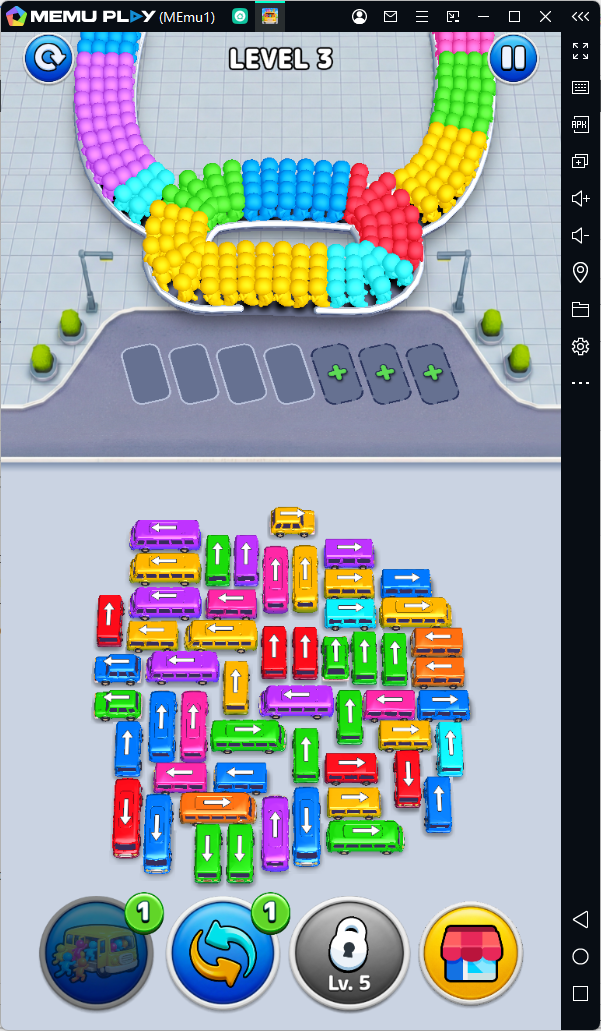
Bus Traffic Fever! puts you in charge of a bustling transport hub. Your mission is simple yet challenging: clear parking lot traffic jams and ensure passengers get onto the correctly colored buses.
Key Features:
- Addictive Color-Sorting & Parking Mechanics: Plan your moves carefully to match waiting passengers with their corresponding colored buses before running out of parking slots.
- Brain-Teasing Puzzle Levels: As you progress, parking spaces become tighter, passenger queues get longer, and layout obstacles force you to think several steps ahead.
- Satisfying & Visual Gameplay: Clean, vibrant 3D graphics paired with fluid animations make clearing a jammed parking lot incredibly rewarding.
- Casual yet Strategic: Easy to pick up for players of all ages, but offers deep logic puzzles that will keep casual gamers and hardcore strategists engaged.
Why Play Bus Traffic Fever! on PC with MEmu?
[Playing on mobile is great for quick breaks, playing Bus Traffic Fever! on PC using MEmu Play elevates your gaming experience with a larger screen, precise mouse controls, and smooth, lag-free performance.
While Bus Traffic Fever! is designed for Android, playing it on PC via MEmu App Player offers several major advantages:
- Precise Mouse Controls: Say goodbye to accidental mis-clicks on small smartphone screens. Drag, tap, and organize your buses with pixel-perfect accuracy using your mouse.
- Bigger Screen & Better Visuals: Experience the bright 3D art style and track complex parking layouts far better on a full-size PC monitor.
- No Battery or Thermal Throttling: Play for hours without worrying about your phone heating up, draining its battery, or receiving unwanted notifications.
How to Download and Play Bus Traffic Fever! on PC
Setting up Bus Traffic Fever! on your PC using MEmu is quick and straightforward. Just follow these simple steps:
Step 1: Download and Install MEmu Play
- Visit the official MEmu website (www.memuplay.com).
- Download the installer and launch it on your Windows PC.
- Complete the setup process to open the MEmu Android Emulator.
Step 2: Sign in to Google Play Store
- Open the Google Play Store icon from the MEmu desktop screen.
- Log in using your existing Google account (or create a new one).
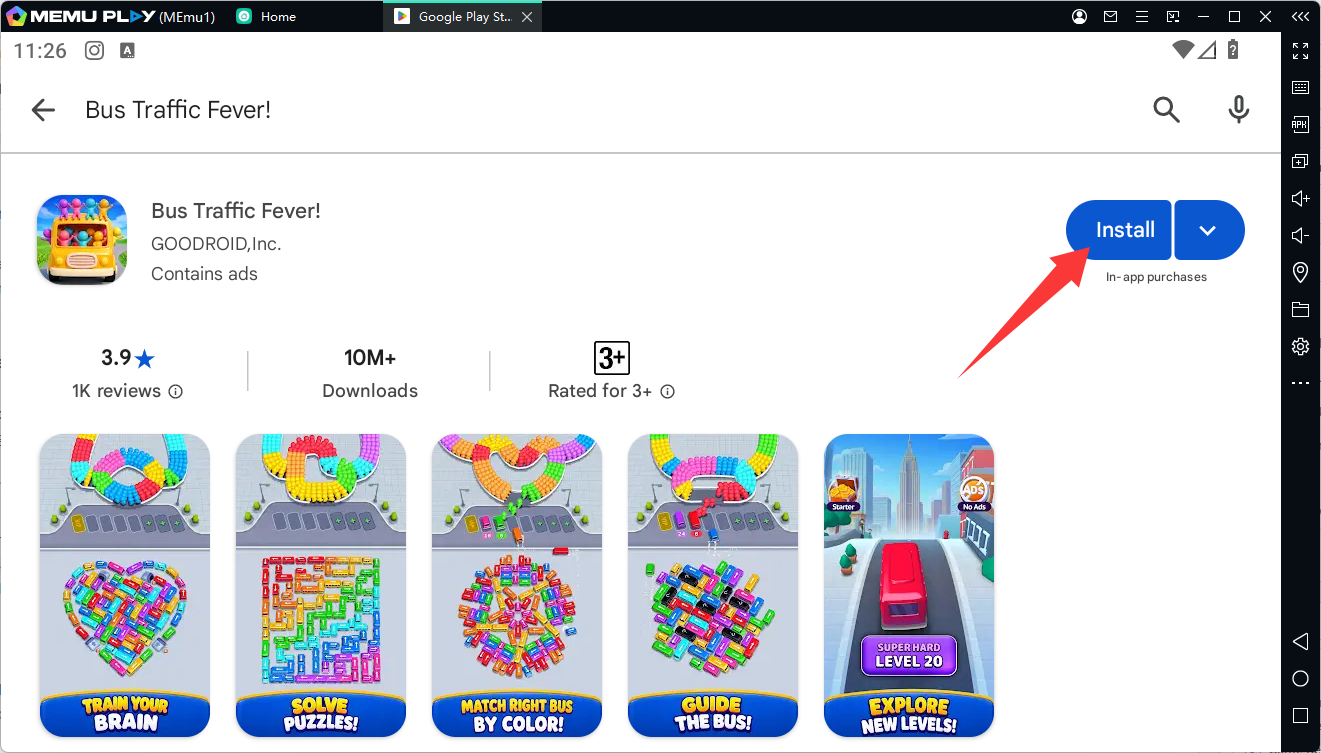
Step 3: Search for Bus Traffic Fever!
- In the Google Play search bar, type "Bus Traffic Fever!" (or search using the package name
jp.co.goodroid.hyper.busflow). - Select the official game developed by GOODROID, Inc. from the search results.
Step 4: Install and Launch the Game
- Click Install to download the game onto your emulator.
- Once the installation is complete, click Open or click the Bus Traffic Fever! icon on the MEmu home screen.
Conclusion
Whether you want to relax after a long day or flex your puzzle-solving skills, Bus Traffic Fever! offers endless hours of satisfying gameplay. Download MEmu Play today, untangle the traffic jams on your big screen, and become the ultimate transport master!