Arrow Crosswords
আপডেট করা হয়েছে
বর্তমান সংস্করণ
2.0.19697
অফার করেছে

Arrow Crosswords খেলার জন্য আপনার সমস্ত আবেগের সাথে, আপনার হাত আপনার ফোনের একটি ছোট স্ক্রিনে সীমাবদ্ধ থাকার কথা নয়। একজন পেশাদারের মতো খেলুন এবং কীবোর্ড এবং মাউস দিয়ে আপনার গেমের সম্পূর্ণ নিয়ন্ত্রণ পান। মেমু আপনাকে এমন সমস্ত জিনিস সরবরাহ করে যা আপনি প্রত্যাশা করছেন। ডাউনলোড করুন এবং পিসিতে Arrow Crosswords খেলুন। আপনি যতক্ষণ চান ততক্ষণ খেলুন, ব্যাটারি, মোবাইল ডেটা এবং বিরক্তিকর কলগুলির আর কোনও সীমাবদ্ধতা নেই। একদম নতুন MEmu 9 হল পিসিতে Arrow Crosswords খেলার সেরা পছন্দ। আমাদের দক্ষতার সাথে প্রস্তুত, সূক্ষ্ম প্রিসেট কীম্যাপিং সিস্টেম Arrow Crosswords কে একটি বাস্তব পিসি গেম করে তোলে। MEmu মাল্টি-ইনস্ট্যান্স ম্যানেজার একই ডিভাইসে 2 বা তার বেশি অ্যাকাউন্ট চালানো সম্ভব করে তোলে। এবং সবচেয়ে গুরুত্বপূর্ণ, আমাদের একচেটিয়া ইমুলেশন ইঞ্জিন আপনার পিসির সম্পূর্ণ সম্ভাবনা প্রকাশ করতে পারে, সবকিছুকে মসৃণ করে তুলতে পারে।
বেশি দেখান
Download Arrow Crosswords on PC with MEmu Android Emulator. Enjoy playing on big screen. Arrow Crosswords is a totally new type of crossword game where two players play the puzzle together.
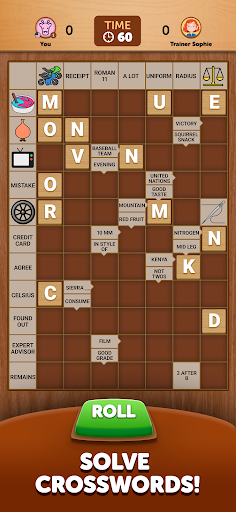
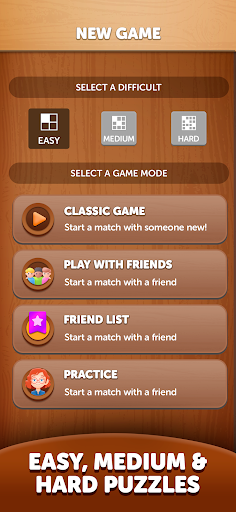
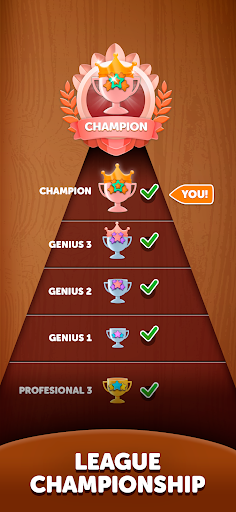
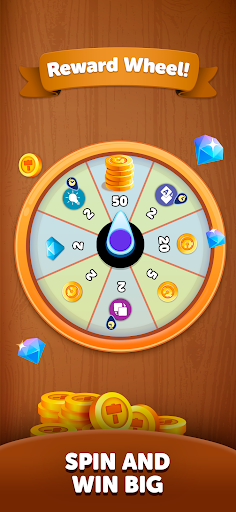
Arrow Crosswords is a totally new type of crossword game where two players play the puzzle together. Some clues are pictures for extra fun! :)
Arrow Crosswords is a turn-based game where two players complete the crossword puzzle together and compete for the highest score. It’s a new take on crossword puzzles too - Scandinavian style! - with clues inside the squares and some clues are pictures.
· Each player receives 5 letters at the start of each turn - then you have 60 seconds to place those tiles.
· You get points for placing letters correctly, completing words, playing all 5 letters, and fun bonus points tiles.
· Think carefully about playing certain letters though - as maybe it’s better to save that crucial letter for later!
Arrow Crosswords is a unique twist on word games, and fans of crossword puzzles, Scrabble, and Words with Friends - should find themselves at home - and LOVING this new way to play!
Play with friend, random opponents, or the Arrow Crosswords friendly teacher, Sophie, for immediate games.
Privacy Policy:
https://www.funcraft.com/privacy-policy
Terms of Service:
https://www.funcraft.com/terms-of-use
বেশি দেখান

1. MEmu ইনস্টলার ডাউনলোড করুন এবং সেটআপ শেষ করুন

2. MEmu শুরু করুন তারপর ডেস্কটপে Google Play খুলুন

3. Google Play এ Arrow Crosswords খুঁজুন
Install
4. Arrow Crosswords ডাউনলোড এবং ইনস্টল করুন
5. ইনস্টল সমাপ্তি শুরু করতে আইকনে ক্লিক করুন

6. MEmu এর সাথে পিসিতে Arrow Crosswords খেলা উপভোগ করুন
মেমু প্লে হল সেরা অ্যান্ড্রয়েড এমুলেটর এবং 100 মিলিয়ন মানুষ ইতিমধ্যেই এর দুর্দান্ত অ্যান্ড্রয়েড গেমিং অভিজ্ঞতা উপভোগ করছে। MEmu ভার্চুয়ালাইজেশন প্রযুক্তি আপনাকে আপনার পিসিতে হাজার হাজার অ্যান্ড্রয়েড গেম মসৃণভাবে খেলার ক্ষমতা দেয়, এমনকি সবচেয়ে গ্রাফিক-ইনটেনসিভ গেমগুলিও।
ভালো গ্রাফিক্সের সাথে বড় স্ক্রীন; লম্বা অবধি, ব্যাটারি বা মোবাইল ডাটা'র কোন সীমা ছাড়া।
কীবোর্ড এবং মাউস বা গেমপ্যাডের সুনির্দিষ্ট নিয়ন্ত্রণের জন্য সম্পূর্ণ কীম্যাপিং সমর্থন।
মাল্টি-ইনস্ট্যান্স ম্যানেজারের সাথে একটি পিসিতে একাধিক গেম অ্যাকাউন্ট বা কাজ।
নিম্নলিখিত ধাপগুলোর মাধ্যমে পিসি এ Arrow Crosswords খেলুন: