Jhandi Munda
আপডেট করা হয়েছে
বর্তমান সংস্করণ
16.0
অফার করেছে

Jhandi Munda খেলার জন্য আপনার সমস্ত আবেগের সাথে, আপনার হাত আপনার ফোনের একটি ছোট স্ক্রিনে সীমাবদ্ধ থাকার কথা নয়। একজন পেশাদারের মতো খেলুন এবং কীবোর্ড এবং মাউস দিয়ে আপনার গেমের সম্পূর্ণ নিয়ন্ত্রণ পান। মেমু আপনাকে এমন সমস্ত জিনিস সরবরাহ করে যা আপনি প্রত্যাশা করছেন। ডাউনলোড করুন এবং পিসিতে Jhandi Munda খেলুন। আপনি যতক্ষণ চান ততক্ষণ খেলুন, ব্যাটারি, মোবাইল ডেটা এবং বিরক্তিকর কলগুলির আর কোনও সীমাবদ্ধতা নেই। একদম নতুন MEmu 9 হল পিসিতে Jhandi Munda খেলার সেরা পছন্দ। আমাদের দক্ষতার সাথে প্রস্তুত, সূক্ষ্ম প্রিসেট কীম্যাপিং সিস্টেম Jhandi Munda কে একটি বাস্তব পিসি গেম করে তোলে। MEmu মাল্টি-ইনস্ট্যান্স ম্যানেজার একই ডিভাইসে 2 বা তার বেশি অ্যাকাউন্ট চালানো সম্ভব করে তোলে। এবং সবচেয়ে গুরুত্বপূর্ণ, আমাদের একচেটিয়া ইমুলেশন ইঞ্জিন আপনার পিসির সম্পূর্ণ সম্ভাবনা প্রকাশ করতে পারে, সবকিছুকে মসৃণ করে তুলতে পারে।
বেশি দেখান
Download Jhandi Munda on PC with MEmu Android Emulator. Enjoy playing on big screen. "Jhandi Munda - Langur Burja SNS" is an Android app that brings the traditional Indian gambling game, Jhandi Munda, to your phone.
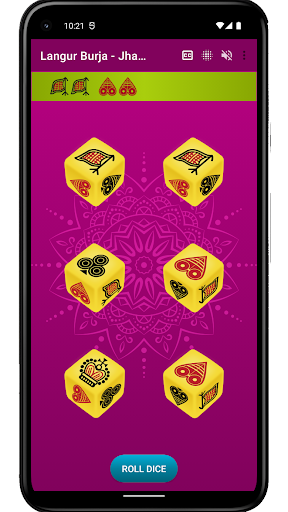
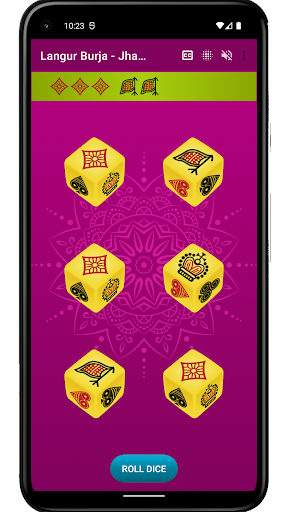
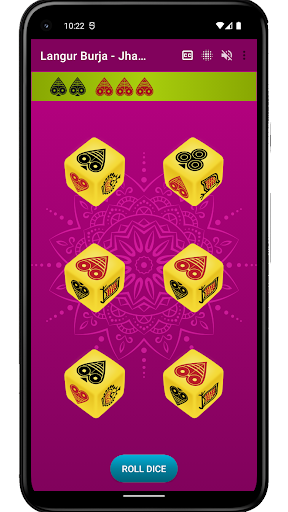
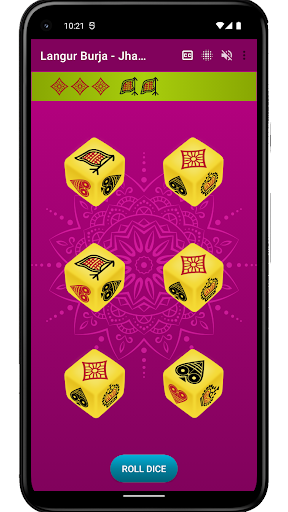
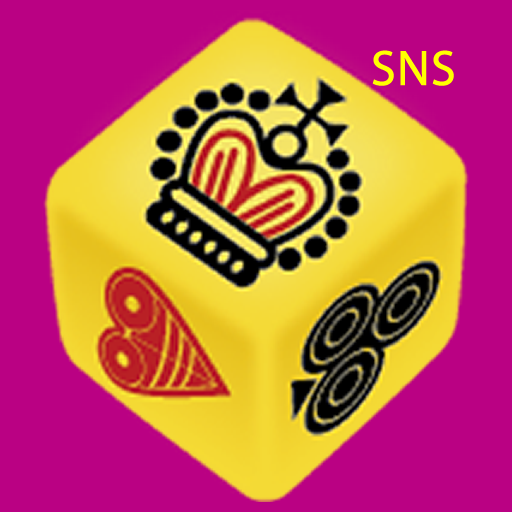
"Jhandi Munda - Langur Burja SNS" is an Android app that brings the traditional Indian gambling game, Jhandi Munda, to your phone. Also known as Langur Burja, this exciting game is played with 6 six-sided dice. The game board is divided into 6 sections, each with a different symbol: Spade, Club, Diamond, Heart, Crown, and Flag.
How to play Jhandi Munda?
To play, players place their bets on the section of the board that represents the symbol they think will appear the most after the dice are rolled by the dealer. The objective is to correctly predict the winning symbol, and the dealer rolls all six dice in each round. If the player's chosen symbol appears the most, they win.
Playing Jhandi Munda with the app offers several benefits, including the convenience of not having to search for physical dice and the ability to track hot and cold symbols to increase the chances of winning.
Enjoy the thrill of this popular Indian gambling game anytime, anywhere with "Jhandi Munda - Langur Burja SNS". With its simple rules and big winning potential, Jhandi Munda is a fun and easy-to-play game of chance.
বেশি দেখান

1. MEmu ইনস্টলার ডাউনলোড করুন এবং সেটআপ শেষ করুন

2. MEmu শুরু করুন তারপর ডেস্কটপে Google Play খুলুন

3. Google Play এ Jhandi Munda খুঁজুন
Install
4. Jhandi Munda ডাউনলোড এবং ইনস্টল করুন
5. ইনস্টল সমাপ্তি শুরু করতে আইকনে ক্লিক করুন

6. MEmu এর সাথে পিসিতে Jhandi Munda খেলা উপভোগ করুন
মেমু প্লে হল সেরা অ্যান্ড্রয়েড এমুলেটর এবং 100 মিলিয়ন মানুষ ইতিমধ্যেই এর দুর্দান্ত অ্যান্ড্রয়েড গেমিং অভিজ্ঞতা উপভোগ করছে। MEmu ভার্চুয়ালাইজেশন প্রযুক্তি আপনাকে আপনার পিসিতে হাজার হাজার অ্যান্ড্রয়েড গেম মসৃণভাবে খেলার ক্ষমতা দেয়, এমনকি সবচেয়ে গ্রাফিক-ইনটেনসিভ গেমগুলিও।
ভালো গ্রাফিক্সের সাথে বড় স্ক্রীন; লম্বা অবধি, ব্যাটারি বা মোবাইল ডাটা'র কোন সীমা ছাড়া।
কীবোর্ড এবং মাউস বা গেমপ্যাডের সুনির্দিষ্ট নিয়ন্ত্রণের জন্য সম্পূর্ণ কীম্যাপিং সমর্থন।
মাল্টি-ইনস্ট্যান্স ম্যানেজারের সাথে একটি পিসিতে একাধিক গেম অ্যাকাউন্ট বা কাজ।
নিম্নলিখিত ধাপগুলোর মাধ্যমে পিসি এ Jhandi Munda খেলুন: