Ludo Pool
আপডেট করা হয়েছে
বর্তমান সংস্করণ
26.1.0
অফার করেছে

Ludo Pool খেলার জন্য আপনার সমস্ত আবেগের সাথে, আপনার হাত আপনার ফোনের একটি ছোট স্ক্রিনে সীমাবদ্ধ থাকার কথা নয়। একজন পেশাদারের মতো খেলুন এবং কীবোর্ড এবং মাউস দিয়ে আপনার গেমের সম্পূর্ণ নিয়ন্ত্রণ পান। মেমু আপনাকে এমন সমস্ত জিনিস সরবরাহ করে যা আপনি প্রত্যাশা করছেন। ডাউনলোড করুন এবং পিসিতে Ludo Pool খেলুন। আপনি যতক্ষণ চান ততক্ষণ খেলুন, ব্যাটারি, মোবাইল ডেটা এবং বিরক্তিকর কলগুলির আর কোনও সীমাবদ্ধতা নেই। একদম নতুন MEmu 9 হল পিসিতে Ludo Pool খেলার সেরা পছন্দ। আমাদের দক্ষতার সাথে প্রস্তুত, সূক্ষ্ম প্রিসেট কীম্যাপিং সিস্টেম Ludo Pool কে একটি বাস্তব পিসি গেম করে তোলে। MEmu মাল্টি-ইনস্ট্যান্স ম্যানেজার একই ডিভাইসে 2 বা তার বেশি অ্যাকাউন্ট চালানো সম্ভব করে তোলে। এবং সবচেয়ে গুরুত্বপূর্ণ, আমাদের একচেটিয়া ইমুলেশন ইঞ্জিন আপনার পিসির সম্পূর্ণ সম্ভাবনা প্রকাশ করতে পারে, সবকিছুকে মসৃণ করে তুলতে পারে।
বেশি দেখান
Download Ludo Pool on PC with MEmu Android Emulator. Enjoy playing on big screen. Ludo is a fun game to play multiplayer board game that can be played between 2, 3 or 4 players.
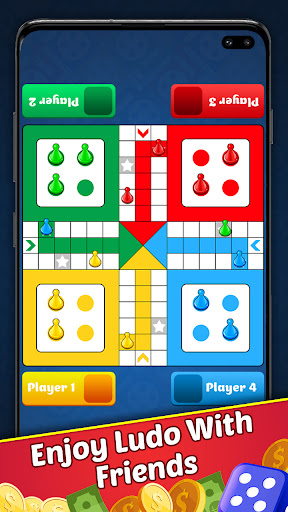
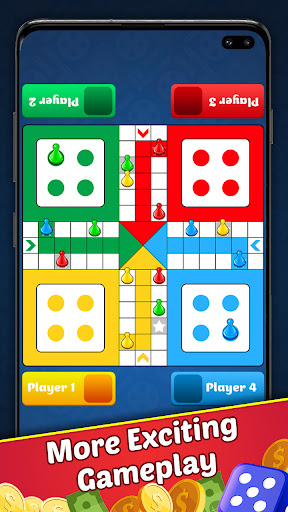
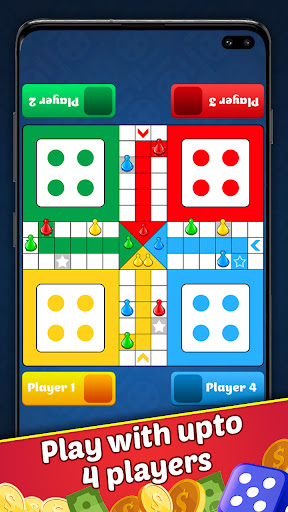
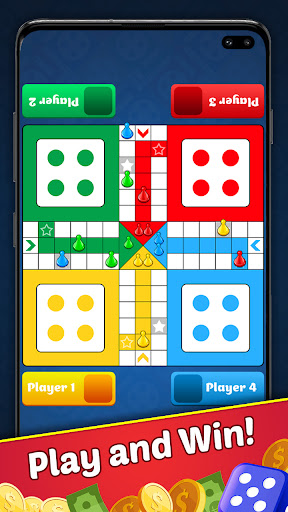
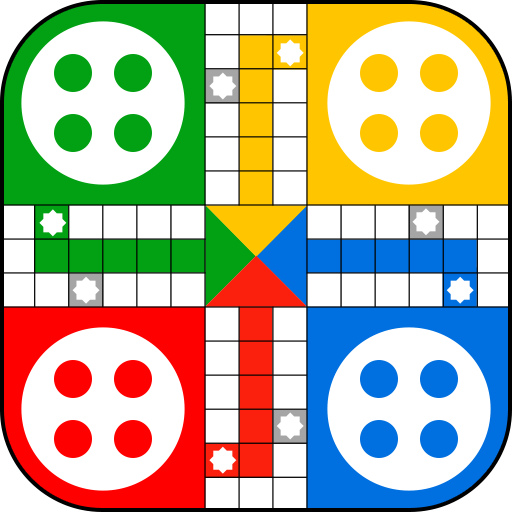
Ludo is a fun game to play multiplayer board game that can be played between 2, 3 or 4 players. It is the most popular and fun game to play with family and friends. This game is mind refreshing game. Ludo is a strategy board game for two to four players, in which the players race their four tokens from start to finish according to the rolls of a single dice.
The match includes four red, blue, green, yellow token.
This game has stayed popular throughout the ages, varying only a little in its game structure. The game is played between 2 to 4 players and you have the option of playing the game against the computer, against your friends.
Ludo Pool or there are many names about ludo. Ludoo is known as Parcheesi in North America, Parchís in Spain, Parqués in Colombia, Chińczyk in Poland, Petits Chevaux in France, Reis ümber maailma in Estonia. And Ludo Pool is a moden version of Pachisi, but now it is popular ludo games around the world. We can play ludo with multiplayers.
Is your friend the king of Ludo? The game is a simple race contest based on sheer luck, and is popular with young children. The game is played between 2 and 4 players and we have the option of playing against your teammates,family, friends etc. The purpose of the game is pretty easy, Each player gets 4 tokens, this token must create a full board round and then get to the finish line.
Game features:
Single Player - Play against the computer.
Local Multiplayer - Play with friends and family offline.
Play 2 to 4 players.
Real Ludo dice roll animation.
Smooth and Cool animation.
Awesome Graphics & Gameplay.
Enjoy playing the best offline version of the Ludo game anytime anywhere with your friends and family.
We hope you enjoy playing this Ludo.
বেশি দেখান

1. MEmu ইনস্টলার ডাউনলোড করুন এবং সেটআপ শেষ করুন

2. MEmu শুরু করুন তারপর ডেস্কটপে Google Play খুলুন

3. Google Play এ Ludo Pool খুঁজুন
Install
4. Ludo Pool ডাউনলোড এবং ইনস্টল করুন
5. ইনস্টল সমাপ্তি শুরু করতে আইকনে ক্লিক করুন

6. MEmu এর সাথে পিসিতে Ludo Pool খেলা উপভোগ করুন
মেমু প্লে হল সেরা অ্যান্ড্রয়েড এমুলেটর এবং 100 মিলিয়ন মানুষ ইতিমধ্যেই এর দুর্দান্ত অ্যান্ড্রয়েড গেমিং অভিজ্ঞতা উপভোগ করছে। MEmu ভার্চুয়ালাইজেশন প্রযুক্তি আপনাকে আপনার পিসিতে হাজার হাজার অ্যান্ড্রয়েড গেম মসৃণভাবে খেলার ক্ষমতা দেয়, এমনকি সবচেয়ে গ্রাফিক-ইনটেনসিভ গেমগুলিও।
ভালো গ্রাফিক্সের সাথে বড় স্ক্রীন; লম্বা অবধি, ব্যাটারি বা মোবাইল ডাটা'র কোন সীমা ছাড়া।
কীবোর্ড এবং মাউস বা গেমপ্যাডের সুনির্দিষ্ট নিয়ন্ত্রণের জন্য সম্পূর্ণ কীম্যাপিং সমর্থন।
মাল্টি-ইনস্ট্যান্স ম্যানেজারের সাথে একটি পিসিতে একাধিক গেম অ্যাকাউন্ট বা কাজ।
নিম্নলিখিত ধাপগুলোর মাধ্যমে পিসি এ Ludo Pool খেলুন: