Ludo
আপডেট করা হয়েছে
বর্তমান সংস্করণ
1.4.0
অফার করেছে

Ludo খেলার জন্য আপনার সমস্ত আবেগের সাথে, আপনার হাত আপনার ফোনের একটি ছোট স্ক্রিনে সীমাবদ্ধ থাকার কথা নয়। একজন পেশাদারের মতো খেলুন এবং কীবোর্ড এবং মাউস দিয়ে আপনার গেমের সম্পূর্ণ নিয়ন্ত্রণ পান। মেমু আপনাকে এমন সমস্ত জিনিস সরবরাহ করে যা আপনি প্রত্যাশা করছেন। ডাউনলোড করুন এবং পিসিতে Ludo খেলুন। আপনি যতক্ষণ চান ততক্ষণ খেলুন, ব্যাটারি, মোবাইল ডেটা এবং বিরক্তিকর কলগুলির আর কোনও সীমাবদ্ধতা নেই। একদম নতুন MEmu 9 হল পিসিতে Ludo খেলার সেরা পছন্দ। আমাদের দক্ষতার সাথে প্রস্তুত, সূক্ষ্ম প্রিসেট কীম্যাপিং সিস্টেম Ludo কে একটি বাস্তব পিসি গেম করে তোলে। MEmu মাল্টি-ইনস্ট্যান্স ম্যানেজার একই ডিভাইসে 2 বা তার বেশি অ্যাকাউন্ট চালানো সম্ভব করে তোলে। এবং সবচেয়ে গুরুত্বপূর্ণ, আমাদের একচেটিয়া ইমুলেশন ইঞ্জিন আপনার পিসির সম্পূর্ণ সম্ভাবনা প্রকাশ করতে পারে, সবকিছুকে মসৃণ করে তুলতে পারে।
বেশি দেখান
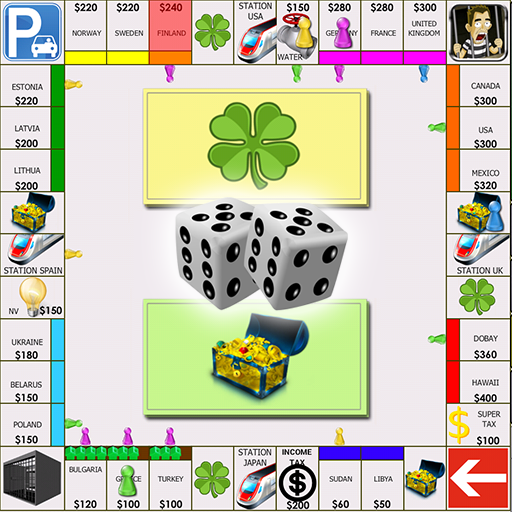
Download Ludo on PC with MEmu Android Emulator. Enjoy playing on big screen. Ludo is a four-player board game that aims to get all the figurines into the house before other players.
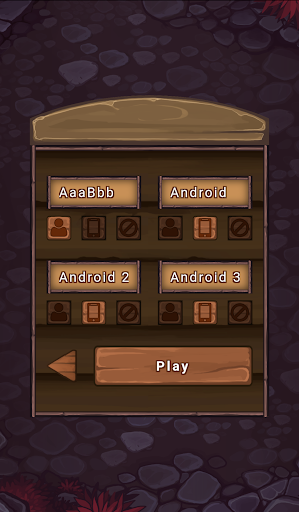
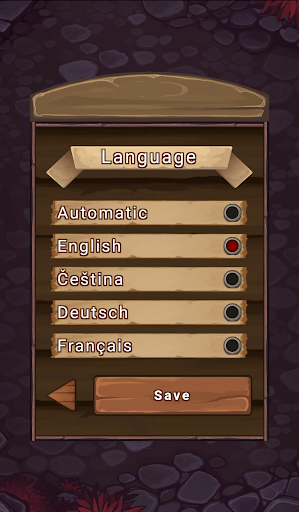
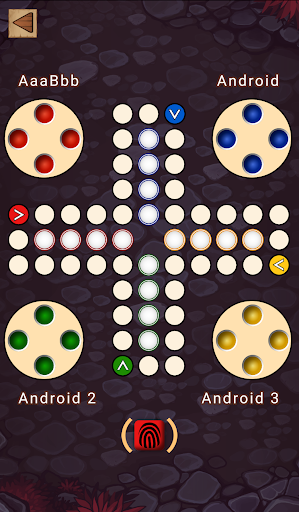
Ludo is a four-player board game that aims to get all the figurines into the house before other players.
Basic features:
- Game for 4 players
- Multiplayer on one device
- Android Players
- Multilingual
Game history
The game has its origin in the ancient Indian game Pachisi (Parchis). It was first patented and marketed in the UK under the name Ludo. Gradually the game spread all over the world with different names, different graphic design or even with slightly different rules. In our country it is known as Ludo. In the Czech Republic under the name Člověče, nezlob se, in France it is called France Petits Chevaux or Eile mit Weile.
Game rules
This version of Ludo has the usual rules. To enter a token into play from its yard to its starting square, a player must roll a 6. If the player has no tokens yet in play and rolls other than a 6, the turn passes to the next player.
Once a player has one or more tokens in play, he selects a token and moves it forwards along the track the number of fields indicated by the die.
When a 6 is rolled, the player may choose to advance a token already in play, or may enter another staged token to its starting square.
If the advance of a token ends on a field occupied by an opponent's token, the opponent token is returned to its owner's yard.
The winner of the game is the one who first manages to get all the tokens into the house.
বেশি দেখান

1. MEmu ইনস্টলার ডাউনলোড করুন এবং সেটআপ শেষ করুন

2. MEmu শুরু করুন তারপর ডেস্কটপে Google Play খুলুন

3. Google Play এ Ludo খুঁজুন
Install
4. Ludo ডাউনলোড এবং ইনস্টল করুন
5. ইনস্টল সমাপ্তি শুরু করতে আইকনে ক্লিক করুন

6. MEmu এর সাথে পিসিতে Ludo খেলা উপভোগ করুন
মেমু প্লে হল সেরা অ্যান্ড্রয়েড এমুলেটর এবং 100 মিলিয়ন মানুষ ইতিমধ্যেই এর দুর্দান্ত অ্যান্ড্রয়েড গেমিং অভিজ্ঞতা উপভোগ করছে। MEmu ভার্চুয়ালাইজেশন প্রযুক্তি আপনাকে আপনার পিসিতে হাজার হাজার অ্যান্ড্রয়েড গেম মসৃণভাবে খেলার ক্ষমতা দেয়, এমনকি সবচেয়ে গ্রাফিক-ইনটেনসিভ গেমগুলিও।
ভালো গ্রাফিক্সের সাথে বড় স্ক্রীন; লম্বা অবধি, ব্যাটারি বা মোবাইল ডাটা'র কোন সীমা ছাড়া।
কীবোর্ড এবং মাউস বা গেমপ্যাডের সুনির্দিষ্ট নিয়ন্ত্রণের জন্য সম্পূর্ণ কীম্যাপিং সমর্থন।
মাল্টি-ইনস্ট্যান্স ম্যানেজারের সাথে একটি পিসিতে একাধিক গেম অ্যাকাউন্ট বা কাজ।
নিম্নলিখিত ধাপগুলোর মাধ্যমে পিসি এ Ludo খেলুন: