BGM GFX TOOL - VIP FEATURES
আপডেট করা হয়েছে
বর্তমান সংস্করণ
5.0
অফার করেছে

আপনার মোবাইলে BGM GFX TOOL - VIP FEATURES ব্যবহার করার সময় অতিরিক্ত চার্জ নিয়ে চিন্তা করা বন্ধ করুন, নিজেকে ছোট পর্দা থেকে মুক্ত করুন এবং অনেক বড় ডিসপ্লেতে অ্যাপ ব্যবহার করে উপভোগ করুন। এখন থেকে, কীবোর্ড এবং মাউস দিয়ে আপনার অ্যাপের একটি পূর্ণ-স্ক্রীন অভিজ্ঞতা পান। MEmu আপনাকে সমস্ত আশ্চর্যজনক বৈশিষ্ট্যগুলি অফার করে যা আপনি আশা করেছিলেন: দ্রুত ইনস্টল এবং সহজ সেটআপ, স্বজ্ঞাত নিয়ন্ত্রণ, ব্যাটারির আর কোন সীমাবদ্ধতা নেই, মোবাইল ডেটা এবং বিরক্তিকর কল৷ একদম নতুন MEmu 9 হল আপনার কম্পিউটারে BGM GFX TOOL - VIP FEATURES ব্যবহার করার সেরা পছন্দ। MEmu মাল্টি-ইনস্ট্যান্স ম্যানেজার একই সময়ে 2 বা তার বেশি অ্যাকাউন্ট খোলা সম্ভব করে তোলে। এবং সবচেয়ে গুরুত্বপূর্ণ, আমাদের একচেটিয়া ইমুলেশন ইঞ্জিন আপনার পিসির সম্পূর্ণ সম্ভাবনা প্রকাশ করতে পারে, সবকিছুকে মসৃণ এবং উপভোগ্য করে তুলতে পারে।
বেশি দেখান
Download BGM GFX TOOL - VIP FEATURES on PC with MEmu Android Emulator. Enjoy playing on big screen. Experience the ultimate gaming performance with BGM Gfx Tool - VIP features.
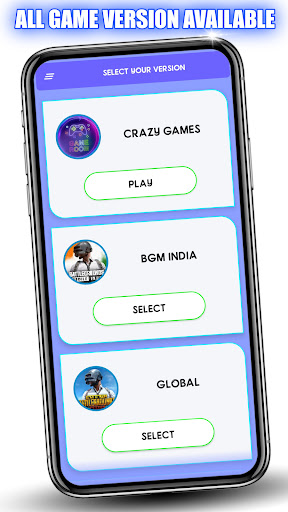
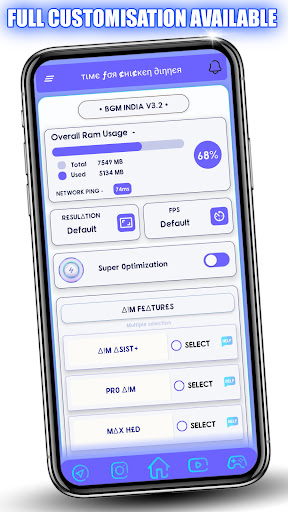
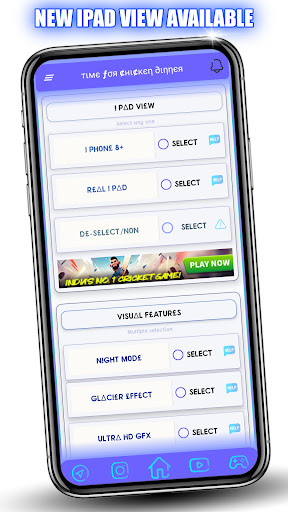
Experience the ultimate gaming performance with BGM Gfx Tool - VIP features.
This app is designed to provide you with the most advanced and exclusive features for Game. With This Tool You can Get 90 FPS, iPad View, HDR graphics, Lag Fix, and many more Useful Features, you can enjoy smooth and stable gaming experience.
Supported versions: BGM, GL, KR, VN, TW
We are 100% safe, app that won't put your game account at any risk.
Key Features of BGM Gfx Tool:
•Change resolution
•Unlocking HDR graphics and various FPS levels
•Full control over anti-aliasing and shadows
•Compatibility with all game versions
•iPad view
•Unlock 90 Fps
•Customizable crosshair
•And many other useful features
How to use BGM GFX Tool
•Download and install the BGM GFX Toolapp from the Google Play Store on your device.
•Once the app is installed, open it and grant the necessary permissions.
Select Your Game Version from the game list in the app.
•Choose the settings that you want to apply to the game. This may include features such as 60 Fps, iPad View, and more.
•Click on the "Activate" button to apply the settings to the game.
•Enjoy enhanced graphics and optimized performance in your game.
Disclaimer
This is an unofficial application for specific games. This application is not associated in any way with other brands and developers.
If you feel that we have violated your intellectual property rights or any other agreement, please contact us by e-mail hitechsachin3@gmail.com, we will immediately take the necessary measures.
• Official Website:- https://bgmgfxtool.com
বেশি দেখান

1. MEmu ইনস্টলার ডাউনলোড করুন এবং সেটআপ শেষ করুন

2. MEmu শুরু করুন তারপর ডেস্কটপে Google Play খুলুন

3. Google Play এ BGM GFX TOOL - VIP FEATURES খুঁজুন
Install
4. BGM GFX TOOL - VIP FEATURES ডাউনলোড এবং ইনস্টল করুন
5. ইনস্টল সমাপ্তি শুরু করতে আইকনে ক্লিক করুন

6. MEmu ব্যবহার করে আপনার কম্পিউটারে BGM GFX TOOL - VIP FEATURES উপভোগ করুন
MEmu Play হল সেরা অ্যান্ড্রয়েড এমুলেটর, যার ১০ কোটিরও বেশি ব্যবহারকারী এর উন্নত অ্যান্ড্রয়েড অ্যাপ অভিজ্ঞতা উপভোগ করছেন। MEmu 9 এর ভার্চুয়ালাইজেশন প্রযুক্তি আপনাকে আপনার কম্পিউটারে হাজার হাজার অ্যান্ড্রয়েড অ্যাপ মসৃণভাবে চালাতে দেয়, এমনকি সবচেয়ে চাহিদাসম্পন্ন অ্যাপগুলিও।
ভালো গ্রাফিক্সের সাথে বড় স্ক্রীন; লম্বা অবধি, ব্যাটারি বা মোবাইল ডাটা'র কোন সীমা ছাড়া।
কীবোর্ড এবং মাউস বা গেমপ্যাডের সুনির্দিষ্ট নিয়ন্ত্রণের জন্য সম্পূর্ণ কীম্যাপিং সমর্থন।
মাল্টি-ইনস্ট্যান্স ম্যানেজারের সাথে একটি পিসিতে একাধিক গেম অ্যাকাউন্ট বা কাজ।
নিম্নলিখিত ধাপগুলোর মাধ্যমে পিসি এ BGM GFX TOOL - VIP FEATURES ব্যবহার করুন: