Lockscreen Widget - Weather
আপডেট করা হয়েছে
বর্তমান সংস্করণ
1.1.20.6
অফার করেছে

আপনার মোবাইলে Lockscreen Widget - Weather ব্যবহার করার সময় অতিরিক্ত চার্জ নিয়ে চিন্তা করা বন্ধ করুন, নিজেকে ছোট পর্দা থেকে মুক্ত করুন এবং অনেক বড় ডিসপ্লেতে অ্যাপ ব্যবহার করে উপভোগ করুন। এখন থেকে, কীবোর্ড এবং মাউস দিয়ে আপনার অ্যাপের একটি পূর্ণ-স্ক্রীন অভিজ্ঞতা পান। MEmu আপনাকে সমস্ত আশ্চর্যজনক বৈশিষ্ট্যগুলি অফার করে যা আপনি আশা করেছিলেন: দ্রুত ইনস্টল এবং সহজ সেটআপ, স্বজ্ঞাত নিয়ন্ত্রণ, ব্যাটারির আর কোন সীমাবদ্ধতা নেই, মোবাইল ডেটা এবং বিরক্তিকর কল৷ একদম নতুন MEmu 9 হল আপনার কম্পিউটারে Lockscreen Widget - Weather ব্যবহার করার সেরা পছন্দ। MEmu মাল্টি-ইনস্ট্যান্স ম্যানেজার একই সময়ে 2 বা তার বেশি অ্যাকাউন্ট খোলা সম্ভব করে তোলে। এবং সবচেয়ে গুরুত্বপূর্ণ, আমাদের একচেটিয়া ইমুলেশন ইঞ্জিন আপনার পিসির সম্পূর্ণ সম্ভাবনা প্রকাশ করতে পারে, সবকিছুকে মসৃণ এবং উপভোগ্য করে তুলতে পারে।
বেশি দেখান
Download Lockscreen Widget - Weather on PC with MEmu Android Emulator. Enjoy playing on big screen. Are you using only the clock on your lock screen?
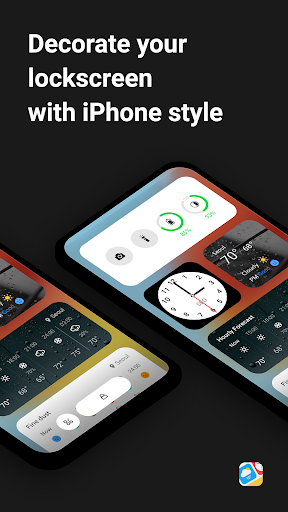
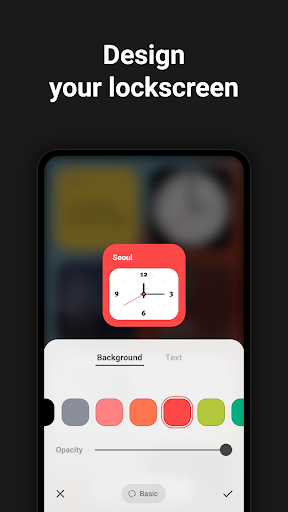
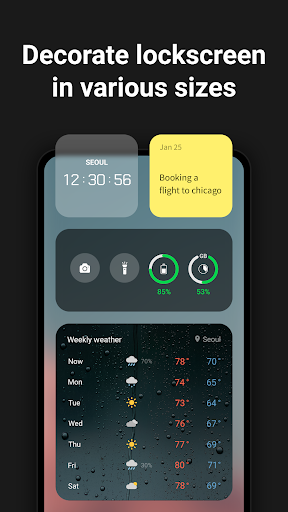
Are you using only the clock on your lock screen?
No more monotonous lock screen!
Customize your own lock screen using various iPhone style block such as weather, clock, memo, news, and battery. You can adjust the size as well as the color as you like.
✔Customize Lock Screen
- Customize iPhone-style Lock Screen such as weather, clock, memo, news, and battery in any size and color you want.
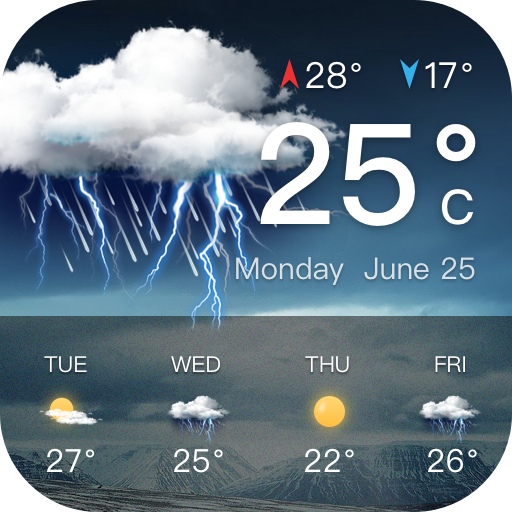
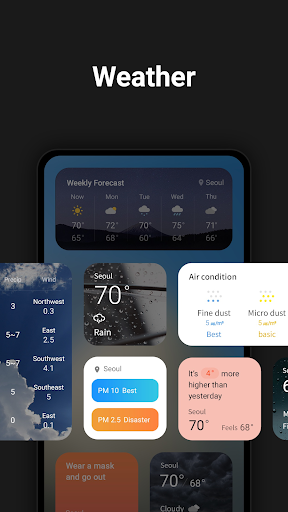
✔Weather
Check the weather and plan your outdoor activities.
✔Clock
Set the desired region of the world and check the time.
✔ Alarm
Set an alarm at any time you want.
✔Note
Make a note of important appointments and schedules and don't forget them.
✔News
Get real-time news and adapt to changes in the world.
✔Battery
Check the current remaining battery level.
Purpose of App Permissions Obtaining Consent Before Installation
- READ_PHONE_STATE: Permission to stop the app from running to avoid interrupting phone calls.(optional)
- ACCESS_FINE_LOCATION: Permission to request your current location to use the weather service.(optional)
- SYSTEM_ALERT_WINDOW: Permission to display widget on the lock screen.(required)
- POST_NOTIFICATION: Permission to receive alarms related to app services.(optional)
* Notice: The only purpose of this app is to display the widgets set by the user on the lock screen.
* Lockscreen Widget provides weather based on your location for your convenience.
Customer Service
- E-Mail: support@wafour.com
- Phone Number: 070 4336 1593
বেশি দেখান

1. MEmu ইনস্টলার ডাউনলোড করুন এবং সেটআপ শেষ করুন

2. MEmu শুরু করুন তারপর ডেস্কটপে Google Play খুলুন

3. Google Play এ Lockscreen Widget - Weather খুঁজুন
Install
4. Lockscreen Widget - Weather ডাউনলোড এবং ইনস্টল করুন
5. ইনস্টল সমাপ্তি শুরু করতে আইকনে ক্লিক করুন

6. MEmu ব্যবহার করে আপনার কম্পিউটারে Lockscreen Widget - Weather উপভোগ করুন
MEmu Play হল সেরা অ্যান্ড্রয়েড এমুলেটর, যার ১০ কোটিরও বেশি ব্যবহারকারী এর উন্নত অ্যান্ড্রয়েড অ্যাপ অভিজ্ঞতা উপভোগ করছেন। MEmu 9 এর ভার্চুয়ালাইজেশন প্রযুক্তি আপনাকে আপনার কম্পিউটারে হাজার হাজার অ্যান্ড্রয়েড অ্যাপ মসৃণভাবে চালাতে দেয়, এমনকি সবচেয়ে চাহিদাসম্পন্ন অ্যাপগুলিও।
ভালো গ্রাফিক্সের সাথে বড় স্ক্রীন; লম্বা অবধি, ব্যাটারি বা মোবাইল ডাটা'র কোন সীমা ছাড়া।
কীবোর্ড এবং মাউস বা গেমপ্যাডের সুনির্দিষ্ট নিয়ন্ত্রণের জন্য সম্পূর্ণ কীম্যাপিং সমর্থন।
মাল্টি-ইনস্ট্যান্স ম্যানেজারের সাথে একটি পিসিতে একাধিক গেম অ্যাকাউন্ট বা কাজ।
নিম্নলিখিত ধাপগুলোর মাধ্যমে পিসি এ Lockscreen Widget - Weather ব্যবহার করুন: