Projector Remote
আপডেট করা হয়েছে
বর্তমান সংস্করণ
2.3
অফার করেছে

আপনার মোবাইলে Projector Remote ব্যবহার করার সময় অতিরিক্ত চার্জ নিয়ে চিন্তা করা বন্ধ করুন, নিজেকে ছোট পর্দা থেকে মুক্ত করুন এবং অনেক বড় ডিসপ্লেতে অ্যাপ ব্যবহার করে উপভোগ করুন। এখন থেকে, কীবোর্ড এবং মাউস দিয়ে আপনার অ্যাপের একটি পূর্ণ-স্ক্রীন অভিজ্ঞতা পান। MEmu আপনাকে সমস্ত আশ্চর্যজনক বৈশিষ্ট্যগুলি অফার করে যা আপনি আশা করেছিলেন: দ্রুত ইনস্টল এবং সহজ সেটআপ, স্বজ্ঞাত নিয়ন্ত্রণ, ব্যাটারির আর কোন সীমাবদ্ধতা নেই, মোবাইল ডেটা এবং বিরক্তিকর কল৷ একদম নতুন MEmu 9 হল আপনার কম্পিউটারে Projector Remote ব্যবহার করার সেরা পছন্দ। MEmu মাল্টি-ইনস্ট্যান্স ম্যানেজার একই সময়ে 2 বা তার বেশি অ্যাকাউন্ট খোলা সম্ভব করে তোলে। এবং সবচেয়ে গুরুত্বপূর্ণ, আমাদের একচেটিয়া ইমুলেশন ইঞ্জিন আপনার পিসির সম্পূর্ণ সম্ভাবনা প্রকাশ করতে পারে, সবকিছুকে মসৃণ এবং উপভোগ্য করে তুলতে পারে।
বেশি দেখান
MEmu Play ব্যবহার করে পিসিতে Projector Remote ব্যবহারের এক অসাধারণ অভিজ্ঞতা উপভোগ করুন। এটি একটি শক্তিশালী বিনামূল্যের অ্যান্ড্রয়েড এমুলেটর যা আপনাকে তাদের ডেস্কটপ সংস্করণের জন্য হাজার হাজার অ্যান্ড্রয়েড অ্যাপ সরবরাহ করে। বন্ধুদের সাথে সংযোগ স্থাপন এবং উচ্চ দক্ষতার সাথে আপনার কাজকে আরও সুন্দর করে তোলার উপভোগ করুন! Introducing the ultimate solution for seamless control of your projector—our Projector Remote App.
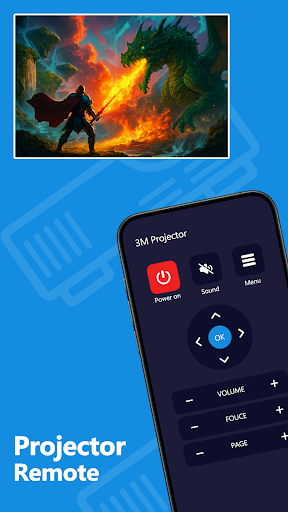
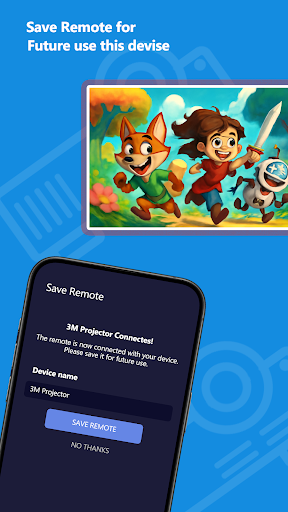
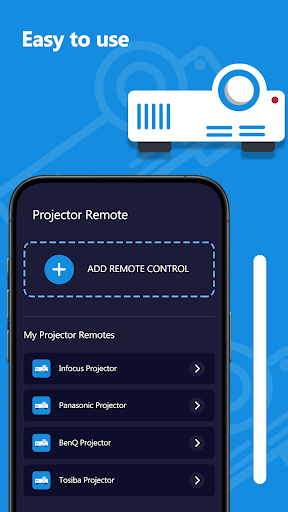
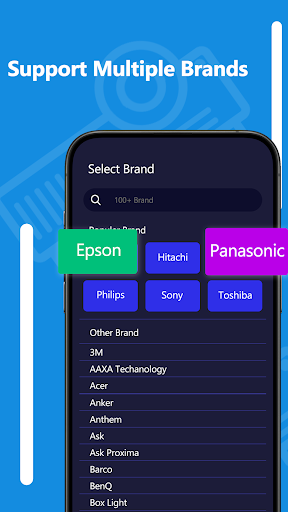
Introducing the ultimate solution for seamless control of your projector—our Projector Remote App. Whether you're presenting at work, enjoying a movie night, easy-to-use remote control. No more searching for the physical remote, dealing with dead batteries, or struggling with complicated settings. Our app brings everything you need to control your projector into the palm of your hand!
Key Features:
1. Easy Setup
The Projector Remote App is designed for quick and hassle-free setup. Connect your device to the same Wi-Fi network as your projector, and within seconds, you're ready to go. No technical knowledge is needed—just download the app, follow the intuitive prompts, and you're set.
2. Full Control of Projector Functions
With our app, you have full control over your projector's key functions, including:
o Power On/Off
o Volume Control
o Input Source Selection (HDMI, VGA, etc.)
o Mute/Unmute
o Adjust Brightness and Contrast
o Zoom in and out
o Keystone correction for perfect screen alignment
How to Get Started:
1. Download the App
Head over to the Play Store and download the Projector Remote App.
2. Connect to Your Projector
Ensure your smartphone or tablet is connected to the same Wi-Fi network as your projector. Most projectors today come with wireless capabilities, making the process even smoother.
3. Start Controlling!
Once connected, you’ll have instant access to all of your projector’s functions. It’s that simple!
বেশি দেখান

1. MEmu ইনস্টলার ডাউনলোড করুন এবং সেটআপ শেষ করুন

2. MEmu শুরু করুন তারপর ডেস্কটপে Google Play খুলুন

3. Google Play এ Projector Remote খুঁজুন
Install
4. Projector Remote ডাউনলোড এবং ইনস্টল করুন
5. ইনস্টল সমাপ্তি শুরু করতে আইকনে ক্লিক করুন

6. MEmu ব্যবহার করে আপনার কম্পিউটারে Projector Remote উপভোগ করুন
MEmu Play হল সেরা অ্যান্ড্রয়েড এমুলেটর, যার ১০ কোটিরও বেশি ব্যবহারকারী এর উন্নত অ্যান্ড্রয়েড অ্যাপ অভিজ্ঞতা উপভোগ করছেন। MEmu 9 এর ভার্চুয়ালাইজেশন প্রযুক্তি আপনাকে আপনার কম্পিউটারে হাজার হাজার অ্যান্ড্রয়েড অ্যাপ মসৃণভাবে চালাতে দেয়, এমনকি সবচেয়ে চাহিদাসম্পন্ন অ্যাপগুলিও।
ভালো গ্রাফিক্সের সাথে বড় স্ক্রীন; লম্বা অবধি, ব্যাটারি বা মোবাইল ডাটা'র কোন সীমা ছাড়া।
কীবোর্ড এবং মাউস বা গেমপ্যাডের সুনির্দিষ্ট নিয়ন্ত্রণের জন্য সম্পূর্ণ কীম্যাপিং সমর্থন।
মাল্টি-ইনস্ট্যান্স ম্যানেজারের সাথে একটি পিসিতে একাধিক গেম অ্যাকাউন্ট বা কাজ।
নিম্নলিখিত ধাপগুলোর মাধ্যমে পিসি এ Projector Remote ব্যবহার করুন: