Weather & Clock Widget
আপডেট করা হয়েছে
বর্তমান সংস্করণ
6.5.4.6
অফার করেছে

আপনার মোবাইলে Weather & Clock Widget ব্যবহার করার সময় অতিরিক্ত চার্জ নিয়ে চিন্তা করা বন্ধ করুন, নিজেকে ছোট পর্দা থেকে মুক্ত করুন এবং অনেক বড় ডিসপ্লেতে অ্যাপ ব্যবহার করে উপভোগ করুন। এখন থেকে, কীবোর্ড এবং মাউস দিয়ে আপনার অ্যাপের একটি পূর্ণ-স্ক্রীন অভিজ্ঞতা পান। MEmu আপনাকে সমস্ত আশ্চর্যজনক বৈশিষ্ট্যগুলি অফার করে যা আপনি আশা করেছিলেন: দ্রুত ইনস্টল এবং সহজ সেটআপ, স্বজ্ঞাত নিয়ন্ত্রণ, ব্যাটারির আর কোন সীমাবদ্ধতা নেই, মোবাইল ডেটা এবং বিরক্তিকর কল৷ একদম নতুন MEmu 9 হল আপনার কম্পিউটারে Weather & Clock Widget ব্যবহার করার সেরা পছন্দ। MEmu মাল্টি-ইনস্ট্যান্স ম্যানেজার একই সময়ে 2 বা তার বেশি অ্যাকাউন্ট খোলা সম্ভব করে তোলে। এবং সবচেয়ে গুরুত্বপূর্ণ, আমাদের একচেটিয়া ইমুলেশন ইঞ্জিন আপনার পিসির সম্পূর্ণ সম্ভাবনা প্রকাশ করতে পারে, সবকিছুকে মসৃণ এবং উপভোগ্য করে তুলতে পারে।
বেশি দেখান
Download Weather & Clock Widget on PC with MEmu Android Emulator. Enjoy playing on big screen. Stay updated with the latest weather observations and the most accurate future weather forecast.
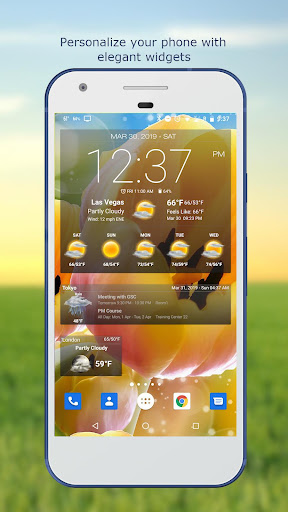
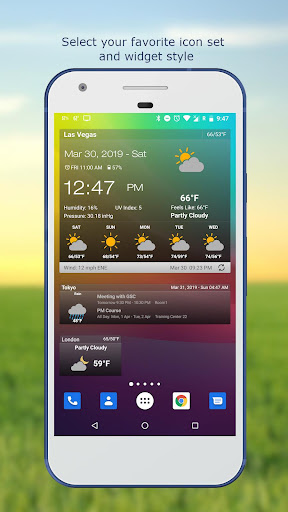
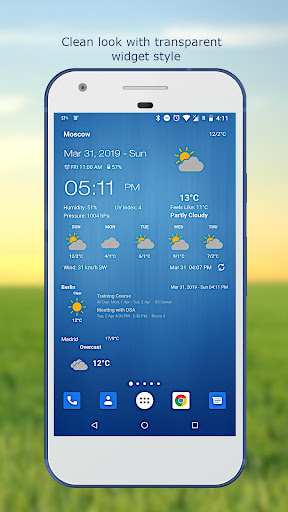
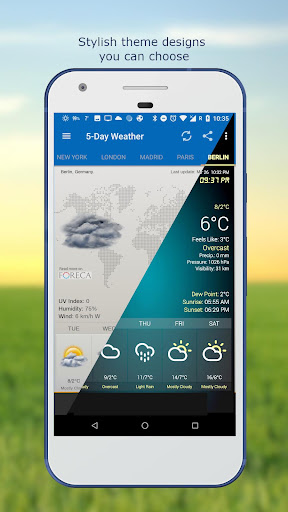
Stay updated with the latest weather observations and the most accurate future weather forecast.
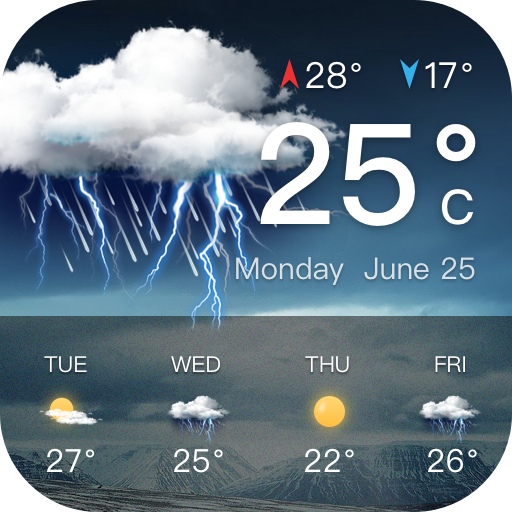
Personalize your phone/tablet with the most elegant and customizable widgets, showing current weather, hourly/daily forecast, moon phase, time and date, your calendar events, next alarm, battery level.
Make decisions for your day with the most accurate hourly, 5-day, and 10-day forecasts displayed with elegant tools including graph charts.
Features:
- Automatic location detection
- Locate by network and GPS (Global Positioning System).
- Manually search for location by name or zip code.
- Weather notification alerts.
- Multiple weather providers.
- Current weather condition.
- Hourly weather forecast.
- 10-day weather forecast.
- Temperature.
- Celsius and Fahrenheit temperature unit.
- Relative humidity percentage.
- Atmospheric pressure.
- Visibility distance.
- Precipitation.
- UV-Index.
- Dew point.
- Wind speed and direction with different units.
- Sunrise and Sunset times.
- Display temperature in status bar (Notification bar).
- Share weather and location information with friends.
- Elegant home screen widgets.
- Next alarm and current battery level display.
- Customize font for clock and date.
- Moon phase.
- Update on WiFi only and stop while roaming.
- Automatic update intervals: 15, 30 min, 1, 3, 6, 9, 12 hours or Manual update.
- Follow weather and forecast for multiple locations.
- Themes.
- Chart graphs.
বেশি দেখান

1. MEmu ইনস্টলার ডাউনলোড করুন এবং সেটআপ শেষ করুন

2. MEmu শুরু করুন তারপর ডেস্কটপে Google Play খুলুন

3. Google Play এ Weather & Clock Widget খুঁজুন
Install
4. Weather & Clock Widget ডাউনলোড এবং ইনস্টল করুন
5. ইনস্টল সমাপ্তি শুরু করতে আইকনে ক্লিক করুন

6. MEmu ব্যবহার করে আপনার কম্পিউটারে Weather & Clock Widget উপভোগ করুন
MEmu Play হল সেরা অ্যান্ড্রয়েড এমুলেটর, যার ১০ কোটিরও বেশি ব্যবহারকারী এর উন্নত অ্যান্ড্রয়েড অ্যাপ অভিজ্ঞতা উপভোগ করছেন। MEmu 9 এর ভার্চুয়ালাইজেশন প্রযুক্তি আপনাকে আপনার কম্পিউটারে হাজার হাজার অ্যান্ড্রয়েড অ্যাপ মসৃণভাবে চালাতে দেয়, এমনকি সবচেয়ে চাহিদাসম্পন্ন অ্যাপগুলিও।
ভালো গ্রাফিক্সের সাথে বড় স্ক্রীন; লম্বা অবধি, ব্যাটারি বা মোবাইল ডাটা'র কোন সীমা ছাড়া।
কীবোর্ড এবং মাউস বা গেমপ্যাডের সুনির্দিষ্ট নিয়ন্ত্রণের জন্য সম্পূর্ণ কীম্যাপিং সমর্থন।
মাল্টি-ইনস্ট্যান্স ম্যানেজারের সাথে একটি পিসিতে একাধিক গেম অ্যাকাউন্ট বা কাজ।
নিম্নলিখিত ধাপগুলোর মাধ্যমে পিসি এ Weather & Clock Widget ব্যবহার করুন: