Xit Painel
আপডেট করা হয়েছে
বর্তমান সংস্করণ
5.0.0
অফার করেছে

আপনার মোবাইলে Xit Painel ব্যবহার করার সময় অতিরিক্ত চার্জ নিয়ে চিন্তা করা বন্ধ করুন, নিজেকে ছোট পর্দা থেকে মুক্ত করুন এবং অনেক বড় ডিসপ্লেতে অ্যাপ ব্যবহার করে উপভোগ করুন। এখন থেকে, কীবোর্ড এবং মাউস দিয়ে আপনার অ্যাপের একটি পূর্ণ-স্ক্রীন অভিজ্ঞতা পান। MEmu আপনাকে সমস্ত আশ্চর্যজনক বৈশিষ্ট্যগুলি অফার করে যা আপনি আশা করেছিলেন: দ্রুত ইনস্টল এবং সহজ সেটআপ, স্বজ্ঞাত নিয়ন্ত্রণ, ব্যাটারির আর কোন সীমাবদ্ধতা নেই, মোবাইল ডেটা এবং বিরক্তিকর কল৷ একদম নতুন MEmu 9 হল আপনার কম্পিউটারে Xit Painel ব্যবহার করার সেরা পছন্দ। MEmu মাল্টি-ইনস্ট্যান্স ম্যানেজার একই সময়ে 2 বা তার বেশি অ্যাকাউন্ট খোলা সম্ভব করে তোলে। এবং সবচেয়ে গুরুত্বপূর্ণ, আমাদের একচেটিয়া ইমুলেশন ইঞ্জিন আপনার পিসির সম্পূর্ণ সম্ভাবনা প্রকাশ করতে পারে, সবকিছুকে মসৃণ এবং উপভোগ্য করে তুলতে পারে।
বেশি দেখান
MEmu Play ব্যবহার করে পিসিতে Xit Painel ব্যবহারের এক অসাধারণ অভিজ্ঞতা উপভোগ করুন। এটি একটি শক্তিশালী বিনামূল্যের অ্যান্ড্রয়েড এমুলেটর যা আপনাকে তাদের ডেস্কটপ সংস্করণের জন্য হাজার হাজার অ্যান্ড্রয়েড অ্যাপ সরবরাহ করে। বন্ধুদের সাথে সংযোগ স্থাপন এবং উচ্চ দক্ষতার সাথে আপনার কাজকে আরও সুন্দর করে তোলার উপভোগ করুন! Xit Painel is a lightweight gaming utility that provides visual tools and reference features through an easy-to-use floating panel.
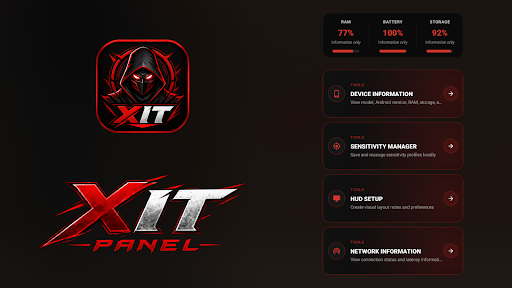
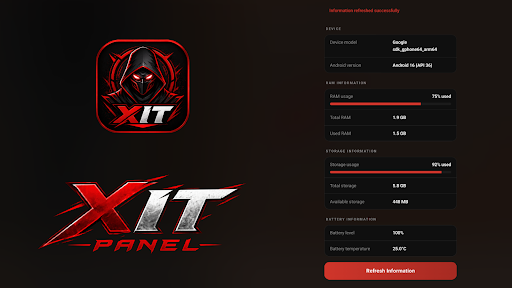
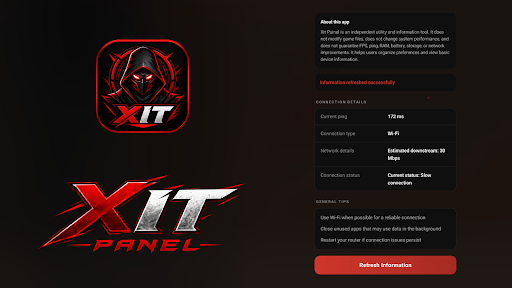
Xit Painel is a lightweight gaming utility that provides visual tools and reference features through an easy-to-use floating panel.
Designed for mobile gamers, Xit Painel offers helpful tools that can be accessed quickly while using your device.
Key Features:
* Manual Sensitivity Suggestions
Browse sensitivity reference values based on different play styles. All values are provided as recommendations only and can be entered manually by the user.
* Static Screen Marker Tool
Display a simple static crosshair overlay on the screen. The marker can be enabled or disabled at any time.
* FPS Monitor
View current FPS information through a simple and easy-to-read interface.
* Game Profiles
Access different gaming profiles and reference configurations.
* HUD Setup
Explore visual HUD layout references for different play preferences.
* Simple and User-Friendly Design
Xit Painel focuses on simplicity, accessibility, and user control with a clean interface.
Disclaimer:
Xit Painel is a utility app intended for visual assistance and reference purposes only. It does not modify, control, optimize, or interact with any game or game files. The app does not provide gameplay advantages, automation, performance enhancement, FPS boosting, RAM optimization, network optimization, or any functionality that changes game behavior.
বেশি দেখান

1. MEmu ইনস্টলার ডাউনলোড করুন এবং সেটআপ শেষ করুন

2. MEmu শুরু করুন তারপর ডেস্কটপে Google Play খুলুন

3. Google Play এ Xit Painel খুঁজুন
Install
4. Xit Painel ডাউনলোড এবং ইনস্টল করুন
5. ইনস্টল সমাপ্তি শুরু করতে আইকনে ক্লিক করুন

6. MEmu ব্যবহার করে আপনার কম্পিউটারে Xit Painel উপভোগ করুন
MEmu Play হল সেরা অ্যান্ড্রয়েড এমুলেটর, যার ১০ কোটিরও বেশি ব্যবহারকারী এর উন্নত অ্যান্ড্রয়েড অ্যাপ অভিজ্ঞতা উপভোগ করছেন। MEmu 9 এর ভার্চুয়ালাইজেশন প্রযুক্তি আপনাকে আপনার কম্পিউটারে হাজার হাজার অ্যান্ড্রয়েড অ্যাপ মসৃণভাবে চালাতে দেয়, এমনকি সবচেয়ে চাহিদাসম্পন্ন অ্যাপগুলিও।
ভালো গ্রাফিক্সের সাথে বড় স্ক্রীন; লম্বা অবধি, ব্যাটারি বা মোবাইল ডাটা'র কোন সীমা ছাড়া।
কীবোর্ড এবং মাউস বা গেমপ্যাডের সুনির্দিষ্ট নিয়ন্ত্রণের জন্য সম্পূর্ণ কীম্যাপিং সমর্থন।
মাল্টি-ইনস্ট্যান্স ম্যানেজারের সাথে একটি পিসিতে একাধিক গেম অ্যাকাউন্ট বা কাজ।
নিম্নলিখিত ধাপগুলোর মাধ্যমে পিসি এ Xit Painel ব্যবহার করুন: