ALLfiring
Aktualizováno
Aktuální verze
1.1.19
Od vývojáře

With all your passion for playing ALLfiring, you hands are not supposed to be limited on a tiny screen of your phone. Play like a pro and get full control of your game with keyboard and mouse. MEmu offers you all the things that you are expecting. Download and play ALLfiring on PC. Play as long as you want, no more limitations of battery, mobile data and disturbing calls. The brand new MEmu 9 is the best choice of playing ALLfiring on PC. Prepared with our expertise, the exquisite preset keymapping system makes ALLfiring a real PC game. MEmu multi-instance manager makes playing 2 or more accounts on the same device possible. And the most important, our exclusive emulation engine can release full potential of your PC, make everything smooth.
Show more
Vychutnejte si vynikající zážitek z přehrávání ALLfiring na PC s MEMU App Player. Je to silný bezplatný emulátor pro Android, který vám umožní hrát tisíce her v systému Android. ALLfiring – Carry the Flame of Hope.
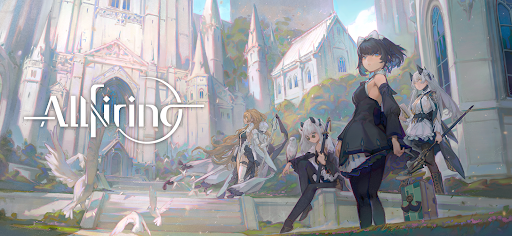
ALLfiring – Carry the Flame of Hope
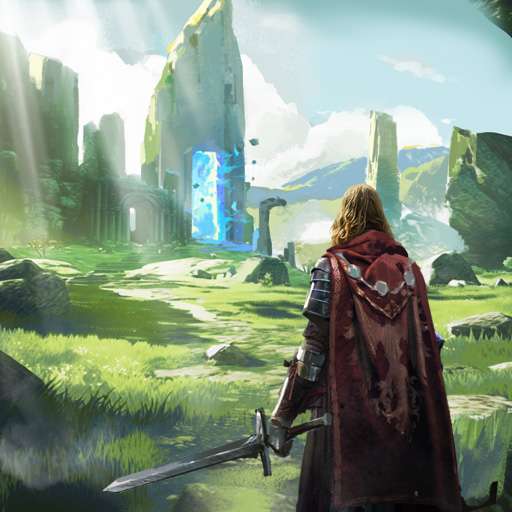
Enter a beautiful anime-style action RPG set in a world consumed by darkness.
Explore mysterious lands, battle powerful enemies, and fight alongside unique companions in an epic adventure.
As the last keeper of a fading flame, your journey will uncover forgotten history and bring hope back to a shattered world.
Explore a Vast Fantasy World
Travel across diverse landscapes filled with danger and mystery.
From frozen wilderness to ancient forests and bustling cities, every region holds secrets waiting to be discovered.
Discover hidden paths, forgotten ruins, and stories buried in the past as you journey across the world.
Voxel Sandbox Exploration
Experience unique voxel-style sandbox maps where every area is designed for exploration.
• Jump across layered environments
• Discover hidden routes and treasure
• Solve environmental puzzles
• Interact with objects throughout the world
Adventure awaits around every corner.
Fast-Paced Action Combat
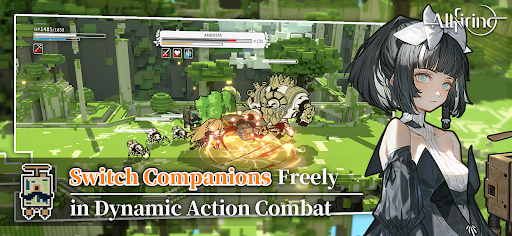
Enjoy smooth side-scrolling action combat with a three-character switching system.
Switch between teammates in real time, combine attacks, and unleash powerful abilities to defeat dangerous enemies.
Build your team and master the flow of battle.
Memorable Anime Characters
Meet a diverse cast of companions with unique personalities and abilities.
Each character features beautiful artwork, expressive animations, and their own personal story waiting to unfold.
Choose your allies and begin your adventure together.
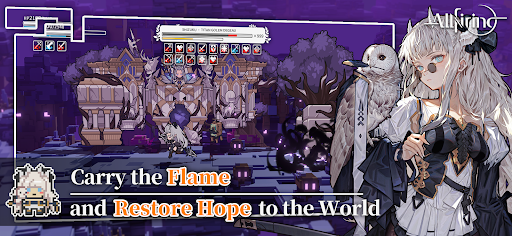
Even in a world covered by shadow, the flame of hope still burns.
Step forward, explore the unknown, and carry the flame into the future.
Your adventure begins now......
Follow ALLfiring on our official channels for the latest updates:
Facebook:https://www.facebook.com/profile.php?id=61585042701755
Discord:https://discord.gg/Bps5JRkSgQ
Show more

1. Stáhněte si instalační program MEmu a dokončete instalaci

2. Spusťte MEmu a poté otevřete Google Play na ploše

3. Vyhledejte ALLfiring v Google Play
Install
4. Stáhněte a nainstalujte ALLfiring
5. Po dokončení instalace klikněte na ikonu pro spuštění

6. Užijte si hraní ALLfiring na PC s MEmu
MEmu je zdarma a ten nejlepší Android emulátor. 50 milionů lidí si užívá jeho nejlepší herní zážitky. Technologie virtualizace MEmu ti dovolí plynule hrát Android hry na PC a to i ty nejnáročnější.
Větší obrazovka s lepší grafikou; Dlouhá výdrž bez omezení baterie nebo mobilních dat.
Plná podpora mapování kláves pro přesné ovládání klávesnice a myši nebo gamepadu.
Více herních účtů nebo úkolů na jednom počítači najednou s Multi-Instance Managerem.
Play ALLfiring on PC by following steps: