ALLfiring
Diupdate
Versi Saat Ini
1.1.19
Ditawarkan Oleh

Dengan sepenuh kebulatan hati Anda dalam memainkan ALLfiring, tangan Anda tak seharusnya hanya terbatas pada layar kecil handphone Anda.Bermainlah layaknya seorang profesional dan dapatkan kendali penuh dalam permainan Anda dengan papan ketik dan tetikus.MEmu menawarkan seluruh hal yang Anda harapkan.Unduh dan mainkan ALLfiring pada PC. Bermainlah selama yang Anda inginkan, tanpa keterbatasan dari baterai, data seluler dan panggilan yang mengganggu.MEmu 9 baru merupakan pilihan terbaik untuk memainkan ALLfiring pada PC. Dipersiapkan bersama teknologi ahli kami, sistem pemetaan kunci preset yang canggih menjadikan ALLfiring sebagai permainan PC sejati.Manajer banyak hal dari MEmu memungkinkan Anda untuk memainkan 2 atau banyak akun pada perangkat yang sama.Dan yang terpenting, mesin emulasi eksklusif kami bisa melepaskan potensi penuh PC Anda, membuat segalanya berjalan lancar.
Tampilkan Lebih banyak
Unduh ALLfiring di PC dengan Emulator Android MEmu. Nikmati permainan pada layar yang besar. ALLfiring – Carry the Flame of Hope.
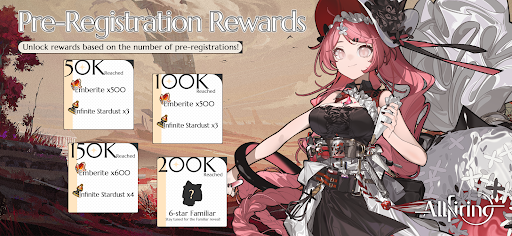
ALLfiring – Carry the Flame of Hope
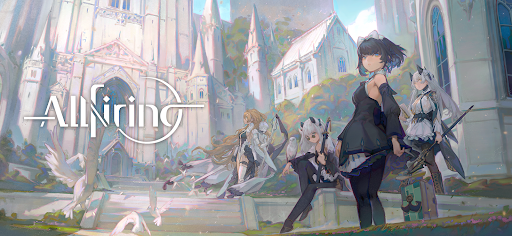
Enter a beautiful anime-style action RPG set in a world consumed by darkness.
Explore mysterious lands, battle powerful enemies, and fight alongside unique companions in an epic adventure.
As the last keeper of a fading flame, your journey will uncover forgotten history and bring hope back to a shattered world.
Explore a Vast Fantasy World
Travel across diverse landscapes filled with danger and mystery.
From frozen wilderness to ancient forests and bustling cities, every region holds secrets waiting to be discovered.
Discover hidden paths, forgotten ruins, and stories buried in the past as you journey across the world.
Voxel Sandbox Exploration
Experience unique voxel-style sandbox maps where every area is designed for exploration.
• Jump across layered environments
• Discover hidden routes and treasure
• Solve environmental puzzles
• Interact with objects throughout the world
Adventure awaits around every corner.
Fast-Paced Action Combat
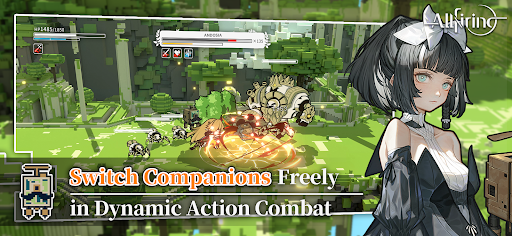
Enjoy smooth side-scrolling action combat with a three-character switching system.
Switch between teammates in real time, combine attacks, and unleash powerful abilities to defeat dangerous enemies.
Build your team and master the flow of battle.
Memorable Anime Characters
Meet a diverse cast of companions with unique personalities and abilities.
Each character features beautiful artwork, expressive animations, and their own personal story waiting to unfold.
Choose your allies and begin your adventure together.
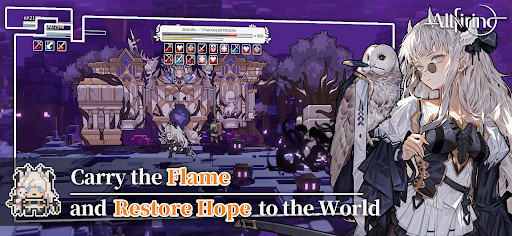
Even in a world covered by shadow, the flame of hope still burns.
Step forward, explore the unknown, and carry the flame into the future.
Your adventure begins now......
Follow ALLfiring on our official channels for the latest updates:
Facebook:https://www.facebook.com/profile.php?id=61585042701755
Discord:https://discord.gg/Bps5JRkSgQ
Tampilkan Lebih banyak

1. Unduh dan instal MEmu APP

2. Menjalankan MEmu lalu buka Google Play di halaman

3. Cari ALLfiring di Google Play
Install
4. Unduh dan instal ALLfiring
5. Setelah insatl APP selesai,klik ikon untuk mulai

6. Nikmati bermain ALLfiring di PC dengan MEmu
MEmu App Player adalah emulator Android gratis terbaik dan 50 Juta orang sudah menikmati pengalaman luar biasa dalam bermain gim Android. Teknologi virtualisasi MEmu memberi kekuasaan untuk memainkan ribuan gim Android dengan lancar di PC anda, bahkan gim dengan grafis yang paling tinggi.
Layar lebih besar dengan grafis yang lebih baik; durasi panjang, tanpa batasan baterai atau data seluler.
Didukung penuh oleh Pemetaan tombol yang lengkap untuk keakuratan kontrol keyboard dan mouse maupun gamepad.
Membuka beberapa akun game atau tugas di waktu yang sama hanya pada satu PC, dengan Multi-Instance manager.
Play ALLfiring on PC by following steps: