Batomon Showdown
Aktualizováno
Aktuální verze
1.4.1
Od vývojáře

With all your passion for playing Batomon Showdown, you hands are not supposed to be limited on a tiny screen of your phone. Play like a pro and get full control of your game with keyboard and mouse. MEmu offers you all the things that you are expecting. Download and play Batomon Showdown on PC. Play as long as you want, no more limitations of battery, mobile data and disturbing calls. The brand new MEmu 9 is the best choice of playing Batomon Showdown on PC. Prepared with our expertise, the exquisite preset keymapping system makes Batomon Showdown a real PC game. MEmu multi-instance manager makes playing 2 or more accounts on the same device possible. And the most important, our exclusive emulation engine can release full potential of your PC, make everything smooth.
Show more
Vychutnejte si vynikající zážitek z přehrávání Batomon Showdown na PC s MEMU App Player. Je to silný bezplatný emulátor pro Android, který vám umožní hrát tisíce her v systému Android. Strategická automatická bitva s více než 100 Batomony a nekonečnou zábavou!
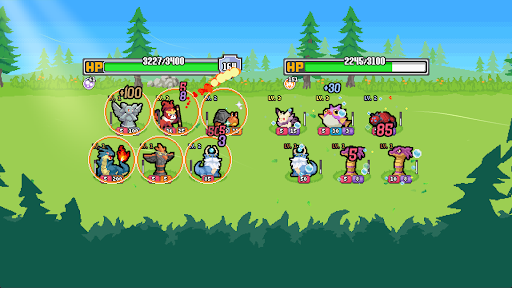
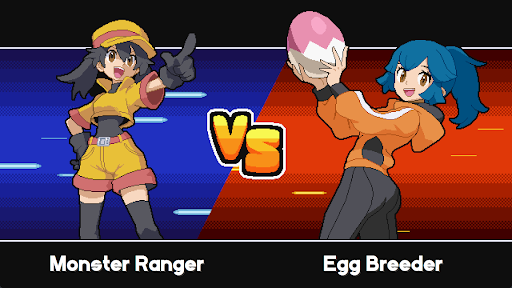
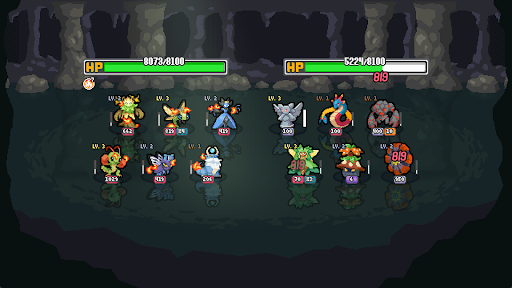
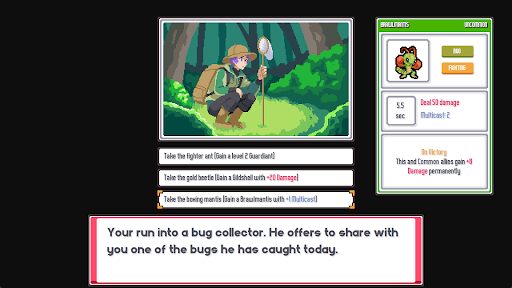
Strategická automatická bitva s více než 100 Batomony a nekonečnou zábavou!
Sestavte si tým Batomonů a objevte převratné kombinace a synergie!
【Sestavte si ultimátní tým】
Vytvořte si tým pomocí nekonečných kombinací Batomonů, trenérů, setkání, drobností a předmětů. Využijte synergií a kombinací Batomonů, které naruší hru a stanou se přemožitelnými. Bojujte a porážejte ostatní hráče na cestě k vítězství.
【Vyberte si svého trenéra】
Ovládněte rozmanitou sestavu trenérů, z nichž každý přináší na hřiště převratné schopnosti. Od excentrických chytačů hmyzu a zašeptávačů draků až po kuchaře, kteří dokážou na vašem Batomonovi uvařit nové druhy, každý trenér nabízí novou cestu k tomu, stát se šampionem. 【Vylepšete svého Batomona】
Každý Batomon má nekonečný potenciál. Prostřednictvím propracovaného systému unikátních schopností, drobností a předmětů můžete svůj tým posunout za jeho limity. Probojujte se k vítězství pomocí teorie, protože jakýkoli Batomon se může stát velmocí schopnou roztříštit metu.
【Bojujte s ostatními hráči】
Každá bitva je novým objevem. Ponořte se do asynchronního multiplayeru a postavte se téměř nekonečné škále týmů vytvořených hráči. Hrajte svým vlastním uvolněným tempem bez časovače, který by uspěchal vaše rozhodnutí. Vytvořte si dokonalý tým a nechte svět, aby se ho pokusil prolomit.
Show more

1. Stáhněte si instalační program MEmu a dokončete instalaci

2. Spusťte MEmu a poté otevřete Google Play na ploše

3. Vyhledejte Batomon Showdown v Google Play
Install
4. Stáhněte a nainstalujte Batomon Showdown
5. Po dokončení instalace klikněte na ikonu pro spuštění

6. Užijte si hraní Batomon Showdown na PC s MEmu
MEmu je zdarma a ten nejlepší Android emulátor. 50 milionů lidí si užívá jeho nejlepší herní zážitky. Technologie virtualizace MEmu ti dovolí plynule hrát Android hry na PC a to i ty nejnáročnější.
Větší obrazovka s lepší grafikou; Dlouhá výdrž bez omezení baterie nebo mobilních dat.
Plná podpora mapování kláves pro přesné ovládání klávesnice a myši nebo gamepadu.
Více herních účtů nebo úkolů na jednom počítači najednou s Multi-Instance Managerem.
Play Batomon Showdown on PC by following steps: