AOTU World
Aktualizováno
Aktuální verze
1.1.11
Od vývojáře

With all your passion for playing AOTU World, you hands are not supposed to be limited on a tiny screen of your phone. Play like a pro and get full control of your game with keyboard and mouse. MEmu offers you all the things that you are expecting. Download and play AOTU World on PC. Play as long as you want, no more limitations of battery, mobile data and disturbing calls. The brand new MEmu 9 is the best choice of playing AOTU World on PC. Prepared with our expertise, the exquisite preset keymapping system makes AOTU World a real PC game. MEmu multi-instance manager makes playing 2 or more accounts on the same device possible. And the most important, our exclusive emulation engine can release full potential of your PC, make everything smooth.
Show more
Vychutnejte si vynikající zážitek z přehrávání AOTU World na PC s MEMU App Player. Je to silný bezplatný emulátor pro Android, který vám umožní hrát tisíce her v systému Android. Aotu World is a fast-paced mobile strategy RPG.
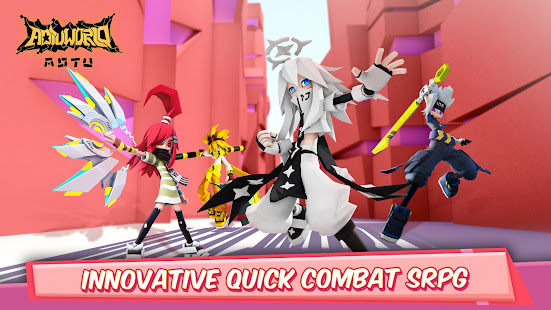
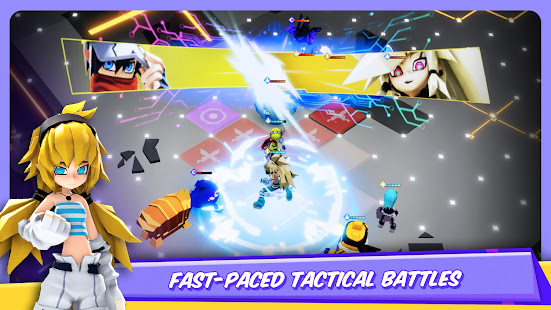
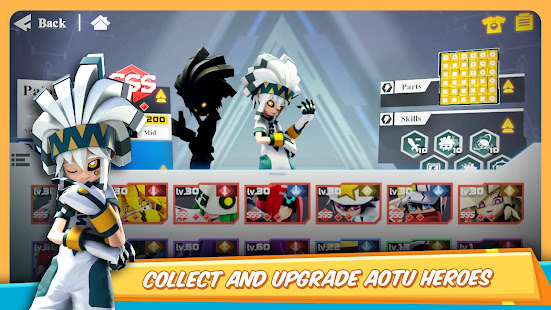
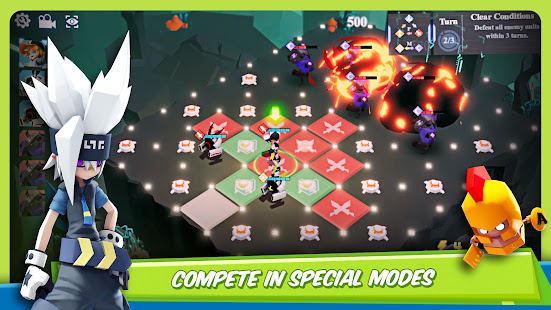
Aotu World is a fast-paced mobile strategy RPG. Make a statement by styling your own trendy and colorful outfits! Experience all new, fast-paced tactical battles. Explore and unlock the ultimate secrets of Aotu World!
● Game Features
[Strategy & Cooperation: Original, fast, turn-based combat!]
Aotu World takes innovation to a new level with its unique battle system. Aotu World uses a block-based board where each block decides your actions. That combined with each character's unique abilities truly allow for a one of a kind game play. With multiple classes, there are a wide range of attack styles, abilities, and even personalities. If you are looking to show your intelligence, then Aotu World's combination of strategy and thrilling combat is for you.
[Complex Puzzles: Variety of different ways to play!]
In Aotu World you can parade your skills by finding new ways to dominate Puzzle Stages. There are all kinds of different ways to clear stages, and there are many special games just waiting to be unlocked. As you proceed through stages, more and more areas will unlock, giving you even more content to explore. Can you clear the increasingly complex stages of Aotu World?
[Innovative PvP Gameplay: Balanced PvP for all!]
Experience the most intensive yet fair PvP modes ever designed! The innovative map terrain and creative battle formations make it ever so important that you should use the best tactics. With PvP modes like Warchess, Aotu World stands out from other games. Not to mention its SS-rank character lineups DO NOT require in-app purchases!!
[Customization: Hundreds of fashion combinations, the only limit is your imagination!]
Stand out from the crowd with your own style by mixing and matching all the different clothing. Don't forget to make sure you dye them the color that matches you! Perhaps changing outfits isn't enough for you? Well, there's also a Doodle system where you can create your own masterpieces! If you love making fanart, then it's the ideal place to show your artistic talents!
*Partial licensing rights to Man or Vampire (from the HIDEA studio) have already been acquired.
[Requirements]
- Requires a minimum of Android 5.0. Full compatibility for all devices cannot be guaranteed.
- At least 2 GB RAM and 4 GB of free space are recommended.
[Note]
The following permissions are required by the game:
-READ_EXTERNAL_STORAGE
-WRITE_EXTERNAL_STORAGE
[Contact Us]
Want to get the latest news, or want to interact with other players? Well, reach out on the following social media:
Facebook: https://www.facebook.com/AotuWorldGame/
Show more

1. Stáhněte si instalační program MEmu a dokončete instalaci

2. Spusťte MEmu a poté otevřete Google Play na ploše

3. Vyhledejte AOTU World v Google Play
Install
4. Stáhněte a nainstalujte AOTU World
5. Po dokončení instalace klikněte na ikonu pro spuštění

6. Užijte si hraní AOTU World na PC s MEmu
MEmu je zdarma a ten nejlepší Android emulátor. 50 milionů lidí si užívá jeho nejlepší herní zážitky. Technologie virtualizace MEmu ti dovolí plynule hrát Android hry na PC a to i ty nejnáročnější.
Větší obrazovka s lepší grafikou; Dlouhá výdrž bez omezení baterie nebo mobilních dat.
Plná podpora mapování kláves pro přesné ovládání klávesnice a myši nebo gamepadu.
Více herních účtů nebo úkolů na jednom počítači najednou s Multi-Instance Managerem.
Play AOTU World on PC by following steps: