Beholder: Conductor
Aktualizováno
Aktuální verze
1.0.62
Od vývojáře

With all your passion for playing Beholder: Conductor, you hands are not supposed to be limited on a tiny screen of your phone. Play like a pro and get full control of your game with keyboard and mouse. MEmu offers you all the things that you are expecting. Download and play Beholder: Conductor on PC. Play as long as you want, no more limitations of battery, mobile data and disturbing calls. The brand new MEmu 9 is the best choice of playing Beholder: Conductor on PC. Prepared with our expertise, the exquisite preset keymapping system makes Beholder: Conductor a real PC game. MEmu multi-instance manager makes playing 2 or more accounts on the same device possible. And the most important, our exclusive emulation engine can release full potential of your PC, make everything smooth.
Show more
Vychutnejte si vynikající zážitek z přehrávání Beholder: Conductor na PC s MEMU App Player. Je to silný bezplatný emulátor pro Android, který vám umožní hrát tisíce her v systému Android. Vítejte na palubě vlaku Odhodlání!
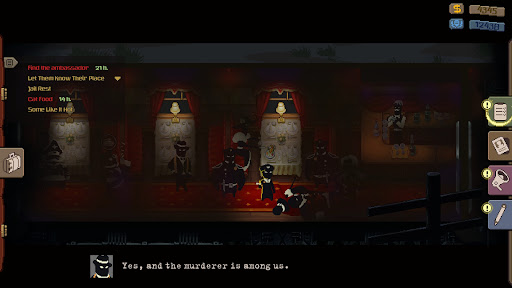
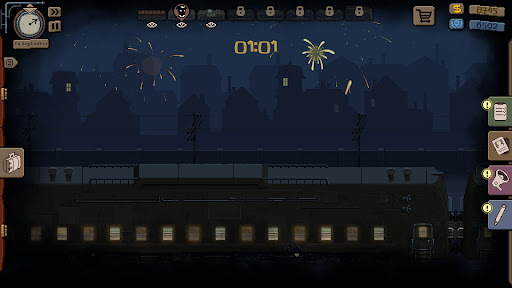
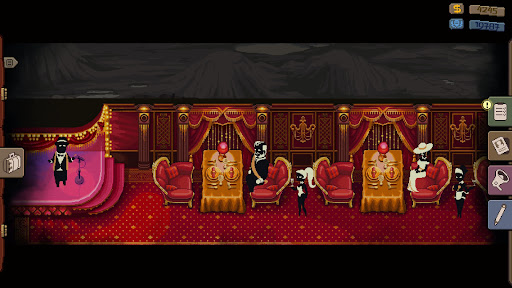
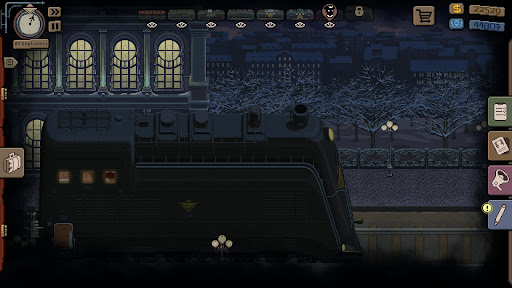
Vítejte na palubě vlaku Odhodlání!
Byl jste jmenován vrchním průvodčím legendárního vlaku, který všichni občané naší rozlehlé země rádi vidí ve svých městech. Vaší odpovědností je udržovat pořádek ve vám přiděleném vagónu a poskytovat pomoc cestujícím po cestě. Vašimi nástroji jsou hlášení, zastrašování, prohlídky a vyhazování. Pamatujte: průvodčí má vždycky pravdu.
Sledujte cestující
Pečlivě sledujte každého, kdo vstupuje do vagónu, a rozhodujte se, co dělat s neplatiči. Pozorujte a hláste veškerou podezřelou, neoprávněnou a v podstatě jakoukoli aktivitu cestujících. Prohledejte zavazadla a v případě nalezení zakázaných předmětů volejte policii.
Postupujte vlakem výše
Získejte přístup do jídelního vozu nebo VIP oddílů a vagónů, kde jezdí vysocí úředníci a velcí průmyslníci. Sledujte své kolegy a hláste jejich přijímání úplatků nebo přepravu zakázaného zboží. Ministerstvo nenechá vaši obětavost bez povšimnutí.
Plněte tajné mise
Získejte důvěru nadřízených, abyste získali speciální úkoly. Jejich úroveň utajení bude záviset na vaší loajalitě a jejich splnění bude odměněno bonusem nebo dokonce povýšením. Také se setkáte s pašeráky – přeprava jejich balíků po trase je riskantní, ale výnosná.
Navštivte různé stanice a odlehlé kouty země. Čiňte těžká rozhodnutí, která ovlivní osud cestujících a vašich kolegů. Jakým člověkem budete na konci cesty? Volba je na vás!
Show more

1. Stáhněte si instalační program MEmu a dokončete instalaci

2. Spusťte MEmu a poté otevřete Google Play na ploše

3. Vyhledejte Beholder: Conductor v Google Play
Install
4. Stáhněte a nainstalujte Beholder: Conductor
5. Po dokončení instalace klikněte na ikonu pro spuštění

6. Užijte si hraní Beholder: Conductor na PC s MEmu
MEmu je zdarma a ten nejlepší Android emulátor. 50 milionů lidí si užívá jeho nejlepší herní zážitky. Technologie virtualizace MEmu ti dovolí plynule hrát Android hry na PC a to i ty nejnáročnější.
Větší obrazovka s lepší grafikou; Dlouhá výdrž bez omezení baterie nebo mobilních dat.
Plná podpora mapování kláves pro přesné ovládání klávesnice a myši nebo gamepadu.
Více herních účtů nebo úkolů na jednom počítači najednou s Multi-Instance Managerem.
Play Beholder: Conductor on PC by following steps: