Beholder: Conductor
Diupdate
Versi Saat Ini
1.0.62
Ditawarkan Oleh

Dengan sepenuh kebulatan hati Anda dalam memainkan Beholder: Conductor, tangan Anda tak seharusnya hanya terbatas pada layar kecil handphone Anda.Bermainlah layaknya seorang profesional dan dapatkan kendali penuh dalam permainan Anda dengan papan ketik dan tetikus.MEmu menawarkan seluruh hal yang Anda harapkan.Unduh dan mainkan Beholder: Conductor pada PC. Bermainlah selama yang Anda inginkan, tanpa keterbatasan dari baterai, data seluler dan panggilan yang mengganggu.MEmu 9 baru merupakan pilihan terbaik untuk memainkan Beholder: Conductor pada PC. Dipersiapkan bersama teknologi ahli kami, sistem pemetaan kunci preset yang canggih menjadikan Beholder: Conductor sebagai permainan PC sejati.Manajer banyak hal dari MEmu memungkinkan Anda untuk memainkan 2 atau banyak akun pada perangkat yang sama.Dan yang terpenting, mesin emulasi eksklusif kami bisa melepaskan potensi penuh PC Anda, membuat segalanya berjalan lancar.
Tampilkan Lebih banyak
Unduh Beholder: Conductor di PC dengan Emulator Android MEmu. Nikmati permainan pada layar yang besar. Selamat datang di Kereta Pembawa Tekad!
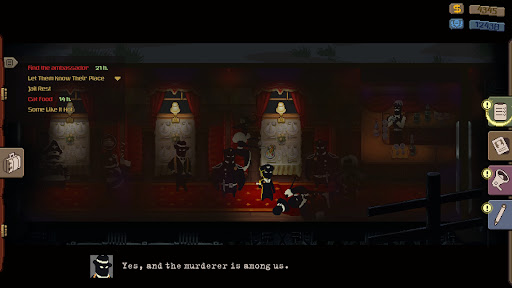
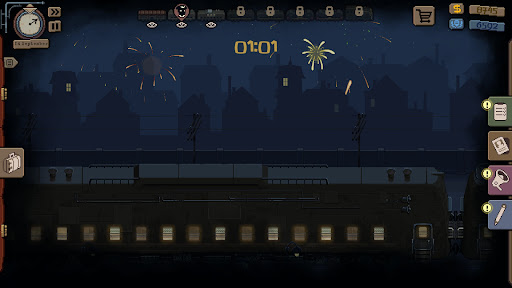
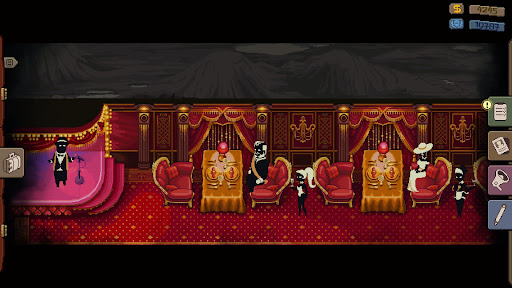
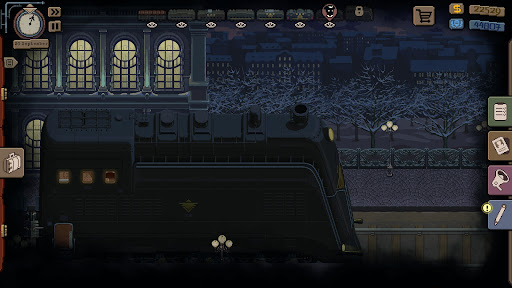
Selamat datang di Kereta Pembawa Tekad!
Anda telah ditunjuk sebagai konduktor senior kereta legendaris ini, yang dengan senang hati disaksikan oleh seluruh warga negara kita yang luas di kota-kota mereka. Tanggung jawab Anda adalah menjaga ketertiban di gerbong yang ditugaskan kepada Anda dan memberikan bantuan kepada penumpang di sepanjang perjalanan. Alat Anda adalah pelaporan, intimidasi, penggeledahan, dan pengusiran. Ingat: konduktor selalu benar.
Awasi penumpang
Pantau dengan cermat setiap orang yang memasuki gerbong dan putuskan apa yang harus dilakukan terhadap penumpang yang menghindari pembayaran tiket. Amati dan laporkan semua aktivitas penumpang yang mencurigakan, tidak sah, dan pada dasarnya semua aktivitas penumpang. Periksa bagasi dan hubungi polisi jika Anda menemukan barang-barang terlarang.
Naik ke gerbong kereta berikutnya
Dapatkan akses ke gerbong makan atau kompartemen VIP dan gerbong tempat para pejabat tinggi dan industrialis besar bepergian. Awasi rekan-rekan Anda dan laporkan mereka yang menerima suap atau mengangkut barang terlarang. Kementerian tidak akan membiarkan dedikasi Anda tidak diperhatikan.
Selesaikan misi rahasia
Raih kepercayaan atasan untuk menerima tugas khusus. Tingkat kerahasiaan mereka akan bergantung pada loyalitas Anda, dan penyelesaiannya akan dihargai dengan bonus atau bahkan promosi. Anda juga akan bertemu dengan penyelundup — mengangkut paket mereka di sepanjang rute berisiko, tetapi menguntungkan.
Kunjungi berbagai stasiun dan pelosok terpencil negara. Buat keputusan sulit yang menentukan nasib penumpang dan rekan Anda. Seperti apa kepribadian Anda di akhir perjalanan? Pilihan ada di tangan Anda!
Tampilkan Lebih banyak

1. Unduh dan instal MEmu APP

2. Menjalankan MEmu lalu buka Google Play di halaman

3. Cari Beholder: Conductor di Google Play
Install
4. Unduh dan instal Beholder: Conductor
5. Setelah insatl APP selesai,klik ikon untuk mulai

6. Nikmati bermain Beholder: Conductor di PC dengan MEmu
MEmu App Player adalah emulator Android gratis terbaik dan 50 Juta orang sudah menikmati pengalaman luar biasa dalam bermain gim Android. Teknologi virtualisasi MEmu memberi kekuasaan untuk memainkan ribuan gim Android dengan lancar di PC anda, bahkan gim dengan grafis yang paling tinggi.
Layar lebih besar dengan grafis yang lebih baik; durasi panjang, tanpa batasan baterai atau data seluler.
Didukung penuh oleh Pemetaan tombol yang lengkap untuk keakuratan kontrol keyboard dan mouse maupun gamepad.
Membuka beberapa akun game atau tugas di waktu yang sama hanya pada satu PC, dengan Multi-Instance manager.
Play Beholder: Conductor on PC by following steps: