ColorSweeper
Aktualizováno
Aktuální verze
1.3.3
Od vývojáře

With all your passion for playing ColorSweeper, you hands are not supposed to be limited on a tiny screen of your phone. Play like a pro and get full control of your game with keyboard and mouse. MEmu offers you all the things that you are expecting. Download and play ColorSweeper on PC. Play as long as you want, no more limitations of battery, mobile data and disturbing calls. The brand new MEmu 9 is the best choice of playing ColorSweeper on PC. Prepared with our expertise, the exquisite preset keymapping system makes ColorSweeper a real PC game. MEmu multi-instance manager makes playing 2 or more accounts on the same device possible. And the most important, our exclusive emulation engine can release full potential of your PC, make everything smooth.
Show more
Vychutnejte si vynikající zážitek z přehrávání ColorSweeper na PC s MEMU App Player. Je to silný bezplatný emulátor pro Android, který vám umožní hrát tisíce her v systému Android. Puzzle Lovers, Train Your Brain with Relaxing Color Logic Puzzles!
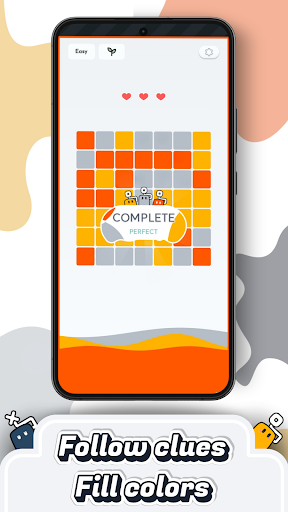
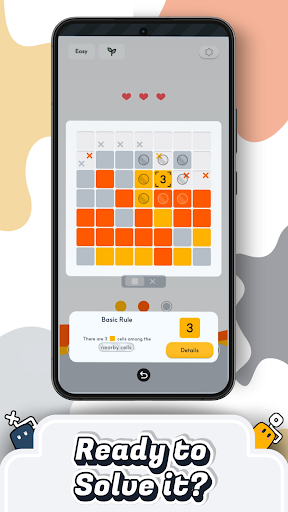
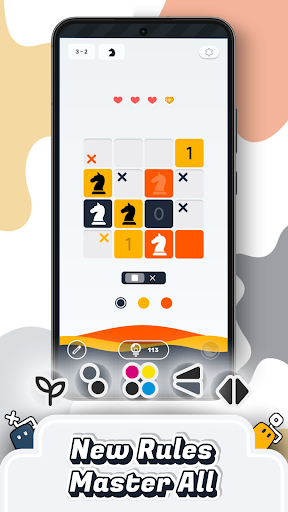
Puzzle Lovers, Train Your Brain with Relaxing Color Logic Puzzles!
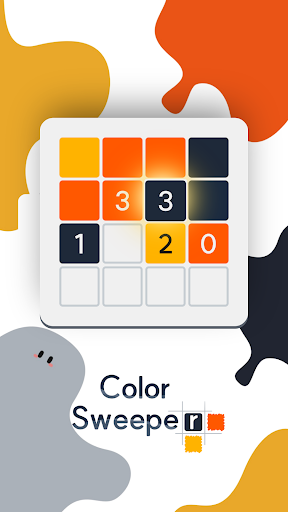
ColorSweeper is a free logic puzzle game designed for calm focus and smart fun.
Use number clues to fill each grid with color and reveal hidden patterns.
It’s a relaxing brain teaser for fans of Minesweeper, Nonogram (Picross), Sudoku, and other daily puzzle games who love logic challenges with a fresh twist.
How to Play – Simple Yet Addictive Logic Gameplay
• Tap tiles and use number clues to find how many nearby tiles share the same color.
• Combine logic patterns like in classic puzzle games such as Minesweeper or Sudoku.
• Easy to learn but endlessly deep—each stage builds your logic and focus skills.
• No timer or rush—play this relaxing puzzle game at your own pace anytime you want.
Satisfying Color Reveal – Visual Logic Meets Calm Focus
• Watch beautiful colors spread across the grid as you solve.
• Minimalist and clear visuals crafted for calm, focus, and brain relaxation.
• Every completed puzzle delivers a small but rewarding burst of satisfaction.
• The perfect color puzzle to clear your mind and refresh your thoughts.
Multiple Rule Modes & Endless Variety
• Play through unique logic rule combinations that challenge your reasoning in new ways.
• Some puzzles use simple logic; others mix rule types for advanced color logic challenges.
• Each stage brings a new logic puzzle pattern—always fresh, never repetitive.
• Perfect for casual puzzle fans and daily brain training players alike.
Your Daily Brain Training Routine
• Enjoy quick sessions that sharpen your logic and bring calm focus.
• Build a daily puzzle habit that trains your brain and improves problem-solving skills.
• Each challenge is designed for short bursts of fun and relaxing mental exercise.
• Whether you love brain games or casual color puzzles, ColorSweeper fits perfectly into your day.
Clean, Smooth & Free Puzzle Experience
• 100% free to download and play
• Lightweight and optimized for smooth performance on all devices
• No time limit—just pure logic puzzles, color reveals, and brain satisfaction
• Online play required (no offline mode)
Track Progress & Earn Rewards
• Complete puzzles to earn badges, unlock achievements, and see your brain training progress grow.
• Each solved puzzle adds to your personal journey of logic mastery and color satisfaction.
Join the Puzzle Community
Instagram: https://www.instagram.com/colorsweeper/
Discord: https://discord.gg/rTWG9nGQRf
Download ColorSweeper today and start your journey through relaxing color logic puzzles that train your brain, calm your mind, and brighten your day.
Relax, think, and color your world—one satisfying logic puzzle game at a time.
Show more

1. Stáhněte si instalační program MEmu a dokončete instalaci

2. Spusťte MEmu a poté otevřete Google Play na ploše

3. Vyhledejte ColorSweeper v Google Play
Install
4. Stáhněte a nainstalujte ColorSweeper
5. Po dokončení instalace klikněte na ikonu pro spuštění

6. Užijte si hraní ColorSweeper na PC s MEmu
MEmu je zdarma a ten nejlepší Android emulátor. 50 milionů lidí si užívá jeho nejlepší herní zážitky. Technologie virtualizace MEmu ti dovolí plynule hrát Android hry na PC a to i ty nejnáročnější.
Větší obrazovka s lepší grafikou; Dlouhá výdrž bez omezení baterie nebo mobilních dat.
Plná podpora mapování kláves pro přesné ovládání klávesnice a myši nebo gamepadu.
Více herních účtů nebo úkolů na jednom počítači najednou s Multi-Instance Managerem.
Play ColorSweeper on PC by following steps: