ColorSweeper
Aktualisiert
Aktuelle Version
1.3.3
Angeboten von

Bei all Ihrer Leidenschaft für das Spielen von ColorSweeper sollten Ihre Hände nicht auf einen winzigen Bildschirm Ihres Telefons beschränkt sein. Spielen Sie wie ein Profi und übernehmen Sie die volle Kontrolle über Ihr Spiel mit Tastatur und Maus. MEmu bietet Ihnen all die Dinge, die Sie erwarten. Laden Sie ColorSweeper herunter und spielen Sie es auf dem PC. Spielen Sie so lange, wie Sie wollen, ohne Grenzwerte für Akku, mobile Daten und störende Anrufe. Das brandneue MEmu 9 ist die beste Wahl, um ColorSweeper auf dem PC zu spielen. Das exquisite voreingestellte Tastaturbelegungssystem, das mit unserem Fachwissen vorbereitet wurde, macht ColorSweeper zu einem echten PC-Spiel. Der MEmu Multi-Instanz-Manager ermöglicht das Spielen von 2 oder mehr Konten auf demselben Gerät. Und das Wichtigste: Unsere exklusive Emulations-Engine kann das volle Potenzial Ihres PCs freisetzen und für reibungslose Abläufe sorgen.
Mehr anzeigen
Laden Sie Play ColorSweeper auf dem PC mit MEmu Android Emulator. Viel Spaß beim Spielen auf großmundieren. Ein neues Logikrätsel mit Farben – ColorSweeper.
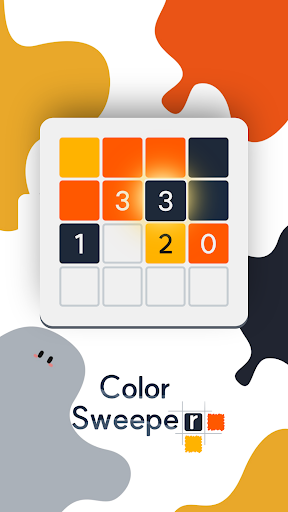
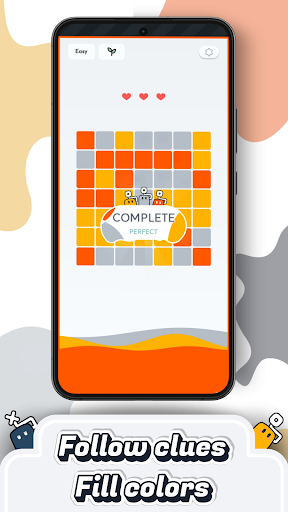
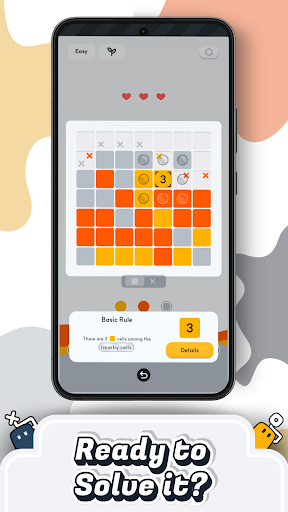
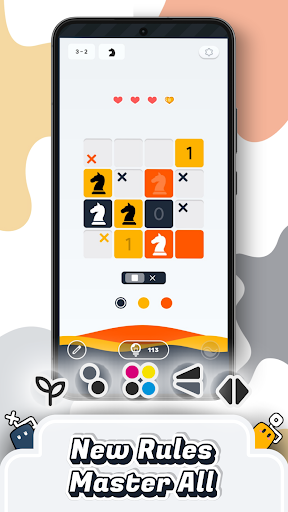
Ein neues Logikrätsel mit Farben – ColorSweeper
Nutze Zahlenhinweise, um Felder mit Farben zu füllen und versteckte Muster zu entdecken.
Wenn du Minesweeper, Picross oder Sudoku magst, erwartet dich hier eine frische und entspannte Puzzle-Erfahrung.
So funktioniert’s
• Nutze Zahlenhinweise, um die Farben der benachbarten Felder logisch abzuleiten
• Inspiriert von klassischen Rätseln wie Sudoku und Minesweeper
• Kein Zeitdruck – spiele in deinem eigenen Tempo
• Konzentriere dich ganz auf Logik und Denken
Entspannendes Spielerlebnis
• Beobachte, wie sich Farben nach und nach über das Spielfeld ausbreiten
• Klares und minimalistisches Design für maximale Konzentration
• Jedes gelöste Rätsel sorgt für ein angenehmes Erfolgserlebnis
Vielfalt und Abwechslung
• Neue Regeln und Kombinationen sorgen für ständig neue Herausforderungen
• Von einfachen Levels bis zu kniffligen Aufgaben
• Für Gelegenheitsspieler und echte Puzzle-Fans geeignet
Perfekt für dich, wenn du…
• Logik- und Denkspiele magst
• ein Spiel für kurze Pausen suchst
• entspannt spielen und trotzdem nachdenken willst
Fortschritt und Erfolge
• Löse Rätsel und schalte Erfolge frei
• Verfolge deinen Fortschritt und werde immer besser
Community
Instagram: https://www.instagram.com/colorsweeper/
Discord: https://discord.gg/rTWG9nGQRf
Lade ColorSweeper jetzt herunter und entdecke ein entspanntes Logikrätsel,
das dich zum Nachdenken bringt und gleichzeitig zur Ruhe kommen lässt.
Mehr anzeigen

1. Laden das MEmu-Installationsprogramm herunter und beenden die Installation

2. MEmu starten und Google Play auf der Homepage öffnen

3. Suchen ColorSweeper in Google Play
Install
4. Herunterladen und Installieren ColorSweeper
5. Klicken nach Abschluss der Installation auf das Symbol, um es zu starten

6. Viel Spaß beim Spielen von ColorSweeper auf dem PC mit MEmu
MEmu App Player ist der beste kostenlose Android-Emulator und 50 Millionen Menschen genießen bereits seine hervorragende Android-Gaming-Erfahrung. Mit der MEmu-Virtualisierungstechnologie können Sie Tausende von Android-Spielen problemlos auf Ihrem PC spielen, selbst bei grafikintensiven Spielen.
BGrößeres Bild mit besserer Grafik; Keine unterbrechungen, keine sorgen um Akku
Komplette Tastenbelegung unterstützt mit Maus und Tastatur oder Controller
Mit dem „Multi-Instance-Manager“ können Sie mehrere Spielkonten oder Spiele gleichzeitig auf einem PC ausführen.
Play ColorSweeper on PC by following steps: