Drop Duchy
Aktualizováno
Aktuální verze
1791309315
Od vývojáře

With all your passion for playing Drop Duchy, you hands are not supposed to be limited on a tiny screen of your phone. Play like a pro and get full control of your game with keyboard and mouse. MEmu offers you all the things that you are expecting. Download and play Drop Duchy on PC. Play as long as you want, no more limitations of battery, mobile data and disturbing calls. The brand new MEmu 9 is the best choice of playing Drop Duchy on PC. Prepared with our expertise, the exquisite preset keymapping system makes Drop Duchy a real PC game. MEmu multi-instance manager makes playing 2 or more accounts on the same device possible. And the most important, our exclusive emulation engine can release full potential of your PC, make everything smooth.
Show more
Vychutnejte si vynikající zážitek z přehrávání Drop Duchy na PC s MEMU App Player. Je to silný bezplatný emulátor pro Android, který vám umožní hrát tisíce her v systému Android. Oblíbená PC hra, nyní i na mobilních zařízeních.
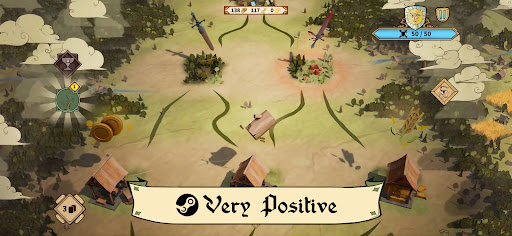
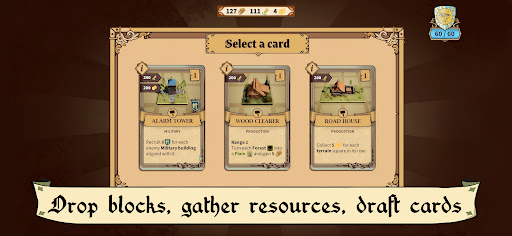
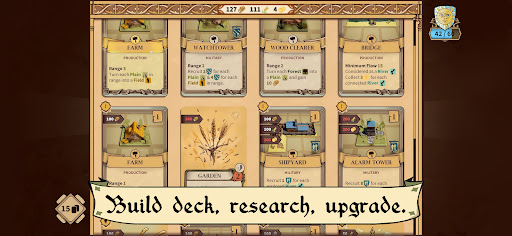
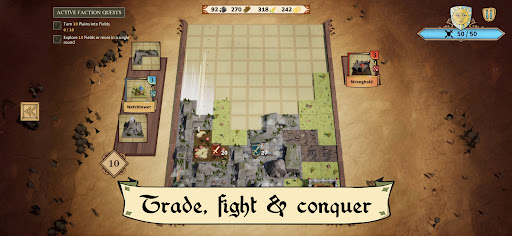
Oblíbená PC hra, nyní i na mobilních zařízeních.
Metacritic: 83. Velmi pozitivní na STEAM - 90 %.
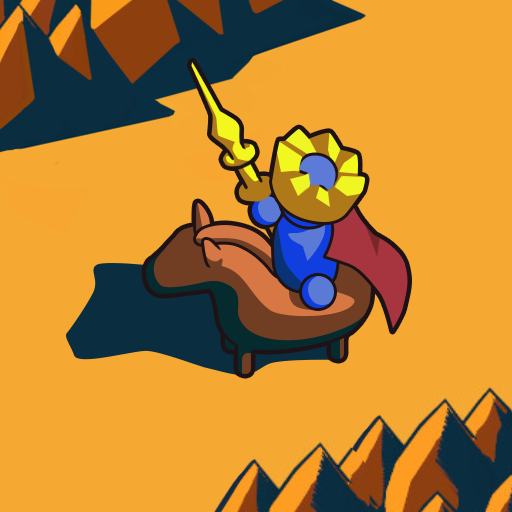
Drop Duchy bere ikonickou geometrickou logickou hratelnost, kterou všichni známe a milujeme, a dává jí novou perspektivu: místo pouhého čištění čar stavíte říši. Směs sestavování balíčků, logických her a rogue-lite, navržená tak, aby zdokonalila vaši chuť k hraní s bloky.
Umístěte dílky dlaždic jako ve hře s bloky, ale zarovnejte je tak, abyste maximalizovali jejich aktivační pravidla. Umístěte správné stavby vedle bujných lesů, divokých řek a travnatých plání, abyste vytáhli maximum zdrojů a jednotek.
Pak shromážděte své jednotky, dobýt zpět oblasti pod kontrolou nepřítele a zaútočte na nepřátelskou pevnost po rozvětvených cestách plných rozhodování. Nechte svůj hrad utrpět příliš mnoho poškození a běh končí - ale porážka není konec: vrhněte se rovnou zpět s novou strategií a využijte získané zkušenosti k odemčení ještě více obsahu.
Zvyšte svou moc s více než 110 unikátními kartami, obchodujte s trhy a cechy a stoupejte v meta postupu s více než 90 misemi vázanými na tři hratelné frakce: Vévodství, Řád a Republika.
Přizpůsobte se, dobývajte a udržujte akci v chodu!
VLASTNOSTI
* Originální mix logické hratelnosti a strategie v reálném čase
* Zcela nový herní zážitek s každým spuštěním díky procedurálnímu generování
* Hrajte s frakcemi: Vévodství, Řád, Republika
* Meta postup: více než 90 výzev navržených tak, aby vám pomohly na vaší cestě
* Sestavte si perfektní balíček s více než 110 unikátními kartami
* Elegantní a okouzlující umělecký styl, který potěší vaše oči
* Poutavý a neustále se vyvíjející soundtrack, který potěší vaše uši
* Vyberte si cestu mezi jezery, mýtinami, lesy, vesnicemi, cechy… a dalším!
Show more

1. Stáhněte si instalační program MEmu a dokončete instalaci

2. Spusťte MEmu a poté otevřete Google Play na ploše

3. Vyhledejte Drop Duchy v Google Play
Install
4. Stáhněte a nainstalujte Drop Duchy
5. Po dokončení instalace klikněte na ikonu pro spuštění

6. Užijte si hraní Drop Duchy na PC s MEmu
MEmu je zdarma a ten nejlepší Android emulátor. 50 milionů lidí si užívá jeho nejlepší herní zážitky. Technologie virtualizace MEmu ti dovolí plynule hrát Android hry na PC a to i ty nejnáročnější.
Větší obrazovka s lepší grafikou; Dlouhá výdrž bez omezení baterie nebo mobilních dat.
Plná podpora mapování kláves pro přesné ovládání klávesnice a myši nebo gamepadu.
Více herních účtů nebo úkolů na jednom počítači najednou s Multi-Instance Managerem.
Play Drop Duchy on PC by following steps: