FIFA 16 Soccer
Aktualizováno
Aktuální verze
3.2.113645
Od vývojáře

With all your passion for playing FIFA 16 Soccer, you hands are not supposed to be limited on a tiny screen of your phone. Play like a pro and get full control of your game with keyboard and mouse. MEmu offers you all the things that you are expecting. Download and play FIFA 16 Soccer on PC. Play as long as you want, no more limitations of battery, mobile data and disturbing calls. The brand new MEmu 9 is the best choice of playing FIFA 16 Soccer on PC. Prepared with our expertise, the exquisite preset keymapping system makes FIFA 16 Soccer a real PC game. MEmu multi-instance manager makes playing 2 or more accounts on the same device possible. And the most important, our exclusive emulation engine can release full potential of your PC, make everything smooth.
Show more
Vychutnejte si vynikající zážitek z přehrávání FIFA 16 Soccer na PC s MEMU App Player. Je to silný bezplatný emulátor pro Android, který vám umožní hrát tisíce her v systému Android. FIFA 16 Soccer suits players who enjoy managing a club and jumping into quick matches on the same device.
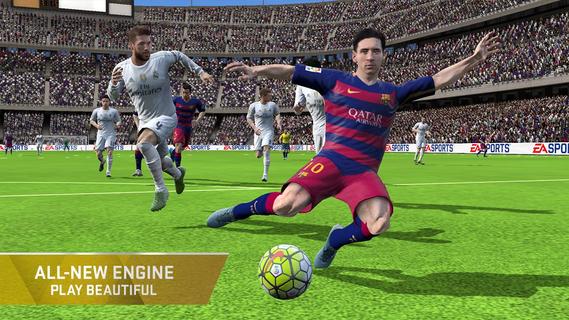
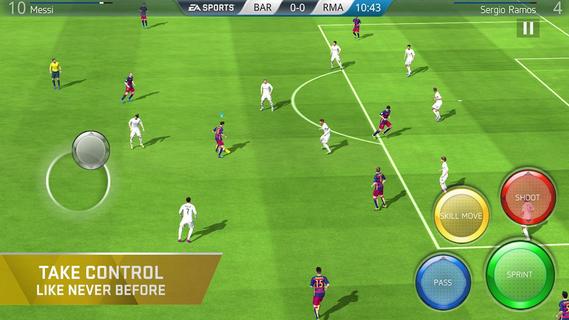
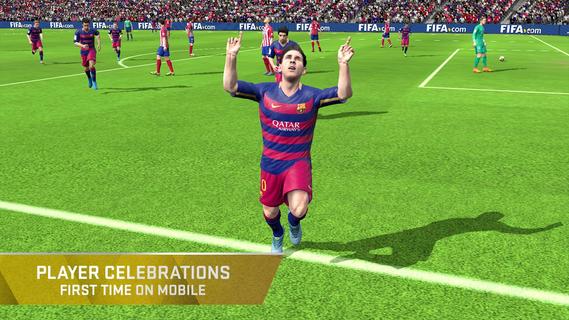
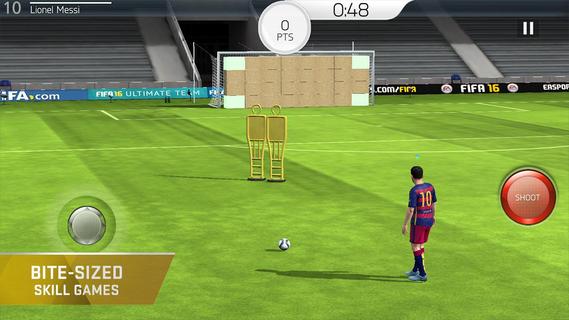
FIFA 16 Soccer suits players who enjoy managing a club and jumping into quick matches on the same device. You can assemble a squad with real players, learn the basics through short drills, and take part in events or full fixtures at your own pace. The game rewards planning around chemistry and tactics, so pre match choices matter alongside your actions on the pitch. Download FIFA 16 Soccer APK on APKPure to start, manage, and grow your Ultimate Team on Android.Key features in FIFA 16 SoccerResponsive engine and smarter playFIFA 16 Soccer uses an updated engine that improves player movement and positioning. Animations are smoother, offside awareness is better, and controls respond quickly to input. Passes, shots, and tackles feel more natural, which helps you read the game and adjust your decisions as play unfolds.Flexible controls and goal celebrationsYou can switch between gesture controls and classic on screen buttons based on your preference. This flexibility makes it easier to find a control setup that fits your style, whether you prefer swipes or taps. After scoring, the game lets you trigger specific celebrations, adding a simple way to acknowledge a key moment.Squad building and chemistry managementThe Ultimate Team setup in FIFA 16 Soccer focuses on collecting and improving your club over time. You earn, trade, and transfer players, then set formations and assign roles to shape how the team plays. Clear squad screens help you tune chemistry, select kits, and make small changes that can influence in match behavior.Modes, Skill Games, and Live EventsFIFA 16 Soccer includes friendly matches, leagues, and cups for structured play. You can practice core mechanics in Skill Games, then use those lessons during fixtures. Daily challenges and themed events mirror real world fixtures and offer extra rewards, which keeps progression moving even when you only have a few minutes.Official licenses for clubs and playersThe game features thousands of real players across hundreds of licensed clubs from EA Sports partnerships. Authentic kits and stadiums support a broadcast style presentation during matches. This licensed content provides familiar names and visuals that help compare your squad with real teams.Player Exchange and match simulationIf you have items you no longer need, Player Exchange can convert them into higher tier rewards. When you want to focus on management, FIFA 16 Soccer also offers match simulation, so you can test tactics and transfers without manual controls. This option suits users who prefer strategy and squad tuning over direct play.How to play FIFA 16 Soccer on AndroidGetting started is straightforward once you download FIFA 16 Soccer and open it on your device. The game guides new users through basic controls and early decisions with simple prompts. After the introduction, you can manage your club and enter matches at your pace.Open the game, then follow the on screen prompts to begin the tutorial and reach the main menu.Start with Skill Games to practice passing, shooting, and tackling. Use these drills to learn timing before entering full matches.Go to the squad screen to set your formation and adjust roles. Add players, balance chemistry links, and choose kits to prepare for fixtures.Pick your preferred control scheme in options. You can use gestures for quick actions or classic buttons for more direct input, then test both during a friendly.Enter a match, league, or cup from the Play menu, or join Live Events for short sessions and rewards. If you prefer management, simulate matches and focus on transfers and tactics.Start playing with FIFA 16 SoccerFIFA 16 Soccer combines team building, training drills, and match action with licensed clubs and players. Users who enjoy both management and on pitch control will find flexible options for either approach. Download FIFA 16 Soccer APK on APKPure to build your club, play events, and keep up with the latest FIFA 16 Soccer APK updates.
Show more

1. Stáhněte si instalační program MEmu a dokončete instalaci

2. Spusťte MEmu a poté otevřete Google Play na ploše

3. Vyhledejte FIFA 16 Soccer v Google Play
Install
4. Stáhněte a nainstalujte FIFA 16 Soccer
5. Po dokončení instalace klikněte na ikonu pro spuštění

6. Užijte si hraní FIFA 16 Soccer na PC s MEmu
MEmu je zdarma a ten nejlepší Android emulátor. 50 milionů lidí si užívá jeho nejlepší herní zážitky. Technologie virtualizace MEmu ti dovolí plynule hrát Android hry na PC a to i ty nejnáročnější.
Větší obrazovka s lepší grafikou; Dlouhá výdrž bez omezení baterie nebo mobilních dat.
Plná podpora mapování kláves pro přesné ovládání klávesnice a myši nebo gamepadu.
Více herních účtů nebo úkolů na jednom počítači najednou s Multi-Instance Managerem.
Play FIFA 16 Soccer on PC by following steps: