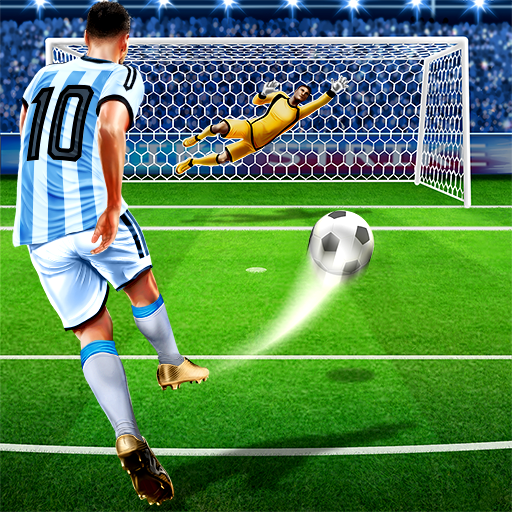
FIFA 16 Soccer
Ενημερώθηκε
Τρέχουσα έκδοση
3.2.113645
Προσφέρεται από

Με όλο το πάθος σας για το παιχνίδι FIFA 16 Soccer, τα χέρια σας δεν πρέπει να περιορίζονται σε μια μικροσκοπική οθόνη του τηλεφώνου σας. Παίξτε σαν επαγγελματίας και αποκτήστε τον πλήρη έλεγχο του παιχνιδιού σας με πληκτρολόγιο και ποντίκι. Το MEmu σας προσφέρει όλα όσα περιμένετε. Κατεβάστε και παίξτε FIFA 16 Soccer σε υπολογιστή. Παίξτε όσο θέλετε, χωρίς άλλους περιορισμούς μπαταρίας, δεδομένων κινητής τηλεφωνίας και ενοχλητικών κλήσεων. Το ολοκαίνουργιο MEmu 9 είναι η καλύτερη επιλογή για να παίξετε FIFA 16 Soccer σε υπολογιστή. Ετοιμασμένο με την εμπειρία μας, το εξαιρετικό σύστημα προκαθορισμένης αντιστοίχισης πλήκτρων καθιστά το FIFA 16 Soccer ένα πραγματικό παιχνίδι υπολογιστή. Ο διαχειριστής πολλαπλών περιπτώσεων MEmu καθιστά δυνατό το παιχνίδι με 2 ή περισσότερους λογαριασμούς στην ίδια συσκευή. Και το πιο σημαντικό, η αποκλειστική μηχανή εξομοίωσης μας μπορεί να απελευθερώσει πλήρως τις δυνατότητες του υπολογιστή σας, κάνοντας τα πάντα ομαλά.
Show more
Απολαύστε την υπέροχη εμπειρία αναπαραγωγής του FIFA 16 Soccer σε υπολογιστή με το MEMU App Player. Πρόκειται για έναν ισχυρό δωρεάν εξομοιωτή Android που σας επιτρέπει να παίζετε χιλιάδες παιχνίδια Android. FIFA 16 Soccer suits players who enjoy managing a club and jumping into quick matches on the same device.
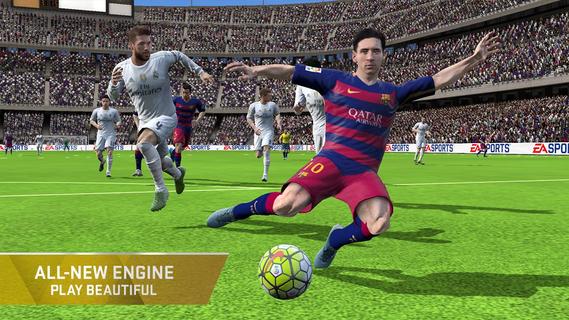
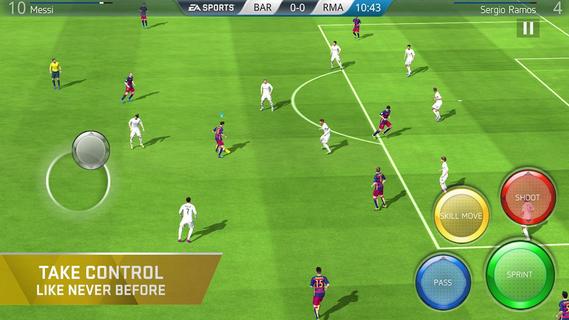
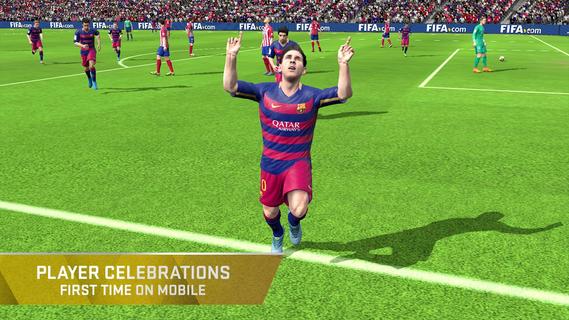
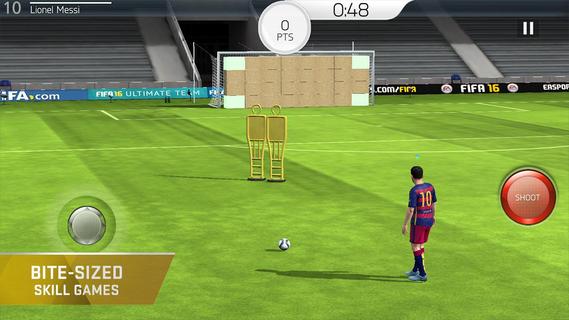
FIFA 16 Soccer suits players who enjoy managing a club and jumping into quick matches on the same device. You can assemble a squad with real players, learn the basics through short drills, and take part in events or full fixtures at your own pace. The game rewards planning around chemistry and tactics, so pre match choices matter alongside your actions on the pitch. Download FIFA 16 Soccer APK on APKPure to start, manage, and grow your Ultimate Team on Android.Key features in FIFA 16 SoccerResponsive engine and smarter playFIFA 16 Soccer uses an updated engine that improves player movement and positioning. Animations are smoother, offside awareness is better, and controls respond quickly to input. Passes, shots, and tackles feel more natural, which helps you read the game and adjust your decisions as play unfolds.Flexible controls and goal celebrationsYou can switch between gesture controls and classic on screen buttons based on your preference. This flexibility makes it easier to find a control setup that fits your style, whether you prefer swipes or taps. After scoring, the game lets you trigger specific celebrations, adding a simple way to acknowledge a key moment.Squad building and chemistry managementThe Ultimate Team setup in FIFA 16 Soccer focuses on collecting and improving your club over time. You earn, trade, and transfer players, then set formations and assign roles to shape how the team plays. Clear squad screens help you tune chemistry, select kits, and make small changes that can influence in match behavior.Modes, Skill Games, and Live EventsFIFA 16 Soccer includes friendly matches, leagues, and cups for structured play. You can practice core mechanics in Skill Games, then use those lessons during fixtures. Daily challenges and themed events mirror real world fixtures and offer extra rewards, which keeps progression moving even when you only have a few minutes.Official licenses for clubs and playersThe game features thousands of real players across hundreds of licensed clubs from EA Sports partnerships. Authentic kits and stadiums support a broadcast style presentation during matches. This licensed content provides familiar names and visuals that help compare your squad with real teams.Player Exchange and match simulationIf you have items you no longer need, Player Exchange can convert them into higher tier rewards. When you want to focus on management, FIFA 16 Soccer also offers match simulation, so you can test tactics and transfers without manual controls. This option suits users who prefer strategy and squad tuning over direct play.How to play FIFA 16 Soccer on AndroidGetting started is straightforward once you download FIFA 16 Soccer and open it on your device. The game guides new users through basic controls and early decisions with simple prompts. After the introduction, you can manage your club and enter matches at your pace.Open the game, then follow the on screen prompts to begin the tutorial and reach the main menu.Start with Skill Games to practice passing, shooting, and tackling. Use these drills to learn timing before entering full matches.Go to the squad screen to set your formation and adjust roles. Add players, balance chemistry links, and choose kits to prepare for fixtures.Pick your preferred control scheme in options. You can use gestures for quick actions or classic buttons for more direct input, then test both during a friendly.Enter a match, league, or cup from the Play menu, or join Live Events for short sessions and rewards. If you prefer management, simulate matches and focus on transfers and tactics.Start playing with FIFA 16 SoccerFIFA 16 Soccer combines team building, training drills, and match action with licensed clubs and players. Users who enjoy both management and on pitch control will find flexible options for either approach. Download FIFA 16 Soccer APK on APKPure to build your club, play events, and keep up with the latest FIFA 16 Soccer APK updates.
Show more

1. Κατεβάστε το πρόγραμμα εγκατάστασης MEmu και ολοκληρώστε την εγκατάσταση

2. Ξεκινήστε το MEmu και στη συνέχεια ανοίξτε το Google Play στην επιφάνεια εργασίας

3. Αναζητήστε τον FIFA 16 Soccer στο Google Play
Install
4. Λήψη και εγκατάσταση του FIFA 16 Soccer
5. Μόλις ολοκληρωθεί η εγκατάσταση, κάντε κλικ στο εικονίδιο για να ξεκινήσετε

6. Enjoy playing FIFA 16 Soccer on PC with MEmu
Το MEmu Play, αποτελεί την ιδανικότερη δωρεάν λύση για την εξομοίωση του λειτουργικού Android, και χρησιμοποιείται ήδη από περισσότερους από 50 εκατομμύρια χρήστες, ο οποίοι απολαμβάνουν, την καταπληκτική εμπειρία παιχνιδιού που προσφέρεται μέσω της εφαρμογής. Με τη χρήση του MEmu Virtualization, είναι δυνατή η αναπαραγωγή παιχνιδιών Android στον υπολογιστή, ακόμη και εκείνων που απαιτούν μεγάλη επεξεργαστική ισχύ γραφικών, δίχως συμβιβασμούς στην ποιότητα και στην εμπειρία χρήσης, ακριβώς όπως ένα τελευταίας γενιάς κινητό τηλέφωνο.
Μεγαλύτερη οθόνη με καλύτερα γραφικά. Μεγάλη διάρκεια ζωής, χωρίς περιορισμό μπαταρίας ή δεδομένων κινητής τηλεφωνίας.
Πλήρης υποστήριξη αντιστοίχισης πλήκτρων για ακριβή έλεγχο του πληκτρολογίου και του ποντικιού ή του gamepad.
Πολλαπλοί λογαριασμοί παιχνιδιών ή εργασίες σε έναν υπολογιστή ταυτόχρονα με τον διαχειριστή πολλαπλών περιπτώσεων.
Play FIFA 16 Soccer on PC by following steps: