Hamster Garden
Aktualizováno
Aktuální verze
Od vývojáře

With all your passion for playing Hamster Garden, you hands are not supposed to be limited on a tiny screen of your phone. Play like a pro and get full control of your game with keyboard and mouse. MEmu offers you all the things that you are expecting. Download and play Hamster Garden on PC. Play as long as you want, no more limitations of battery, mobile data and disturbing calls. The brand new MEmu 9 is the best choice of playing Hamster Garden on PC. Prepared with our expertise, the exquisite preset keymapping system makes Hamster Garden a real PC game. MEmu multi-instance manager makes playing 2 or more accounts on the same device possible. And the most important, our exclusive emulation engine can release full potential of your PC, make everything smooth.
Show more
Vychutnejte si vynikající zážitek z přehrávání Hamster Garden na PC s MEMU App Player. Je to silný bezplatný emulátor pro Android, který vám umožní hrát tisíce her v systému Android. Welcome to the cozy flower garden of hamsters!
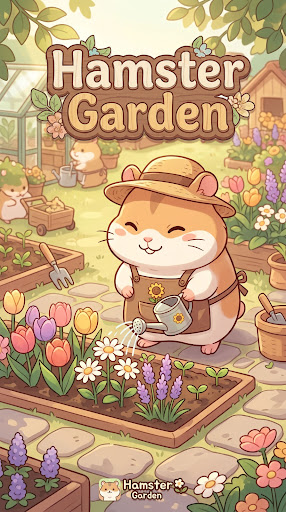
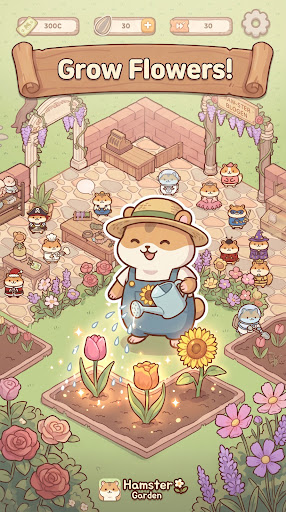
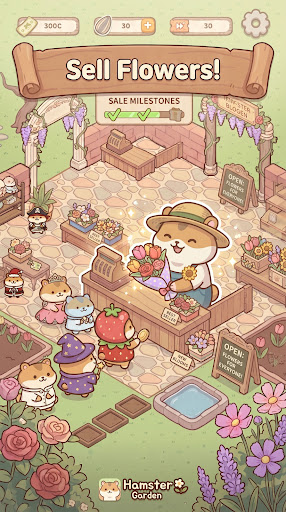
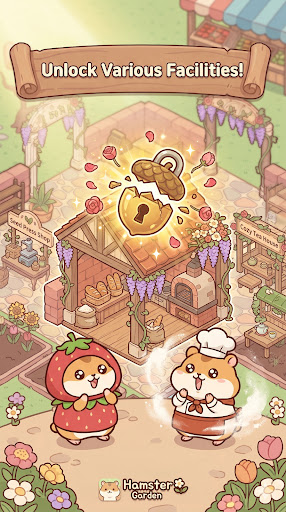
Welcome to the cozy flower garden of hamsters!
Join our chubby little hamsters as they grow fragrant flowers and herbs from a single seed, crafting them into delightful products to win over customers. Control your hamsters as they bustle around the garden in this charming tycoon game!
───────────────────────
Features
Grow
Plant and tend to a variety of flowers and herbs — roses, lavender, chamomile, and more. Fill your garden with colorful, one-of-a-kind plants that bring it to life!
Craft
Turn your harvest into premium goods like perfumes, herbal teas, bouquets, and aroma oils. Upgrade your facilities to unlock rarer, more valuable products!
Sell
Sell your flowers and crafted goods to earn revenue. The better the product, the higher the price!
Expand
Use your earnings to build new flower beds, processing facilities, and flower shops. Complete a map and a brand-new themed garden awaits — what world will you discover next?
───────────────────────
Perfect for you if…
You love cute and charming games
You need a relaxing escape from daily life
You enjoy the satisfaction of growing and nurturing something from scratch
You love strategic management and maximizing profits
───────────────────────
Start your journey today!
From a tiny seed to a fragrant floral kingdom — your hamster garden story begins now.
Show more

1. Stáhněte si instalační program MEmu a dokončete instalaci

2. Spusťte MEmu a poté otevřete Google Play na ploše

3. Vyhledejte Hamster Garden v Google Play
Install
4. Stáhněte a nainstalujte Hamster Garden
5. Po dokončení instalace klikněte na ikonu pro spuštění

6. Užijte si hraní Hamster Garden na PC s MEmu
MEmu je zdarma a ten nejlepší Android emulátor. 50 milionů lidí si užívá jeho nejlepší herní zážitky. Technologie virtualizace MEmu ti dovolí plynule hrát Android hry na PC a to i ty nejnáročnější.
Větší obrazovka s lepší grafikou; Dlouhá výdrž bez omezení baterie nebo mobilních dat.
Plná podpora mapování kláves pro přesné ovládání klávesnice a myši nebo gamepadu.
Více herních účtů nebo úkolů na jednom počítači najednou s Multi-Instance Managerem.
Play Hamster Garden on PC by following steps: