Hamster Garden
Updated
Current Version
1.0.0
Offered By

With your passion for Hamster Garden, you shouldn’t have to limit yourself to the small screen of a phone. Play like a pro and take full control of the game using a keyboard and mouse. MEmu gives you everything you’re looking for. Download and play Hamster Garden on PC. Play as long as you want — no more worries about battery life, mobile data, or unexpected calls. The all-new MEmu 9 is the best way to play Hamster Garden on PC. With our expertly designed keymapping system, Hamster Garden feels just like a real PC game. The MEmu multi-instance manager lets you run two or more accounts on the same device at the same time. Most importantly, our exclusive emulation engine unlocks your PC’s full potential, delivering smooth and seamless performance.
Show more
Download Hamster Garden on PC with MEmu Android Emulator. Enjoy playing on big screen. Hamster Garden .
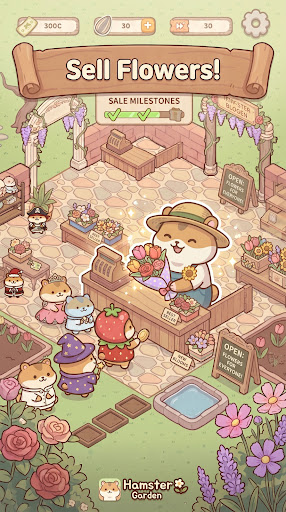
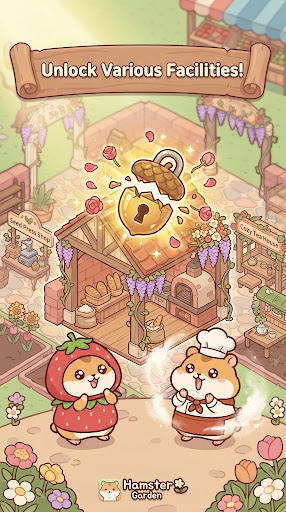
Hamster Garden
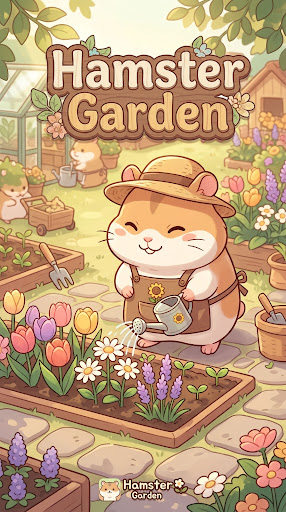
Welcome to the cozy garden of Hamster Garden!
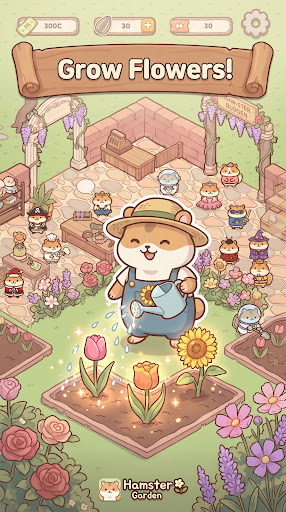
Join our adorable little hamsters as they grow beautiful flowers and herbs from tiny seeds, craft them into delightful products, and serve happy customers.
Watch your hamsters bustle around the garden as you build and grow your very own garden business!
[Grow Flowers and Herbs ]
Plant and nurture a variety of flowers and herbs — roses, lavender, chamomile, and more.
Fill your garden with colorful plants and watch it come to life!
[Craft Various Products ]
Turn your harvest into delightful products like perfumes, herbal teas, bouquets, and aroma oils.
Upgrade your facilities to unlock new and more valuable products!
[Sell and Grow Your Business ]
Sell your flowers and crafted goods to customers and grow your business.
Create better products, earn more profits, and keep your garden thriving!
[Build and Expand Your Garden ]
Use your earnings to build new flower beds, production facilities, and flower shops.
Complete your garden goals to unlock brand-new themed gardens.
What kind of garden will you discover next?
[Perfect for You If… ]
You love cute and charming games
You want a relaxing escape from everyday life
You enjoy growing and building something from scratch
You love management games and watching your business grow
[Enjoy Your Hamster Garden ]
From a tiny seed to a thriving garden business — your Hamster Garden story begins now.
Grow flowers, create products, expand your garden, and build a wonderful business together with your adorable hamsters!
Start your garden adventure today!
[Important Information]
Game progress may be lost if the application is deleted or the device is changed without properly saving or linking your game data.
Hamster Garden is free to play, but some in-game items and features may require payment.
The game may include rewarded, banner, and interstitial advertisements.
If you experience any issues or have suggestions, please contact us.
Show more

1. Download MEmu installer and finish the setup

2. Start MEmu then open Google Play on the desktop

3. Search Hamster Garden in Google Play
Install
4. Download and Install Hamster Garden
5. On install completion click the icon to start

6. Enjoy playing Hamster Garden on PC with MEmu
MEmu Play is the best Android emulator and 100 million people already enjoy its superb Android gaming experience. The MEmu virtualization technology empowers you to play thousands of Android games smoothly on your PC, even the most graphic-intensive ones.
Bigger screen with better graphics; Long duration, without limitation of battery or mobile data.
Full Keymapping support for precise control of keyboard and mouse or gamepad.
Multiple game accounts or tasks on single PC at one time with Multi-Instance manager.
Play Hamster Garden on PC by following steps: