Kingdoms & Lords
Aktualizováno
Aktuální verze
2.0.2
Od vývojáře

With all your passion for playing Kingdoms & Lords, you hands are not supposed to be limited on a tiny screen of your phone. Play like a pro and get full control of your game with keyboard and mouse. MEmu offers you all the things that you are expecting. Download and play Kingdoms & Lords on PC. Play as long as you want, no more limitations of battery, mobile data and disturbing calls. The brand new MEmu 9 is the best choice of playing Kingdoms & Lords on PC. Prepared with our expertise, the exquisite preset keymapping system makes Kingdoms & Lords a real PC game. MEmu multi-instance manager makes playing 2 or more accounts on the same device possible. And the most important, our exclusive emulation engine can release full potential of your PC, make everything smooth.
Show more
Vychutnejte si vynikající zážitek z přehrávání Kingdoms & Lords na PC s MEMU App Player. Je to silný bezplatný emulátor pro Android, který vám umožní hrát tisíce her v systému Android. Kingdoms & Lords suits players who want a medieval setting that mixes village growth with strategic combat.
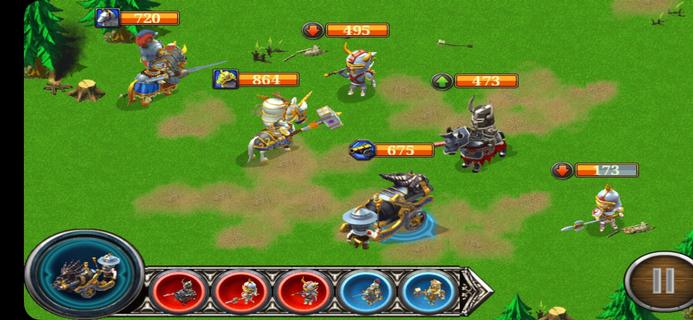
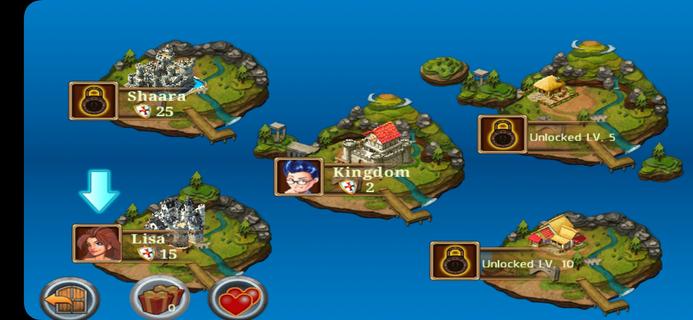
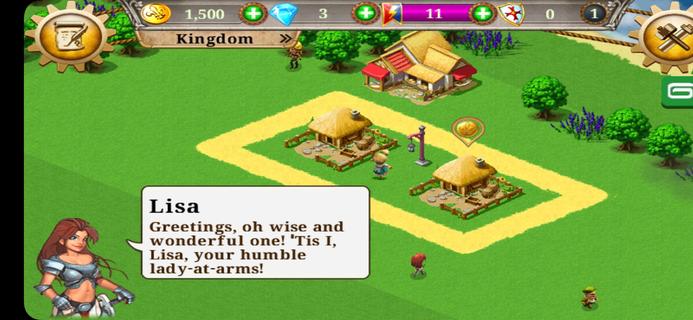
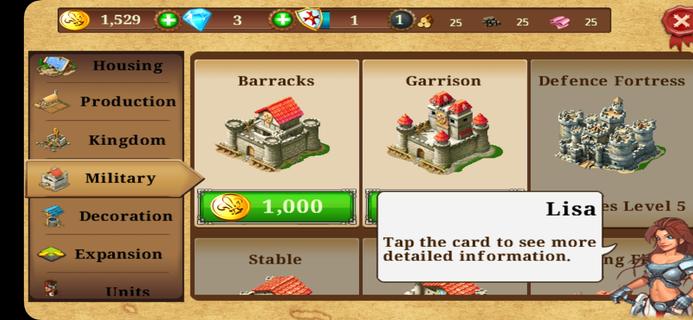
Kingdoms & Lords suits players who want a medieval setting that mixes village growth with strategic combat. You begin with a small settlement and work toward a stronger realm by planning upgrades and managing resources, while battles add a layer of tactics. There is constant pressure from enemy forces, so defense and offense both matter over time. Social options let you connect with others for support. It is free to play, though timers and microtransactions can affect pacing. Players can install the Kingdoms & Lords APK to play on Android devices.Kingdoms & Lords FeaturesVillage building and upgradesBuild farms, houses, and training grounds to support income and troop preparation. Upgrade structures to improve output and unlock more options. You balance production and storage to keep your economy stable, then direct resources toward expanding your territory. This steady loop guides early and mid game progress.Turn based tactical battles Select units before each fight according to enemy composition. Use unit type counters to gain an advantage. Time skills and target priority to finish encounters efficiently.Ongoing threats and campaign pressureFace the Dark King and roaming barbarians that challenge your control of the region. You need to prepare defenses at home while assembling forces for offensive missions. Progress depends on keeping your town supplied and your army trained, so planning between battles is important.Social play and pacingChallenge friends, form alliances, rescue units, and exchange gifts to strengthen your position. The Kingdoms & Lords latest version supports these social interactions, which can help with resources or combat support. The game uses timers and optional purchases, so advancement may slow without premium currency or patient play.Get started on AndroidKingdoms & Lords combines town management with tactical battles in a clear, mobile friendly format. Expect a mix of building, fighting, and social play, with timers influencing pace. To begin on your device, download Kingdoms & Lords and follow the in game prompts to set up your village.
Show more

1. Stáhněte si instalační program MEmu a dokončete instalaci

2. Spusťte MEmu a poté otevřete Google Play na ploše

3. Vyhledejte Kingdoms & Lords v Google Play
Install
4. Stáhněte a nainstalujte Kingdoms & Lords
5. Po dokončení instalace klikněte na ikonu pro spuštění

6. Užijte si hraní Kingdoms & Lords na PC s MEmu
MEmu je zdarma a ten nejlepší Android emulátor. 50 milionů lidí si užívá jeho nejlepší herní zážitky. Technologie virtualizace MEmu ti dovolí plynule hrát Android hry na PC a to i ty nejnáročnější.
Větší obrazovka s lepší grafikou; Dlouhá výdrž bez omezení baterie nebo mobilních dat.
Plná podpora mapování kláves pro přesné ovládání klávesnice a myši nebo gamepadu.
Více herních účtů nebo úkolů na jednom počítači najednou s Multi-Instance Managerem.
Play Kingdoms & Lords on PC by following steps: