Kingdoms & Lords
Оновлено
Поточна версія
2.0.2
Постачальник

Перестаньте турбуватися про надмірні витрати, використовуючи ххх на своєму мобільному телефоні, звільніться від крихітного екрану і насолоджуйтеся використанням програми на набагато більшому дисплеї. Відтепер отримуйте повний екран свого додатка за допомогою клавіатури та миші. MEmu пропонує вам усі дивовижні функції, які ви очікували: швидка установка та просте налаштування, інтуїтивно зрозумілі елементи керування, більше обмежень від акумулятора, мобільних даних та тривожних дзвінків. Новий MEmu 9 - найкращий вибір використання Kingdoms & Lords на вашому комп’ютері. За допомогою нашого поглинання менеджер із кількома примірниками одночасно дозволяє відкрити 2 або більше рахунків. І найголовніше, наш ексклюзивний емуляційний двигун може вивільнити весь потенціал вашого ПК, зробити все гладким і приємним.
Show more
Насолоджуйтесь чудовим досвідом Kingdoms & Lords гри на ПК за допомогою програми MEMU App Player. Це потужний безкоштовний емулятор Android, який дозволяє вам грати в тисячі ігор Android. Kingdoms & Lords suits players who want a medieval setting that mixes village growth with strategic combat.
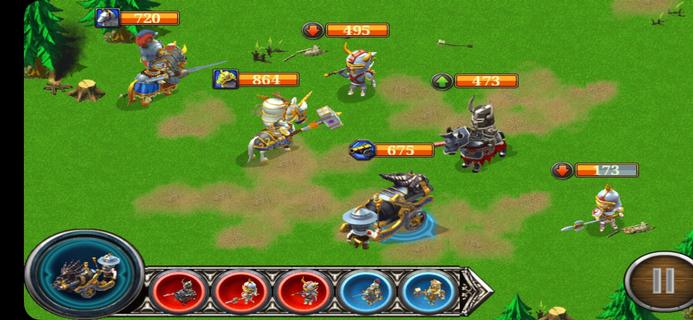
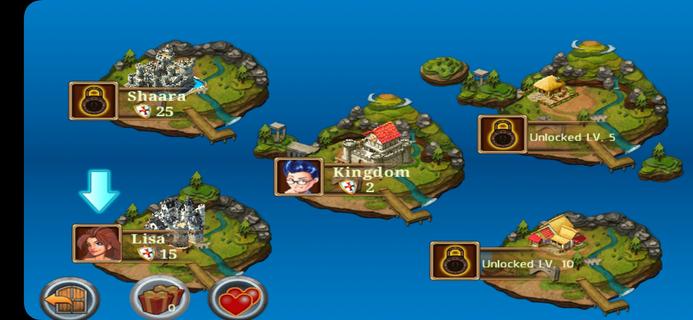
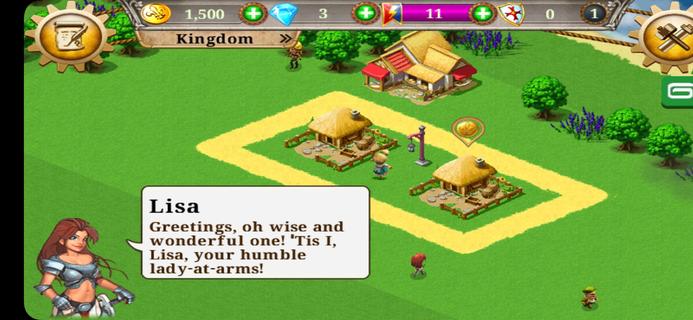
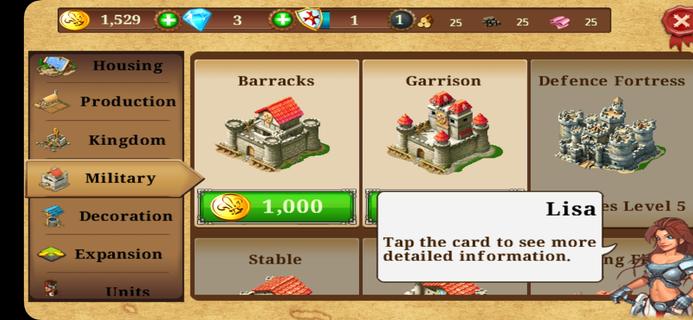
Kingdoms & Lords suits players who want a medieval setting that mixes village growth with strategic combat. You begin with a small settlement and work toward a stronger realm by planning upgrades and managing resources, while battles add a layer of tactics. There is constant pressure from enemy forces, so defense and offense both matter over time. Social options let you connect with others for support. It is free to play, though timers and microtransactions can affect pacing. Players can install the Kingdoms & Lords APK to play on Android devices.Kingdoms & Lords FeaturesVillage building and upgradesBuild farms, houses, and training grounds to support income and troop preparation. Upgrade structures to improve output and unlock more options. You balance production and storage to keep your economy stable, then direct resources toward expanding your territory. This steady loop guides early and mid game progress.Turn based tactical battles Select units before each fight according to enemy composition. Use unit type counters to gain an advantage. Time skills and target priority to finish encounters efficiently.Ongoing threats and campaign pressureFace the Dark King and roaming barbarians that challenge your control of the region. You need to prepare defenses at home while assembling forces for offensive missions. Progress depends on keeping your town supplied and your army trained, so planning between battles is important.Social play and pacingChallenge friends, form alliances, rescue units, and exchange gifts to strengthen your position. The Kingdoms & Lords latest version supports these social interactions, which can help with resources or combat support. The game uses timers and optional purchases, so advancement may slow without premium currency or patient play.Get started on AndroidKingdoms & Lords combines town management with tactical battles in a clear, mobile friendly format. Expect a mix of building, fighting, and social play, with timers influencing pace. To begin on your device, download Kingdoms & Lords and follow the in game prompts to set up your village.
Show more

1. Download MEmu installer and finish the setup

2. Start MEmu then open Google Play on the desktop

3. Search Kingdoms & Lords in Google Play
Install
4. Download and Install Kingdoms & Lords
5. On install completion click the icon to start

6. Enjoy playing Kingdoms & Lords on PC with MEmu
MEmu App Player є кращим безкоштовним емулятором Android, і 50 мільйонів людей вже користуються його чудовим ігровим досвідом Android. Технологія віртуалізації MEmu дає вам змогу відтворювати тисячі ігор Android на вашому комп'ютері, навіть найбільш насичених графікою.
Bigger screen with better graphics; Long duration, without limitation of battery or mobile data.
Full Keymapping support for precise control of keyboard and mouse or gamepad.
Multiple game accounts or tasks on single PC at one time with Multi-Instance manager.
Play Kingdoms & Lords on PC by following steps: