Kingdoms & Lords
更新日
現在のバージョン
2.0.2
提供元

スマホ不要!プロ選手のようにキーボードとマウスで操作しよう。MEmuエミュはあなたにすべての期待を与える。電池が切れてしまうとか画面が小さいとかの問題を心配する必要がなくて、存分Kingdoms & Lordsを楽しんでください。新しいMEmuエミュ7はPCでKingdoms & Lordsをプレイするのに最適!完璧なキーマッピングシステムにより、まるでパソコンゲームみたい。マルチインスタンスで複数のゲームやアプリを同時に実行!唯一無二な仮想化エンジンがパソコンの可能性を最大限になる。遊べるだけでなく、より楽しめる!
もっと見る
Kingdoms & LordsをPCでダウンロード!大画面でより楽しむ。電源が落ちてしまうとか通信料が足りないとかの問題を心配する必要がなく、PCの大画面でより快適にゲームを楽しましょう! Kingdoms & Lords is a free-to-play mobile game that masterfully combines city-building simulation with turn-based strategy combat.
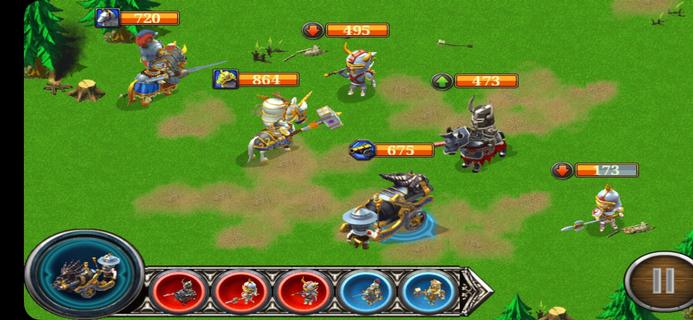
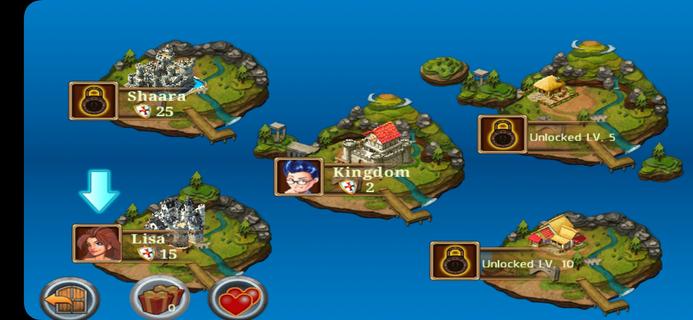
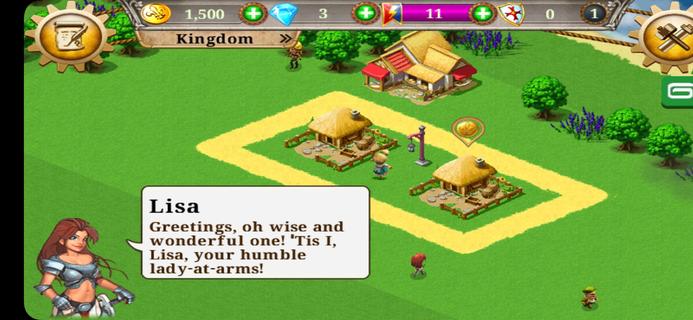
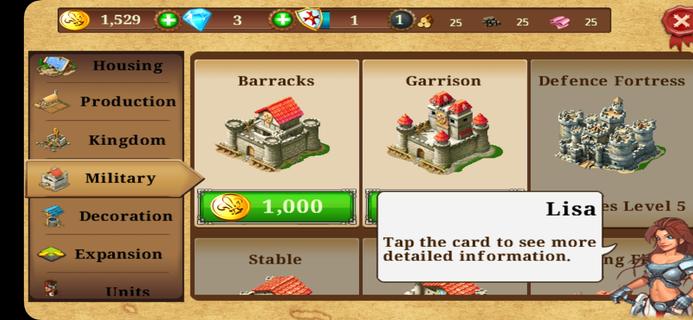
Kingdoms & Lords is a free-to-play mobile game that masterfully combines city-building simulation with turn-based strategy combat. Players start as rulers of a small medieval village and must expand it into a thriving kingdom. You construct farms, houses, and training facilities to sustain your economy and build a powerful army. The gameplay is split into two parts: managing your village’s growth by upgrading buildings and optimizing resource production, and commanding troops in tactical turn-based battles where unit types counter each other, adding strategic depth. Throughout the game, you face the threat of the Dark King and barbarian forces aiming to conquer your lands, making defense and offense equally important. You can challenge friends, form alliances, rescue units, and exchange gifts to enhance your kingdom’s strength. While the game offers colorful visuals and easy-to-learn mechanics appealing to casual players, it includes timers and microtransactions that can slow progression without premium currency. Overall, Kingdoms & Lords delivers a balanced experience of medieval town management and strategic warfare for players who enjoy building, battling, and social interaction in a fantasy setting.
もっと見る

1. MEmuインストーラーをダウンロードしてセットアップを完了する

2. MEmuを起動し、デスクトップでのPlayストアを開く

3. PlayストアでKingdoms & Lordsを検索する
Install
4. Kingdoms & Lordsをダウンロードしてインストールする
5. インストールが完了したら、アイコンをクリックしてスタート

6. MEmuを使用してPCでKingdoms & Lordsを楽しむ
MEmu App Playerは最高の無料で提供されるAndroidエミュレータで、5,000万人がすでに優れたAndroidゲーム体験を楽しんでいます。 MEmuの仮想化技術は、あなたのPCで何千ものAndroidゲームを快適にプレイすることを可能にします。
大画面でより精細;無限の待機、電池とドラフィックの極限を超え
キーボード・マウス・コントローラーを全力でサポート、より快適
マルチインスタンスで複数のゲームを同時に実行
Play Kingdoms & Lords on PC by following steps: