Norse Saga
Aktualizováno
Aktuální verze
Od vývojáře

With all your passion for playing Norse Saga, you hands are not supposed to be limited on a tiny screen of your phone. Play like a pro and get full control of your game with keyboard and mouse. MEmu offers you all the things that you are expecting. Download and play Norse Saga on PC. Play as long as you want, no more limitations of battery, mobile data and disturbing calls. The brand new MEmu 9 is the best choice of playing Norse Saga on PC. Prepared with our expertise, the exquisite preset keymapping system makes Norse Saga a real PC game. MEmu multi-instance manager makes playing 2 or more accounts on the same device possible. And the most important, our exclusive emulation engine can release full potential of your PC, make everything smooth.
Show more
Vychutnejte si vynikající zážitek z přehrávání Norse Saga na PC s MEMU App Player. Je to silný bezplatný emulátor pro Android, který vám umožní hrát tisíce her v systému Android. ⭑ Journey Beyond Myth with Star Spirit Companions!
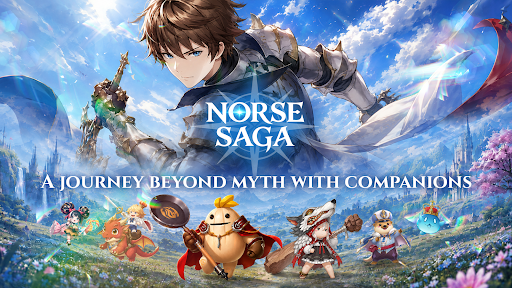
⭑ Journey Beyond Myth with Star Spirit Companions! ⭑
Explore the breathtaking world of Norse Saga alongside adorable Star Spirit companions, where ancient ruins, magical technology, and legendary adventures await. Together, uncover hidden secrets and join forces with the Goddess of Fate to protect the World Tree from the World Ender.
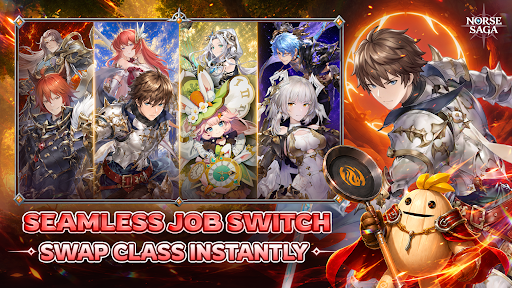
【 Seamless Dual-Class Switch 】
Advance your main class to unlock a powerful subclass, then switch seamlessly between both combat styles. Adapt to every battle with limitless possibilities.
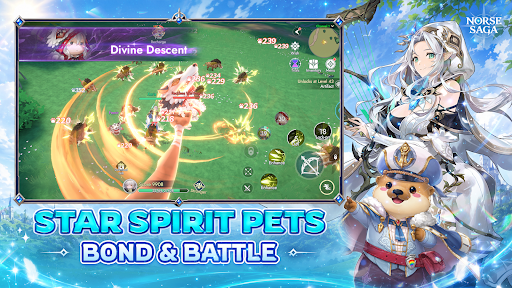
【 Journey with Star Spirit Companions 】
Discover a variety of adorable, mystical, and powerful Star Spirits. Build your dream team and overcome every challenge together.
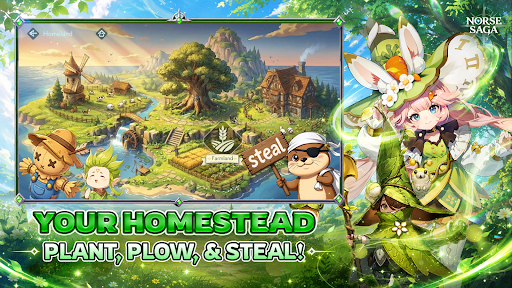
【 Build Your Dream Homestead 】
Make this house a home! Plant, harvest, and unwind in your own cozy sanctuary while collecting valuable resources for your journey.
【 Dominate Cross-Server Battles 】
Challenge adventurers from across the Nine Realms in cross-server battles and prove your legend beyond your home server.
【 Excel in Ranked PvP Arena 】
Rise through the ranks in competitive battles where skill, strategy, and the strength of your Star Spirit companions determine victory.
【 Raid Epic World Bosses 】
Join forces with friends to defeat colossal bosses, claim legendary loot, and conquer the toughest challenges together.
【 Social Party & Fun Minigames 】
Dance, socialize, mingle, and celebrate every adventure with friends in a vibrant fantasy world full of fun beyond combat.
Norse Saga – A Journey Beyond Myth with Companions
Magic Awaits!
⭑ Official Channels ⭑
Facebook: https://www.facebook.com/NorseSagaSEAbyPlayPark
Discord: https://discord.gg/HG66pwVa7r
Website: https://norsesaga.playpark.com/en-sea/
Support: https://secure2.playpark.com/CustomerSelfServiceSEA/
© Ujoy Games Company Limited. All rights reserved. © Playpark Pte., Ltd. All rights reserved.
Show more

1. Stáhněte si instalační program MEmu a dokončete instalaci

2. Spusťte MEmu a poté otevřete Google Play na ploše

3. Vyhledejte Norse Saga v Google Play
Install
4. Stáhněte a nainstalujte Norse Saga
5. Po dokončení instalace klikněte na ikonu pro spuštění

6. Užijte si hraní Norse Saga na PC s MEmu
MEmu je zdarma a ten nejlepší Android emulátor. 50 milionů lidí si užívá jeho nejlepší herní zážitky. Technologie virtualizace MEmu ti dovolí plynule hrát Android hry na PC a to i ty nejnáročnější.
Větší obrazovka s lepší grafikou; Dlouhá výdrž bez omezení baterie nebo mobilních dat.
Plná podpora mapování kláves pro přesné ovládání klávesnice a myši nebo gamepadu.
Více herních účtů nebo úkolů na jednom počítači najednou s Multi-Instance Managerem.
Play Norse Saga on PC by following steps: