Norse Saga
Zaktualizowano
Aktualna wersja
Sprzedawca

Przy całej swojej pasji do grania w Norse Saga, twoje ręce nie powinny być ograniczone na małym ekranie telefonu. Graj jak zawodowiec i uzyskaj pełną kontrolę nad grą za pomocą klawiatury i myszy. MEmu oferuje ci wszystko, czego oczekujesz. Pobierz i graj Norse Saga na PC. Graj tak długo, jak chcesz, bez ograniczeń baterii, danych komórkowych i niepokojących połączeń. Zupełnie nowy MEmu 9 to najlepszy wybór do grania w Norse Saga na PC. Przygotowany dzięki naszej wiedzy, znakomity, wstępnie ustawiony system mapowania klawiszy sprawia, że Norse Saga jest prawdziwą grą na PC. Zakodowany naszą absorpcją, menedżer wielu instancji umożliwia granie na 2 lub więcej kontach na tym samym urządzeniu. A co najważniejsze, nasz emulator może uwolnić pełny potencjał twojego komputera, sprawić, że wszystko będzie płynne. Dbamy nie tylko o to, jak grasz, ale także o cały proces czerpania radości z grania.
Pokaż więcej
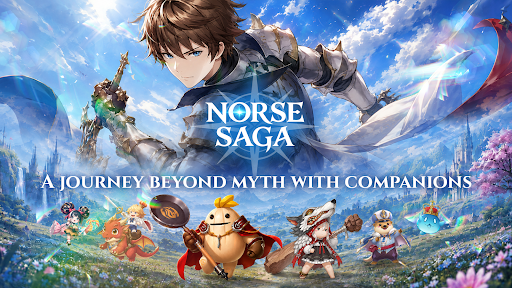
Ciesz się wspaniałym doświadczeniem podczas grania w Norse Saga na komputerze z aplikacją MEMU App Player. Jest to potężny darmowy emulator Androida pozwalający grać w tysiące gier na Androida. ⭑ Journey Beyond Myth with Star Spirit Companions!
⭑ Journey Beyond Myth with Star Spirit Companions! ⭑
Explore the breathtaking world of Norse Saga alongside adorable Star Spirit companions, where ancient ruins, magical technology, and legendary adventures await. Together, uncover hidden secrets and join forces with the Goddess of Fate to protect the World Tree from the World Ender.
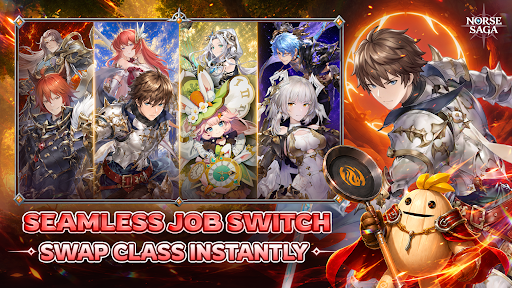
【 Seamless Dual-Class Switch 】
Advance your main class to unlock a powerful subclass, then switch seamlessly between both combat styles. Adapt to every battle with limitless possibilities.
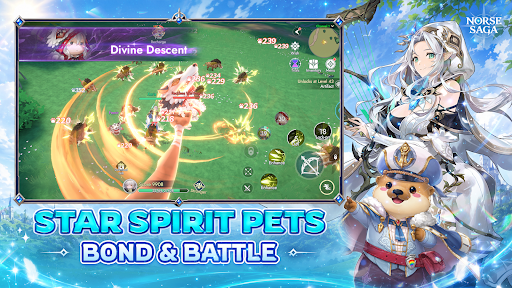
【 Journey with Star Spirit Companions 】
Discover a variety of adorable, mystical, and powerful Star Spirits. Build your dream team and overcome every challenge together.
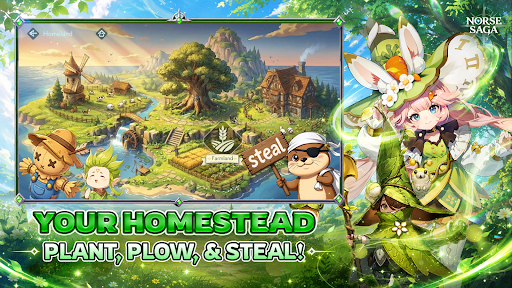
【 Build Your Dream Homestead 】
Make this house a home! Plant, harvest, and unwind in your own cozy sanctuary while collecting valuable resources for your journey.
【 Dominate Cross-Server Battles 】
Challenge adventurers from across the Nine Realms in cross-server battles and prove your legend beyond your home server.
【 Excel in Ranked PvP Arena 】
Rise through the ranks in competitive battles where skill, strategy, and the strength of your Star Spirit companions determine victory.
【 Raid Epic World Bosses 】
Join forces with friends to defeat colossal bosses, claim legendary loot, and conquer the toughest challenges together.
【 Social Party & Fun Minigames 】
Dance, socialize, mingle, and celebrate every adventure with friends in a vibrant fantasy world full of fun beyond combat.
Norse Saga – A Journey Beyond Myth with Companions
Magic Awaits!
⭑ Official Channels ⭑
Facebook: https://www.facebook.com/NorseSagaSEAbyPlayPark
Discord: https://discord.gg/HG66pwVa7r
Website: https://norsesaga.playpark.com/en-sea/
Support: https://secure2.playpark.com/CustomerSelfServiceSEA/
© Ujoy Games Company Limited. All rights reserved. © Playpark Pte., Ltd. All rights reserved.
Pokaż więcej

1. Pobierz instalator MEmu i zakończ instalację

2. Uruchom MEmu, a następnie otwórz Google Play na pulpicie

3. Wyszukaj Norse Saga w Google Play
Install
4. Pobierz i zainstaluj Norse Saga
5. Po zakończeniu instalacji kliknij ikonę, aby rozpocząć

6. Ciesz się grą Norse Saga na PC z MEmu
MEmu Play to najlepszy emulator Androida, a 100 milionów ludzi już korzysta z jego i dosta doskonałe wrażenia z gier na Androida. Technologia wirtualizacji MEmu umożliwia płynne granie w tysiące gier Androida na komputerze, nawet tych najbardziej wymagających grafiki.
Większy ekran z lepszą grafiką; Długi czas, bez ograniczeń baterii lub danych mobilnych.
Pełna obsługa mapowania klawiszy dla precyzyjnego sterowania klawiaturą i myszą lub gamepadem.
Wiele kont gier lub zadań na jednym komputerze jednocześnie z menedżerem wielu instancji.
Play Norse Saga on PC by following steps: