Norse Saga
Aktualisiert
Aktuelle Version
Angeboten von

Bei all Ihrer Leidenschaft für das Spielen von Norse Saga sollten Ihre Hände nicht auf einen winzigen Bildschirm Ihres Telefons beschränkt sein. Spielen Sie wie ein Profi und übernehmen Sie die volle Kontrolle über Ihr Spiel mit Tastatur und Maus. MEmu bietet Ihnen all die Dinge, die Sie erwarten. Laden Sie Norse Saga herunter und spielen Sie es auf dem PC. Spielen Sie so lange, wie Sie wollen, ohne Grenzwerte für Akku, mobile Daten und störende Anrufe. Das brandneue MEmu 9 ist die beste Wahl, um Norse Saga auf dem PC zu spielen. Das exquisite voreingestellte Tastaturbelegungssystem, das mit unserem Fachwissen vorbereitet wurde, macht Norse Saga zu einem echten PC-Spiel. Der MEmu Multi-Instanz-Manager ermöglicht das Spielen von 2 oder mehr Konten auf demselben Gerät. Und das Wichtigste: Unsere exklusive Emulations-Engine kann das volle Potenzial Ihres PCs freisetzen und für reibungslose Abläufe sorgen.
Mehr anzeigen
Laden Sie Play Norse Saga auf dem PC mit MEmu Android Emulator. Viel Spaß beim Spielen auf großmundieren. ⭑ Journey Beyond Myth with Star Spirit Companions!
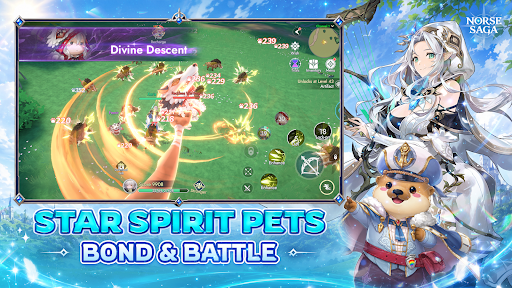
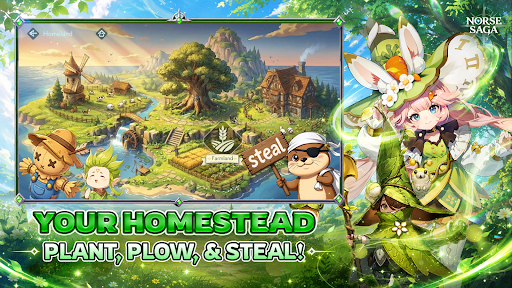
⭑ Journey Beyond Myth with Star Spirit Companions! ⭑
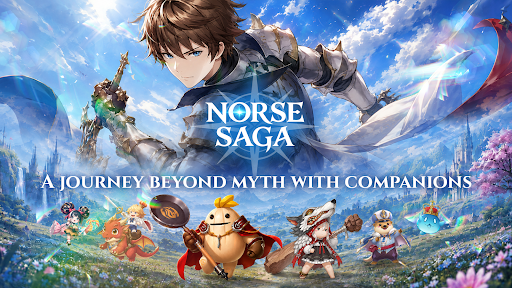
Explore the breathtaking world of Norse Saga alongside adorable Star Spirit companions, where ancient ruins, magical technology, and legendary adventures await. Together, uncover hidden secrets and join forces with the Goddess of Fate to protect the World Tree from the World Ender.
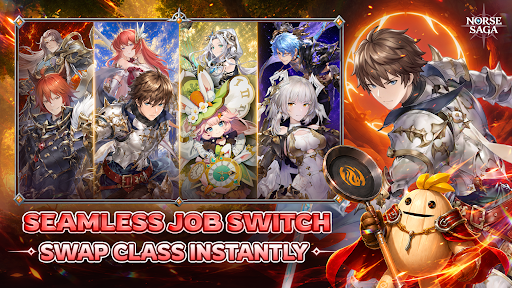
【 Seamless Dual-Class Switch 】
Advance your main class to unlock a powerful subclass, then switch seamlessly between both combat styles. Adapt to every battle with limitless possibilities.
【 Journey with Star Spirit Companions 】
Discover a variety of adorable, mystical, and powerful Star Spirits. Build your dream team and overcome every challenge together.
【 Build Your Dream Homestead 】
Make this house a home! Plant, harvest, and unwind in your own cozy sanctuary while collecting valuable resources for your journey.
【 Dominate Cross-Server Battles 】
Challenge adventurers from across the Nine Realms in cross-server battles and prove your legend beyond your home server.
【 Excel in Ranked PvP Arena 】
Rise through the ranks in competitive battles where skill, strategy, and the strength of your Star Spirit companions determine victory.
【 Raid Epic World Bosses 】
Join forces with friends to defeat colossal bosses, claim legendary loot, and conquer the toughest challenges together.
【 Social Party & Fun Minigames 】
Dance, socialize, mingle, and celebrate every adventure with friends in a vibrant fantasy world full of fun beyond combat.
Norse Saga – A Journey Beyond Myth with Companions
Magic Awaits!
⭑ Official Channels ⭑
Facebook: https://www.facebook.com/NorseSagaSEAbyPlayPark
Discord: https://discord.gg/HG66pwVa7r
Website: https://norsesaga.playpark.com/en-sea/
Support: https://secure2.playpark.com/CustomerSelfServiceSEA/
© Ujoy Games Company Limited. All rights reserved. © Playpark Pte., Ltd. All rights reserved.
Mehr anzeigen

1. Laden das MEmu-Installationsprogramm herunter und beenden die Installation

2. MEmu starten und Google Play auf der Homepage öffnen

3. Suchen Norse Saga in Google Play
Install
4. Herunterladen und Installieren Norse Saga
5. Klicken nach Abschluss der Installation auf das Symbol, um es zu starten

6. Viel Spaß beim Spielen von Norse Saga auf dem PC mit MEmu
MEmu App Player ist der beste kostenlose Android-Emulator und 50 Millionen Menschen genießen bereits seine hervorragende Android-Gaming-Erfahrung. Mit der MEmu-Virtualisierungstechnologie können Sie Tausende von Android-Spielen problemlos auf Ihrem PC spielen, selbst bei grafikintensiven Spielen.
BGrößeres Bild mit besserer Grafik; Keine unterbrechungen, keine sorgen um Akku
Komplette Tastenbelegung unterstützt mit Maus und Tastatur oder Controller
Mit dem „Multi-Instance-Manager“ können Sie mehrere Spielkonten oder Spiele gleichzeitig auf einem PC ausführen.
Play Norse Saga on PC by following steps: