Spin Harta
Aktualizováno
Aktuální verze
1.0.1
Od vývojáře

With all your passion for playing Spin Harta, you hands are not supposed to be limited on a tiny screen of your phone. Play like a pro and get full control of your game with keyboard and mouse. MEmu offers you all the things that you are expecting. Download and play Spin Harta on PC. Play as long as you want, no more limitations of battery, mobile data and disturbing calls. The brand new MEmu 9 is the best choice of playing Spin Harta on PC. Prepared with our expertise, the exquisite preset keymapping system makes Spin Harta a real PC game. MEmu multi-instance manager makes playing 2 or more accounts on the same device possible. And the most important, our exclusive emulation engine can release full potential of your PC, make everything smooth.
Show more
Vychutnejte si vynikající zážitek z přehrávání Spin Harta na PC s MEMU App Player. Je to silný bezplatný emulátor pro Android, který vám umožní hrát tisíce her v systému Android. Spin Harta suits users who want short sessions with clear outcomes and a steady pace.
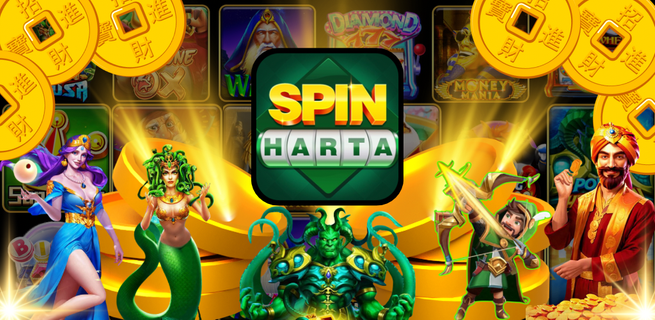
Spin Harta suits users who want short sessions with clear outcomes and a steady pace. It focuses on quick spins and simple flows, so you can dip in during a break and stop without losing track. Labels and lobby tiles are readable, which helps you find modes that match your goal. If you plan to install Spin Harta APK, check storage space and use a stable connection to keep setup smooth and avoid interruptions.Spin Harta FeaturesFast, prediction style slotsRounds resolve quickly, with fluid reels and short transitions between outcomes. This pacing fits a two minute pause or a quick queue wait. If a mode name looks unclear, check the reel themed lobby tiles and event tags to confirm you are in the slots track before starting a session.Secure payments and fair playPayments use encrypted channels, and crypto options are available in Secure Payments. You can review a clear payment history to track deposits and withdrawals over time. Processing times can vary by method and region, so plan ahead if you aim to join a time limited event and avoid last minute delays.Tournaments with live leaderboardsCompetitive events add goals beyond casual spins. You enter a tournament, read the rules on the event card, then climb a leaderboard that updates as results land. Ranking thresholds and tiebreak conditions differ by event, so picking formats that fit your daily play window helps maintain progress between resets.Daily codes and always on supportPromo codes from spinharta.vip provide bonus spins or similar perks for returning sessions. Codes can change often and may expire, so check availability before a run. The Help Center offers 24Ã7 support and responsible gaming guidance, giving you practical steps when questions come up.Get started with Spin HartaThis game focuses on quick spins, clean pacing, and optional competitive events. If that fits your routine, download Spin Harta and start with a short practice session. Keep a reliable connection during installation and updates, then explore tournaments that match your schedule.
Show more

1. Stáhněte si instalační program MEmu a dokončete instalaci

2. Spusťte MEmu a poté otevřete Google Play na ploše

3. Vyhledejte Spin Harta v Google Play
Install
4. Stáhněte a nainstalujte Spin Harta
5. Po dokončení instalace klikněte na ikonu pro spuštění

6. Užijte si hraní Spin Harta na PC s MEmu
MEmu je zdarma a ten nejlepší Android emulátor. 50 milionů lidí si užívá jeho nejlepší herní zážitky. Technologie virtualizace MEmu ti dovolí plynule hrát Android hry na PC a to i ty nejnáročnější.
Větší obrazovka s lepší grafikou; Dlouhá výdrž bez omezení baterie nebo mobilních dat.
Plná podpora mapování kláves pro přesné ovládání klávesnice a myši nebo gamepadu.
Více herních účtů nebo úkolů na jednom počítači najednou s Multi-Instance Managerem.
Play Spin Harta on PC by following steps: