Spin Harta
Оновлено
Поточна версія
1.0.1
Постачальник

Перестаньте турбуватися про надмірні витрати, використовуючи ххх на своєму мобільному телефоні, звільніться від крихітного екрану і насолоджуйтеся використанням програми на набагато більшому дисплеї. Відтепер отримуйте повний екран свого додатка за допомогою клавіатури та миші. MEmu пропонує вам усі дивовижні функції, які ви очікували: швидка установка та просте налаштування, інтуїтивно зрозумілі елементи керування, більше обмежень від акумулятора, мобільних даних та тривожних дзвінків. Новий MEmu 9 - найкращий вибір використання Spin Harta на вашому комп’ютері. За допомогою нашого поглинання менеджер із кількома примірниками одночасно дозволяє відкрити 2 або більше рахунків. І найголовніше, наш ексклюзивний емуляційний двигун може вивільнити весь потенціал вашого ПК, зробити все гладким і приємним.
Show more
Насолоджуйтесь чудовим досвідом Spin Harta гри на ПК за допомогою програми MEMU App Player. Це потужний безкоштовний емулятор Android, який дозволяє вам грати в тисячі ігор Android. Spin Harta suits users who want short sessions with clear outcomes and a steady pace.
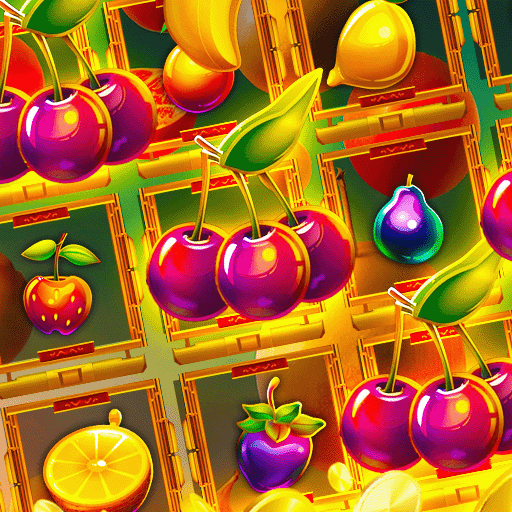
Spin Harta suits users who want short sessions with clear outcomes and a steady pace. It focuses on quick spins and simple flows, so you can dip in during a break and stop without losing track. Labels and lobby tiles are readable, which helps you find modes that match your goal. If you plan to install Spin Harta APK, check storage space and use a stable connection to keep setup smooth and avoid interruptions.Spin Harta FeaturesFast, prediction style slotsRounds resolve quickly, with fluid reels and short transitions between outcomes. This pacing fits a two minute pause or a quick queue wait. If a mode name looks unclear, check the reel themed lobby tiles and event tags to confirm you are in the slots track before starting a session.Secure payments and fair playPayments use encrypted channels, and crypto options are available in Secure Payments. You can review a clear payment history to track deposits and withdrawals over time. Processing times can vary by method and region, so plan ahead if you aim to join a time limited event and avoid last minute delays.Tournaments with live leaderboardsCompetitive events add goals beyond casual spins. You enter a tournament, read the rules on the event card, then climb a leaderboard that updates as results land. Ranking thresholds and tiebreak conditions differ by event, so picking formats that fit your daily play window helps maintain progress between resets.Daily codes and always on supportPromo codes from spinharta.vip provide bonus spins or similar perks for returning sessions. Codes can change often and may expire, so check availability before a run. The Help Center offers 24Ã7 support and responsible gaming guidance, giving you practical steps when questions come up.Get started with Spin HartaThis game focuses on quick spins, clean pacing, and optional competitive events. If that fits your routine, download Spin Harta and start with a short practice session. Keep a reliable connection during installation and updates, then explore tournaments that match your schedule.
Show more

1. Download MEmu installer and finish the setup

2. Start MEmu then open Google Play on the desktop

3. Search Spin Harta in Google Play
Install
4. Download and Install Spin Harta
5. On install completion click the icon to start

6. Enjoy playing Spin Harta on PC with MEmu
MEmu App Player є кращим безкоштовним емулятором Android, і 50 мільйонів людей вже користуються його чудовим ігровим досвідом Android. Технологія віртуалізації MEmu дає вам змогу відтворювати тисячі ігор Android на вашому комп'ютері, навіть найбільш насичених графікою.
Bigger screen with better graphics; Long duration, without limitation of battery or mobile data.
Full Keymapping support for precise control of keyboard and mouse or gamepad.
Multiple game accounts or tasks on single PC at one time with Multi-Instance manager.
Play Spin Harta on PC by following steps: