Wuthering Waves
Aktualizováno
Aktuální verze
1.1.0
Od vývojáře

With all your passion for playing Wuthering Waves, you hands are not supposed to be limited on a tiny screen of your phone. Play like a pro and get full control of your game with keyboard and mouse. MEmu offers you all the things that you are expecting. Download and play Wuthering Waves on PC. Play as long as you want, no more limitations of battery, mobile data and disturbing calls. The brand new MEmu 9 is the best choice of playing Wuthering Waves on PC. Prepared with our expertise, the exquisite preset keymapping system makes Wuthering Waves a real PC game. MEmu multi-instance manager makes playing 2 or more accounts on the same device possible. And the most important, our exclusive emulation engine can release full potential of your PC, make everything smooth.
Show more
Vychutnejte si vynikající zážitek z přehrávání Wuthering Waves na PC s MEMU App Player. Je to silný bezplatný emulátor pro Android, který vám umožní hrát tisíce her v systému Android. Wuthering Waves is a story-rich open-world action RPG with a high degree of freedom.
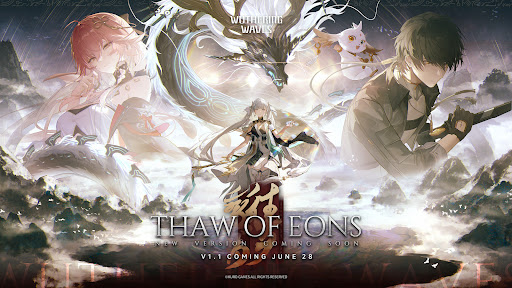
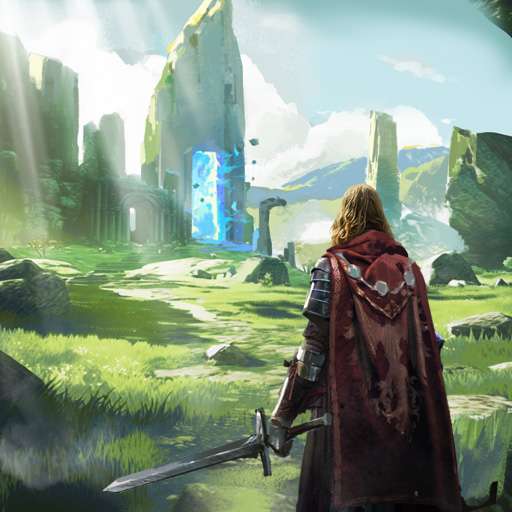
Wuthering Waves is a story-rich open-world action RPG with a high degree of freedom. You wake from your slumber as Rover, joined by a vibrant cast of Resonators on a journey to reclaim your lost memories and surmount the Lament.
✦Introduction✦
Welcome aboard, roving voyager.
Upon the shores lay the silent embers of a world during the Ebb Tide.
Desolated by the Lament, the erstwhile creations and earthly beings are left static.
But they strike back, strong enough to penetrate the silence.
Humanity has risen anew from the ashes of the apocalypse.
And you, Rover, are poised for an adventure of Awakening.
Companions to meet, enemies to conquer, new powers to gain, hidden truths to unveil, and unseen spectacles to behold... A vast world of endless possibilities awaits. The choice rests in your hands. Be the answer, be the leader, and follow the sounds to arrive at a new future.
As Wuthering Waves echo endlessly, mankind set sail on a new journey.
Rise and embark on your odyssey, Rover.
✦Features✦
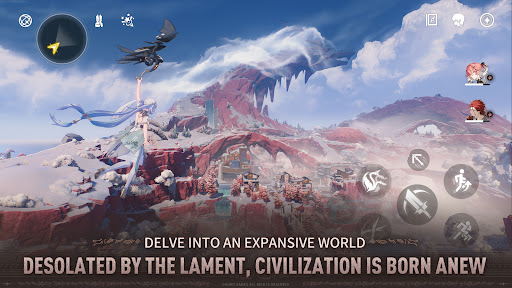
Desolated by the Lament, civilization is born anew / Delve into an expansive world
Embrace high degrees of freedom in immersive overworld explorations. Utilize grapple and wall dash to travel great distances and overcome obstacles with little strain for stamina consumed. As the world of Solaris-3 unfolds, your lost memory begins to see its recovery through this ceaseless quest.
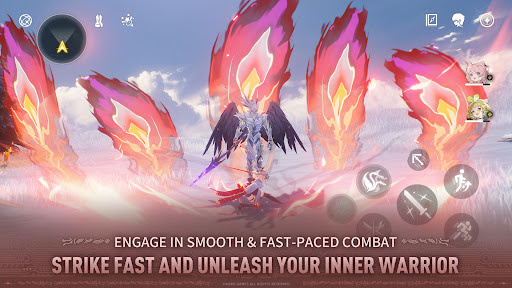
Strike fast and unleash your inner warrior / Engage in smooth & fast-paced combat
Avail against enemy attacks in smooth and fast-paced combat. Apply easy controls of Dodge, Counterattack, Echo Skill, and unique QTE mechanisms that allow the fullest possibility of battle experience.
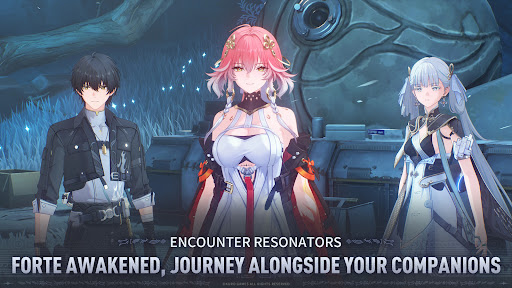
Forte awakened, journey alongside your companions / Encounter Resonators
Compose a harmonious battle concerto with Resonators of different abilities. Their unique Fortes revealing distinctive personalities will be your strong assets for the journey ahead.
Power of your foes at your command / Collect Echoes to aid you in battle
Capture lingering phantoms of Tacet Discords to harness your own Echoes. Upon this mystic land of everlasting reverberations, master a diverse array of Echo Skills to defeat formidable enemies.
✦Official Social Media✦
Official Website: https://wutheringwaves.kurogames.com/en/
X (Twitter): https://twitter.com/Wuthering_Waves
Facebook: https://www.facebook.com/WutheringWaves.Official
YouTube: https://www.youtube.com/@WutheringWaves
Discord: https://discord.com/invite/wutheringwaves
Reddit: https://www.reddit.com/r/WutheringWaves/
Instagram: https://www.instagram.com/wuthering_waves
Tik Tok: https://www.tiktok.com/@wutheringwaves_official
Show more

1. Stáhněte si instalační program MEmu a dokončete instalaci

2. Spusťte MEmu a poté otevřete Google Play na ploše

3. Vyhledejte Wuthering Waves v Google Play
Install
4. Stáhněte a nainstalujte Wuthering Waves
5. Po dokončení instalace klikněte na ikonu pro spuštění

6. Užijte si hraní Wuthering Waves na PC s MEmu
MEmu je zdarma a ten nejlepší Android emulátor. 50 milionů lidí si užívá jeho nejlepší herní zážitky. Technologie virtualizace MEmu ti dovolí plynule hrát Android hry na PC a to i ty nejnáročnější.
Větší obrazovka s lepší grafikou; Dlouhá výdrž bez omezení baterie nebo mobilních dat.
Plná podpora mapování kláves pro přesné ovládání klávesnice a myši nebo gamepadu.
Více herních účtů nebo úkolů na jednom počítači najednou s Multi-Instance Managerem.
Play Wuthering Waves on PC by following steps: