FastCast
Aktualizováno
Aktuální verze
2.11.230814
Od vývojáře

Přestaňte se obávat přebíjení při používání FastCast na mobilním telefonu, uvolněte se z malé obrazovky a užívejte si aplikace na mnohem větším displeji. „Společnost MEmu vám nabízí všechny překvapivé funkce, které jste očekávali: rychlá instalace a snadné nastavení, intuitivní ovládání, žádná omezení baterií, mobilní data a rušivá volání. Zcela nový přístroj MEmu 9 je nejlepší volbou použití FastCast ve vašem počítači. díky naší absorpci umožňuje správce více instancí otevření 2 nebo více účtů současně. A co je nejdůležitější, náš exkluzivní emulační modul může uvolnit plný potenciál vašeho počítače, učinit vše plynulým a příjemným.
Show more
Užijte si skvělý zážitek z používání FastCast u na PC s MEmu Play. Je to výkonný bezplatný emulátor Androidu, který vám nabízí tisíce aplikací pro Android ve verzi pro stolní počítače. Užívejte si spojení s přáteli a vylepšujte svou práci s vyšší efektivitou! FastCast:A terrific APP for mirroring or media sharing.
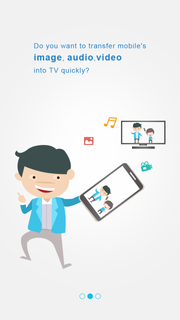
FastCast:A terrific APP for mirroring or media sharing.It helps you to cast your phone, tablet, or PC to the large TV screen in high picture quality, real-time response, and stability.Note: some devices may not support computer screen projectionAnd you can also play your phone's video, music, or picture on TV set.Youtube casting and AirPlay are also supported here in the APP.FastCast, cast your joyful life!ãKEY FEATURESãâ¦Mirroring: Project your phone's screen to a large-screen TV, go online lessons, play games, watch movies, let you feel the thrill of the large screen!Note: Screen mirroring supports only Android System Smart TVs, doesn't support Linux system TV. Tip: If you find no Mirroring QR code, pls directly check your TV "Wireless Display" and play screen mirroring with it. â¦Online videocast: support Youtube casting â¦Local files cast: Support projecting photos, music, and videos from your phone to the large screen, making the large-screen TV in the living room become a home-sharing center, to share happiness with family and friends!â¦QR code cast: Scan QR code on the TV screen(Android TV Only) with phone browser or FastCast APP, and mirror the mobile phone/tablet to the large screen TV, experience the convince and delight!ãDevices Supportedãâ¦Most of the smart TV sets, including LG, Samsung, Sony, TCL, Xiaomi, Hisense, etc.â¦Google Chromecastâ¦Other DLNA receiversãTips for usageãâ¦Make sure your smart TV and Android device support wireless display and screen mirroring functions.â¦Make sure your smart TV and phone/tablet are connected to the same Wi-Fi network.â¦It is recommended to turn off the VPN in order to connect the device correctly. ãContact usãThanks for downloading FastCast. Any other feedback, please feel free to contact us at tcl.scbctv@gmail.com.We will respond to your questions within 10 working days.
Show more

1. Stáhněte si instalační program MEmu a dokončete instalaci

2. Spusťte MEmu a poté otevřete Google Play na ploše

3. Vyhledejte FastCast v Google Play
Install
4. Stáhněte a nainstalujte FastCast
5. Po dokončení instalace klikněte na ikonu pro spuštění

6. Užívejte si používání FastCast na PC s MEmu
MEmu je bezplatný a vynikající emulátor Androidu s 50 miliony uživatelů, který poskytuje vynikající zážitek z aplikací. Virtualizační technologie MEmu 9 vám umožňuje plynule spouštět aplikace pro Android na vašem počítači, a to i ty nejnáročnější.
Větší obrazovka s lepší grafikou; Dlouhá výdrž bez omezení baterie nebo mobilních dat.
Plná podpora mapování kláves pro přesné ovládání klávesnice a myši nebo gamepadu.
Více herních účtů nebo úkolů na jednom počítači najednou s Multi-Instance Managerem.
Use FastCast on PC by following steps: