
Tomato
Aktualizováno
Aktuální verze
1.4.3
Od vývojáře

Přestaňte se obávat přebíjení při používání Tomato na mobilním telefonu, uvolněte se z malé obrazovky a užívejte si aplikace na mnohem větším displeji. „Společnost MEmu vám nabízí všechny překvapivé funkce, které jste očekávali: rychlá instalace a snadné nastavení, intuitivní ovládání, žádná omezení baterií, mobilní data a rušivá volání. Zcela nový přístroj MEmu 9 je nejlepší volbou použití Tomato ve vašem počítači. díky naší absorpci umožňuje správce více instancí otevření 2 nebo více účtů současně. A co je nejdůležitější, náš exkluzivní emulační modul může uvolnit plný potenciál vašeho počítače, učinit vše plynulým a příjemným.
Show more
Užijte si skvělý zážitek z používání Tomato u na PC s MEmu Play. Je to výkonný bezplatný emulátor Androidu, který vám nabízí tisíce aplikací pro Android ve verzi pro stolní počítače. Užívejte si spojení s přáteli a vylepšujte svou práci s vyšší efektivitou! Tomato helps users turn a FreeStyle Libre sensor with a MiaoMiao reader into steady, phone based glucose tracking throughout the day.

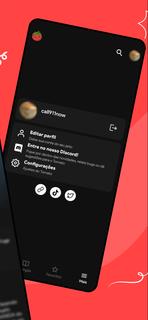
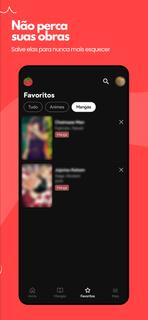
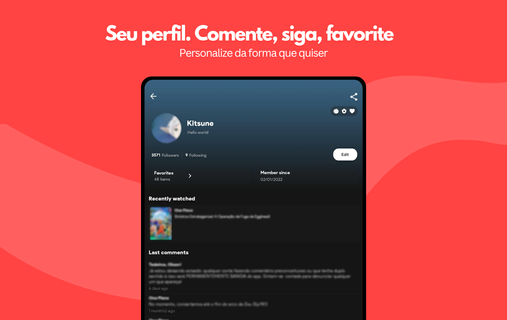
Tomato helps users turn a FreeStyle Libre sensor with a MiaoMiao reader into steady, phone based glucose tracking throughout the day. It is built for routine use, so alerts, watch support, and privacy minded design keep attention on data instead of distractions. Additionally, unit preferences and background updates support everyday habits at home, work, or exercise. With a clear setup and ad free interface, Tomato APK gives users a straightforward way to check live numbers and understand patterns without adding complexity to busy schedules.Tomato FeaturesStable CGM and alarmsTomato pairs FreeStyle Libre sensors with a MiaoMiao reader to create phone based continuous monitoring. You can set thresholds for highs, lows, and signal loss, then choose tones, vibration, and repeat behavior to match daily routines. To keep readings flowing, disable battery optimization for Tomato. Accuracy still depends on the sensor, so confirm with fingersticks when decisions are critical.Remote follow and privacy controlsCaregivers and family can view live glucose through simple channels like Messenger. Subscribers can enable Remote Monitor and Internet Alarm features for broader reach. This works best with a data connection and within the appâs privacy controls. Occasional users may rely on Messenger follow, while frequent travelers might prefer the added reliability of subscription internet alerts.Insights, logging, and unit preferencesTomato summarizes trends with distribution charts, daily patterns, and an estimated A1C that reflects recent activity. When you log insulin doses, carb counts, or exercise, post meal rises and activity related dips become easier to see in context. Estimated A1C is an approximation and does not replace lab results. The app supports mg/dL and mmol/L, so units align with clinic reports.Integrations and Wear OS supportFor connected tools, Tomato can sync CGM data to NightScout and broadcast readings to AndroidAPS to coordinate routines. On the wrist, Wear OS complications show current glucose and trend arrows at a glance, and the watch can display the latest value if connectivity drops. Integrations are optional and can be enabled only when needed.Get started with TomatoTomato focuses on stable CGM, practical alerts, and clear insights for daily routines. Before setup, check storage, review permissions, and prepare your FreeStyle Libre and MiaoMiao hardware. To begin, download Tomato, then fine tune thresholds, units, and sharing options, and consider disabling battery optimization to keep background updates reliable.
Show more

1. Stáhněte si instalační program MEmu a dokončete instalaci

2. Spusťte MEmu a poté otevřete Google Play na ploše

3. Vyhledejte Tomato v Google Play
Install
4. Stáhněte a nainstalujte Tomato
5. Po dokončení instalace klikněte na ikonu pro spuštění

6. Užívejte si používání Tomato na PC s MEmu
MEmu je bezplatný a vynikající emulátor Androidu s 50 miliony uživatelů, který poskytuje vynikající zážitek z aplikací. Virtualizační technologie MEmu 9 vám umožňuje plynule spouštět aplikace pro Android na vašem počítači, a to i ty nejnáročnější.
Větší obrazovka s lepší grafikou; Dlouhá výdrž bez omezení baterie nebo mobilních dat.
Plná podpora mapování kláves pro přesné ovládání klávesnice a myši nebo gamepadu.
Více herních účtů nebo úkolů na jednom počítači najednou s Multi-Instance Managerem.
Use Tomato on PC by following steps: