Tomato
Оновлено
Поточна версія
1.4.3
Постачальник

Перестаньте турбуватися про надмірні витрати, використовуючи ххх на своєму мобільному телефоні, звільніться від крихітного екрану і насолоджуйтеся використанням програми на набагато більшому дисплеї. Відтепер отримуйте повний екран свого додатка за допомогою клавіатури та миші. MEmu пропонує вам усі дивовижні функції, які ви очікували: швидка установка та просте налаштування, інтуїтивно зрозумілі елементи керування, більше обмежень від акумулятора, мобільних даних та тривожних дзвінків. Зовсім новий MEmu 9 – найкращий вибір для використання Єдина Школа на вашому комп’ютері. За допомогою нашого поглинання менеджер із кількома примірниками одночасно дозволяє відкрити 2 або більше рахунків. І найголовніше, наш ексклюзивний емуляційний двигун може вивільнити весь потенціал вашого ПК, зробити все гладким і приємним.
Show more
Насолоджуйтесь чудовим досвідом використання Tomato на ПК за допомогою MEmu Play. Це потужний безкоштовний емулятор Android, який пропонує тисячі програм Android для настільних комп'ютерів. Насолоджуйтесь спілкуванням з друзями та покращенням своєї роботи з більшою ефективністю! Tomato helps users turn a FreeStyle Libre sensor with a MiaoMiao reader into steady, phone based glucose tracking throughout the day.

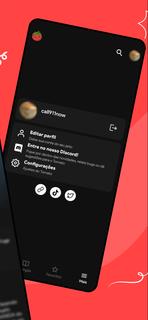
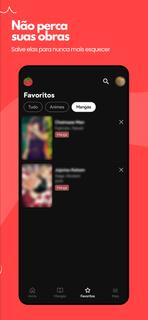
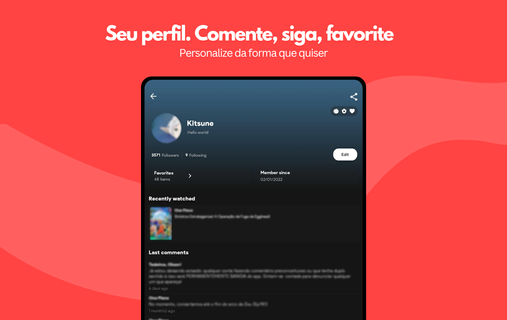
Tomato helps users turn a FreeStyle Libre sensor with a MiaoMiao reader into steady, phone based glucose tracking throughout the day. It is built for routine use, so alerts, watch support, and privacy minded design keep attention on data instead of distractions. Additionally, unit preferences and background updates support everyday habits at home, work, or exercise. With a clear setup and ad free interface, Tomato APK gives users a straightforward way to check live numbers and understand patterns without adding complexity to busy schedules.Tomato FeaturesStable CGM and alarmsTomato pairs FreeStyle Libre sensors with a MiaoMiao reader to create phone based continuous monitoring. You can set thresholds for highs, lows, and signal loss, then choose tones, vibration, and repeat behavior to match daily routines. To keep readings flowing, disable battery optimization for Tomato. Accuracy still depends on the sensor, so confirm with fingersticks when decisions are critical.Remote follow and privacy controlsCaregivers and family can view live glucose through simple channels like Messenger. Subscribers can enable Remote Monitor and Internet Alarm features for broader reach. This works best with a data connection and within the appâs privacy controls. Occasional users may rely on Messenger follow, while frequent travelers might prefer the added reliability of subscription internet alerts.Insights, logging, and unit preferencesTomato summarizes trends with distribution charts, daily patterns, and an estimated A1C that reflects recent activity. When you log insulin doses, carb counts, or exercise, post meal rises and activity related dips become easier to see in context. Estimated A1C is an approximation and does not replace lab results. The app supports mg/dL and mmol/L, so units align with clinic reports.Integrations and Wear OS supportFor connected tools, Tomato can sync CGM data to NightScout and broadcast readings to AndroidAPS to coordinate routines. On the wrist, Wear OS complications show current glucose and trend arrows at a glance, and the watch can display the latest value if connectivity drops. Integrations are optional and can be enabled only when needed.Get started with TomatoTomato focuses on stable CGM, practical alerts, and clear insights for daily routines. Before setup, check storage, review permissions, and prepare your FreeStyle Libre and MiaoMiao hardware. To begin, download Tomato, then fine tune thresholds, units, and sharing options, and consider disabling battery optimization to keep background updates reliable.
Show more

1. Download MEmu installer and finish the setup

2. Start MEmu then open Google Play on the desktop

3. Search Tomato in Google Play
Install
4. Download and Install Tomato
5. On install completion click the icon to start

6. Enjoy using Tomato on PC with MEmu
MEmu App Player є кращим безкоштовним емулятором Android, і 50 мільйонів людей вже користуються його чудовим ігровим досвідом Android. Технологія віртуалізації MEmu дає вам змогу відтворювати тисячі ігор Android на вашому комп'ютері, навіть найбільш насичених графікою.
Bigger screen with better graphics; Long duration, without limitation of battery or mobile data.
Full Keymapping support for precise control of keyboard and mouse or gamepad.
Multiple game accounts or tasks on single PC at one time with Multi-Instance manager.
Use Tomato on PC by following steps: