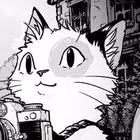
Cat Me If You Can
Aktualisiert
Aktuelle Version
Angeboten von

Bei all Ihrer Leidenschaft für das Spielen von Cat Me If You Can sollten Ihre Hände nicht auf einen winzigen Bildschirm Ihres Telefons beschränkt sein. Spielen Sie wie ein Profi und übernehmen Sie die volle Kontrolle über Ihr Spiel mit Tastatur und Maus. MEmu bietet Ihnen all die Dinge, die Sie erwarten. Laden Sie Cat Me If You Can herunter und spielen Sie es auf dem PC. Spielen Sie so lange, wie Sie wollen, ohne Grenzwerte für Akku, mobile Daten und störende Anrufe. Das brandneue MEmu 9 ist die beste Wahl, um Cat Me If You Can auf dem PC zu spielen. Das exquisite voreingestellte Tastaturbelegungssystem, das mit unserem Fachwissen vorbereitet wurde, macht Cat Me If You Can zu einem echten PC-Spiel. Der MEmu Multi-Instanz-Manager ermöglicht das Spielen von 2 oder mehr Konten auf demselben Gerät. Und das Wichtigste: Unsere exklusive Emulations-Engine kann das volle Potenzial Ihres PCs freisetzen und für reibungslose Abläufe sorgen.
Mehr anzeigen
Laden Sie Play Cat Me If You Can auf dem PC mit MEmu Android Emulator. Viel Spaß beim Spielen auf großmundieren. Cat Me If You Can is a charming and cozy game where you explore beautifully handcrafted black-and-white worlds, searching for hidden cats to photograph and bring their colours back into the world.
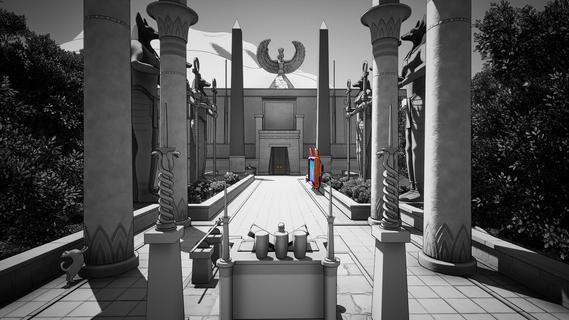

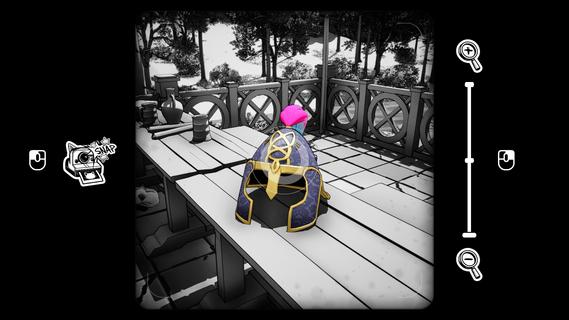
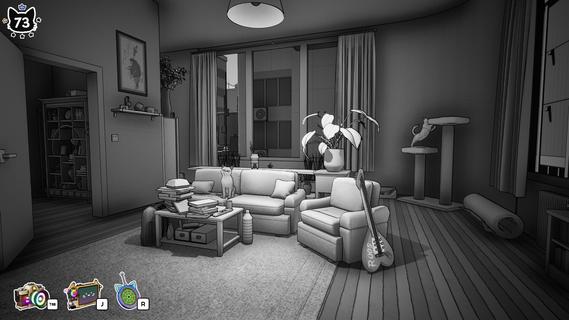
Cat Me If You Can is a charming and cozy game where you explore beautifully handcrafted black-and-white worlds, searching for hidden cats to photograph and bring their colours back into the world.Cat Me If You Can takes you into black-and-white comic style 3D worlds filled with countless feline friends and charming secrets to discover and get lost in.PHOTOGRAPH CATSImmerse yourself in cozy, handcrafted worlds teeming with charm. Seek out hidden cats and capture their adorable moments with your camera.Stay sharp - only the keenest observers can uncover the most cleverly concealed fluffballs!SOLVE PUZZLESNot every cat is easy to spot! Some are hiding behind riddles, locked doors, or curious contraptions just waiting to be figured out.Solve clever puzzles, decode clues, and uncover hidden pathways to reveal even more elusive feline friends. Every puzzle you crack brings you one paw closer to completing your collection!DISCOVER & RELAXUnwind as you take a peaceful journey through atmospheric locations filled with charm and mystery, and, of course, cats. From the sun-soaked sands of Ancient Egypt to the intimate streets of modern Japan, and the quiet corners of majestic medieval castles, each destination invites you to slow down, look closer, and discover every hidden furball.FEATURESPacked with content:9 handcrafted levels spread across 3 uniquely themed worlds.Over 725 cats to find, photograph and love.More than 50 quests and puzzles to solve.Levels full of detail:Each scene is inspired by real-world cultures, with unique details waiting to be discovered in every corner.A world of their own:Ever wanted to see cats working medieval jobs?Or cats reimagined as creatures from Japanese folklore?Now you can, in Cat Me If You Can!
Mehr anzeigen

1. Laden das MEmu-Installationsprogramm herunter und beenden die Installation

2. MEmu starten und Google Play auf der Homepage öffnen

3. Suchen Cat Me If You Can in Google Play
Install
4. Herunterladen und Installieren Cat Me If You Can
5. Klicken nach Abschluss der Installation auf das Symbol, um es zu starten

6. Viel Spaß beim Spielen von Cat Me If You Can auf dem PC mit MEmu
MEmu App Player ist der beste kostenlose Android-Emulator und 50 Millionen Menschen genießen bereits seine hervorragende Android-Gaming-Erfahrung. Mit der MEmu-Virtualisierungstechnologie können Sie Tausende von Android-Spielen problemlos auf Ihrem PC spielen, selbst bei grafikintensiven Spielen.
BGrößeres Bild mit besserer Grafik; Keine unterbrechungen, keine sorgen um Akku
Komplette Tastenbelegung unterstützt mit Maus und Tastatur oder Controller
Mit dem „Multi-Instance-Manager“ können Sie mehrere Spielkonten oder Spiele gleichzeitig auf einem PC ausführen.
Play Cat Me If You Can on PC by following steps: