Cat Me If You Can
Updated
Current Version
Offered By

With your passion for Cat Me If You Can, you shouldn’t have to limit yourself to the small screen of a phone. Play like a pro and take full control of the game using a keyboard and mouse. MEmu gives you everything you’re looking for. Download and play Cat Me If You Can on PC. Play as long as you want — no more worries about battery life, mobile data, or unexpected calls. The all-new MEmu 9 is the best way to play Cat Me If You Can on PC. With our expertly designed keymapping system, Cat Me If You Can feels just like a real PC game. The MEmu multi-instance manager lets you run two or more accounts on the same device at the same time. Most importantly, our exclusive emulation engine unlocks your PC’s full potential, delivering smooth and seamless performance.
Show more
Download Cat Me If You Can on PC with MEmu Android Emulator. Enjoy playing on big screen. Cat Me If You Can suits those who are looking for a cozy 3D comic-style adventure.
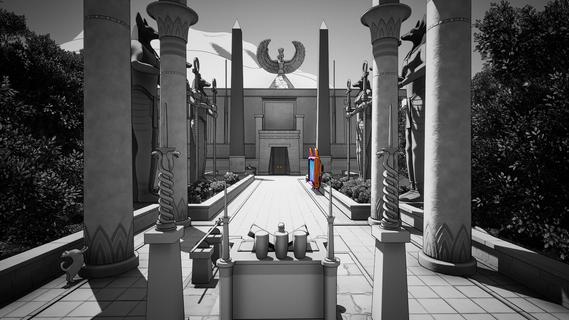

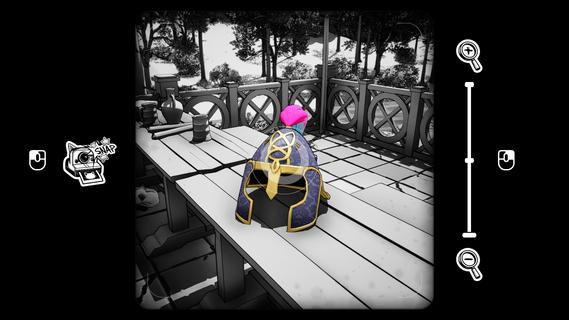
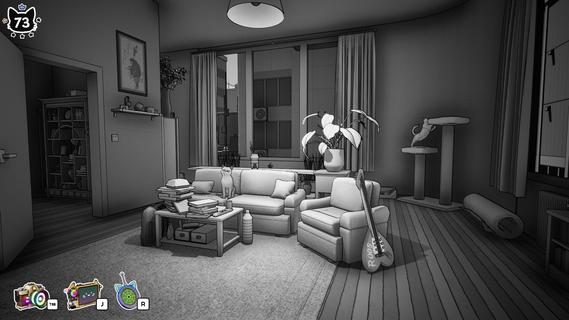
Cat Me If You Can suits those who are looking for a cozy 3D comic-style adventure. Wander through beautifully handcrafted black-and-white environments to seek out hidden cats. Take photos of each elusive feline to restore colour to this monochrome world. With no enemies or time pressure, enjoy slow, peaceful discovery, uncover secret corners, and watch the landscape bloom with vibrant hues as you find every cat.Cat Me If You Can featuresLeisurely World ExplorationRoam handcrafted black-and-white landscapes at your own relaxed pace. There are no threats or timers to rush your journey. Pause anytime to admire delicate handmade details, wander winding paths, and peer into quiet nooks. Keep a close eye on your surroundings to spot cleverly concealed cats hiding within every scene.Cat Photography MechanicYour camera serves as your primary tool for discovery. When you locate a hidden cat, frame and capture its photograph. Each successful shot permanently adds colour to the surrounding area. Every portrait you take breathes life back into the grey world, offering small, satisfying rewards for your careful observation and exploration.Gradual Colour RestorationThe whole world begins in monochrome, only regaining colour one cat photo at a time. Track your progress as dull grayscale regions slowly fill with vibrant tones. This gentle reward loop stays calm and low-pressure. There are no difficult challenges; the joy comes from watching the world transform as you uncover more cats.Stress-Free Cozy ExperienceThis adventure has no combat, failures or stressful obstacles. Play casually in short sessions, stepping away and returning whenever you like. The slow, soothing atmosphere is designed purely for unwinding. Ideal for players seeking a quiet, laid-back experience without intense gameplay demands.Hidden Secret LocationsMany cats are tucked away in obscure, secret spots that reward curious players. Look for subtle visual clues and small openings leading to hidden areas. Seek out all felines to fully restore colour across every region. Completionists can enjoy hunting down every last hidden cat scattered throughout the handcrafted maps.How to play Cat Me If You CanWander handcrafted monochrome worlds to seek hidden cats. Aim your camera and take photos, bringing vibrant colour back to restore the grey landscape.5 Step GuideExplore the hand-drawn black-and-white world at your own relaxed pace.Look carefully around every corner to spot cleverly hidden cats.Pull out your camera and frame the cat to line up a shot.Take the photograph to add colour to the surrounding area.Keep hunting all cats to fully restore colour across the whole map.Get started nowIn Cat Me If You Can, you can explore handcrafted monochrome worlds, find hidden cats, and photograph them to bring colour back to the world in this calm, cozy exploration game.
Show more

1. Download MEmu installer and finish the setup

2. Start MEmu then open Google Play on the desktop

3. Search Cat Me If You Can in Google Play
Install
4. Download and Install Cat Me If You Can
5. On install completion click the icon to start

6. Enjoy playing Cat Me If You Can on PC with MEmu
MEmu Play is the best Android emulator and 100 million people already enjoy its superb Android gaming experience. The MEmu virtualization technology empowers you to play thousands of Android games smoothly on your PC, even the most graphic-intensive ones.
Bigger screen with better graphics; Long duration, without limitation of battery or mobile data.
Full Keymapping support for precise control of keyboard and mouse or gamepad.
Multiple game accounts or tasks on single PC at one time with Multi-Instance manager.
Play Cat Me If You Can on PC by following steps:

















































