Color Vibe - Paint by Number
Aktualisiert
Aktuelle Version
1.5.0
Angeboten von

Bei all Ihrer Leidenschaft für das Spielen von Color Vibe - Paint by Number sollten Ihre Hände nicht auf einen winzigen Bildschirm Ihres Telefons beschränkt sein. Spielen Sie wie ein Profi und übernehmen Sie die volle Kontrolle über Ihr Spiel mit Tastatur und Maus. MEmu bietet Ihnen all die Dinge, die Sie erwarten. Laden Sie Color Vibe - Paint by Number herunter und spielen Sie es auf dem PC. Spielen Sie so lange, wie Sie wollen, ohne Grenzwerte für Akku, mobile Daten und störende Anrufe. Das brandneue MEmu 9 ist die beste Wahl, um Color Vibe - Paint by Number auf dem PC zu spielen. Das exquisite voreingestellte Tastaturbelegungssystem, das mit unserem Fachwissen vorbereitet wurde, macht Color Vibe - Paint by Number zu einem echten PC-Spiel. Der MEmu Multi-Instanz-Manager ermöglicht das Spielen von 2 oder mehr Konten auf demselben Gerät. Und das Wichtigste: Unsere exklusive Emulations-Engine kann das volle Potenzial Ihres PCs freisetzen und für reibungslose Abläufe sorgen.
Mehr anzeigen
Laden Sie Play Color Vibe - Paint by Number auf dem PC mit MEmu Android Emulator. Viel Spaß beim Spielen auf großmundieren. Color Vibe is a soothing painting game created for players who crave peace, mindfulness, and a gentle creative break.
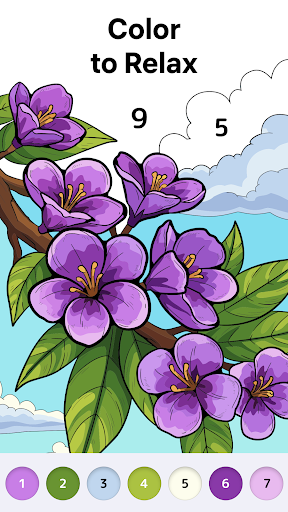
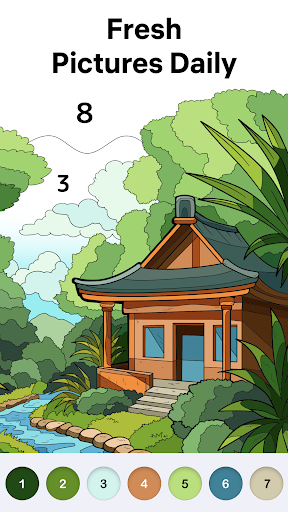
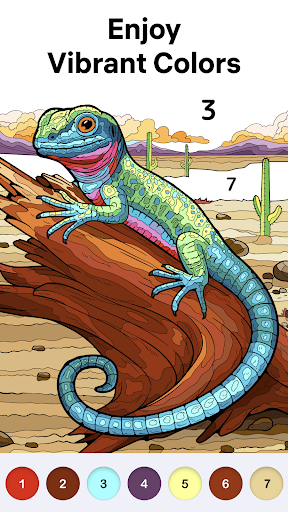
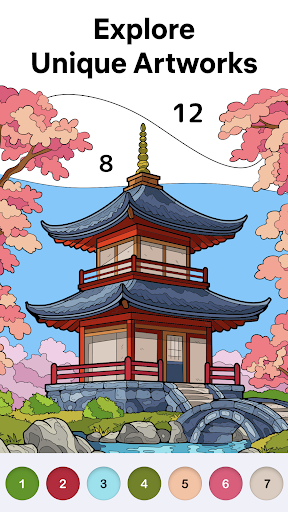
Color Vibe is a soothing painting game created for players who crave peace, mindfulness, and a gentle creative break. Whether you're looking to unwind after a busy day or enjoy a few mindful moments, this color by number game offers a simple way to relax your mind.
Backed by years of expertise and millions of happy players, Easybrain delivers Color Vibe, a coloring book that offers a calming and immersive coloring experience. The game features elegant artwork, a soothing color palette, and precise mechanics — all designed to provide a stress-relieving and recharging experience. Fresh content is added regularly, and there is always something beautiful to discover. Enjoy painting by numbers in a clean interface tailored for players who value clarity, simplicity, and mental relaxation!
What you’ll find inside the coloring game:
- A wide selection of hand-picked artwork made to calm your mind: peaceful landscapes, blooming flowers, tasty treats, serene nature scenes, and much more.
- Gentle colors and serene visuals that may help you unwind, focus, and feel inspired while coloring by number.
- Detailed, high-quality images to keep your creative flow going.
- Smooth gameplay for a truly relaxing painting by numbers experience.
How to play Color Vibe:
Each image of the color game is divided into multiple numbered pieces. Choose a color, find its matching area, and fill it in! Don’t worry if you miss a spot — helpful hints and a zoom feature guide you along the way in this coloring game for adults. And the best part? When you’re done coloring by number, watch a peaceful animation as the image is recolored from the first tap to the last. The outlines disappear, leaving you with a beautiful picture you’ve just completed in this coloring book. It’s incredibly satisfying, like watching your worries fade with every tap.
Why you’ll love Color Vibe:
- Me-time made easy: You can unplug and enjoy, whether for five minutes or fifty.
- No mess, no stress: Just pure color by number joy anytime, anywhere.
- Designed with peaceful tastes in mind: Calm, elegant, and relaxing.
Are you looking for a restful moment in your day — maybe after work, during your quiet coffee break, or while the house finally settles down for the night? Step into the relaxing world of free coloring games: Color Vibe is your personal retreat, right in your pocket.
Ready to slow down with a relaxing color by number experience? This coloring book is your ultimate way to unwind. Dive into the pure joy of painting by numbers and discover how color games can make your day much brighter!
Terms of Use:
https://easybrain.com/terms
Privacy Policy:
https://easybrain.com/privacy
Mehr anzeigen

1. Laden das MEmu-Installationsprogramm herunter und beenden die Installation

2. MEmu starten und Google Play auf der Homepage öffnen

3. Suchen Color Vibe - Paint by Number in Google Play
Install
4. Herunterladen und Installieren Color Vibe - Paint by Number
5. Klicken nach Abschluss der Installation auf das Symbol, um es zu starten

6. Viel Spaß beim Spielen von Color Vibe - Paint by Number auf dem PC mit MEmu
MEmu App Player ist der beste kostenlose Android-Emulator und 50 Millionen Menschen genießen bereits seine hervorragende Android-Gaming-Erfahrung. Mit der MEmu-Virtualisierungstechnologie können Sie Tausende von Android-Spielen problemlos auf Ihrem PC spielen, selbst bei grafikintensiven Spielen.
BGrößeres Bild mit besserer Grafik; Keine unterbrechungen, keine sorgen um Akku
Komplette Tastenbelegung unterstützt mit Maus und Tastatur oder Controller
Mit dem „Multi-Instance-Manager“ können Sie mehrere Spielkonten oder Spiele gleichzeitig auf einem PC ausführen.
Play Color Vibe - Paint by Number on PC by following steps: