PC Creator 3 – Build & Tycoon
Aktualisiert
Aktuelle Version
2.6.0
Angeboten von

Bei all Ihrer Leidenschaft für das Spielen von PC Creator 3 – Build & Tycoon sollten Ihre Hände nicht auf einen winzigen Bildschirm Ihres Telefons beschränkt sein. Spielen Sie wie ein Profi und übernehmen Sie die volle Kontrolle über Ihr Spiel mit Tastatur und Maus. MEmu bietet Ihnen all die Dinge, die Sie erwarten. Laden Sie PC Creator 3 – Build & Tycoon herunter und spielen Sie es auf dem PC. Spielen Sie so lange, wie Sie wollen, ohne Grenzwerte für Akku, mobile Daten und störende Anrufe. Das brandneue MEmu 9 ist die beste Wahl, um PC Creator 3 – Build & Tycoon auf dem PC zu spielen. Das exquisite voreingestellte Tastaturbelegungssystem, das mit unserem Fachwissen vorbereitet wurde, macht PC Creator 3 – Build & Tycoon zu einem echten PC-Spiel. Der MEmu Multi-Instanz-Manager ermöglicht das Spielen von 2 oder mehr Konten auf demselben Gerät. Und das Wichtigste: Unsere exklusive Emulations-Engine kann das volle Potenzial Ihres PCs freisetzen und für reibungslose Abläufe sorgen.
Mehr anzeigen
Laden Sie Play PC Creator 3 – Build & Tycoon auf dem PC mit MEmu Android Emulator. Viel Spaß beim Spielen auf großmundieren. PC Creator 3 – The Ultimate PC Building Simulator & Tycoon.
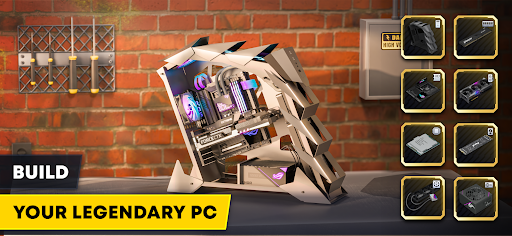
PC Creator 3 – The Ultimate PC Building Simulator & Tycoon
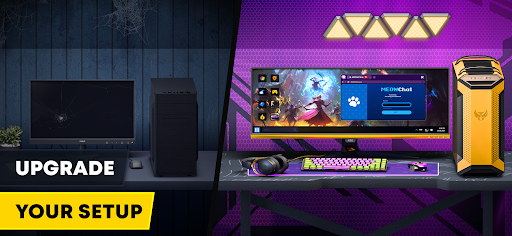
● Build and Customize Your Dream PC
Choose from 300+ real components, including the latest CPUs, GPUs, SSDs, cooling systems, and cases. Assemble your ideal setup and fine-tune every detail.
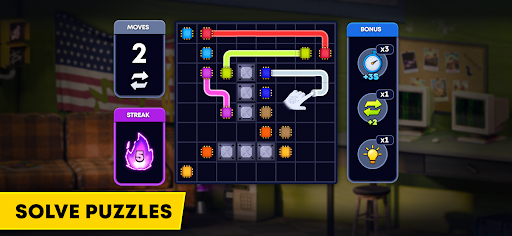
● Solve Logic Puzzles to Get PC Parts
Hardware repair is more than just clicking—it’s a brain-teasing challenge! Solve intricate puzzles and connect the line wires to get rare components. Every item you get is a reward for your logic skills. Master the connection mechanics, navigate the wire mazes, and prove your intelligence as a hardware engineer.
●Test Performance & Overclock Your System
Run realistic FPS benchmarks and see if your custom build can handle top-tier gaming PC requirements for the most demanding games.
● Manage Your Own PC Business in an Idle Tycoon Mode
Accept client orders, repair and sell PCs, optimize expenses, earn profits, and expand your workshop to dominate the market.
● Install and Optimize Software
Choose from various operating systems, install drivers, tweak settings, and optimize performance for the best results.
● Mine Cryptocurrency & Build Your Idle Mining Empire
Set up GPU mining farms and generate passive income by mining Bitcoin. Optimize energy consumption, manage software settings, and track market prices to maximize your profits.
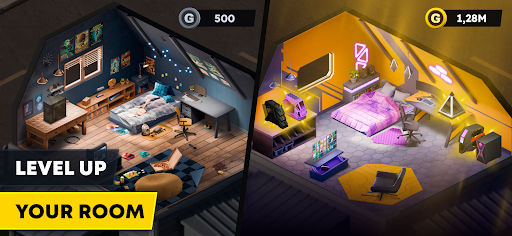
● Expand Your Business & Become a Tech Tycoon
Start from a small repair shop and transform it into a global tech corporation. Unlock new opportunities, partnerships, and challenges to scale your PC-building empire.
● Ready to Build Your Own Empire?
Download PC Creator 3 and become a true PC building master in the world of technology!
Mehr anzeigen

1. Laden das MEmu-Installationsprogramm herunter und beenden die Installation

2. MEmu starten und Google Play auf der Homepage öffnen

3. Suchen PC Creator 3 – Build & Tycoon in Google Play
Install
4. Herunterladen und Installieren PC Creator 3 – Build & Tycoon
5. Klicken nach Abschluss der Installation auf das Symbol, um es zu starten

6. Viel Spaß beim Spielen von PC Creator 3 – Build & Tycoon auf dem PC mit MEmu
MEmu App Player ist der beste kostenlose Android-Emulator und 50 Millionen Menschen genießen bereits seine hervorragende Android-Gaming-Erfahrung. Mit der MEmu-Virtualisierungstechnologie können Sie Tausende von Android-Spielen problemlos auf Ihrem PC spielen, selbst bei grafikintensiven Spielen.
BGrößeres Bild mit besserer Grafik; Keine unterbrechungen, keine sorgen um Akku
Komplette Tastenbelegung unterstützt mit Maus und Tastatur oder Controller
Mit dem „Multi-Instance-Manager“ können Sie mehrere Spielkonten oder Spiele gleichzeitig auf einem PC ausführen.
Play PC Creator 3 – Build & Tycoon on PC by following steps: