Conquest of Nine Kingdoms
Aktualisiert
Aktuelle Version
1.0
Angeboten von

Bei all Ihrer Leidenschaft für das Spielen von Conquest of Nine Kingdoms sollten Ihre Hände nicht auf einen winzigen Bildschirm Ihres Telefons beschränkt sein. Spielen Sie wie ein Profi und übernehmen Sie die volle Kontrolle über Ihr Spiel mit Tastatur und Maus. MEmu bietet Ihnen all die Dinge, die Sie erwarten. Laden Sie Conquest of Nine Kingdoms herunter und spielen Sie es auf dem PC. Spielen Sie so lange, wie Sie wollen, ohne Grenzwerte für Akku, mobile Daten und störende Anrufe. Das brandneue MEmu 9 ist die beste Wahl, um Conquest of Nine Kingdoms auf dem PC zu spielen. Das exquisite voreingestellte Tastaturbelegungssystem, das mit unserem Fachwissen vorbereitet wurde, macht Conquest of Nine Kingdoms zu einem echten PC-Spiel. Der MEmu Multi-Instanz-Manager ermöglicht das Spielen von 2 oder mehr Konten auf demselben Gerät. Und das Wichtigste: Unsere exklusive Emulations-Engine kann das volle Potenzial Ihres PCs freisetzen und für reibungslose Abläufe sorgen.
Mehr anzeigen
Laden Sie Play Conquest of Nine Kingdoms auf dem PC mit MEmu Android Emulator. Viel Spaß beim Spielen auf großmundieren. In the chaos of the late Han dynasty, warlords battle for control of the Nine Kingdoms.
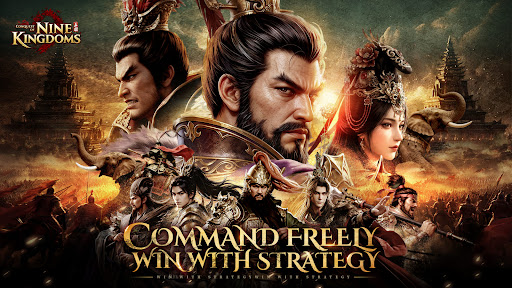
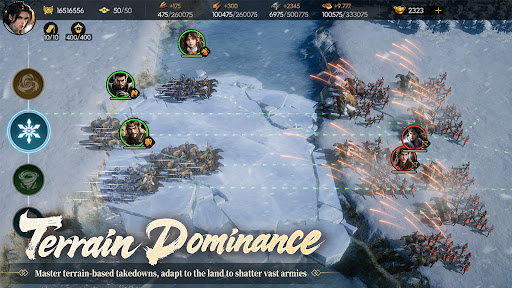
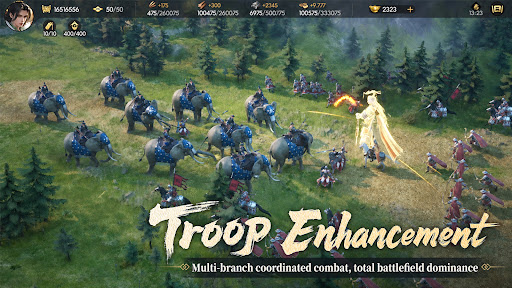
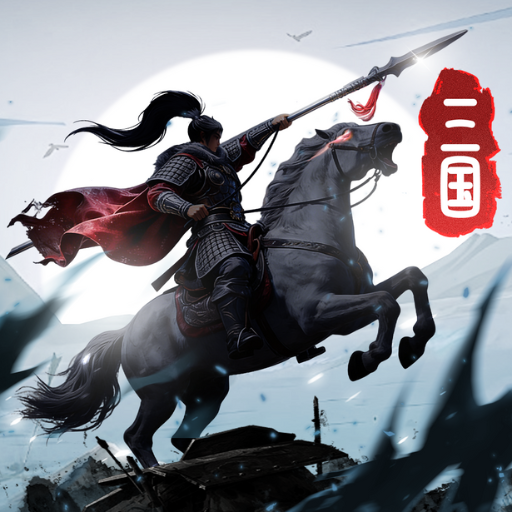
In the chaos of the late Han dynasty, warlords battle for control of the Nine Kingdoms. Conquer them all and shape the fate of the realm!
Recruit legendary Three Kingdoms generals, build your ultimate lineup, develop cities, and expand your territory.
Get SSR General Zhao Yun in the first week and more exclusive rewards!
Rise from the lord of a single city to the supreme ruler of the realm. Strategize, conquer, and forge your own Three Kingdoms legend!
Conquest of Nine Kingdoms Official Fan Page
Join now for new updates
Facebook: https://cdjzea.onelink.me/AVgx/fj6ntfja
Discord: https://cdjzea.onelink.me/jmuD/qg72t28o
>>True Real-Time Micro-Management, Experience the Ultimate Thrill of Control
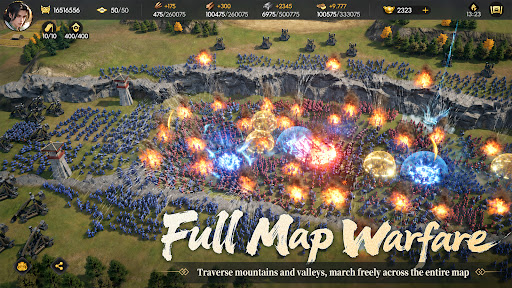
Say goodbye to battle reports and turn-based gameplays! The battlefield is completely liberated and no longer restricted by traditional grid-based combat. Command multiple squads with free marching and real-time drag-and-drop controls. Whether it's precise positioning, kiting tactics, or deploying magnificent armored units — victory is decided entirely by your fingertips. Dominate the battlefield with flawless control!
>> Exploit the Terrain for Offense & Defense, Forge 3D Battlefields
Break through flat limitations — terrain is far more than mere movement obstacles! Command archers to hold the high ground, sniping enemy forces from a position of absolute advantage; conceal cavalry in dense forests to launch devastating surprise attacks when the chance arises. Complemented by exclusive aerial units that strike from above, unleash boundless strategic depth in a fully three-dimensional battlefield.
>> All-in-One Progression & Reduced Grind, Focus on Strategic Duels
Break free from tedious daily chores! The built-in General Resonance System lets secondary generals instantly share levels once your core generals are upgraded, eliminating the hassle of repeated training. Paired with exclusive auto-siege mechanics, unified alliance management, and a night-time curfew system, you can completely bid farewell to exhausting grinds and return to the pure joy of tactical mastermind.
>>Stunning Visual Feast, Relive the Epic Three Kingdoms
Powered by cutting-edge high-detail rendering technology, meticulously crafted models are designed for all generals and troop types. From lifelike facial expressions and movements of the generals to the dynamic shifts of seasonal weather — sunny, cloudy, rainy, or snowy — the game delivers the most historically immersive experience possible. Hyper-realistic Three Kingdoms battlefields offer a brand-new strategic gaming adventure!
>>Fair Competition Above All, Outsmart Stronger Foes with Pure Strategy
The game features no artificial level barriers, returning the stage to the true battlefield. Completely shattering standard pay-to-win stat systems, as long as your strategy is sound and your activity is high, free-to-play players can rely on micro-management and numerical coordination to defeat formidable enemies. Achieve the pinnacle of strategy by conquering the strong in a fair and balanced competitive environment!
Mehr anzeigen

1. Laden das MEmu-Installationsprogramm herunter und beenden die Installation

2. MEmu starten und Google Play auf der Homepage öffnen

3. Suchen Conquest of Nine Kingdoms in Google Play
Install
4. Herunterladen und Installieren Conquest of Nine Kingdoms
5. Klicken nach Abschluss der Installation auf das Symbol, um es zu starten

6. Viel Spaß beim Spielen von Conquest of Nine Kingdoms auf dem PC mit MEmu
MEmu App Player ist der beste kostenlose Android-Emulator und 50 Millionen Menschen genießen bereits seine hervorragende Android-Gaming-Erfahrung. Mit der MEmu-Virtualisierungstechnologie können Sie Tausende von Android-Spielen problemlos auf Ihrem PC spielen, selbst bei grafikintensiven Spielen.
BGrößeres Bild mit besserer Grafik; Keine unterbrechungen, keine sorgen um Akku
Komplette Tastenbelegung unterstützt mit Maus und Tastatur oder Controller
Mit dem „Multi-Instance-Manager“ können Sie mehrere Spielkonten oder Spiele gleichzeitig auf einem PC ausführen.
Play Conquest of Nine Kingdoms on PC by following steps: