Craftsman RealmCraft 3D
Aktualisiert
Aktuelle Version
1.0.0
Angeboten von

Bei all Ihrer Leidenschaft für das Spielen von Craftsman RealmCraft 3D sollten Ihre Hände nicht auf einen winzigen Bildschirm Ihres Telefons beschränkt sein. Spielen Sie wie ein Profi und übernehmen Sie die volle Kontrolle über Ihr Spiel mit Tastatur und Maus. MEmu bietet Ihnen all die Dinge, die Sie erwarten. Laden Sie Craftsman RealmCraft 3D herunter und spielen Sie es auf dem PC. Spielen Sie so lange, wie Sie wollen, ohne Grenzwerte für Akku, mobile Daten und störende Anrufe. Das brandneue MEmu 9 ist die beste Wahl, um Craftsman RealmCraft 3D auf dem PC zu spielen. Das exquisite voreingestellte Tastaturbelegungssystem, das mit unserem Fachwissen vorbereitet wurde, macht Craftsman RealmCraft 3D zu einem echten PC-Spiel. Der MEmu Multi-Instanz-Manager ermöglicht das Spielen von 2 oder mehr Konten auf demselben Gerät. Und das Wichtigste: Unsere exklusive Emulations-Engine kann das volle Potenzial Ihres PCs freisetzen und für reibungslose Abläufe sorgen.
Mehr anzeigen
Laden Sie Play Craftsman RealmCraft 3D auf dem PC mit MEmu Android Emulator. Viel Spaß beim Spielen auf großmundieren. Building and Survival Game.
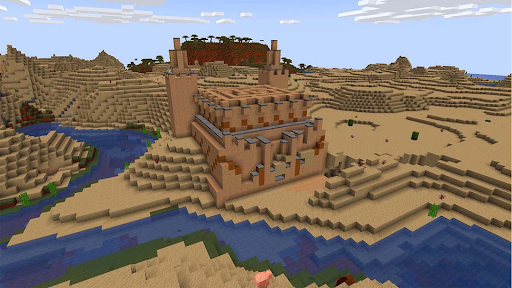
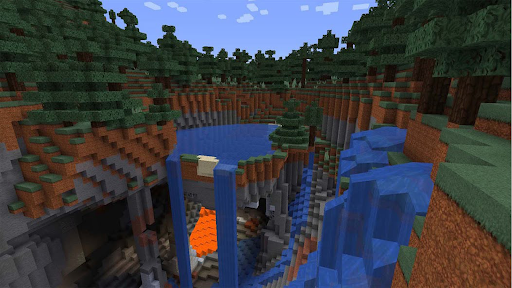
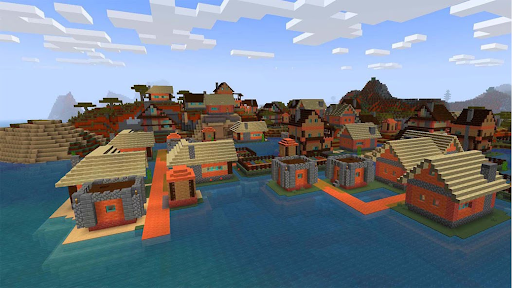
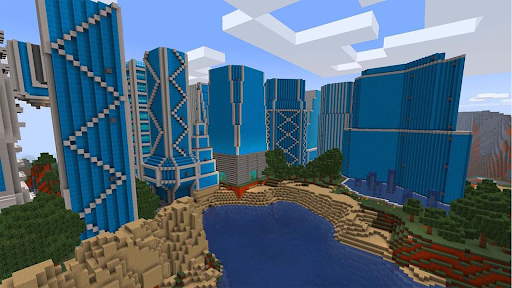
Building and Survival Game
The ultimate sandbox experience where creativity has no limits. Dive into a vast, procedurally generated world and begin your journey as a master builder. Whether you want to survive the night or design the architectural wonders of your dreams, this world is yours to shape.
Explore, Build, and Survive
In this world, every block is a tool for your next adventure. From the deepest caves to the highest mountain peaks, you are the architect of your own journey.
Creative Mode: Enjoy unlimited resources and fly across the map. Build massive castles, modern skyscrapers, or detailed cities without limits.
Survival Mode: Test your survival skills! Gather resources, craft tools, and hunt for food. Build a safe shelter to protect yourself from mysterious creatures that appear after sunset.
Key Features
High-Definition Graphics: Experience a beautiful block world with smooth textures and optimized performance for a wide range of devices.
Endless World Generation: No two adventures are the same. Explore diverse biomes, including lush forests, vast deserts, and frozen tundras.
Advanced Crafting System: Combine materials to create unique weapons, armor, and decorative furniture.
Multiplayer Fun: Join your friends and build together! Collaborate on massive projects or explore the wilderness as a team.
Simple Controls: Enjoy an intuitive, easy-to-use interface designed for a smooth mobile gaming experience.
Become a Master Crafter
The only limit is your imagination. Will you build a peaceful farm, create complex redstone machines, or establish a magnificent kingdom?
Download Craftsman Building Ultimate today and start your legendary building adventure!
Mehr anzeigen

1. Laden das MEmu-Installationsprogramm herunter und beenden die Installation

2. MEmu starten und Google Play auf der Homepage öffnen

3. Suchen Craftsman RealmCraft 3D in Google Play
Install
4. Herunterladen und Installieren Craftsman RealmCraft 3D
5. Klicken nach Abschluss der Installation auf das Symbol, um es zu starten

6. Viel Spaß beim Spielen von Craftsman RealmCraft 3D auf dem PC mit MEmu
MEmu App Player ist der beste kostenlose Android-Emulator und 50 Millionen Menschen genießen bereits seine hervorragende Android-Gaming-Erfahrung. Mit der MEmu-Virtualisierungstechnologie können Sie Tausende von Android-Spielen problemlos auf Ihrem PC spielen, selbst bei grafikintensiven Spielen.
BGrößeres Bild mit besserer Grafik; Keine unterbrechungen, keine sorgen um Akku
Komplette Tastenbelegung unterstützt mit Maus und Tastatur oder Controller
Mit dem „Multi-Instance-Manager“ können Sie mehrere Spielkonten oder Spiele gleichzeitig auf einem PC ausführen.
Play Craftsman RealmCraft 3D on PC by following steps: