
Exoborne
Aktualisiert
Aktuelle Version
Angeboten von

Bei all Ihrer Leidenschaft für das Spielen von Exoborne sollten Ihre Hände nicht auf einen winzigen Bildschirm Ihres Telefons beschränkt sein. Spielen Sie wie ein Profi und übernehmen Sie die volle Kontrolle über Ihr Spiel mit Tastatur und Maus. MEmu bietet Ihnen all die Dinge, die Sie erwarten. Laden Sie Exoborne herunter und spielen Sie es auf dem PC. Spielen Sie so lange, wie Sie wollen, ohne Grenzwerte für Akku, mobile Daten und störende Anrufe. Das brandneue MEmu 9 ist die beste Wahl, um Exoborne auf dem PC zu spielen. Das exquisite voreingestellte Tastaturbelegungssystem, das mit unserem Fachwissen vorbereitet wurde, macht Exoborne zu einem echten PC-Spiel. Der MEmu Multi-Instanz-Manager ermöglicht das Spielen von 2 oder mehr Konten auf demselben Gerät. Und das Wichtigste: Unsere exklusive Emulations-Engine kann das volle Potenzial Ihres PCs freisetzen und für reibungslose Abläufe sorgen.
Mehr anzeigen
Laden Sie Play Exoborne auf dem PC mit MEmu Android Emulator. Viel Spaß beim Spielen auf großmundieren. Exoborne is a thrilling open-world tactical extraction shooter set in a post-apocalyptic United States devastated by extreme natural disasters and corporate greed.

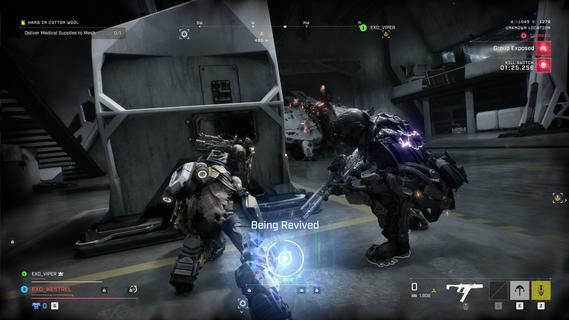
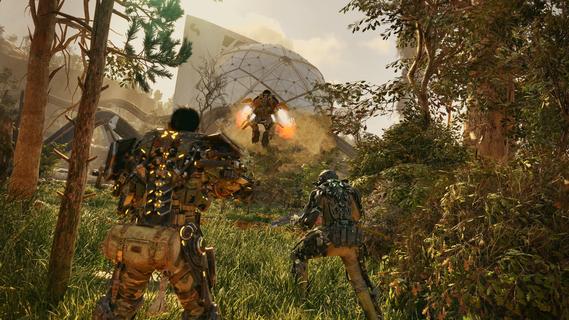
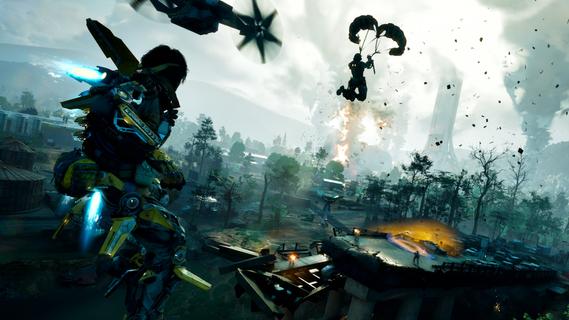
Exoborne is a thrilling open-world tactical extraction shooter set in a post-apocalyptic United States devastated by extreme natural disasters and corporate greed. The game drops you into a dynamic and hostile environment where survival hinges on scavenging, crafting, and intense combat against both AI-controlled enemies and rival players. Each session is unique, as you face shifting weather conditions such as tornadoes, lightning storms, and apocalyptic tempests that can disrupt your strategies and turn the tide of battle. Central to Exoborne’s gameplay are powerful customizable exo-rigs, mechanical suits that dramatically impact your movement and combat style. These EXO suits come with unique modules that allow you to tailor your loadout for specific tactics—whether you prefer heavy armor and close-quarters combat or nimble scouting and long-range sniping. Mobility is a key aspect, with grappling hooks and parachutes enabling vertical exploration to gain strategic advantages during firefights or quick escapes. The combination of PvP and PvE elements deepens the tactical complexity. You not only contend with other skilled players competing for limited resources, but you also must adapt to the threats posed by Mother Nature’s fury. Strategic use of environmental hazards can be turned against your enemies—for example, forcing them into tornadoes or using storms as cover. Crafting plays a vital role as well, letting you upgrade your gear, weapons, and exo-rig modules to suit evolving challenges in the field. Visually, Exoborne impresses with its Unreal Engine 5-powered landscapes, realistic weather effects, and fluid third-person combat animations. The game features a dynamic camera system that smoothly switches between third- and first-person perspectives, enhancing immersion and precision during combat. The apocalyptic world is richly detailed with ruined cities, sci-fi structures, and a variety of terrains that reward creative exploration. Teamwork is encouraged but not mandatory; you can choose to go solo or cooperate with up to two other players to maximize your chances of successful extraction. The narrative immerses players as "Reborns," resistance fighters navigating a ravaged America, adding purpose to your tactical missions. High risks promise high rewards as you scavenge valuable loot and execute daring extractions under pressure. In summary, Exoborne offers a fresh take on the extraction shooter genre by blending tactical squad combat, deep EXO suit customization, and unpredictable environmental challenges into a high-stakes, action-packed experience. Its open-world setting, dynamic weather, and vertical gameplay encourage strategic thinking and adaptability, making each match a unique test of skill and survival.
Mehr anzeigen

1. Laden das MEmu-Installationsprogramm herunter und beenden die Installation

2. MEmu starten und Google Play auf der Homepage öffnen

3. Suchen Exoborne in Google Play
Install
4. Herunterladen und Installieren Exoborne
5. Klicken nach Abschluss der Installation auf das Symbol, um es zu starten

6. Viel Spaß beim Spielen von Exoborne auf dem PC mit MEmu
MEmu App Player ist der beste kostenlose Android-Emulator und 50 Millionen Menschen genießen bereits seine hervorragende Android-Gaming-Erfahrung. Mit der MEmu-Virtualisierungstechnologie können Sie Tausende von Android-Spielen problemlos auf Ihrem PC spielen, selbst bei grafikintensiven Spielen.
BGrößeres Bild mit besserer Grafik; Keine unterbrechungen, keine sorgen um Akku
Komplette Tastenbelegung unterstützt mit Maus und Tastatur oder Controller
Mit dem „Multi-Instance-Manager“ können Sie mehrere Spielkonten oder Spiele gleichzeitig auf einem PC ausführen.
Play Exoborne on PC by following steps: